If you plan to authenticate using Out Of Band Push please configure AMR as follows..
In DualShield Admin Console, navigate to SSO > Vendor
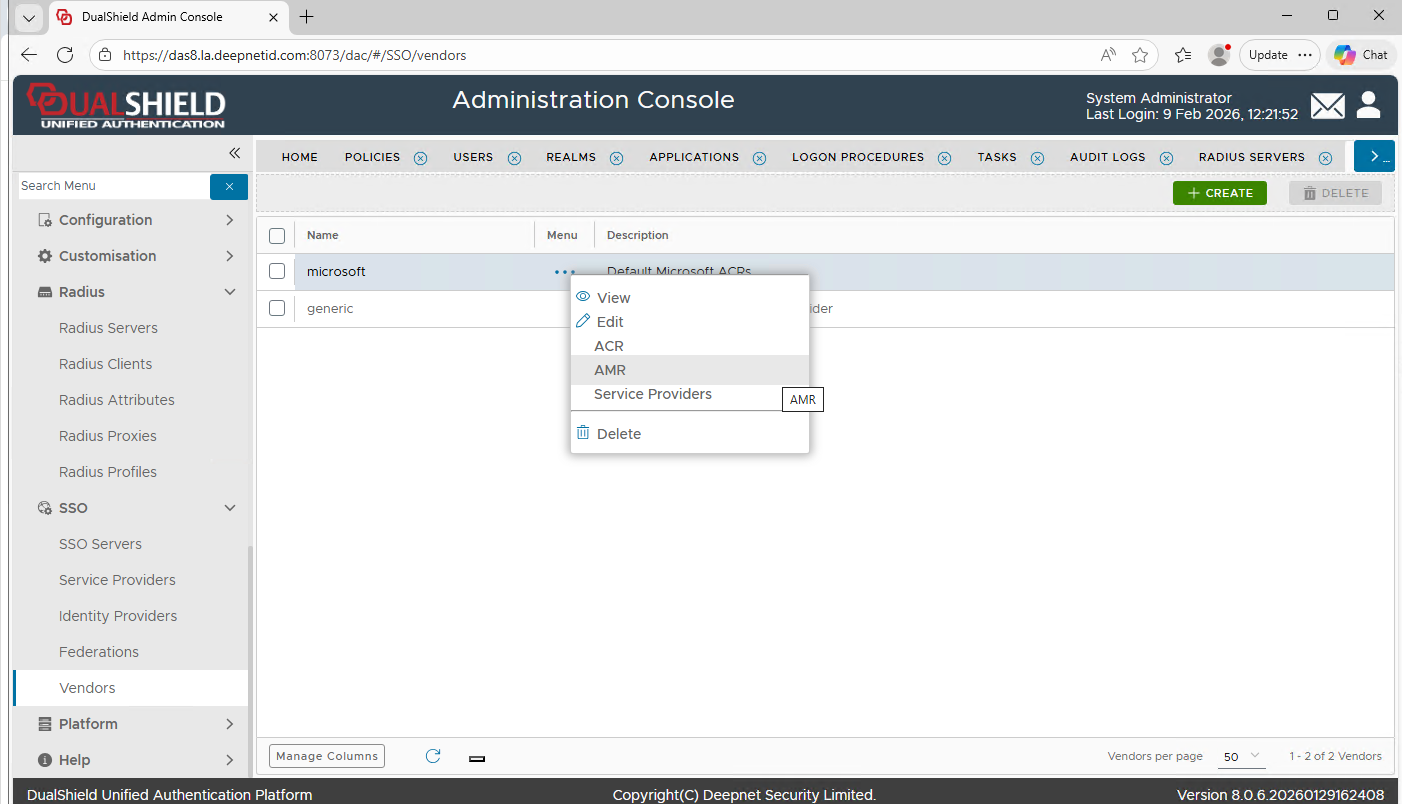
Click the context menu of "Microsoft" and select "AMR"
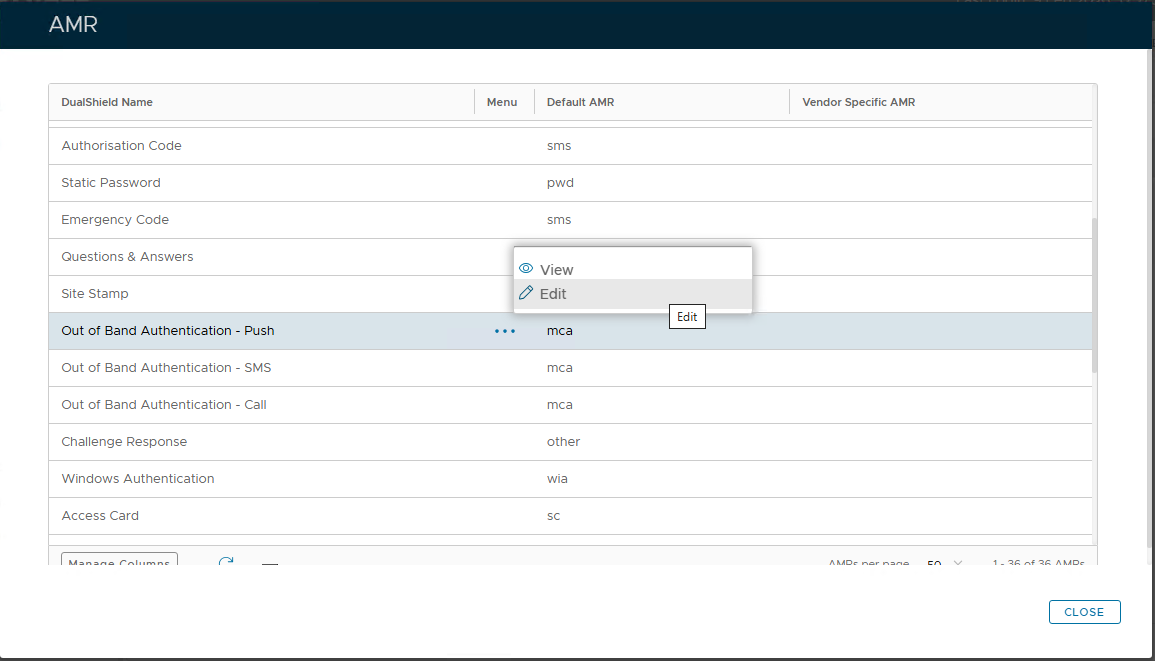
Click the context menu of "Out of Band Authentication - Push" and select "Edit"
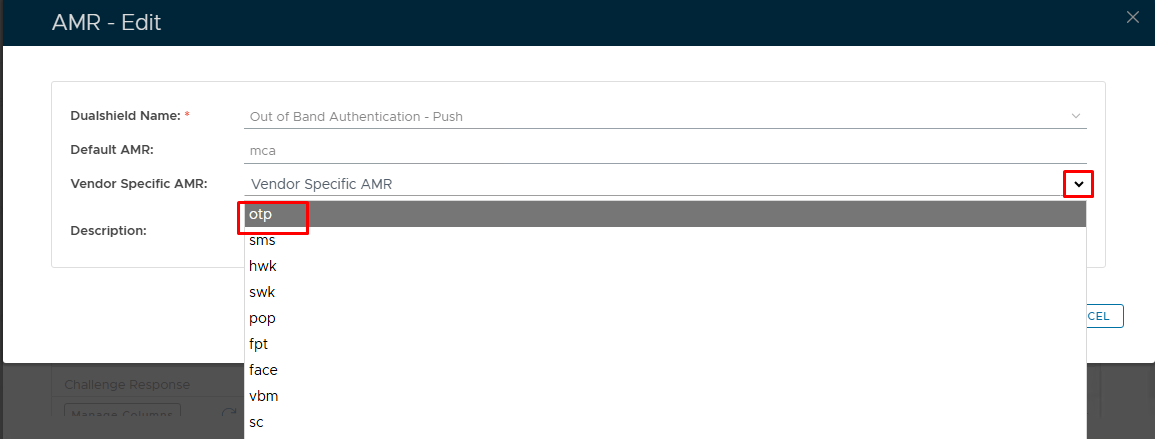
Click the down arrow to the right of the "AMRs" list box
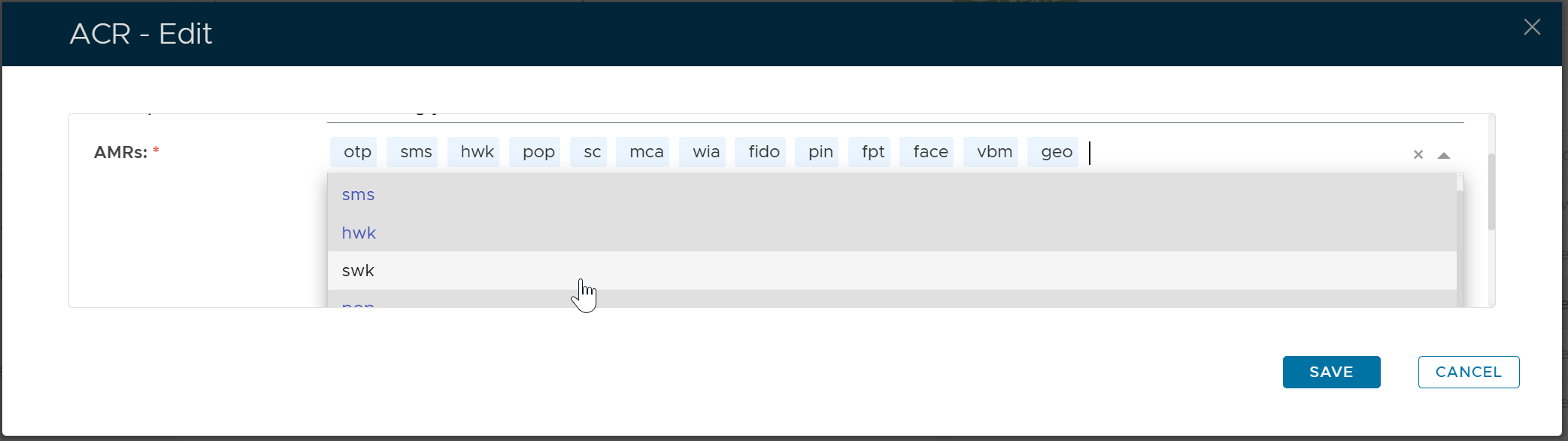
Select "swk" from the list
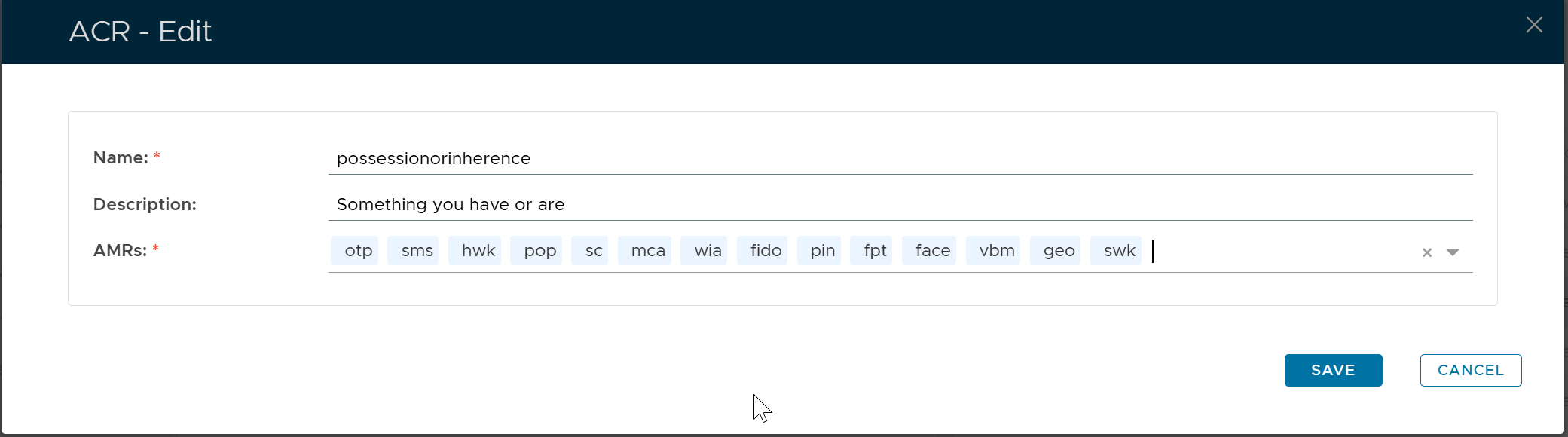
Click "SAVE"