DualShield provides a self-service web console called Deployment Service Console that can be used by users to activate their own devices.
If you allow your users to activate their own devices using the Deployment Service Console, then you need to configure the following policies:
DeviceID Policy
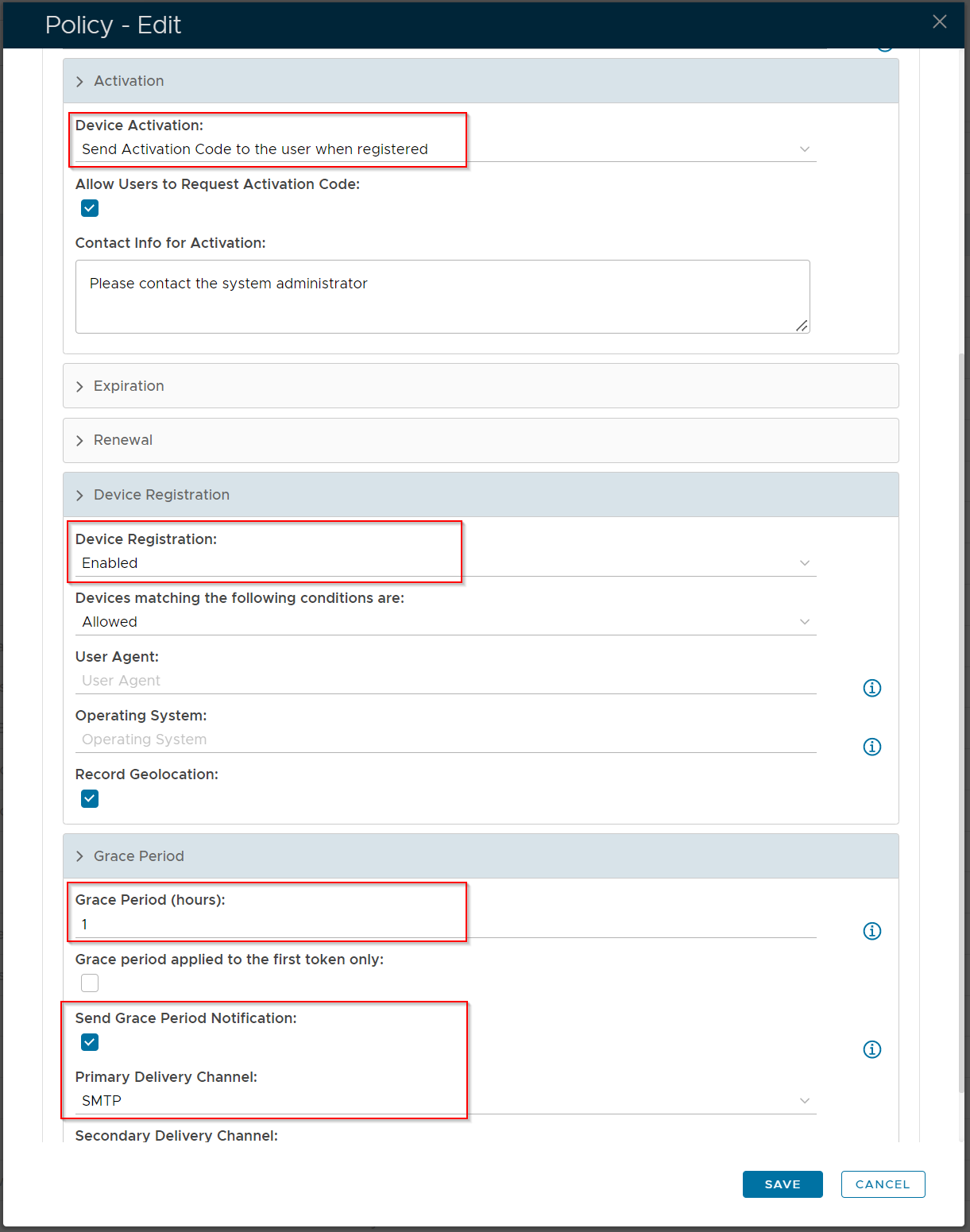
| Option | Value | Explanation |
|---|---|---|
| Device Activation | Send Activation Code to the user when registered | An activation link with a code will be sent to end users, enabling them to access the Self Service portal and activate their own DeviceID token |
| Device Registration | Enabled | This is a default option so that a DeviceID token will get created and dropped into quarantine until such time as it is activated. |
| Grace Period | Time period need to be set in hours | Setting a grace period is a requirement, so that the end user will be able to recieve so the activation link. If Send Grace Period Notification is enabled , then end user will receive a separate notification explaining how long they have to activate their token, before their email is blocked. |
Activation Code Policy
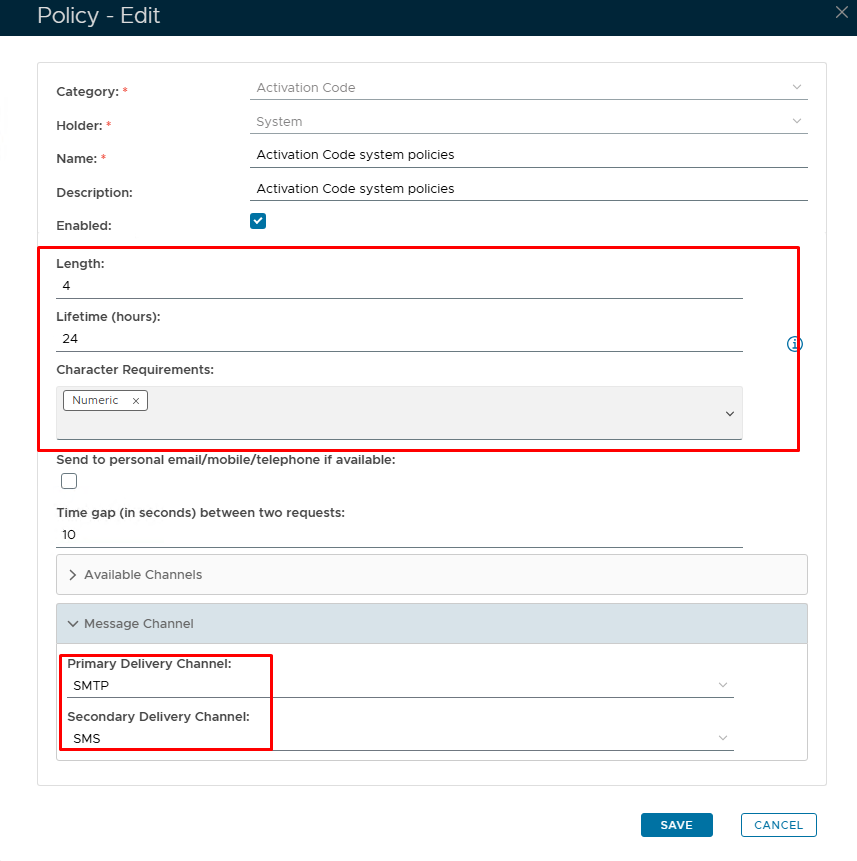
The activation code has it's own policy where you can set the format and length of the code as well as an expiry
| Option | Value | Explanation |
|---|---|---|
| Length | Send Activation Code to the user when registered | An activation link with a code will be sent to end users, enabling them to access the Self Service portal and activate their own DeviceID token |
| Device Registration | Enabled | This is a default option so that a DeviceID token will get created and dropped into quarantine until such time as it is activated. |
| Grace Period | Time period need to be set in hours | Setting a grace period is a requirement, so that the end user will be able to recieve so the activation link. If Send Grace Period Notification is enabled , then end user will receive a separate notification explaining how long they have to activate their token, before their email is blocked. |