To import a task, navigate to "Administration | Tasks"
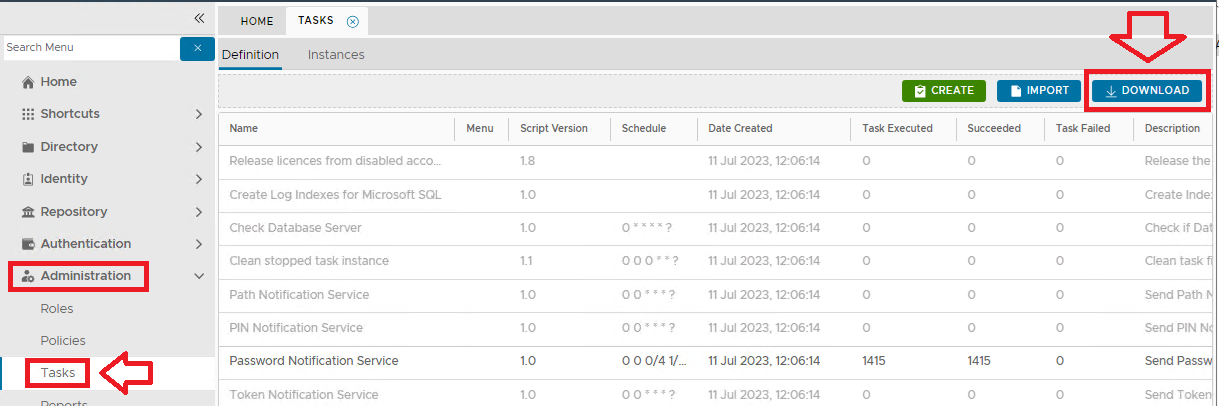
then click on the IMPORT button:

Click "Select file" and select the task file to be imported, e.g. "export_token_assignment.xml"
Click the button to import the task definition into the the "Definition" tab list of tasks.
New tasks will now added into the list of tasks in the "Definition" tab (the new tasks will be found at the end of the list of tasks);
