It is possible to use Windows Logon to protect Network drive mapping with multi-factor authentication....
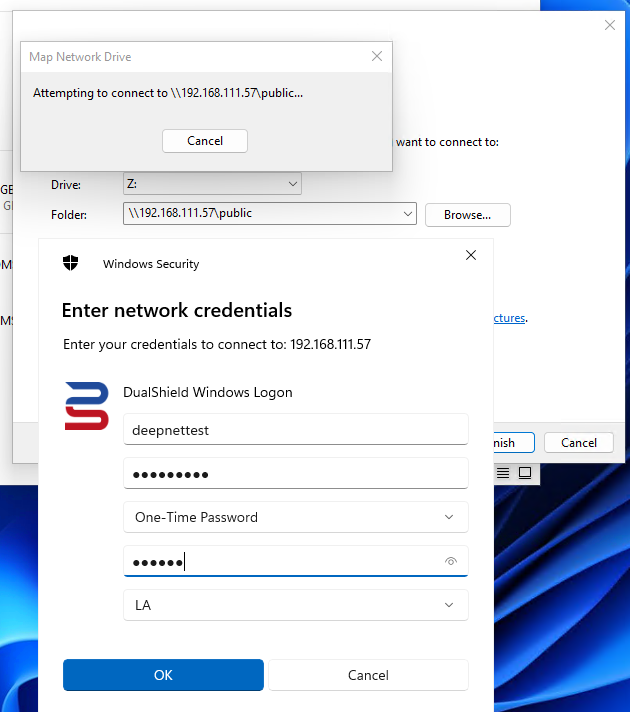
This guide assumes that logon to the end user's computer is already protected by the Windows Logon Client. Therefore all that is required is a modification to the Windows Logon registry key to control the behavior of the network drive mapping (NDM)
The key that needs to be changed is: