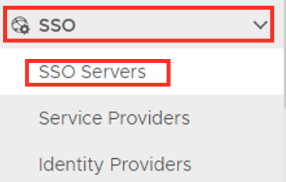
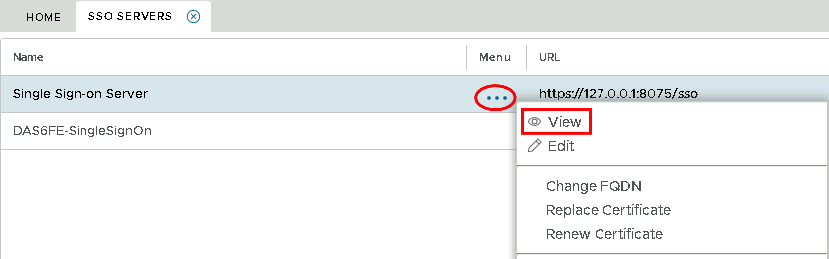
Select the drop down menu corresponding to the SSO server you will be using and click onView.
Column
width
50%
Panel
borderColor
#9EBEE5
bgColor
#f0f0f0
borderWidth
1px
...
Section
border
true
Column
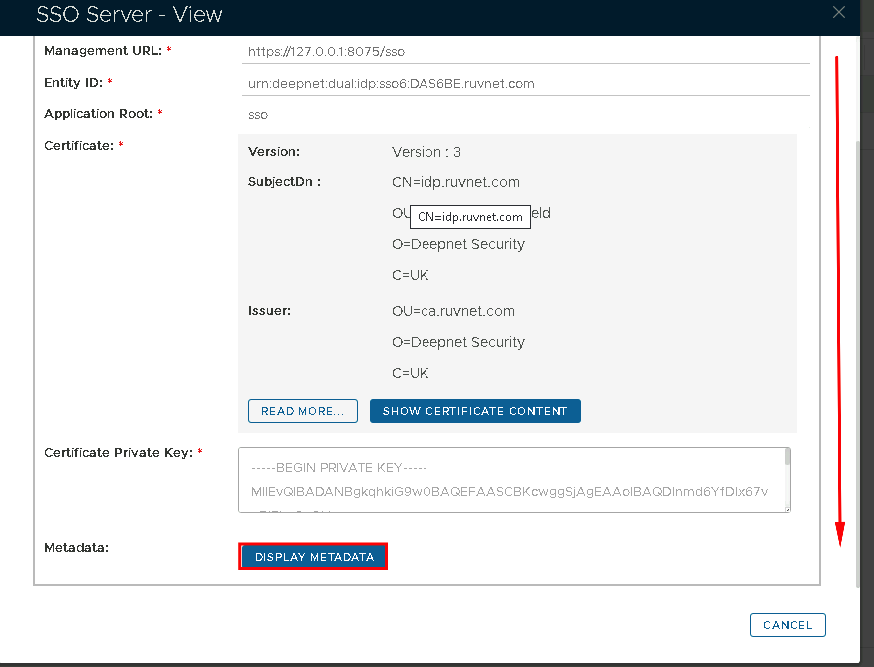
In the view screen scroll down and click on Display Metadata
Column
width
50%
Panel
borderColor
#9EBEE5
bgColor
#f0f0f0
borderWidth
1px
Section
border
true
Column
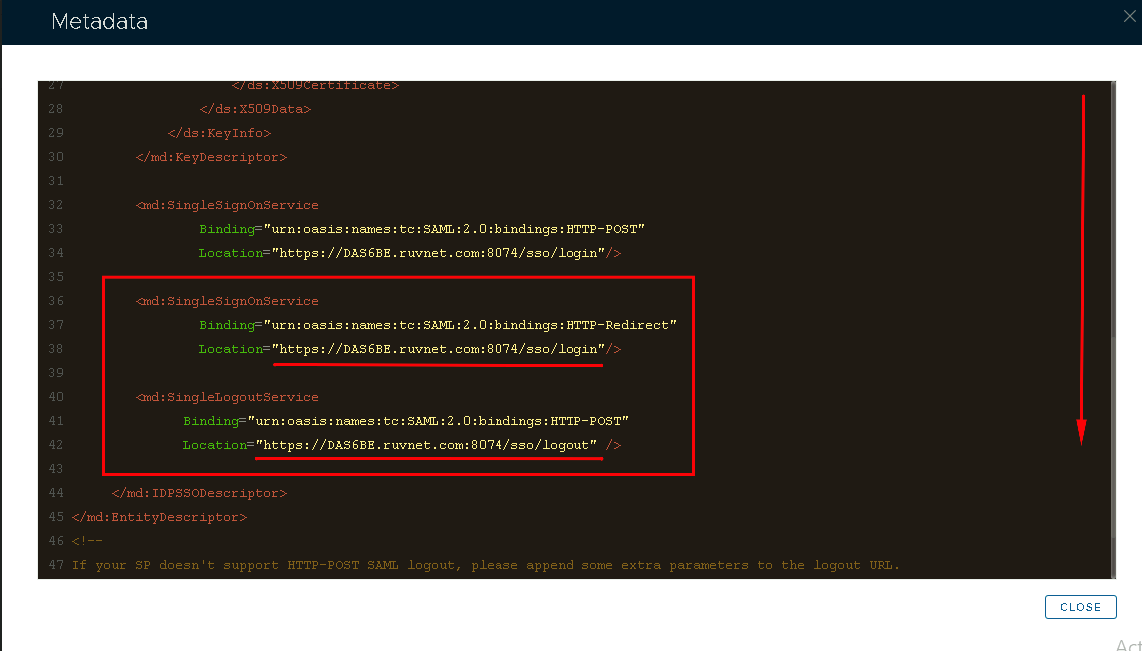
Scoll Scroll down to where you can see the SingleSignOnService and SingleLogoutService URL. You may want to copy and past this somewhere, ready for the next section.