...
| Section |
|---|
|
| Column |
|---|
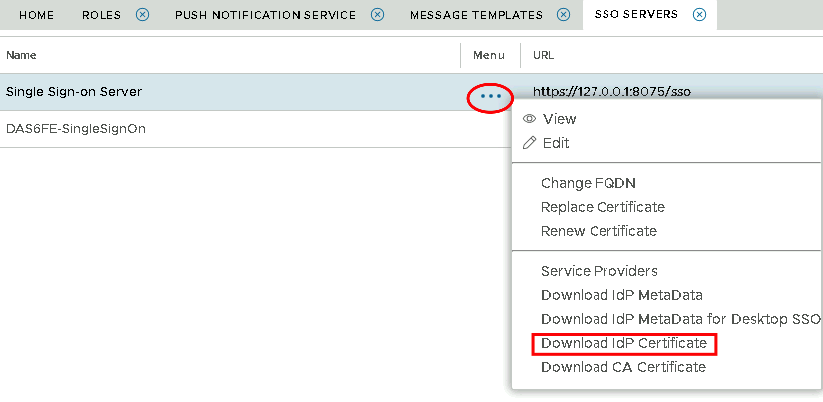
Select the drop down menu corresponding to the SSO server you will be using and click on Download IdP Certificate |
| Column |
|---|
|
| Panel |
|---|
| borderColor | #9EBEE5 |
|---|
| bgColor | #f0f0f0 |
|---|
| borderWidth | 1px |
|---|
| 
|
|
|
| Section |
|---|
|
| Column |
|---|
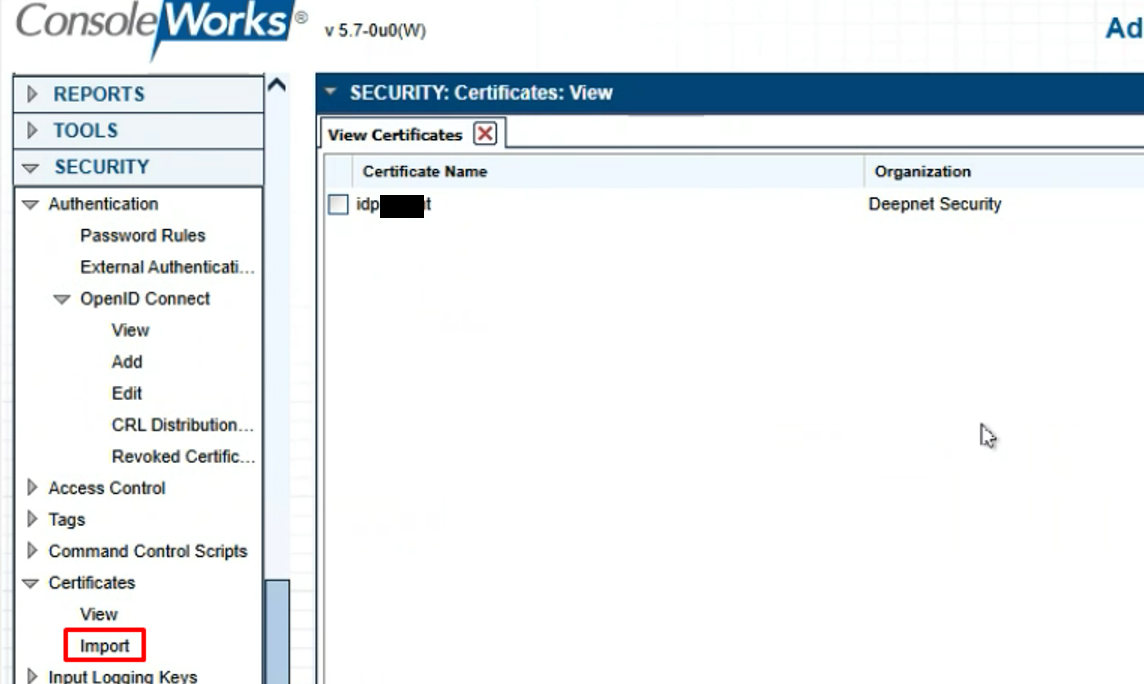
In ConsoleWorks navigate to Security>Certificates>Import and follow the prompts to import the idp cert |
| Column |
|---|
|
| Panel |
|---|
| borderColor | #9EBEE5 |
|---|
| bgColor | #f0f0f0 |
|---|
| borderWidth | 1px |
|---|
| 
|
|
|
Adding Users for OIDC authentication.
Please refer to ConsoleWorks' own documentation for creating Users, templates and rules, however there are two ways this can be set up:
...