...
In the "CLO-MA Service Provider" box, select the newly created service provider for computer logon, e.g. Computer Logon MA
Click the "FINISH" button to save the settings.
DualShield as the Indirect MFA Provider via Entra EAM
...
| Expand | ||||||
|---|---|---|---|---|---|---|
|
Step 2: Set Entra EAM as the Authentication Provider
In the DualShield Admin Console, navigate to Configuration \ Computer Logon Modern Authentication
Select "Settings" in the sidebar
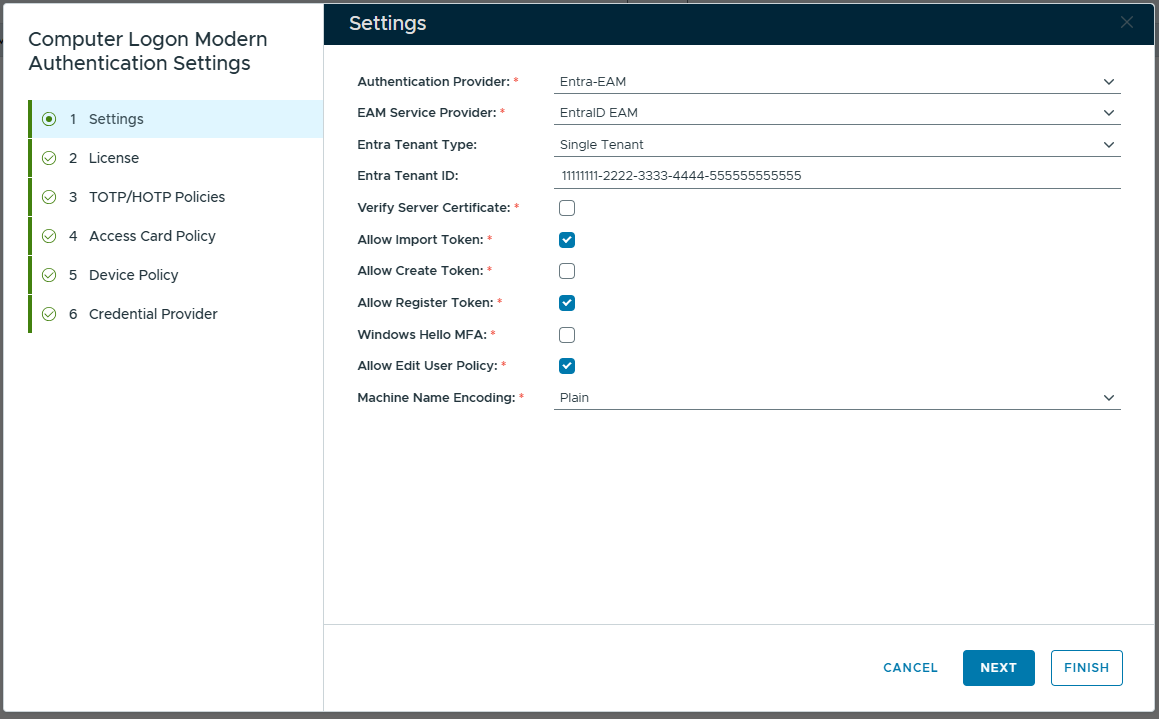
In the "Authentication Provider" box, select "Entra EAM"
In the "EAM Service Provider" box, select the newly created service provider for Entra EAM, e.g. EnraID EAM
In the "Entra Tenant Type" box, select the type of your Entra tenant, e.g. Single or Multiple
In the "Entra Tenant ID" box, enter the ID of your Entra tenent.
Click the "FINISH" button to save the settings.