...
Attempting to delete a domain on the Administration Console;
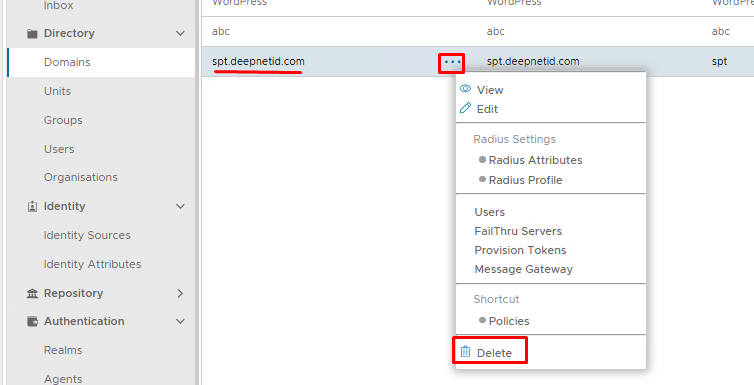
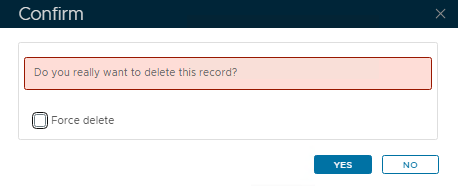
Leave Force Delete* unchecked. (*only available from v8.0.6)
Click Yes on the Confirm pop-up.
However However, the following error appears:
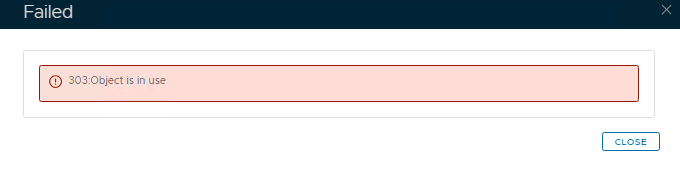
This usually means the domain is still tied to something else, for example, a realm, a policy, a role, etc
Search the Admin Console for Domain Bindings
...
If you see the domain you wish to delete listed in any of the above place places, then you will need to edit and remove those associations, then try deleting the domain again.
If however, you cannot find it in any of those locations, then it the domain will need to be manually removed using a series of SQL queriesbe removed by the following methods:
Force delete (only available from version 8.0.6 upwards)
If you cannot find any domain binding, and you are 100% sure the domain is still not in use, then you can force delete. Attempt to delete the domain again.
Enable the option to force delete:
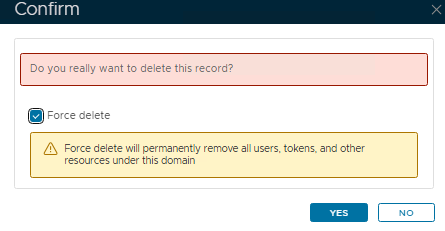
Take note of the yellow warning, and if you are happy, click Yes
The domain will be removed.
The rest of this wiki will no longer apply.
Remove using SQL Queries (older versions of DualShield)
Go to Platform>Database Servers then click on the blue SQL Console button on the top right.
...
In the result we see the id = 5. For future reference, this will be refered referred to as the domain_id
Try and delete the domain by executing the following query:
| Code Block | ||||
|---|---|---|---|---|
| ||||
delete from domain where name = 'spt.deepnetid.com' |
For future reference, this will be referred to as the first query
You will now see an error which should give details as to why the domain cannot be deleted... for example...
...
| Code Block | ||||
|---|---|---|---|---|
| ||||
delete from role_domain where domain_id = 5 |
Hopefully, you will see 1 row affected, which means that the query has executed correctly and the reference to the domain has been deleted from this table
Run the first query again.
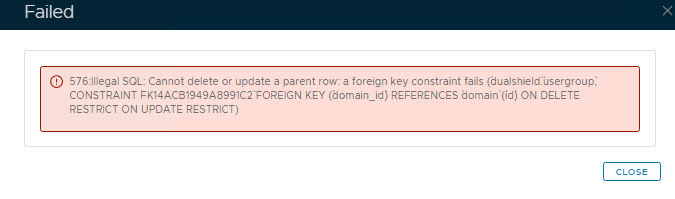
This error tells us that a foreign key constraint fails where the domain_id is referenced in the table usergroup
| Code Block | ||||
|---|---|---|---|---|
| ||||
delete from usergroup where domain_id = 5 |
Unfortunately, that query returns the following error...
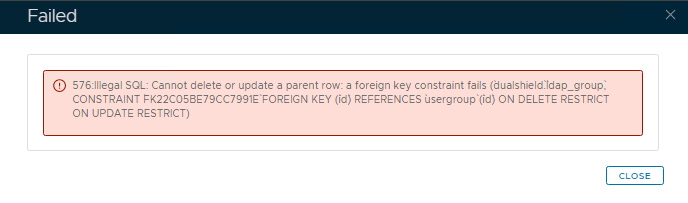
...because there is a row in ldap_group that is referencing the id in a row of the usergroup table we need to delete. Therefor that row in the ldap_group table needs to be deleted first.
| Expand | ||
|---|---|---|
| ||
The row where id = 7 in th ldap_group table needs to be deleted first, before the row with the same id on the usergroup table (which also references that domain_id) can be deleted. |
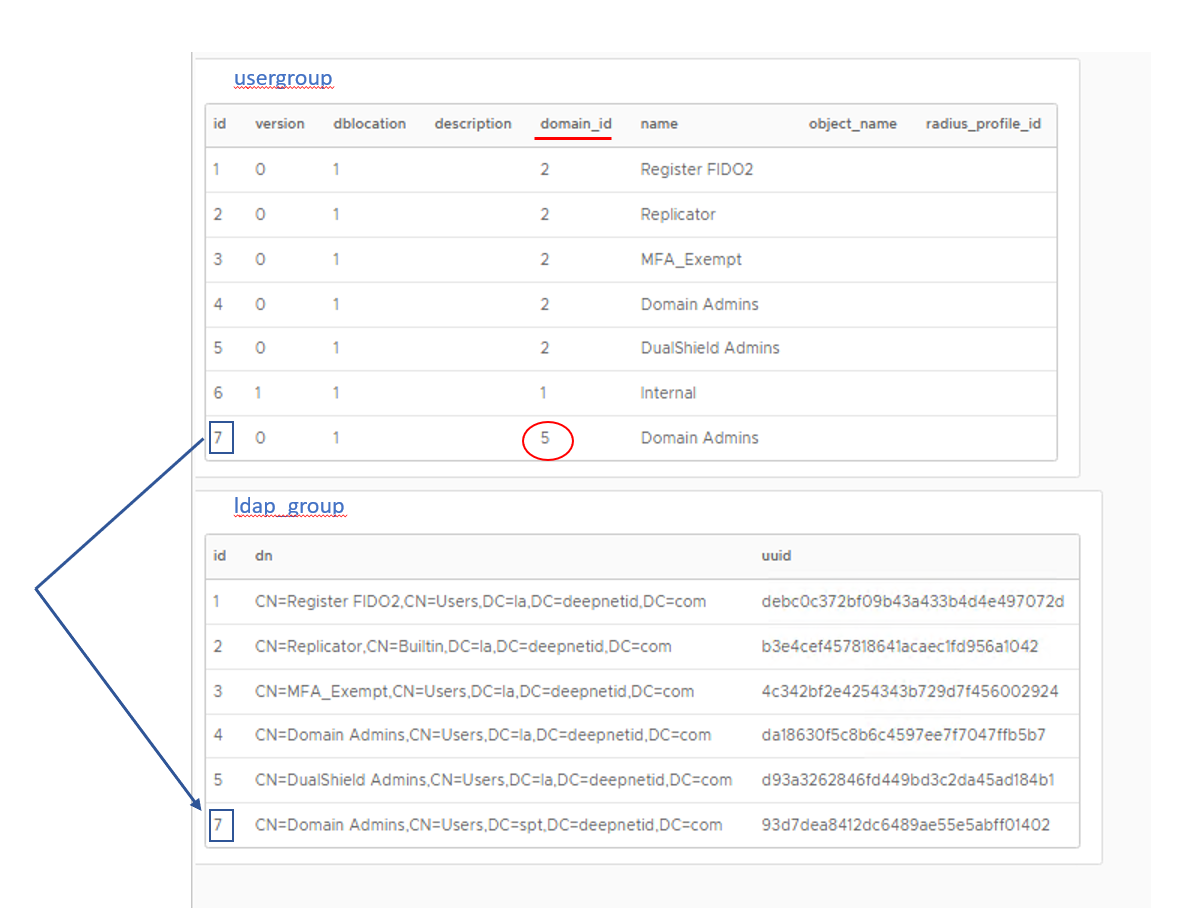
Only the usergroup table contains the column domain_id; therefore the only way to delete the related row in ldap_group is by matching it to where the domain_id = 5 in the usergroup table via a join query:
| Code Block | ||||
|---|---|---|---|---|
| ||||
DELETE lg FROM ldap_group lg JOIN usergroup ug ON lg.id = ug.id WHERE ug.domain_id = 5; |
Once the above query has been executed successfully, can you then run..
| Code Block | ||||
|---|---|---|---|---|
| ||||
delete from usergroup where domain_id = 5 |
However, that may not be the end because there may be another table referencing rows on usergroup
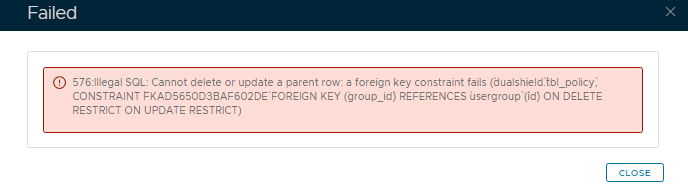
Here you can use the same join query as above hiowever changing the table name in the first line to match the table name stated in the error above (tbl_policy), and make sure the column name on the second line is changed to group_id
| Code Block | ||||
|---|---|---|---|---|
| ||||
DELETE tp FROM tbl_policy tp
JOIN usergroup ug ON tp.group_id = ug.id
WHERE ug.domain_id = 5; |
If you then encounter a third level key constraint issue such as
Cannot delete or update a parent row: a foreign key constraint fails (`dualshield`.`tbl_policy_applications`, CONSTRAINT `FK61B4ED0FB3470AD4` FOREIGN KEY (`policy_id`) REFERENCES `tbl_policy` (`id`) ON DELETE RESTRICT ON UPDATE RESTRICT)
Then you need to run a query that links all three tables together to find and delete the applications tied to the policies that belong to domain_id 5:
| Code Block | ||||
|---|---|---|---|---|
| ||||
DELETE tpa FROM tbl_policy_applications tpa JOIN tbl_policy tp ON tpa.policy_id = tp.id JOIN usergroup ug ON tp.group_id = ug.id WHERE ug.domain_id = 5; |
If successful, you need to then run the previous query (DELETE tp FROM tbl_policy tp...) followed by the query before that (delete from usergroup...) until you get back to the first query (delete from domain where name = ...)
You need to follow the pattern above until the first query to delete the domain executes successfully.