Access Control by time is the most common policy used by our customers. It can be used in two ways. 1) To only grant an exclusive group of users to Applications. 2)Restrict access to applications by time/date.
Senario 1: Users in the 2fa_Access AD security group will have access to OWA, whereas users who are not will be denied access,
...
| border | true |
|---|
...
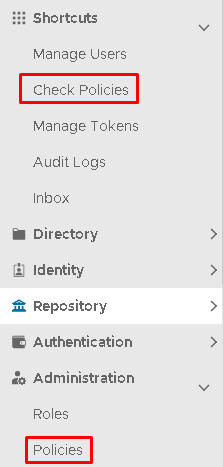
In the Administration Console, the policies can be accessed via either under Shortcuts>Check Policies
or
Administration>Policies
User or User Group allows you to restrict access to applications by some individual users or a specific user group.
Access Control by User is implemented by creating some appropriate Access Control policies. In this guide, we will describe how to implement an access control system so that all users in a domain are denied access to the DualShield Service Console (DSC) except users in the group called DualShield 2FA.
We need to create the following 2 Access Control policies:
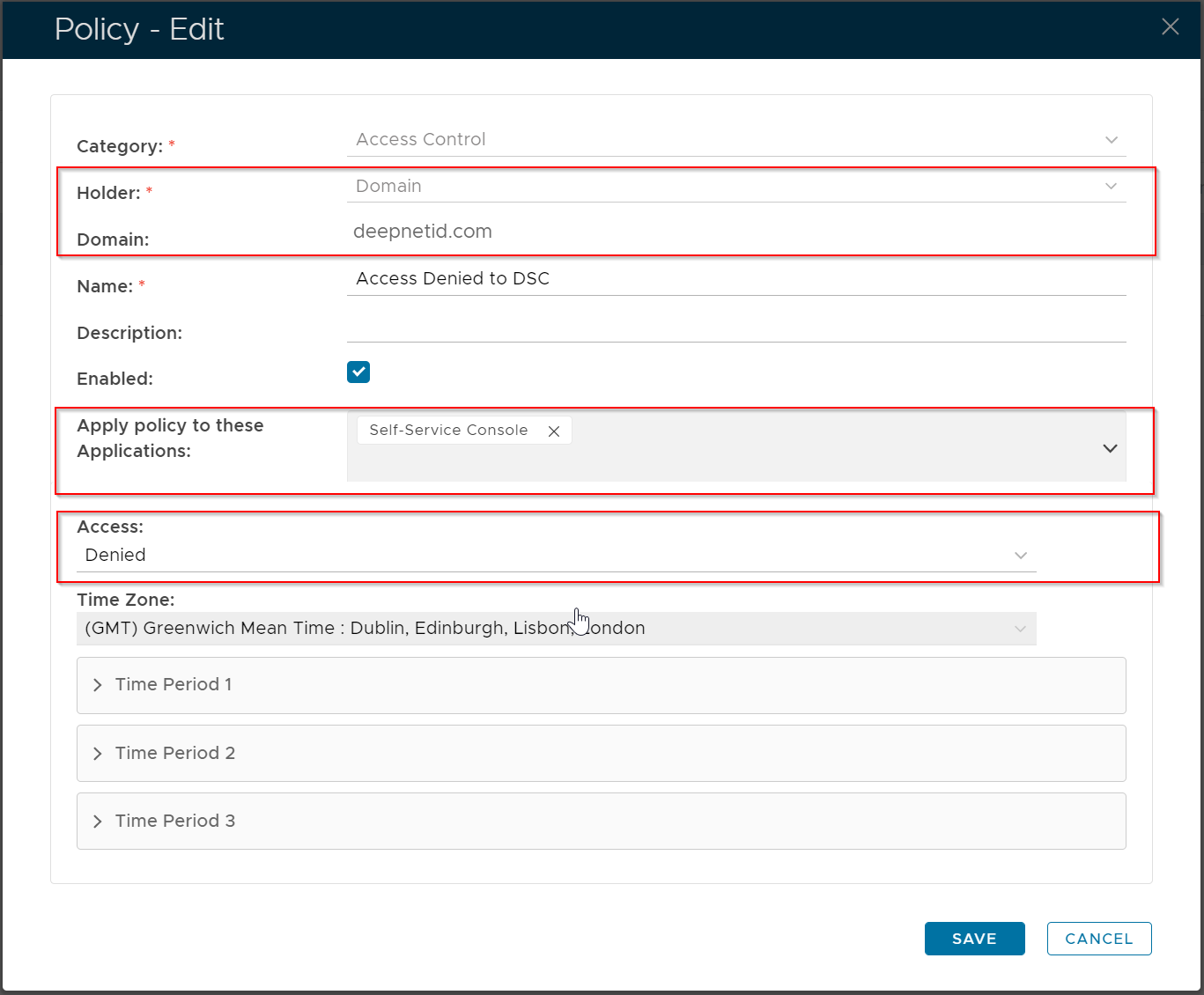
- Domain Policy: An Access Control policy bound to the 'deepnetid.com' domain and the 'self-service console' application. All users in the domain are denied access to the application.
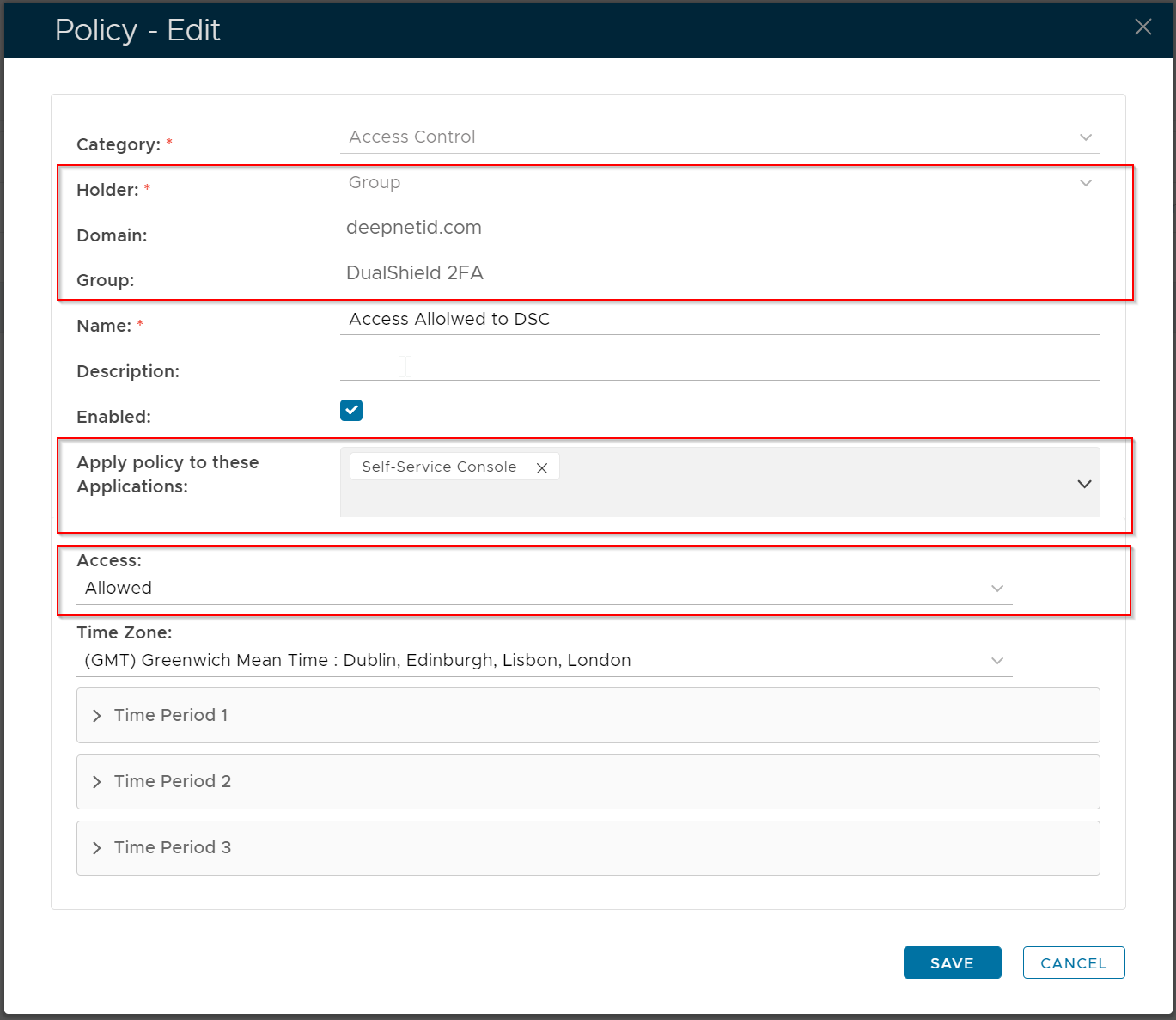
- Group Policy: An Access Control policy bound to the 'DualShield 2FA' user group and the 'self-service console' application. All users in the user group are allowed access to the application.
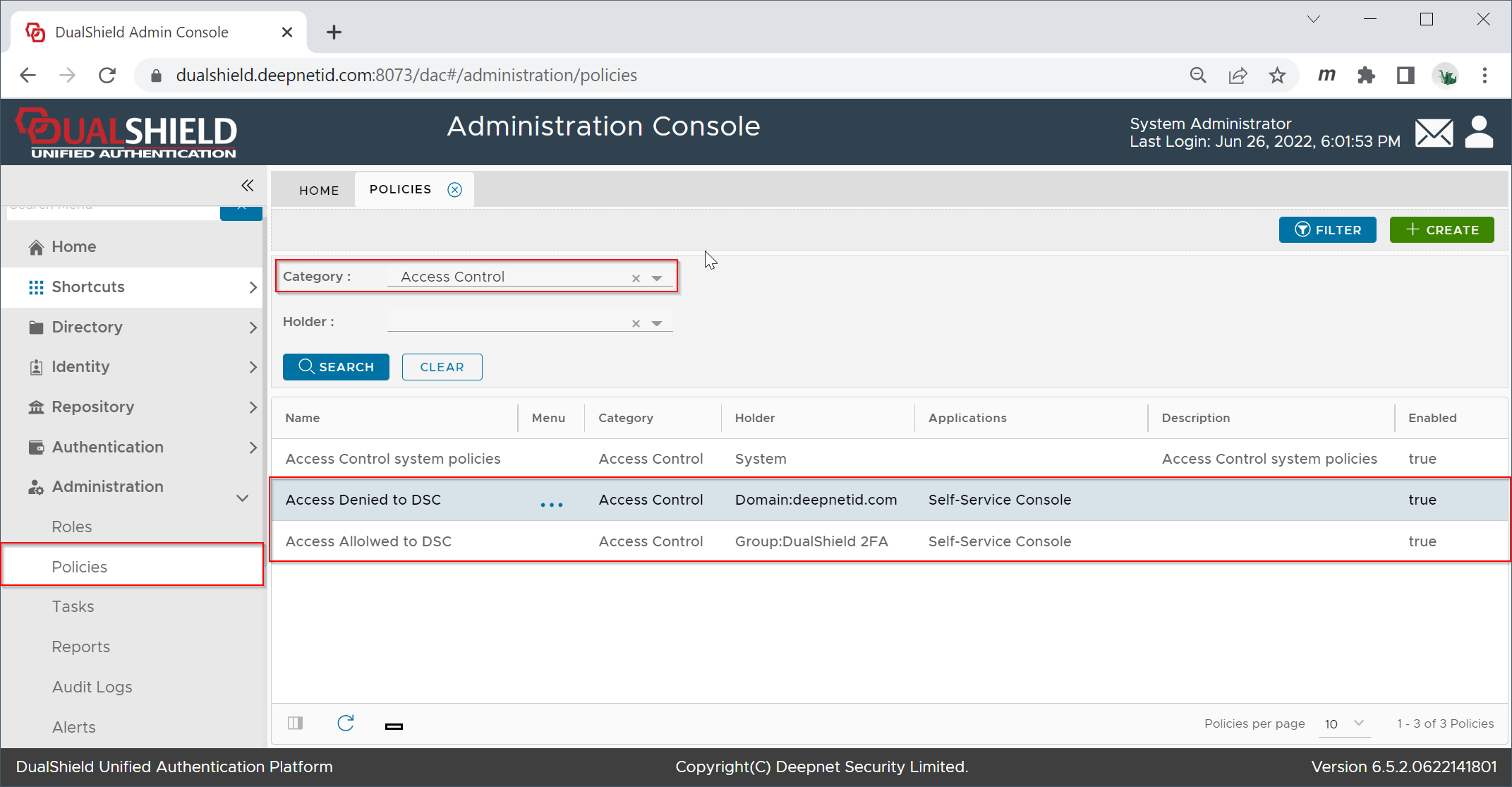
Domain Policy
Group Policy
...
| width | 60% |
|---|
| Panel | ||||||
|---|---|---|---|---|---|---|
| ||||||
|
...