To connect DualShield IIS Agent to DualShield SSO Server, click "Change..." button in the "SSO Server" section in the middle of the DualShield IIS Console
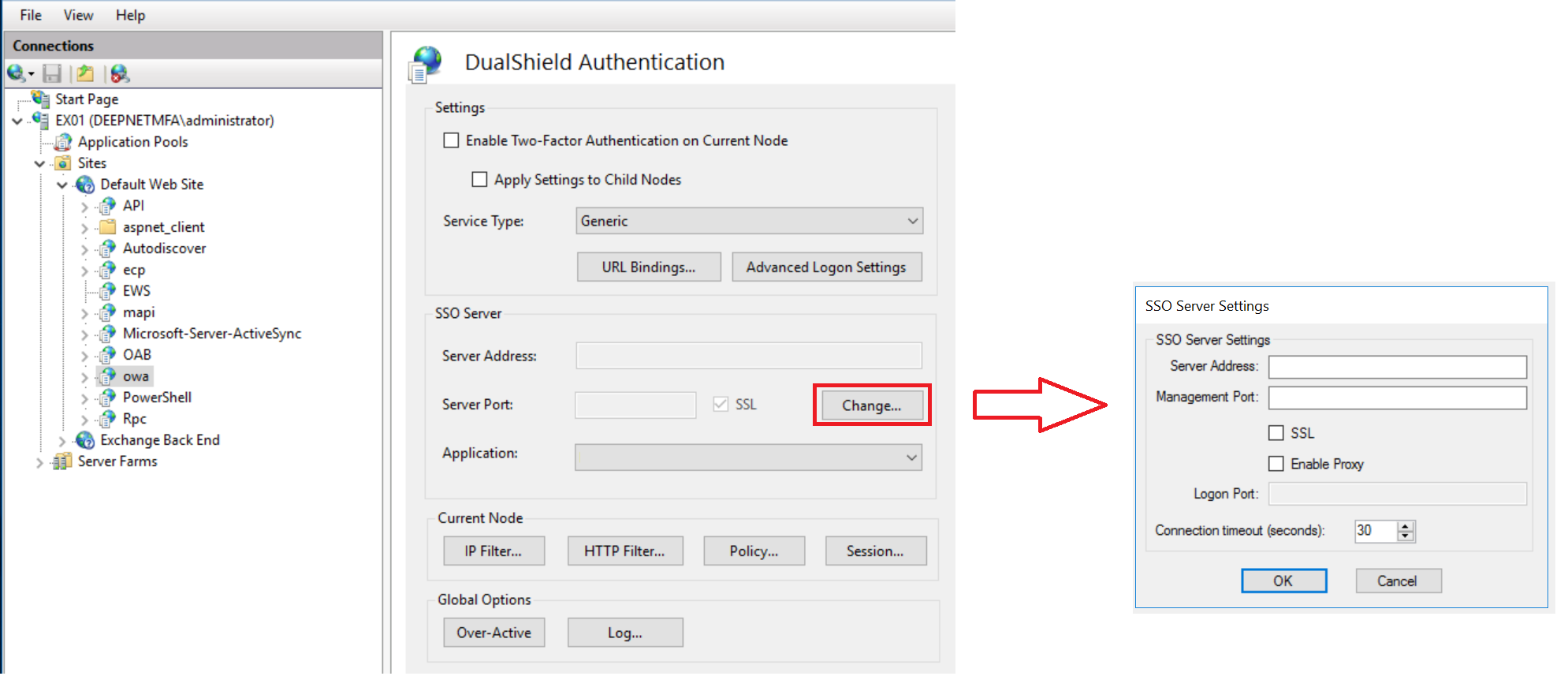

Fill in the address and port of your DualShield SSO server
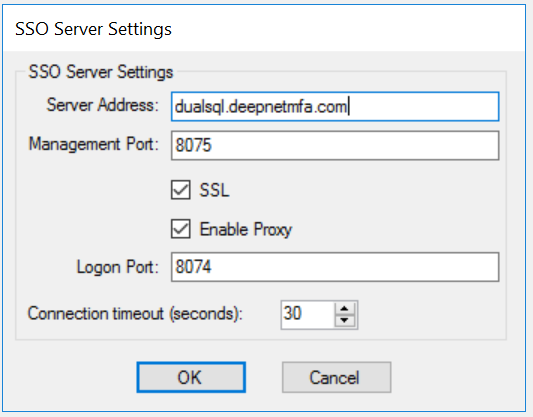
| Server Address | Enter the Full Qualified Domain Name (FQDN) of the DualShield SSO Server. Do not enter the IP address. |
| Management Port | 8075 |
| SSL | Enabled |
| Enable Proxy | For web application, using the IIS reverse proxy is |
| recommended. It is also a requirement for Outlook Anywhere - Agent Based! | |
| Logon Port | 8074 |
Click "OK" to save the connection settings.
...