...
| Section |
|---|
|
| Column |
|---|
Authentication> Applications |
| Column |
|---|
|
| Panel |
|---|
| borderColor | #9EBEE5 |
|---|
| bgColor | #f0f0f0 |
|---|
| borderWidth | 1px |
|---|
| 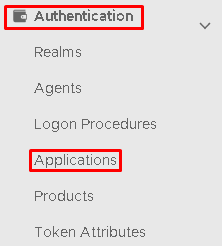 Image Modified Image Modified
|
|
|
Click on  on the top right.
...
| Section |
|---|
|
| Column |
|---|
Expand the BASIC tab and set the values below, leaving the remainining default values. | Option | Value |
|---|
| Redirect URIs: | https://x.x.x.x:5176/oidcauth | | Post Logout Redirect URIs: | https://x.x.x.x:5176/login.html |
*Replace the x.x.x.x with the IP of the ConsoleWorks server.  Image Added Scroll down to the next value Image Added Scroll down to the next value
|
| Column |
|---|
|
| Panel |
|---|
| borderColor | #9EBEE5 |
|---|
| bgColor | #f0f0f0 |
|---|
| borderWidth | 1px |
|---|
| 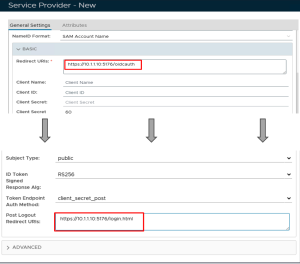 Image Removed Image Removed
Image Removed | 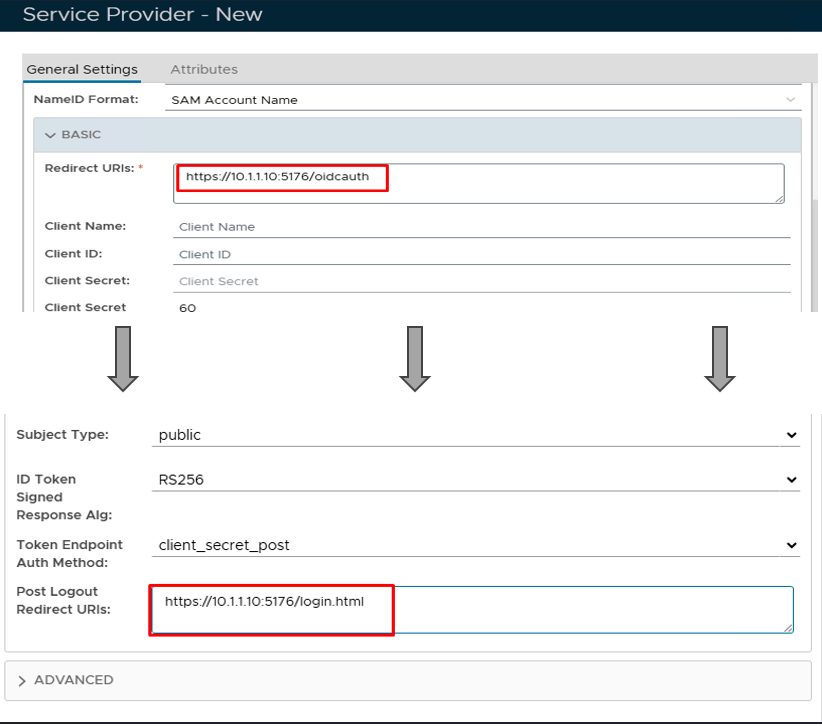 Image Added Image Added
|
|
|
Click Save.
Obtain the OIDC Authorization Endpoint URL
| Section |
|---|
|
| Column |
|---|
Go to SSO>SSO Servers |
| Column |
|---|
|
 Image Added Image Added
|
|
| Section |
|---|
|
| Column |
|---|
The completed Service Provider dialogue box will look like this:Select the drop down menu corresponding to the SSO server you will be using and click on Edit |
| Column |
|---|
|
| Panel |
|---|
| borderColor | #9EBEE5 |
|---|
| bgColor | #f0f0f0 |
|---|
| borderWidth | 1px |
|---|
| 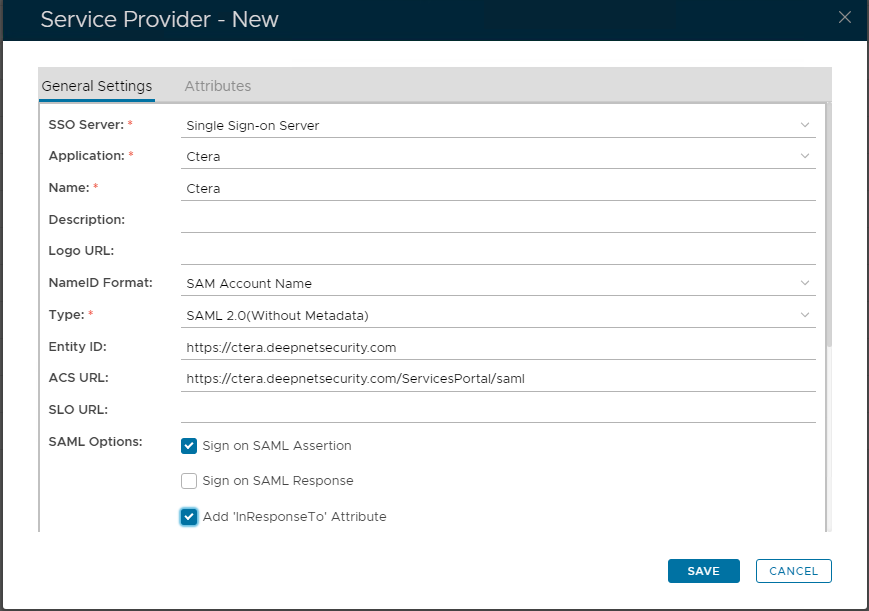 Image Removed Image Removed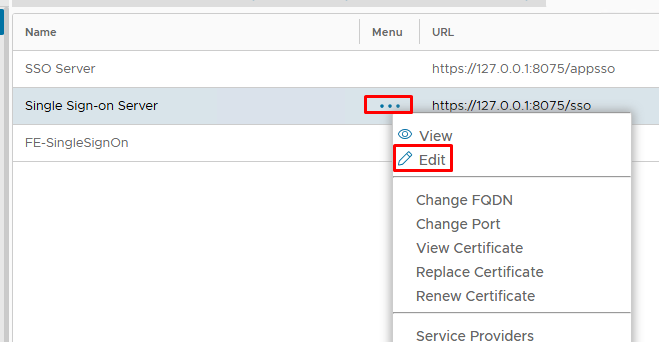 Image Added Image Added
|
|
|
Click Save.
Download the IDP Metadata file.
...
| Column |
|---|
Click on the OpenID Connect tab and copy out the Discovery URL. If the URLs are not displaying click on the LOAD DEFAULT button first.
|
| Column |
|---|
|
| Panel |
|---|
| borderColor | #9EBEE5 |
|---|
| bgColor | #f0f0f0 |
|---|
| borderWidth | 1px |
|---|
| 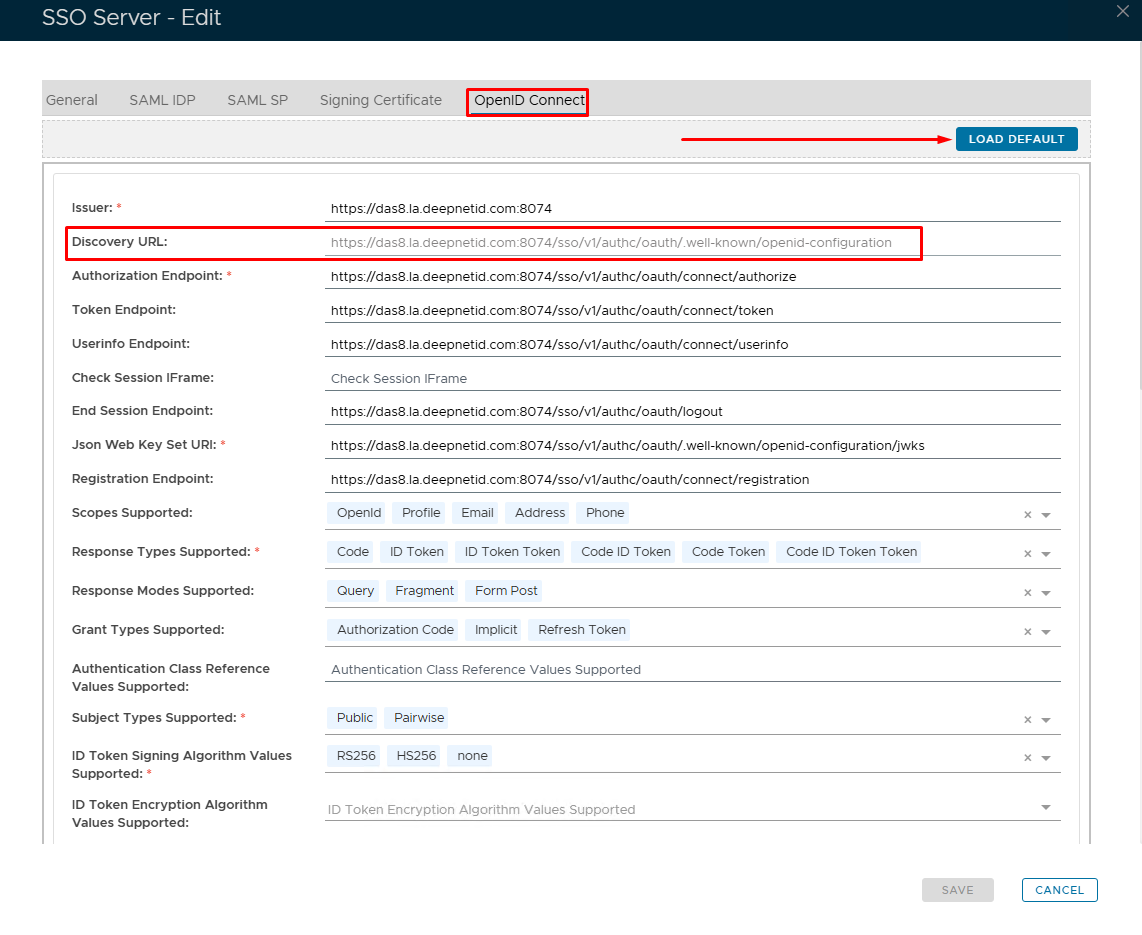 Image Added Image Added
|
|
|
Click Save.
Check the endpoint can be discovered on the ConsoleWorks server
| Column |
|---|
Go to SSO>SSO Servers |
...
...
| Section |
|---|
|
| Column |
|---|
Open a browser on the ConsoleWorks Server and paste in the Discovery URL. You should see something similar to the picture. If the URL cannot be reached, then you need to fix this first before moving on to the next section Select the drop down menu corresponding to the SSO server you will be using and click on Download IDP Metadata. |
| Column |
|---|
|
| Panel |
|---|
| borderColor | #9EBEE5 |
|---|
| bgColor | #f0f0f0 |
|---|
| borderWidth | 1px |
|---|
| 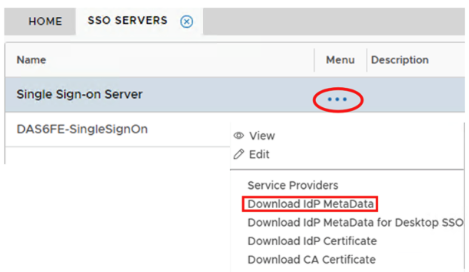 Image Removed Image Removed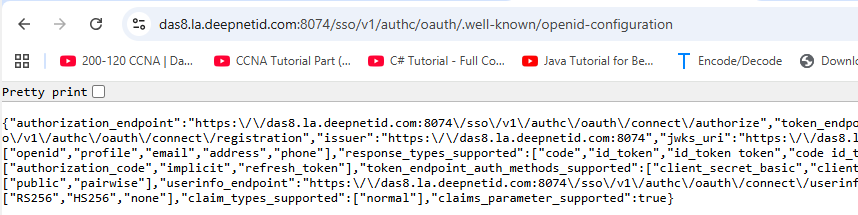 Image Added Image Added
|
|
|