...
| Expand |
|---|
| title | Set up Offsite Windows Computer MFA Logon with Public DNS... |
|---|
|
| Include Page |
|---|
| Set up Offsite Computer MFA Logon with Public DNS |
|---|
| Set up Offsite Computer MFA Logon with Public DNS |
|---|
|
|
...
| Expand |
|---|
| title | Set up Offsite Windows Computer MFA Logon with Public URL... |
|---|
|
| Include Page |
|---|
| Set up Offsite Computer MFA Logon with Public URL |
|---|
| Set up Offsite Computer MFA Logon with Public URL |
|---|
|
|
...
Users can check the list of logon agents that have been set up on the computer by visiting the User Console at http://localhost:808212845
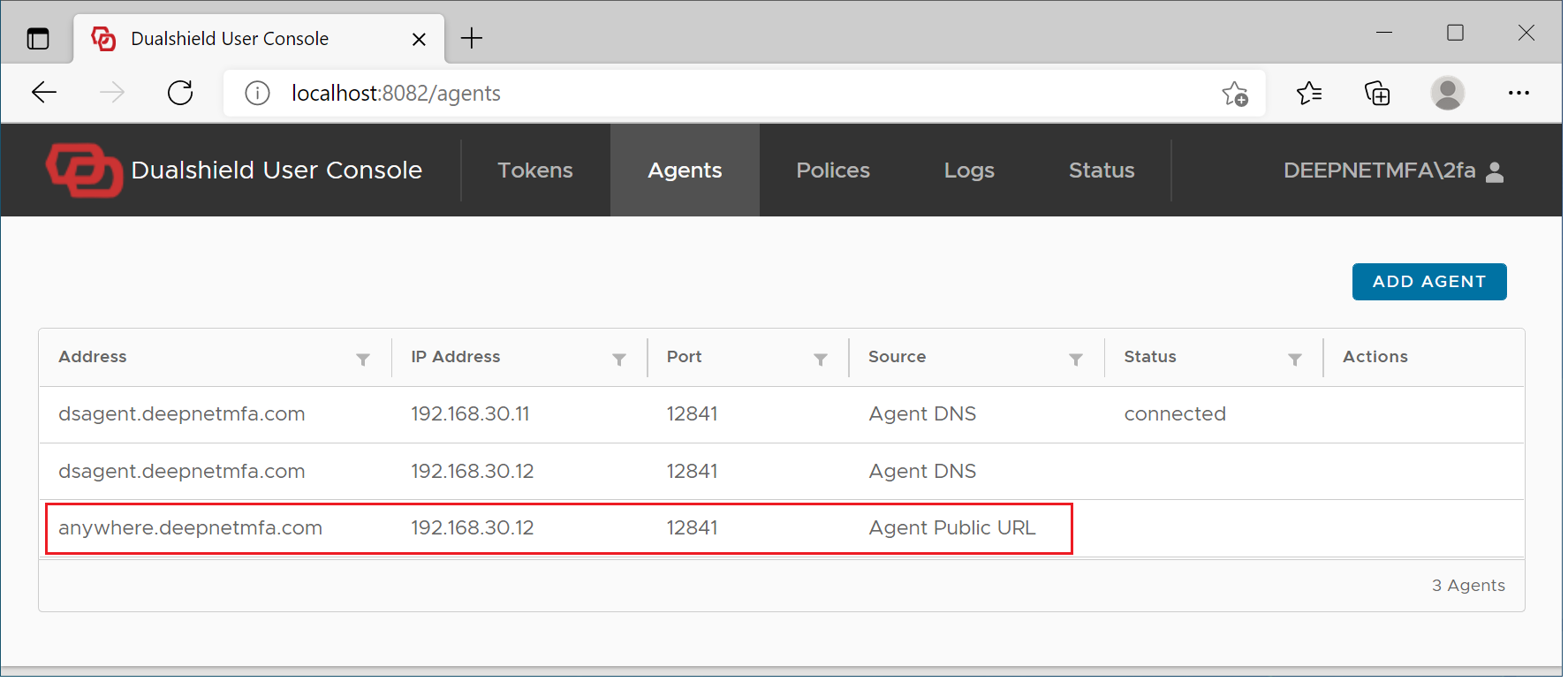
If for some reason the public URL of the logon agents has not been downloaded to the user's computer automatically, then the user can also add manually the logon agent's public URL using the User Console.
| Expand |
|---|
| title | Set up Offsite Windows Computer MFA Logon with Public URLmanually... |
|---|
|
| Include Page |
|---|
| Set up Offsite Computer MFA Logon Manually |
|---|
| Set up Offsite Computer MFA Logon Manually |
|---|
|
|
...