Editing the Logon Policy
Logon policy settings can be edited using the following procedure;
Expand title Editing/Viewing the Logon Policy Settings (Found in "Administration | Policies") Panel borderColor grey bgColor #F8F8F8 borderStyle dashed Include Page Editing the Logon Policy Editing the Logon Policy
After editing the policy setting, a new window titled "Policy - Edit" will open that can be used to edit the policy settings;
| Section | |||||||||||||||||||||||||||||||||||||||||||||||||||||||||||||||||||||||||||||
|---|---|---|---|---|---|---|---|---|---|---|---|---|---|---|---|---|---|---|---|---|---|---|---|---|---|---|---|---|---|---|---|---|---|---|---|---|---|---|---|---|---|---|---|---|---|---|---|---|---|---|---|---|---|---|---|---|---|---|---|---|---|---|---|---|---|---|---|---|---|---|---|---|---|---|---|---|---|
|

Expandable Sections
The remaining policy settings are grouped into the following expandable sections;
Panel borderColor grey bgColor #FBFBFB titleColor Black borderStyle solid Expand title Authentication Include Page Logon Policy - Authentication Logon Policy - Authentication Panel borderColor grey bgColor #FBFBFB titleColor Black borderStyle solid Expand title IP Filter Include Page Logon Polciy - IP Filter Logon Polciy - IP Filter Panel borderColor grey bgColor #FBFBFB titleColor Black borderStyle solid Expand title User Agent Filter Include Page Logon Policy - User Agent Filter Logon Policy - User Agent Filter Panel borderColor grey bgColor #FBFBFB titleColor Black borderStyle solid Expand title Device Filter Include Page Logon Policy - Device Filter Logon Policy - Device Filter Panel borderColor grey bgColor #FBFBFB titleColor Black borderStyle solid Expand title Geo Location Filter Include Page Logon Policy - Geo Location Filter Logon Policy - Geo Location Filter Panel borderColor grey bgColor #FBFBFB titleColor Black borderStyle solid Expand title Geo Velocity Detection Include Page Logon Policy - Geo Location Filter Logon Policy - Geo Location Filter Panel borderColor grey bgColor #FBFBFB titleColor Black borderStyle solid Expand title Others Include Page Logon Policy - Others Logon Policy - Others
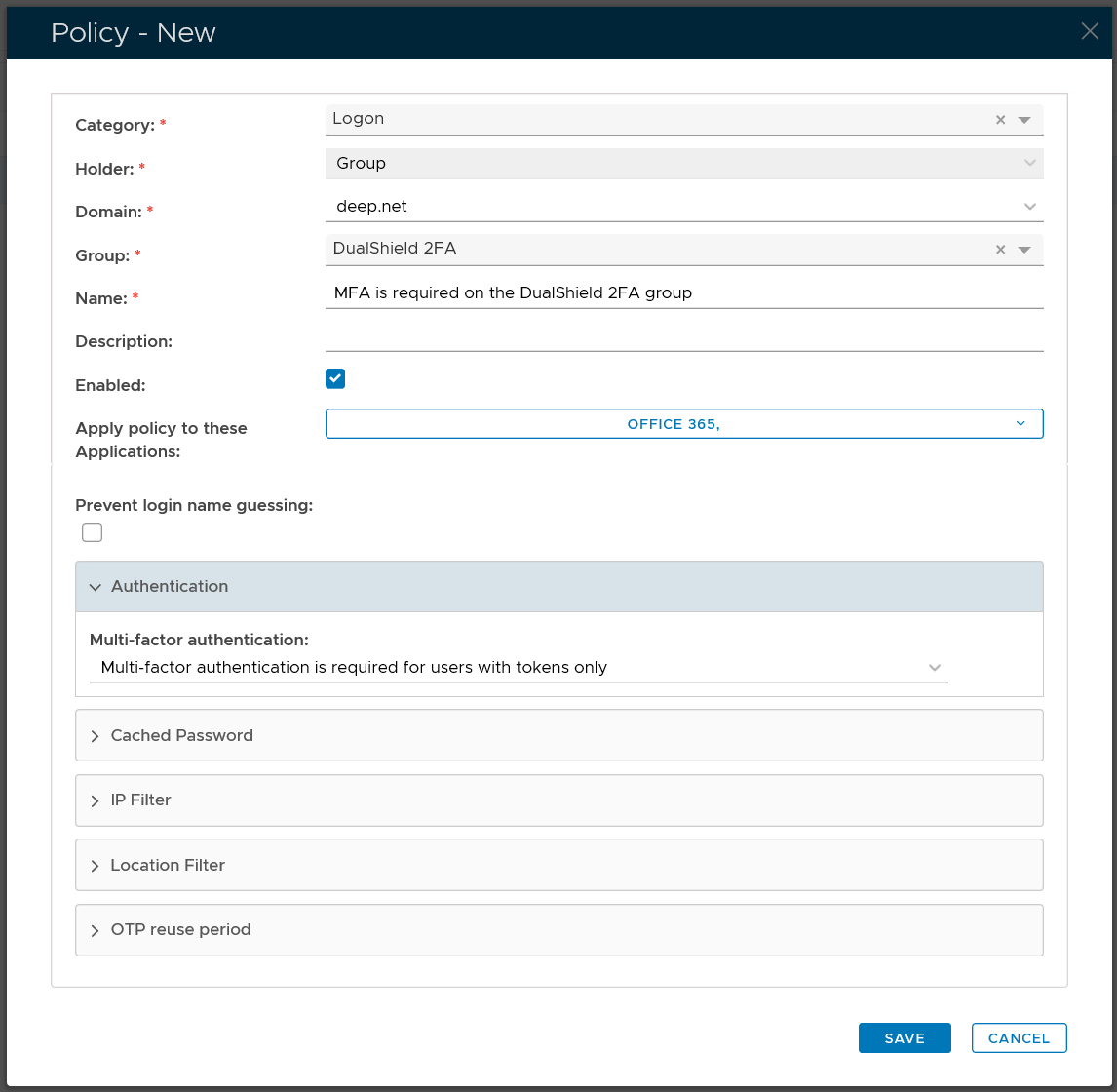
There are 3 authentication options:
- Multi-Factor Authentication is not required for all users
- Multi-Factor Authentication is required for users with tokens only
- Multi-Factor Authentication is required for all user
Multi-Factor Authentication is not required for all users
This option means that all users will be exempted from 2FA or MFA. This option is typically used to exempt a group of users from 2FA or MFA.
Multi-Factor Authentication is required for users with tokens only
This option means that users who have a 2FA/MFA token in their account will be enforced to login with 2FA/MFA, while those users who do not have a token 2FA/MFA token will be exempted from 2FA/MFA in the logon process.
Multi-Factor Authentication is required for all users
This option means that all users will be enforced to login with 2FA/MFA
...