An OTP token's QR code can be sent to the user by email. This process is called "push token" to users.
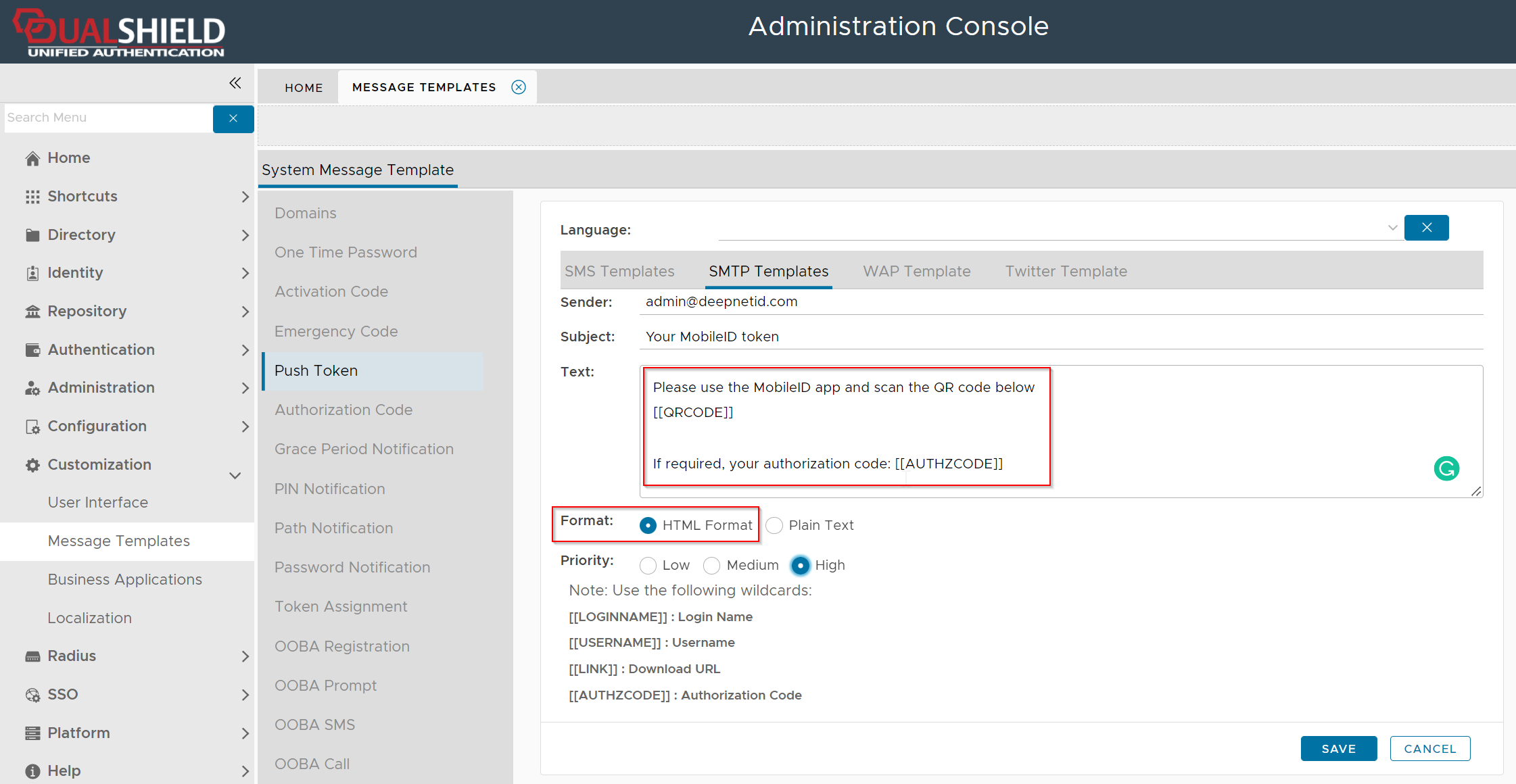
A token can be pushed to the user by the server automatically or pushed to the user manually by the administrator in the admin console. Either way, a message template called "Push Token" will be used to create the email message. Therefore, you must customize the Push Token message temple first if you want users to receive their token's QR code by email.
Customize Push Token Message Template
| Expand | ||||||
|---|---|---|---|---|---|---|
|
Below is an example of the Push Token SMTP message template
Push Token Manually
The following procedure demonstrates how the system administrator can send the QR code to users by emails
The following procedure demonstrates how the system administrator can send the QR code to users by emails
Using the Management Console, Navigate to "Customisation | Message Templates";

...
To send out the token's QR code in an email, Navigate to "Directory | Users", select the domain for your external directory, then for a selected user left click on the context menu and select "Tokens";
...
The QR code for the selected token will now be sent to the user by email.
End User Experience
Once the token has been sent to the user an email will arrive that includes the required QR code (example below);
...