For the purpose of VPN access control, it is a common requirement that the VPN server asked asks the RADIUS server to return a user's group membership in a RADIUS attribute.
A user can belong to more than one group. You have to firstly decide if you want to return all of the group names in an attribute or you want to return only one specific group name.
Return All Groups
The example below demonstrate how to return all of the user's group names in the RADIUS attribute: called "Filter-Id"
First, create a RADIUS attribute (RADIUS > Radius Attribute > Create)
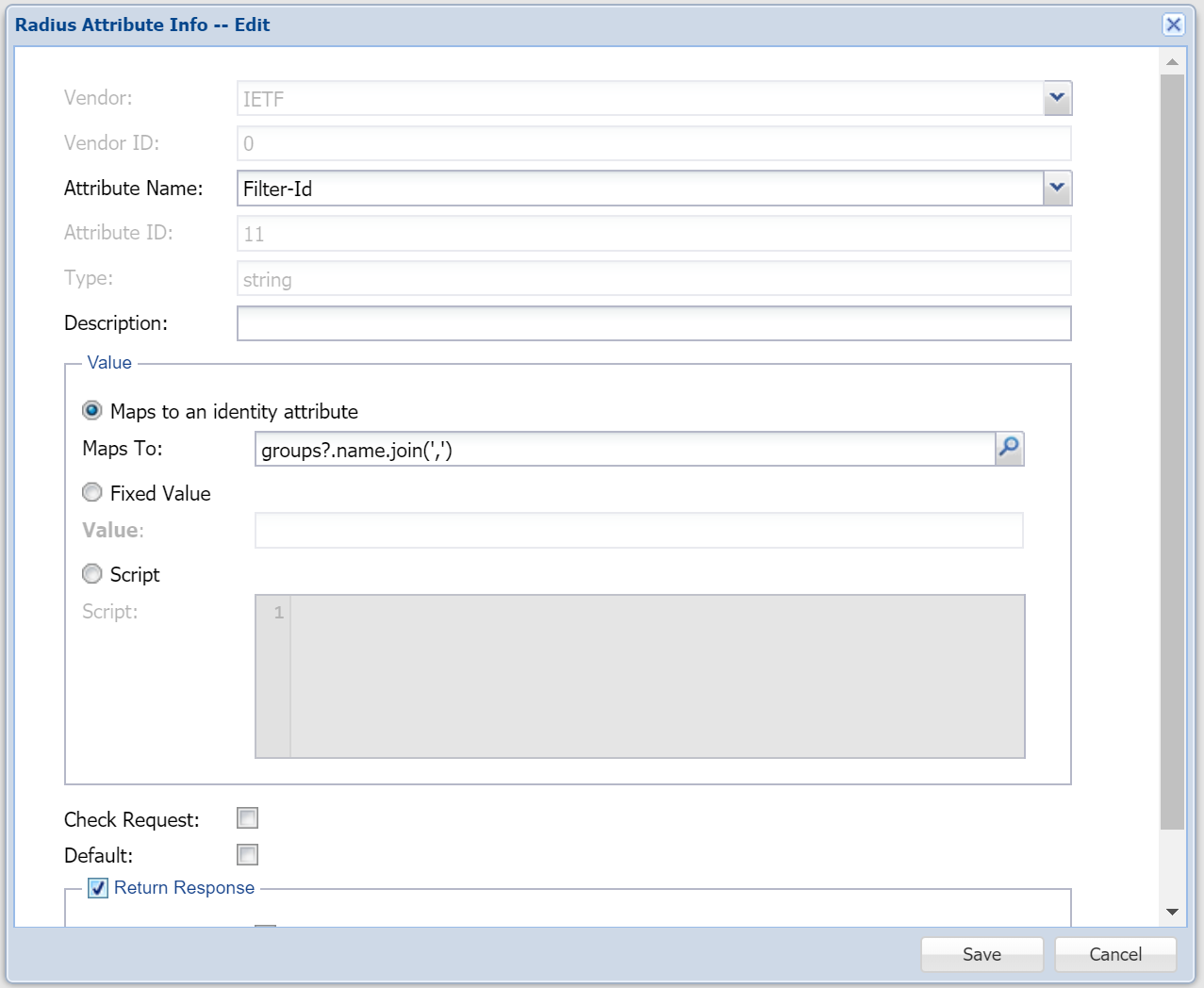
In the field "Maps To:", enter the following expression. Also, check the box "Return Response".
| Code Block |
|---|
groups?.name.join(',') |
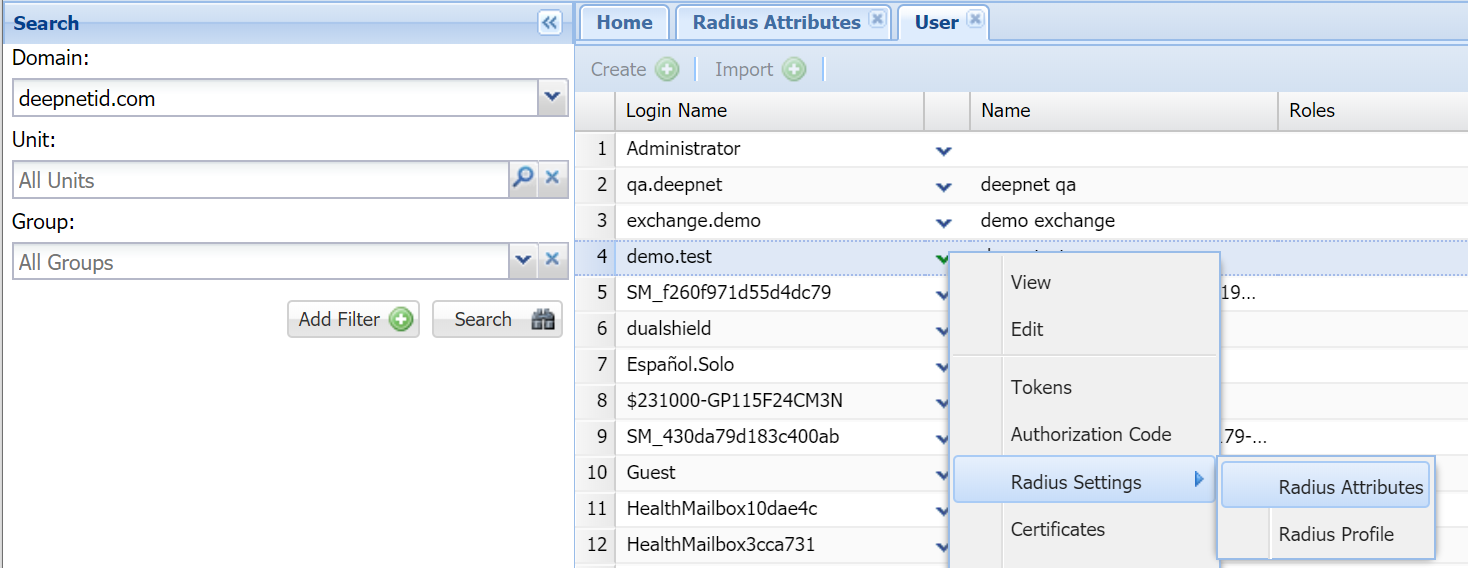
To assign the Radius attribute to a user, navigate to the user's account, select "Radius Settings\Radius Attribute" from the context menu
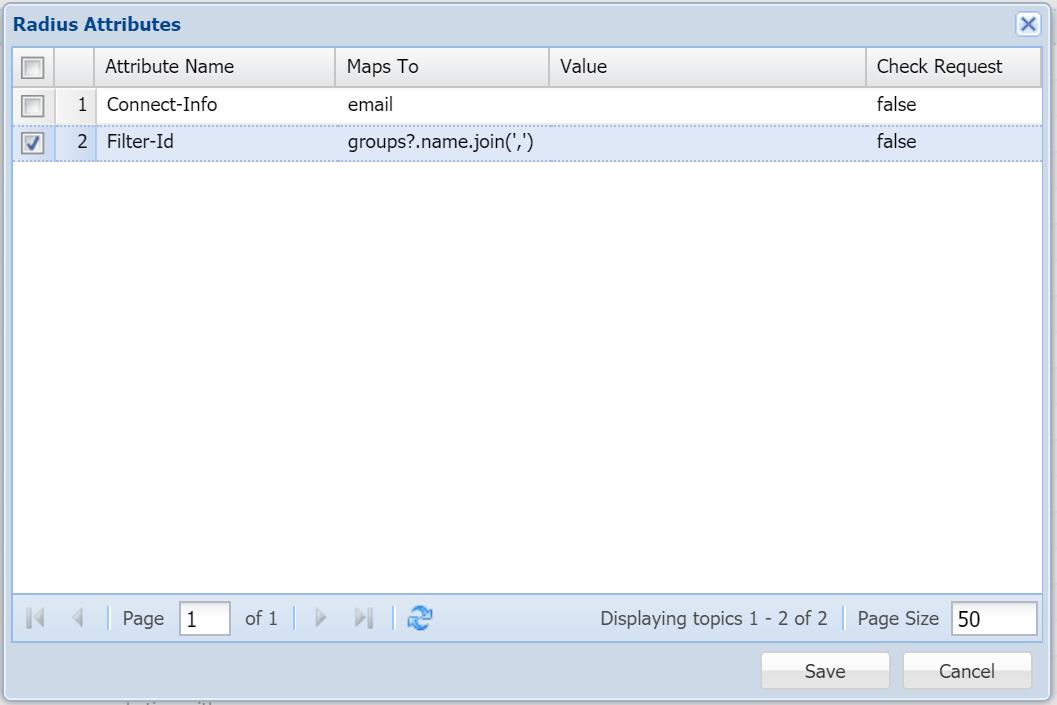
Then, select the Radius attribute, i.e. Filter-Id
Return One Group
The example below demonstrate how to return one specific group name in the RADIUS attribute: called "Filter-Id"
First, create a RADIUS attribute (RADIUS > Radius Attribute > Create)
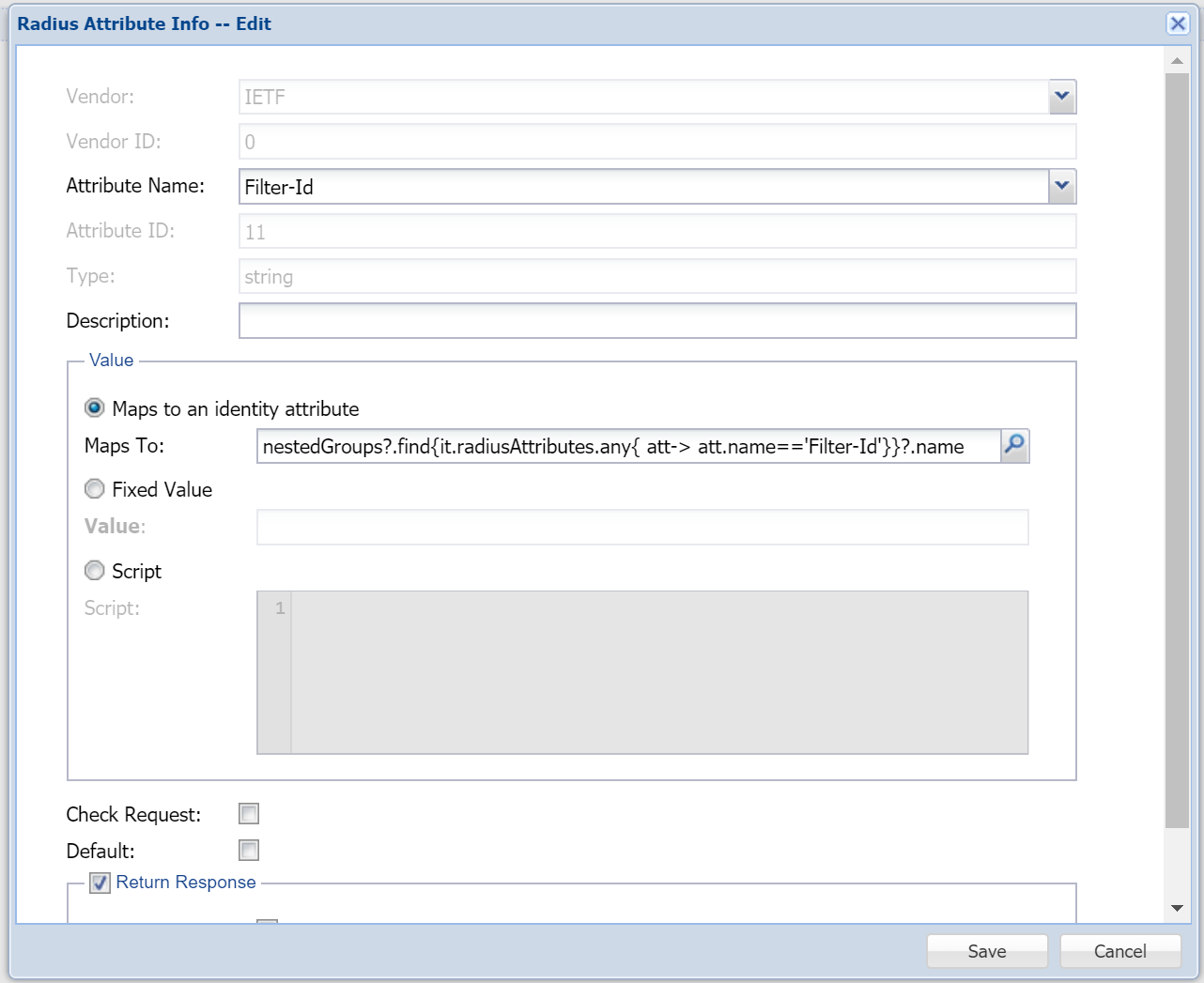
In the field "Maps To:", enter the following expression. Also, check the box "Return Response".
| Code Block |
|---|
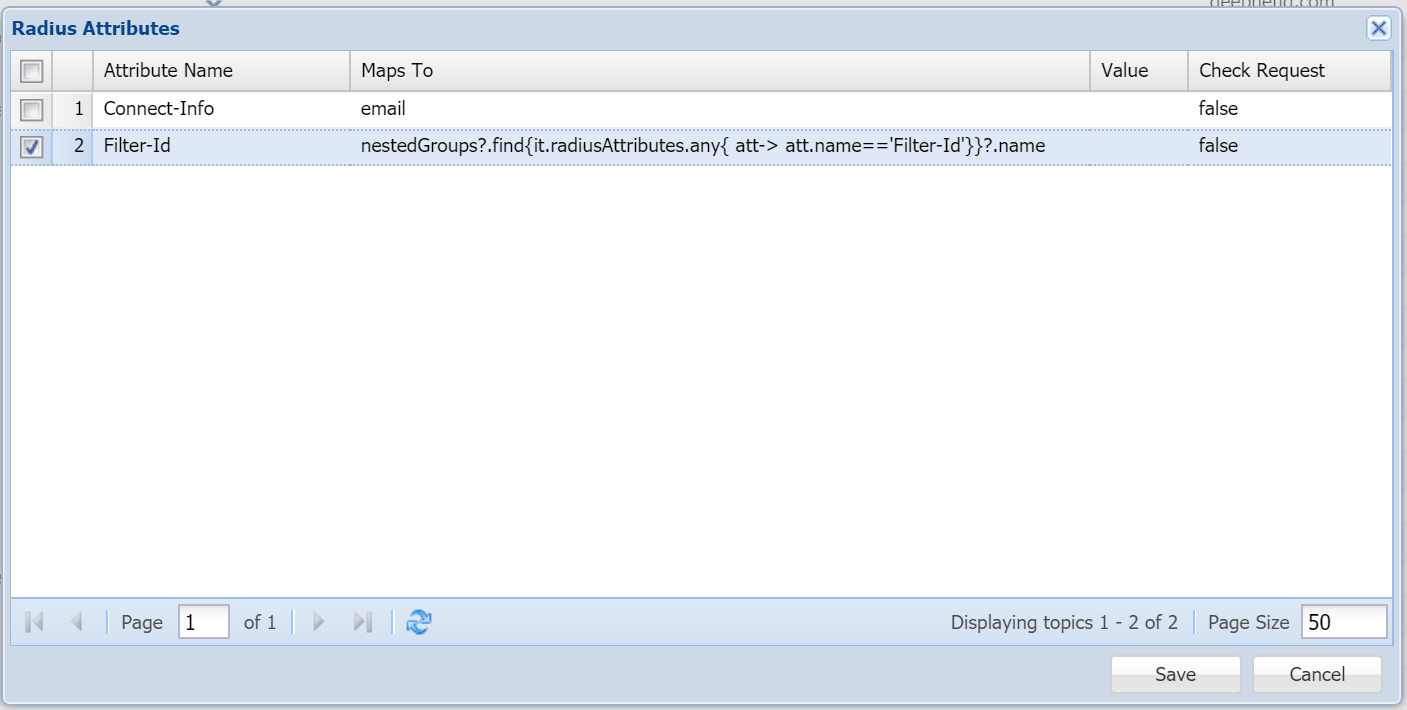
nestedGroups?.find{it.radiusAttributes.any{ att-> att.name=='Filter-Id'}}?.name |
Now, navigate to the user group from "Directory | Groups", select "Radius Settings\Radius Attribute" from the context menu
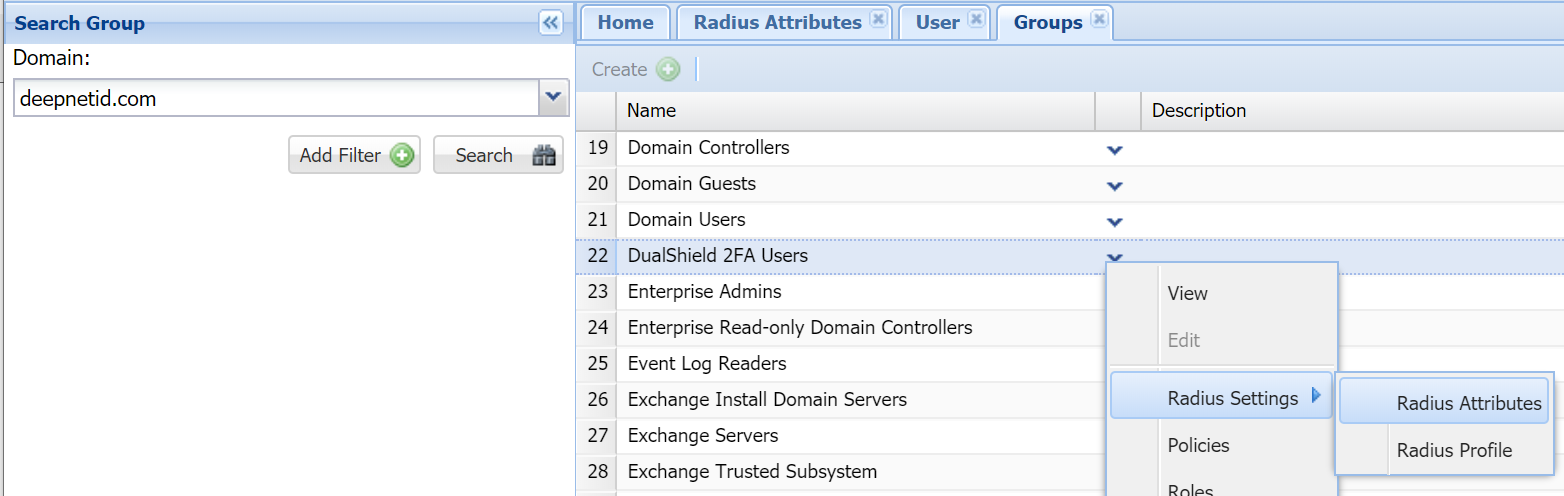
Then, select the Radius attribute, i.e. Filter-Id
Related Articles
This guide describes how to return the list of groups the user belongs to in a RADIUS attribute.
Create a RADIUS attribute
Navigate to "Radius \ Radiusd Attributes"
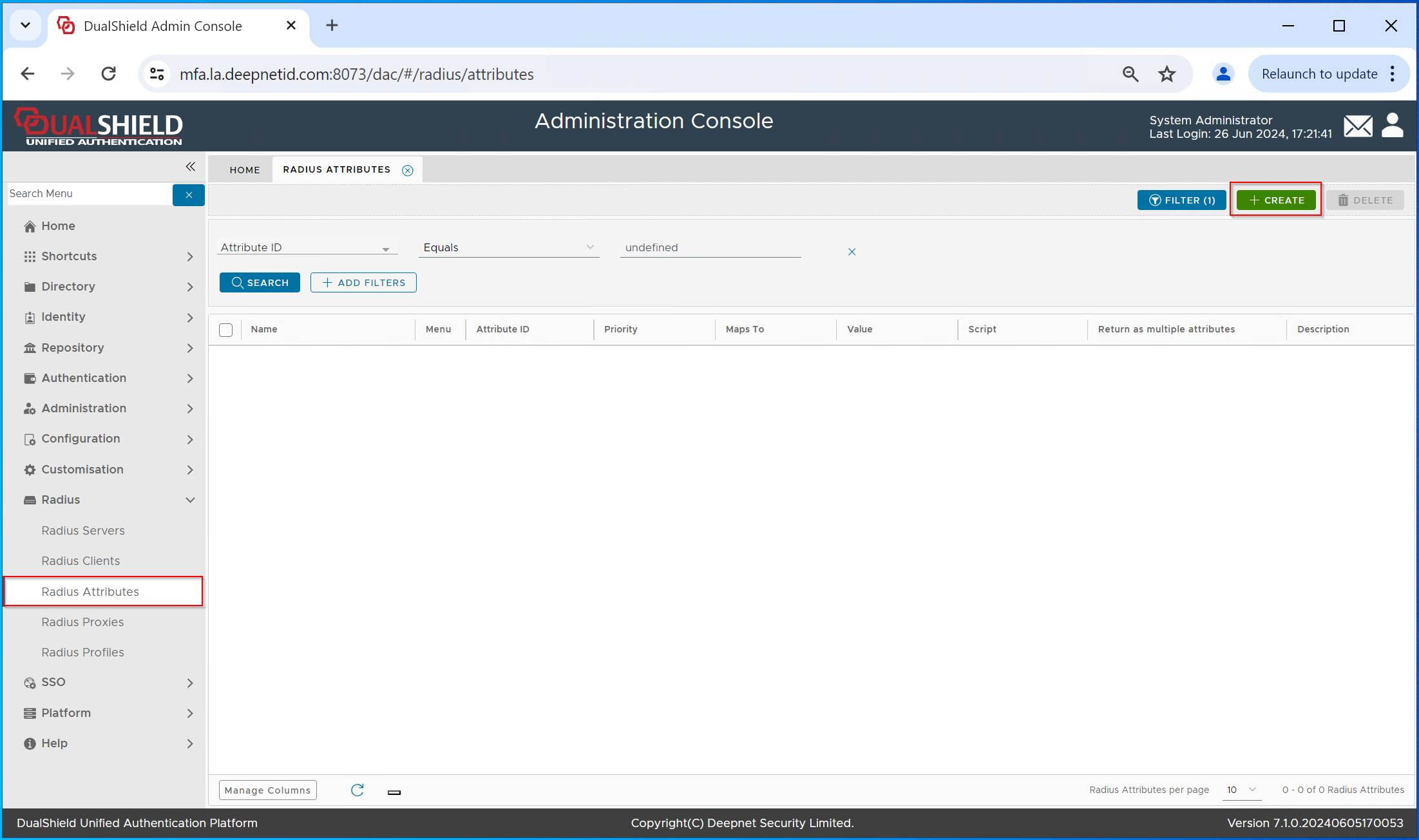
Click "CREATE"
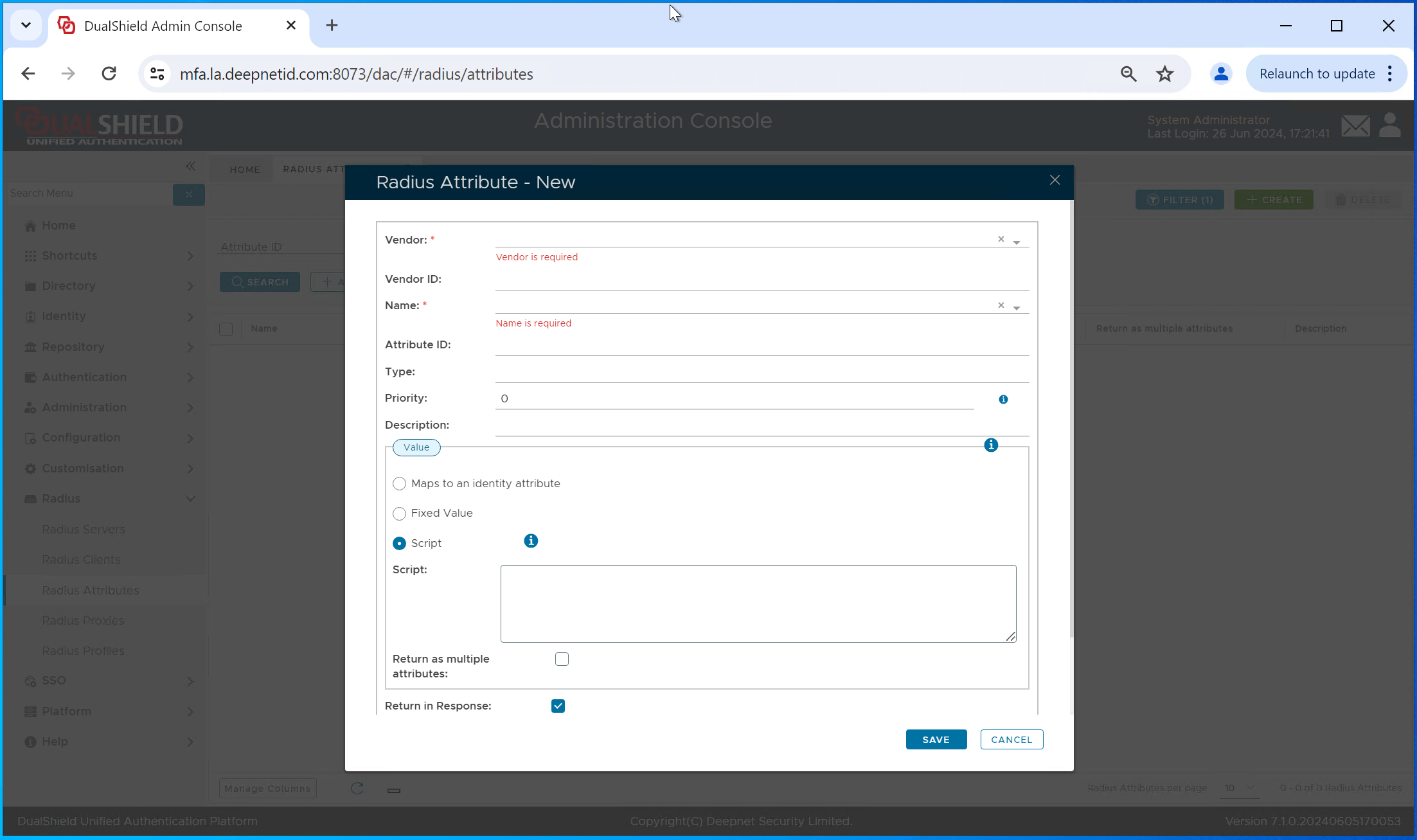
Select the "Vendor", e.g. "IETF"
Select the attribute name, e.g. "Filter ID"
The the "Value" box, select the "Script" option
In the "Script" box, enter "groups?.name"
Enable the option "Return as multiple attribute"
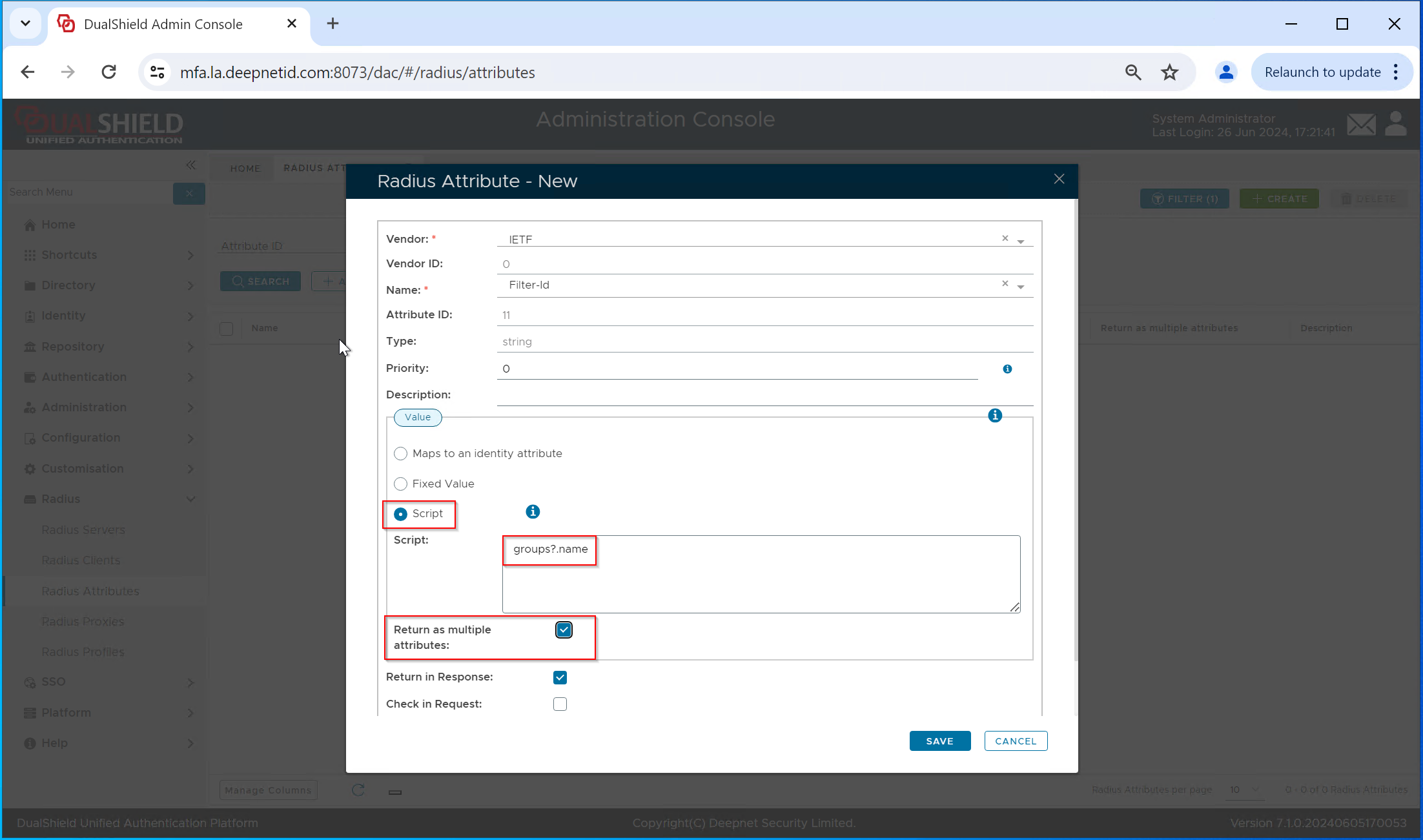
Click "Save"
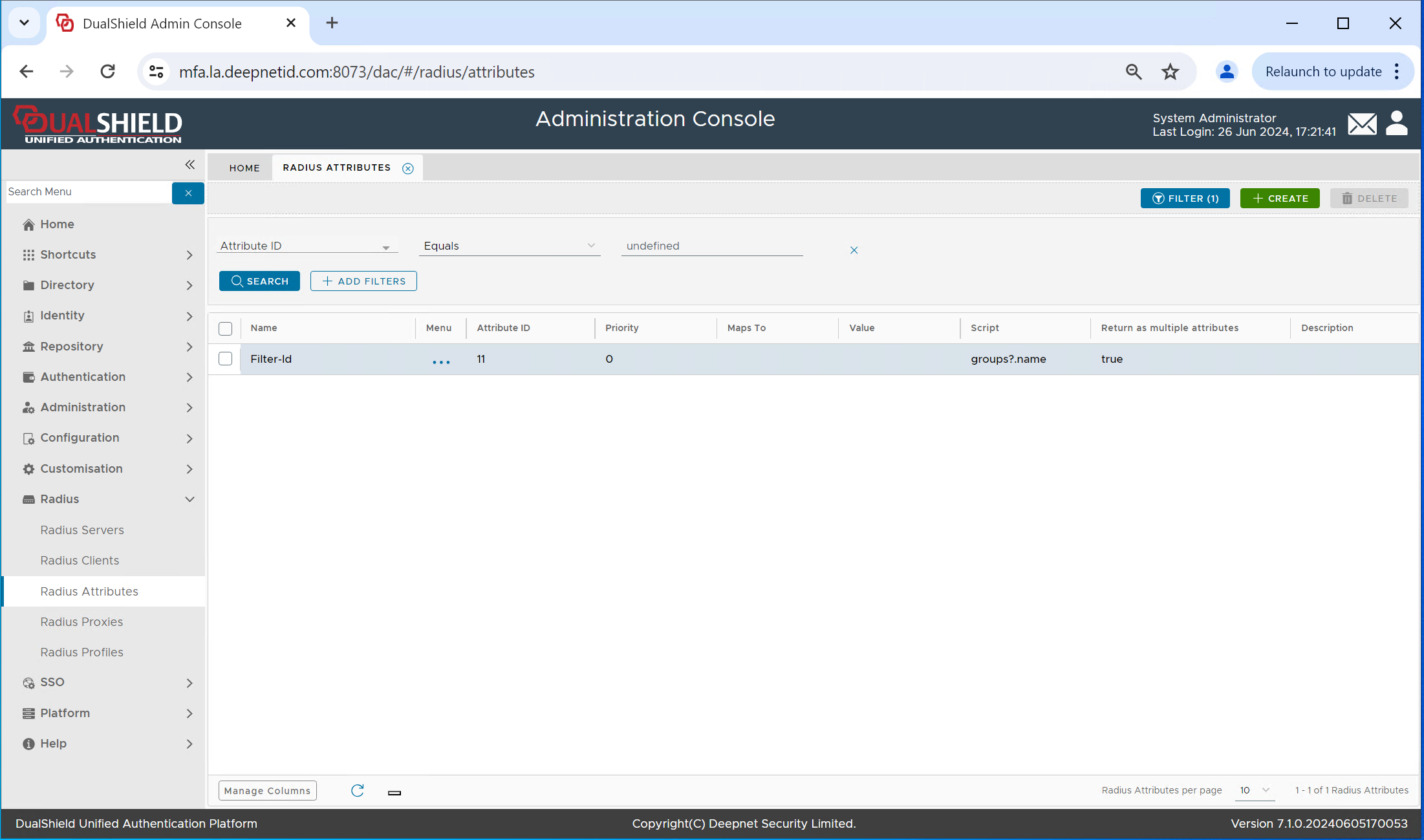
Apply the RADIUS attribute to the RADIUS client
Navigate to "Radius \ Radius Clients"
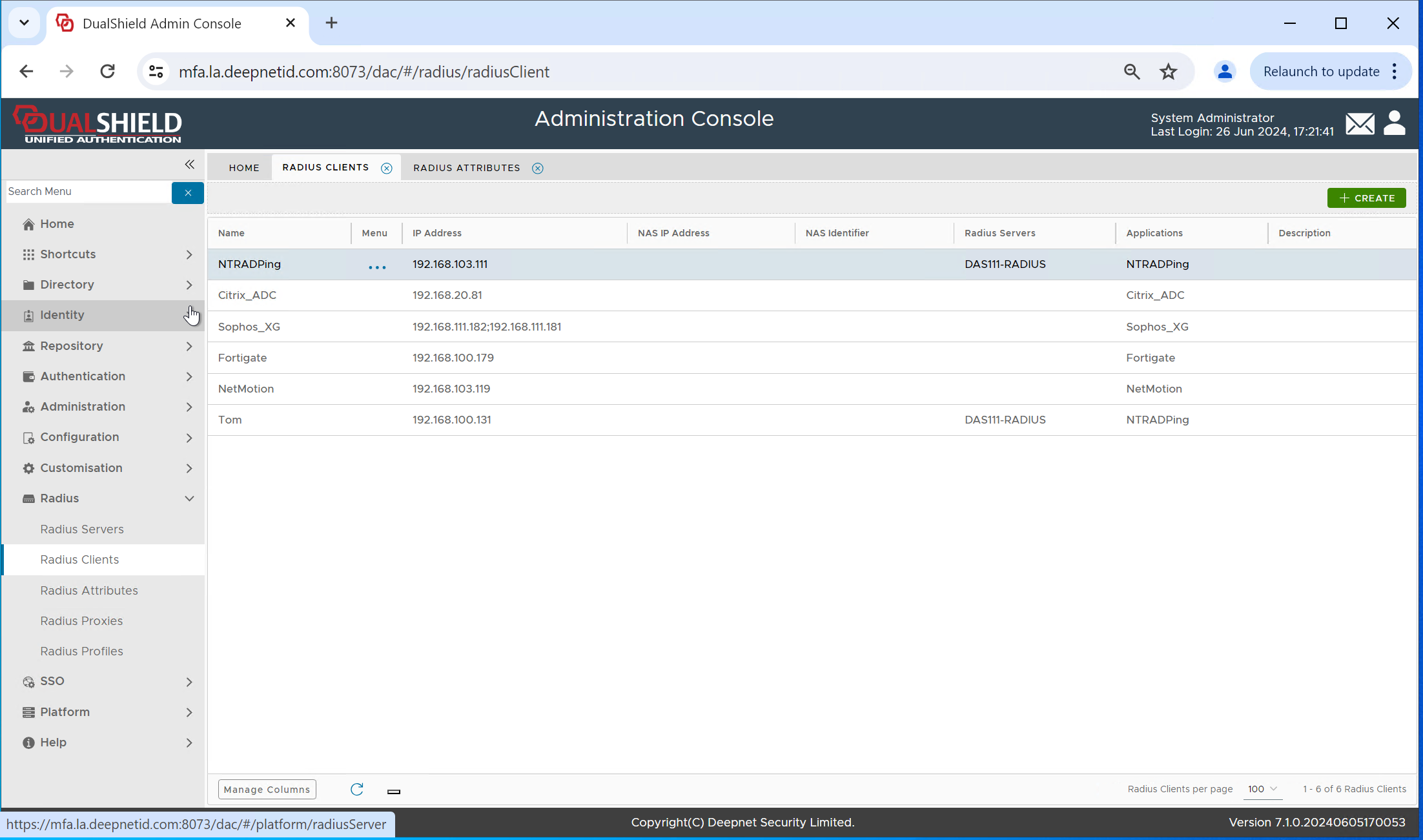
Select the Radius client, e.g. "NTRadPing"
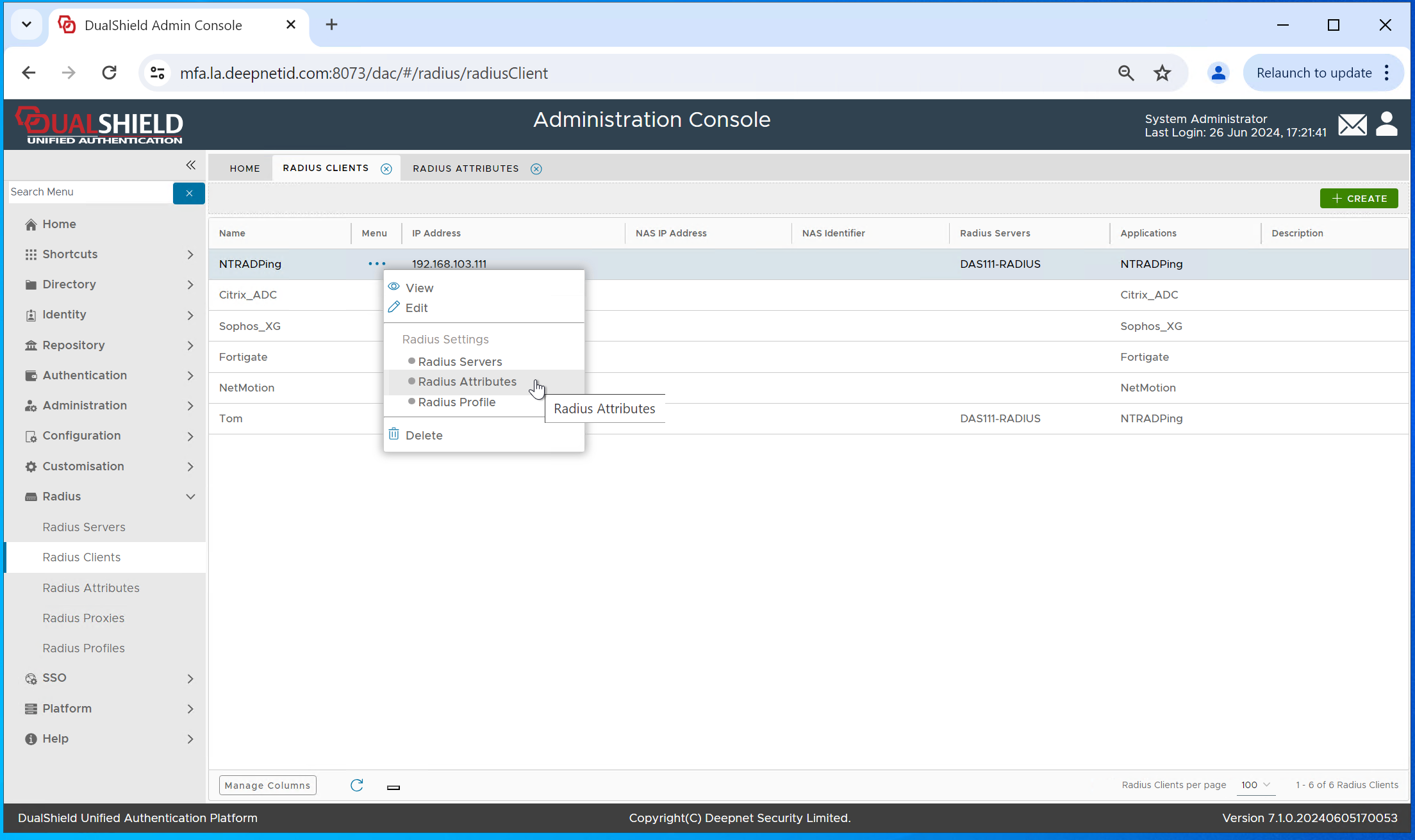
In the context menu select "Radius Attribute"
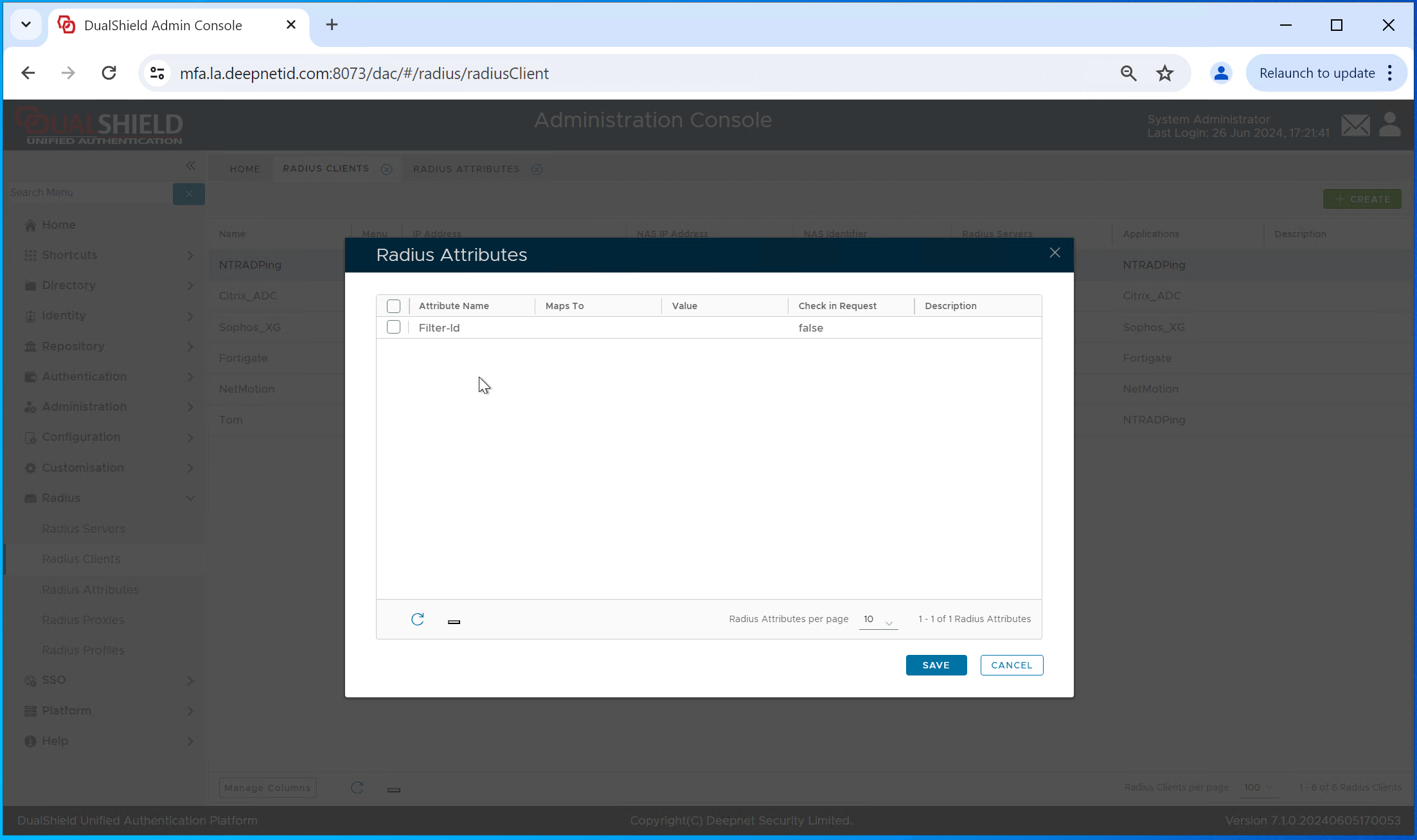
select the Radius attribute, e.g. "Filter-id"
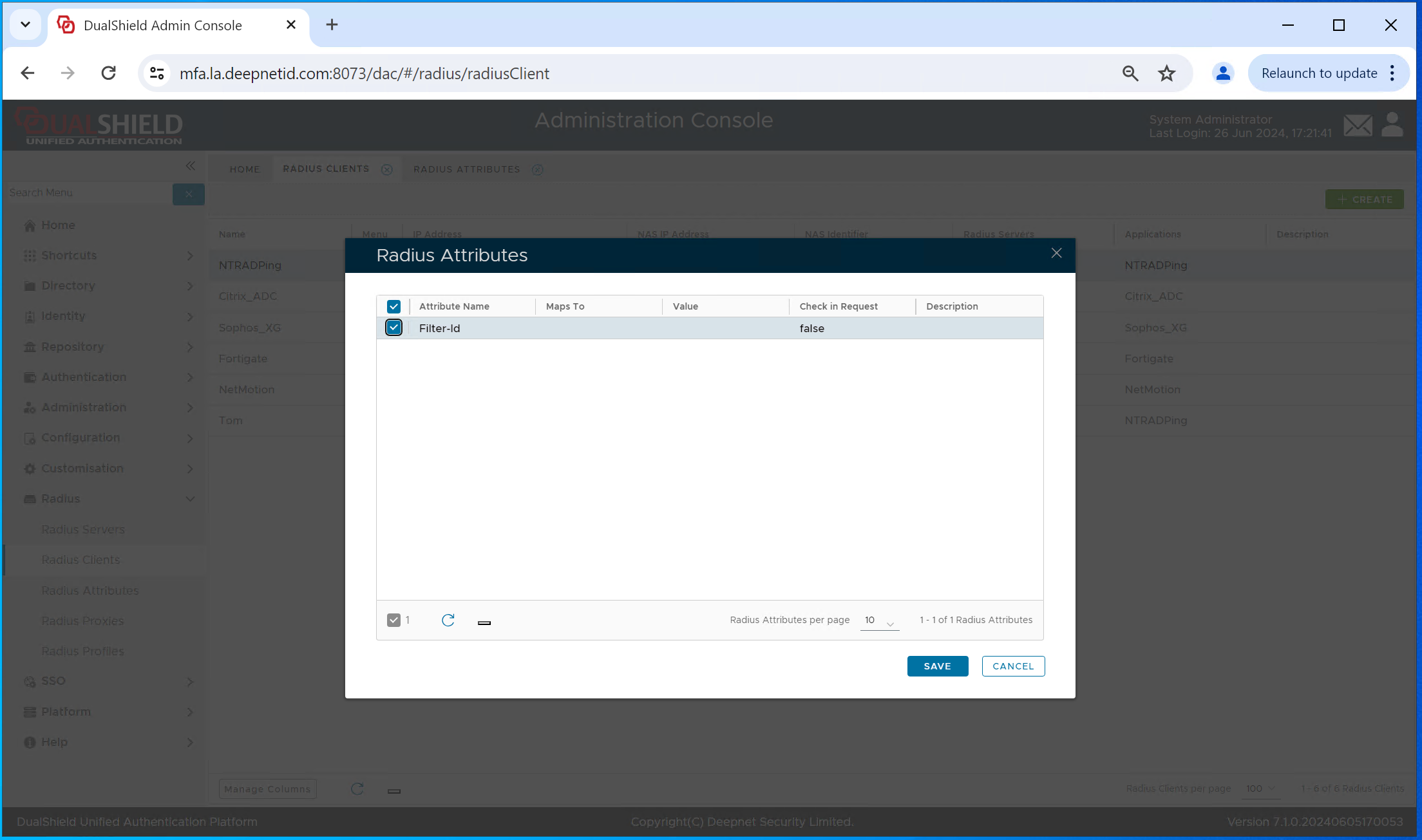
Click "Save"
Test the group attribute
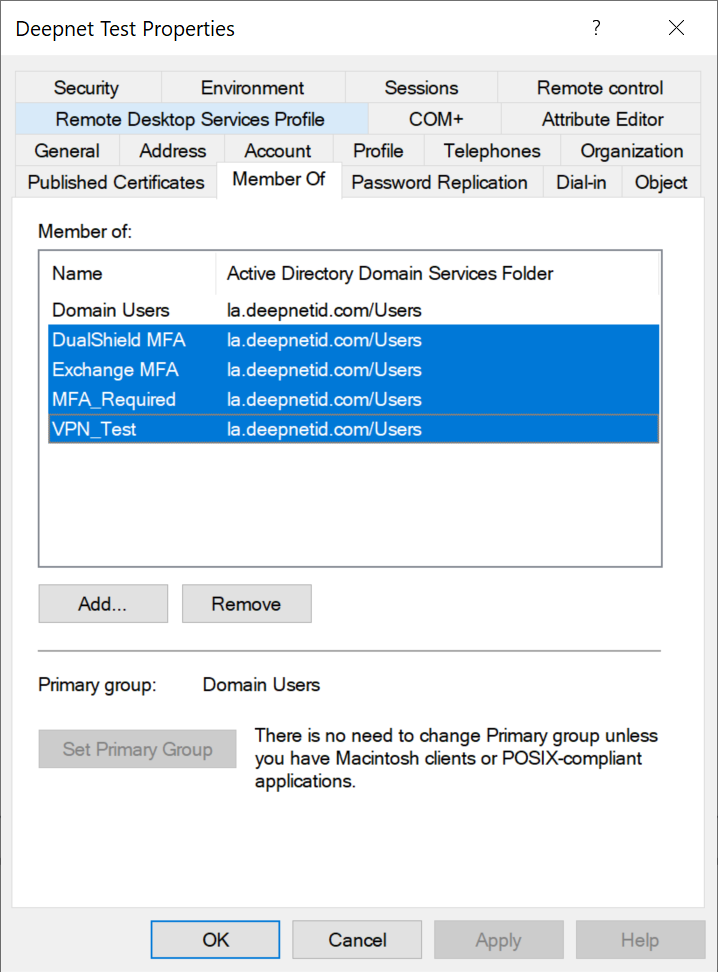
We use a test user account that belongs to 4 groups in AD
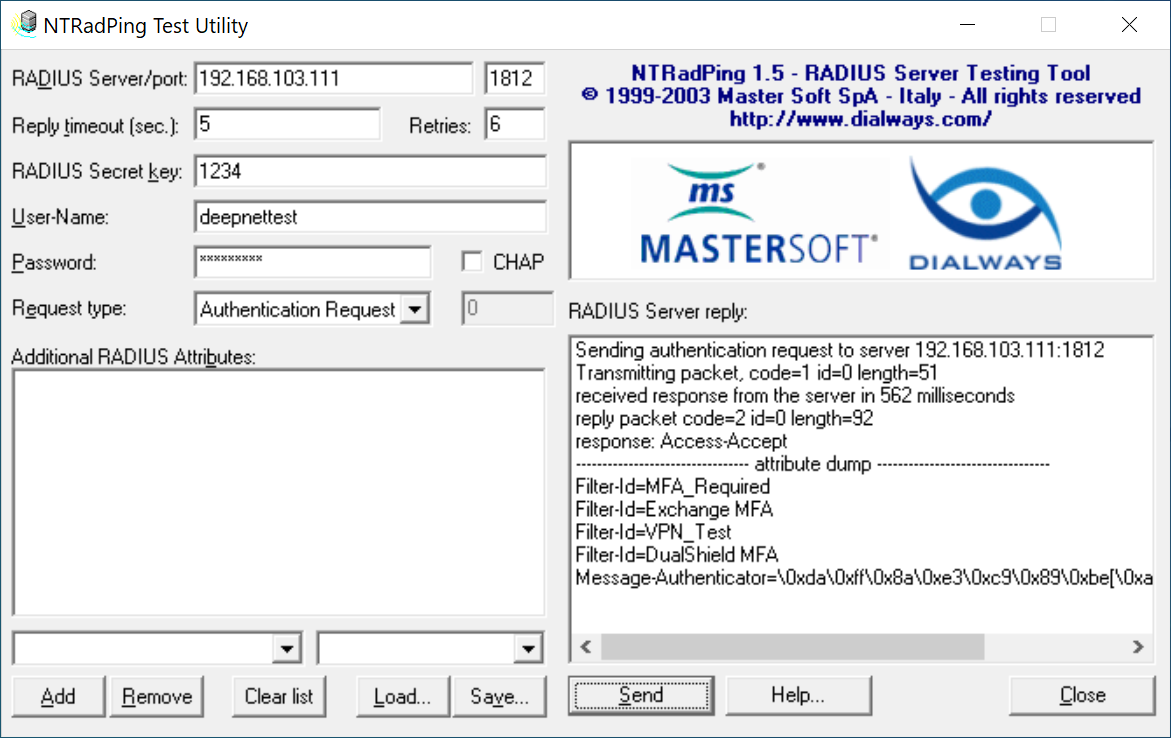
We use a RADIUS test tool, NTRadPing, to test the group attribute
Content by Label