When you configure Mobility as the Service Provider (SP) for SAML, you need to specify the entity Entity ID of Mobility and generate a signing certificate.
...
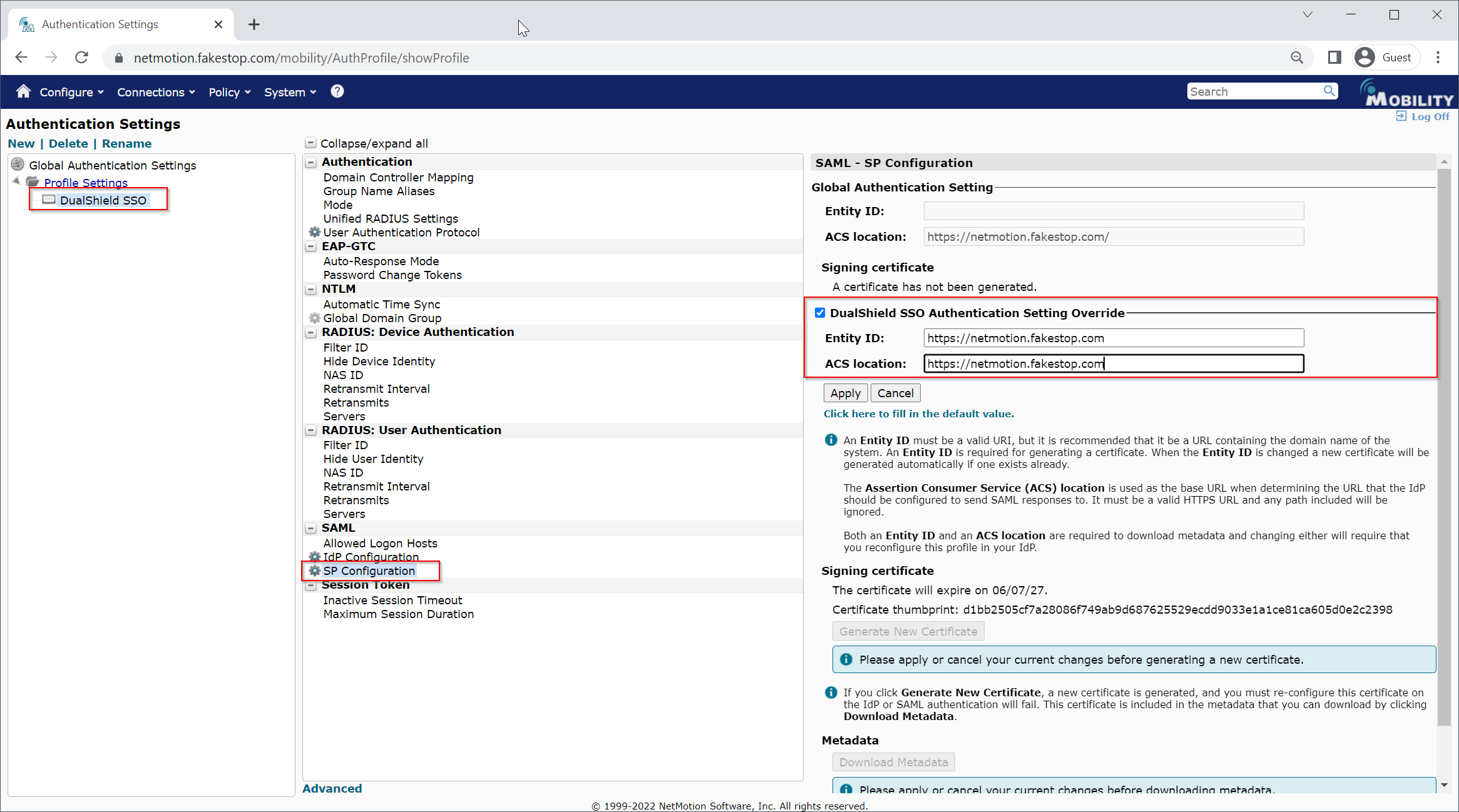
3. For Entity ID, enter a valid Uniform Resource Indicator (URI) for the Service Provider (which is the Mobility server). This identifies the SP to the IdP. Although any valid URI is acceptable, you can, for example, use the Console Access URL you set in the previous section.

4. Click Generate New Certificate to generate a signing certificate. When the SP generates a signing certificate, it displays the expiration date and a certificate thumbprint.
5. Click Download Metadata to save configuration data to your local system. When prompted, select a download location for the mobility SPMetadata Mobility's SP Metadata.xml file.

Note: If you change the Entity ID for the SP, a new signing certificate is generated automatically.