| Table of Contents |
|---|
Introduction
If there is a request to move DualShield Replication cluster to a new set of servers, the best approach would be to Clone just one dualshield/mysql server in the cluster of the current environment and then restore to the new environment and from that create a new replication cluster.
...
| Code Block | ||||
|---|---|---|---|---|
| ||||
mysql -u root -p (Enter your password at prompt) mysql> stop slave; |
3) Reset master and slave on both servers. This will clear the replication configuration and status information from the previous cluster.
| Code Block | ||
|---|---|---|
| ||
mysql> reset master;
mysql> reset slave;
|
4) Stop the MySQL(Dual) Service
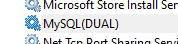
5) Launch Notepad in Admin mode and open the das.ini file in C:\Program Files\Deepnet DualShield\mysql
6) Delete all existing replication server configuration details from the das.ini file.

7) Download DualShield Assistant from here: DualShield Assistant v2.5
8) Install DualShield Assistant on Source and Target machines (In other words the new machine running DualShield and the other machines In your new environment you wish DualShield Server to be deployed to)
Create New Replication Cluster using DualShield Assistant
1) Follow Cloning DualShield to clone DualShield and MySQL server and deploy to another new hosting server
2) Once the clone is complete follow Setting up Replication to setup replication between the two servers.
3) If you wish to add additional servers please follow steps 1 and 2 again and repeat until you have replication set up on all the servers you need.