In your DualShield server, you need to register your web or cloud service, e.g. Salesforce, as a SAML Service Provider (SP).
To register a SAML service provider, select "SSO | Service Provider" in the Admin Console
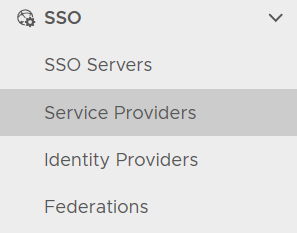
In the service provide list window, click the CREATE button on the toolbar
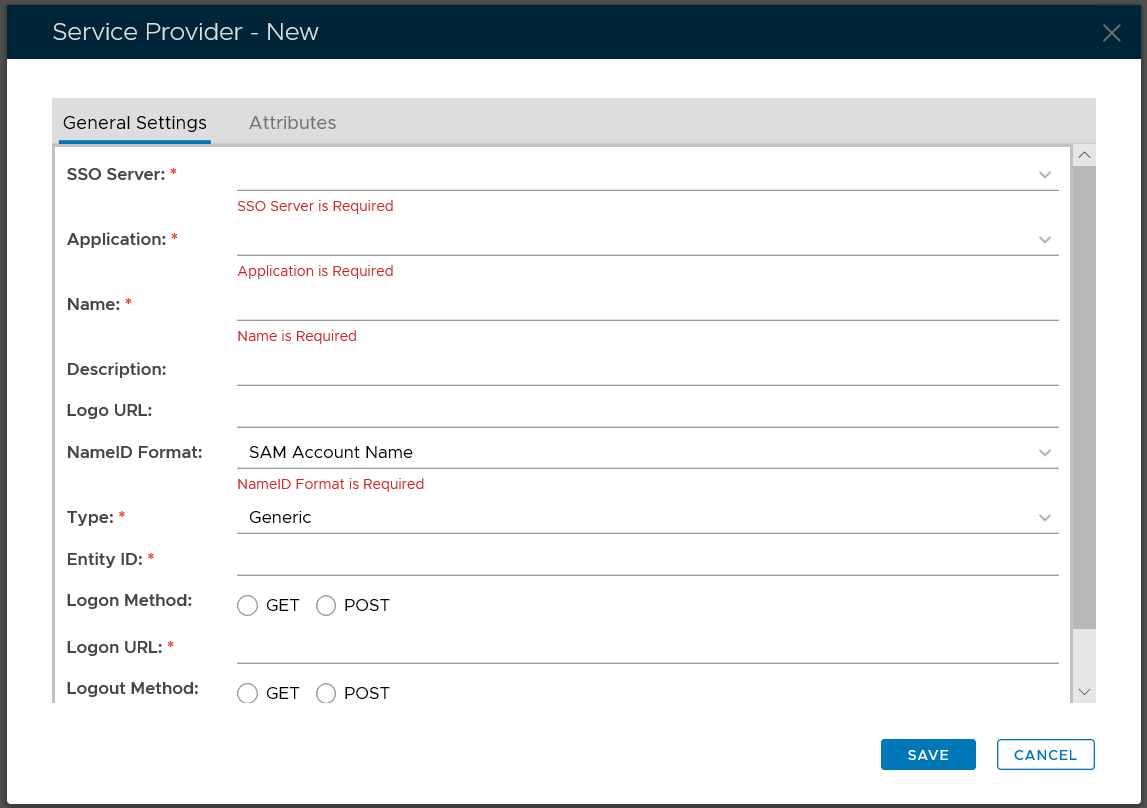
Select the SSO Server as the IdP of this Service Provider, e.g. Single Sign-on Server
Select the Application that this Service Provider will be connected to, e.g. Salesforce
Select SAML 2.0 as the Type
Enter a Name to describe this Service Provider, e.g. Salesforce

Click Create Metadata

Enter the metadata of the service privder
Click Save to save the metadata
Click the Attributes tab
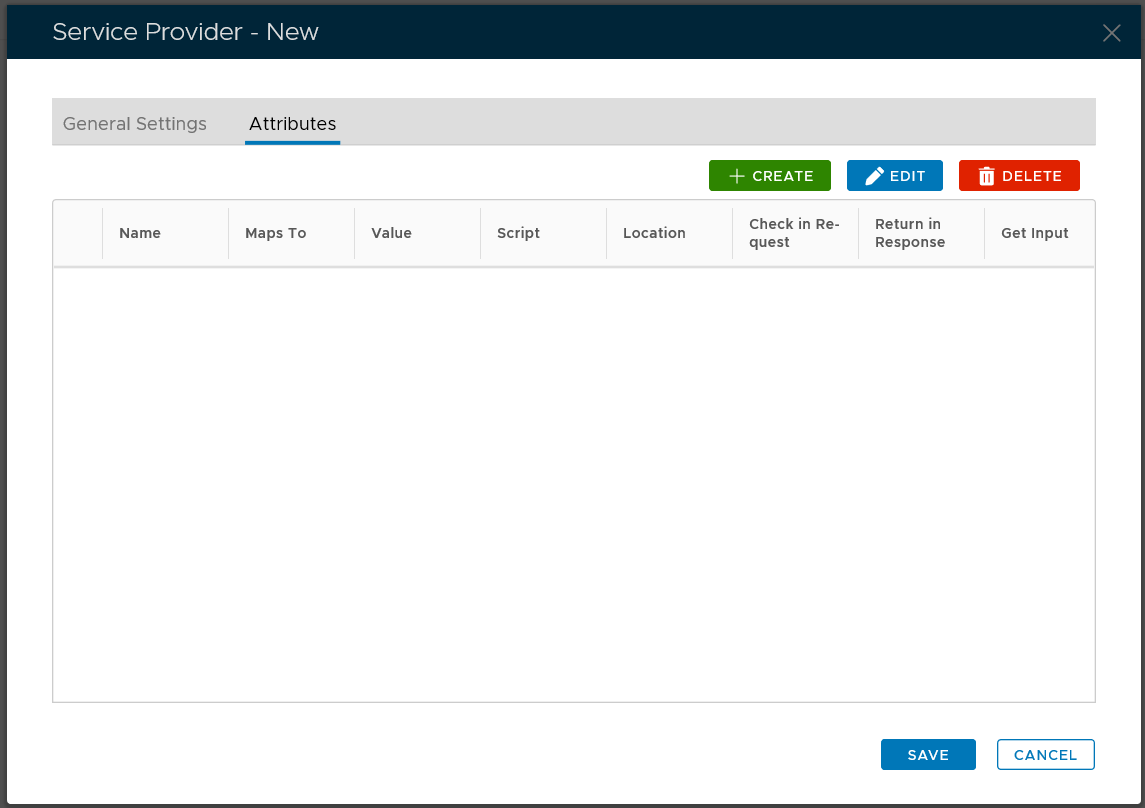
Add the attributes required by the service provider
Click Save to save the service provider