...
| Section |
|---|
|
| Column |
|---|
| 
|
| Column |
|---|
| Option | Value | Explanation |
|---|
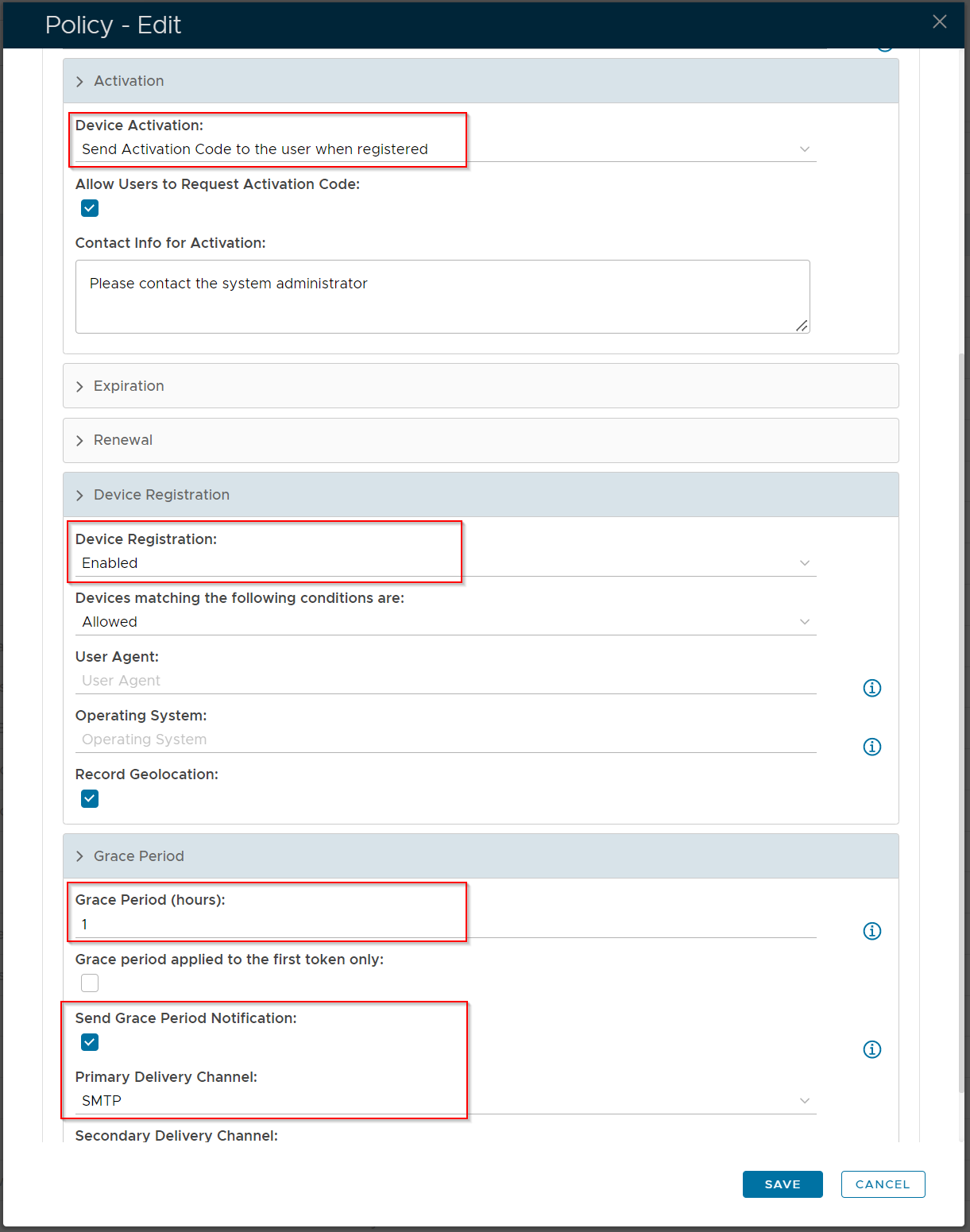
| Device Activation | Send Activation Code to the user when registered | An activation link with a code will be sent to end users, enabling them to access the Self Service portal and activate their own DeviceID token | | Device Registration | Enabled | This is a default option so that a DeviceID token will get created and dropped into quarantine until such time as it is activated. | | Grace Period | Time period need needs to be set in hoursabove zero | Setting a grace period is a requirement, so that the end user will be able to recieve so the activation link. If Send Grace Period Notification is enabled, then the end user will receive a separate notification explaining how long they have to activate their token , before their email is blocked. |
|
|
Activation Code Policy
The activation code has it's own policy where you can set the format and length of the code as well as an expiry
| Section |
|---|
|
| Column |
|---|
| 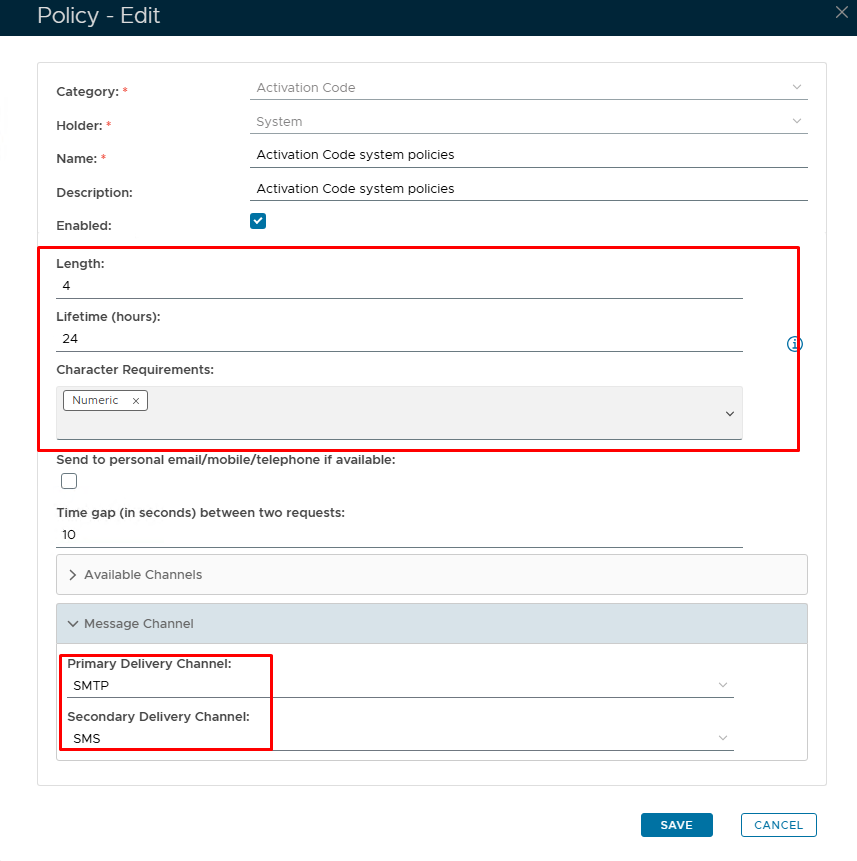 Image Added Image Added
|
| Column |
|---|
| Option | Value | Explanation |
|---|
| Length | Default = 4 characters | A length of 4 will be presented as 'xxxx'. You can increase or decrease the length however, 4 or 6 is the norm. | | Lifetime |
|
|
Image Removed
Activation Code Policy
...
| Set in hours | The number of hours before the Activation code expires. (0 = no expiry.) | | Character Requirements | Numeric/Alphabetic/Both | Code format | | Message delivery channels | SMTP/SMS | How would you like the end user to receive the Activation code? SMTP = email; SMS = text. |
|
|