...
Launch the Exchange Management Shell, and execute the following commands
| Code Block |
|---|
Set-OwaVirtualDirectory -Identity "owa (default Web site)" -ExternalDownloadHostName |
...
“Images.DeepnetID.com" |
...
Set-OwaVirtualDirectory -Identity "owa (default Web site)" -InternalDownloadHostName "Images.DeepnetID.com" |
...
Set-OrganizationConfig -EnableDownloadDomains $true |

If MFA is enabled on OWA, then you must take the following steps
| Table of Contents | ||
|---|---|---|
|
Add URL Binding
On the Exchange server, launch the IIS Management
Select the OWA node, and launch the DualShield IIS Agent console
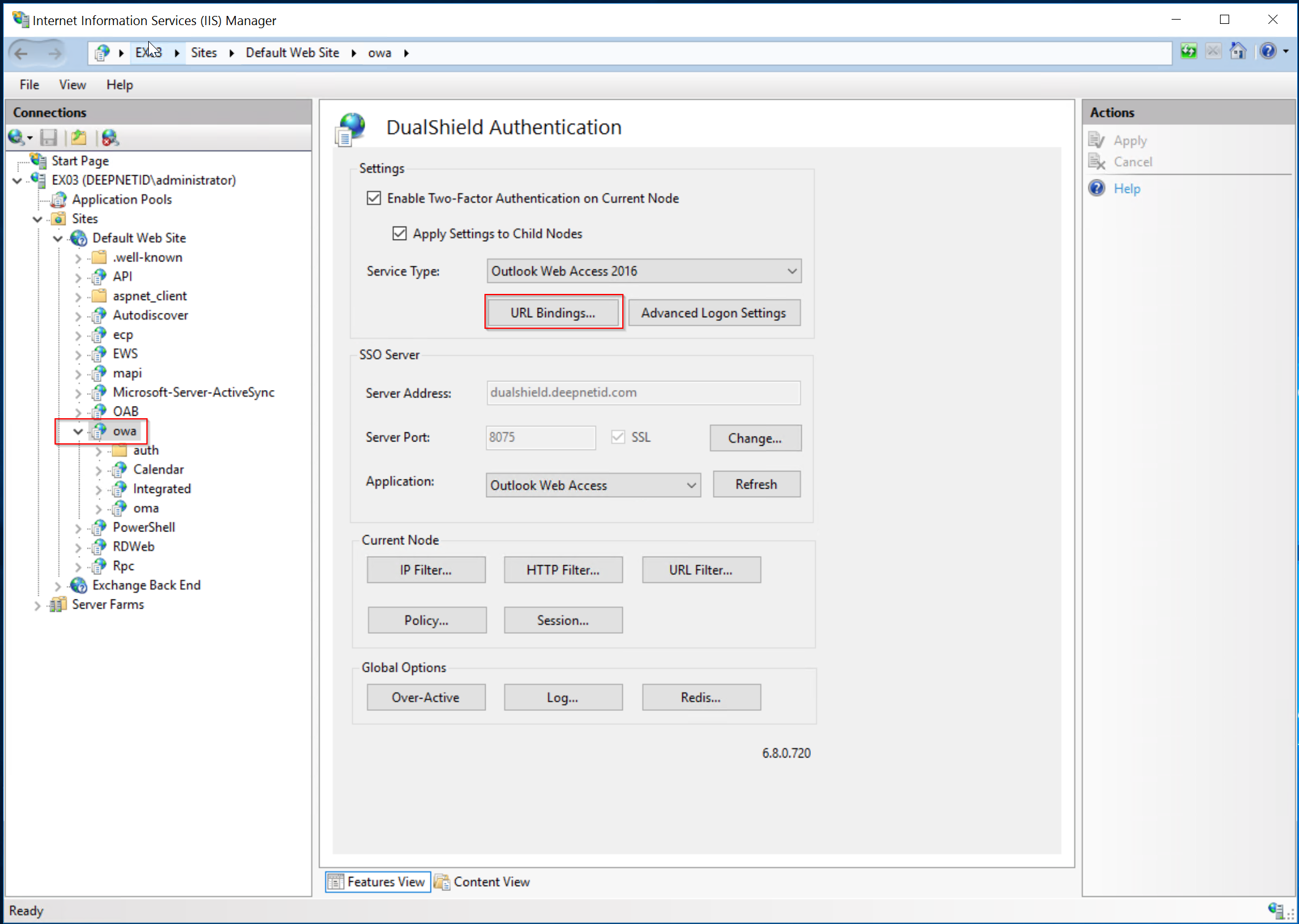
Click "URL Bindings"
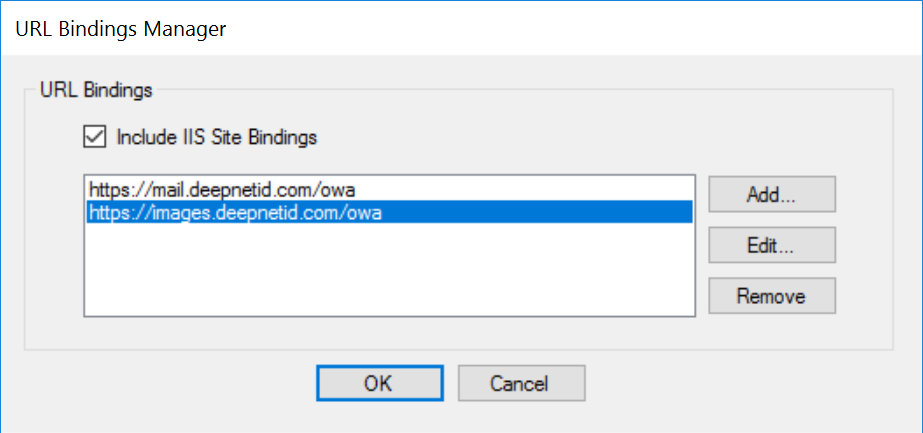
Add the image download URL in to the URL Bindings
Apply the change
Add HTTP Filter
Click "HTTP Filter"
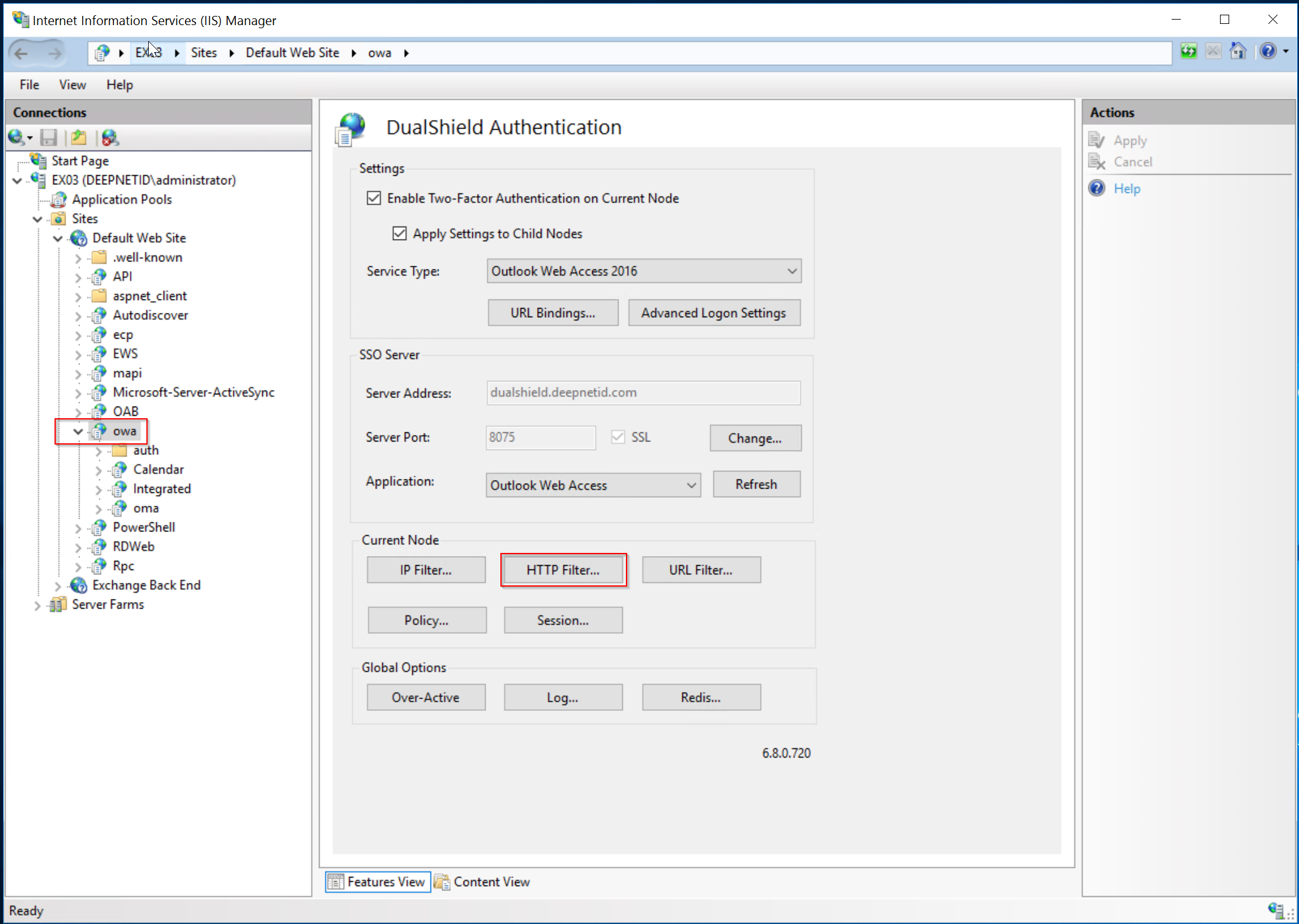
Add the following HTTP filter
...
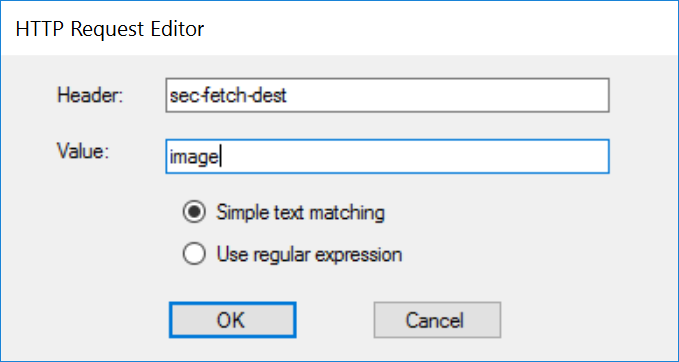
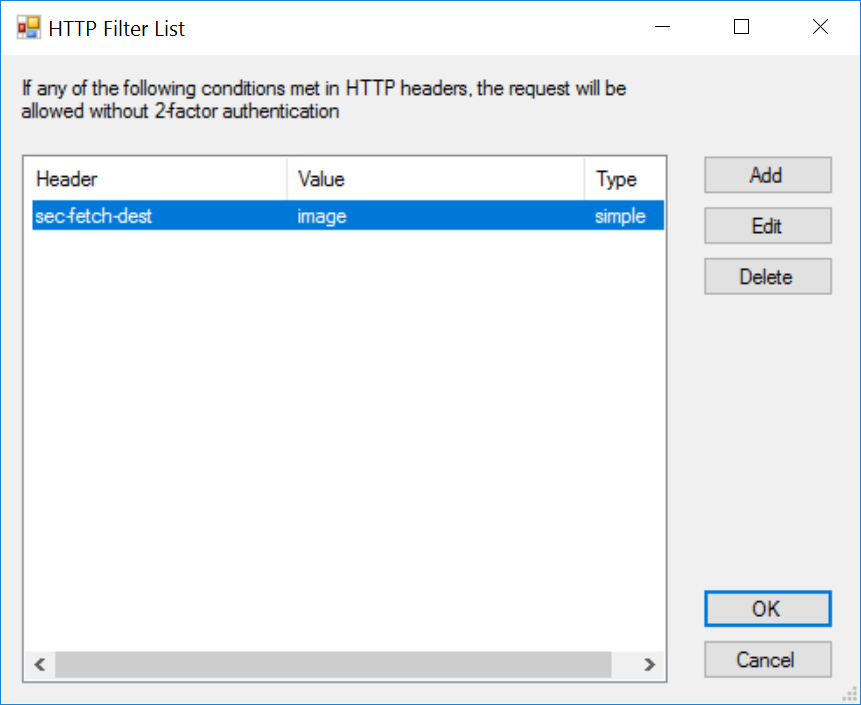
Apply the change.
Add URL Filter
If you enable the proxy option and use the IIS reverse proxy to proxy your DualShield SSO, then you also need to add the HTTP Filter below. Otherwise, your users will be asked to re-authenticate when they attempt to download a file attachment.
Click "URL Filter"
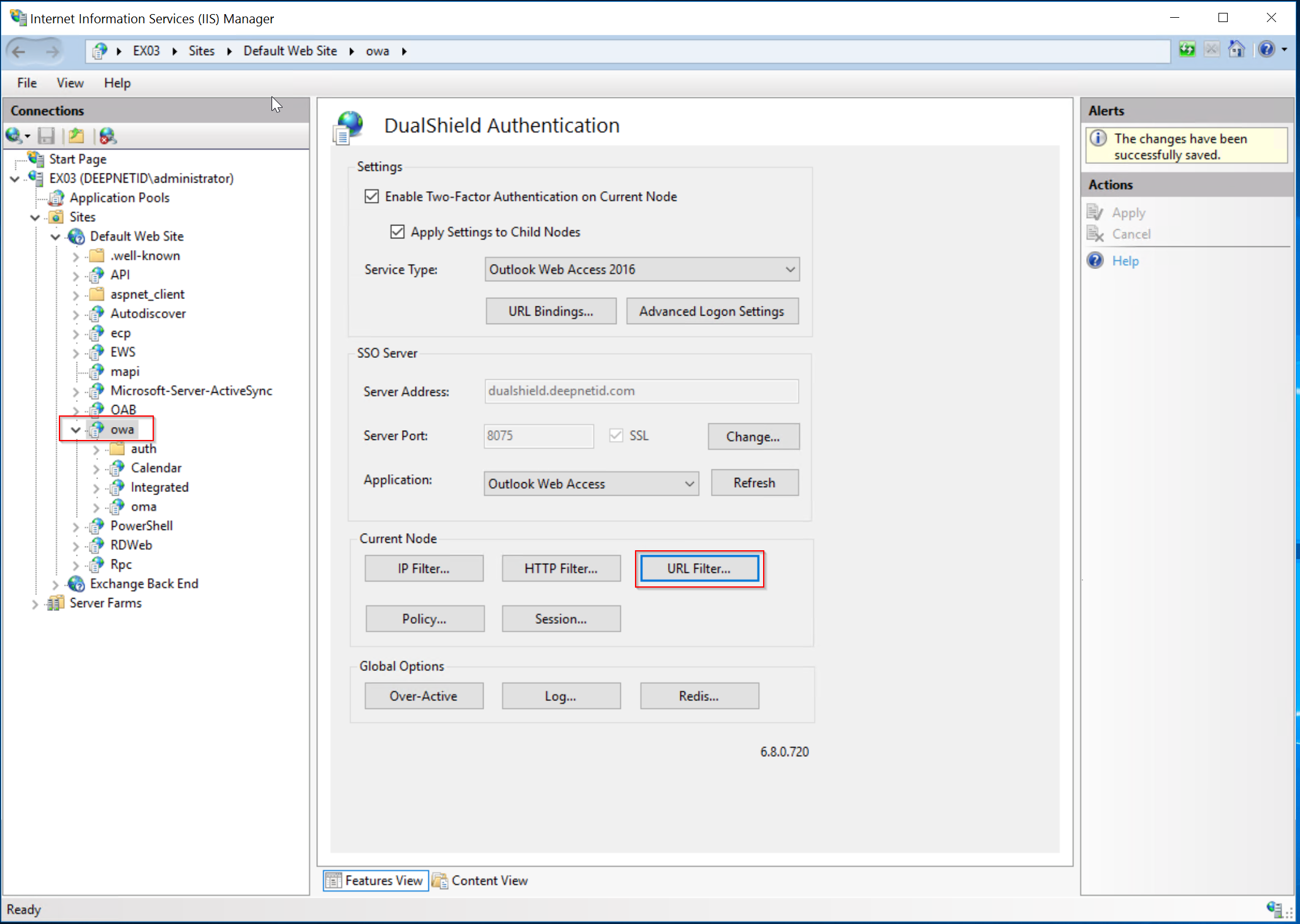
Add the following URL filter
...
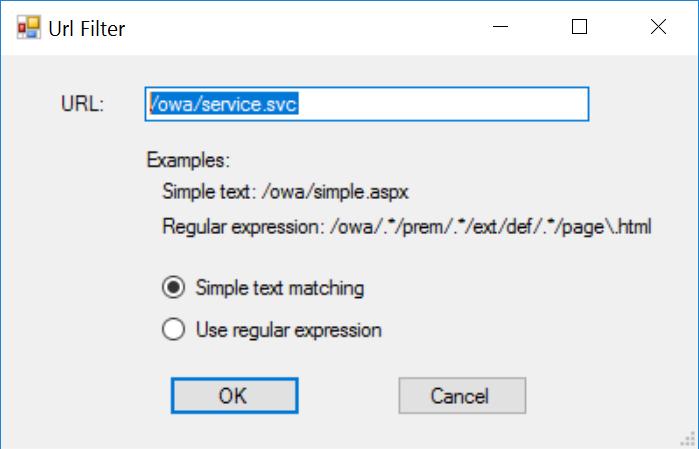
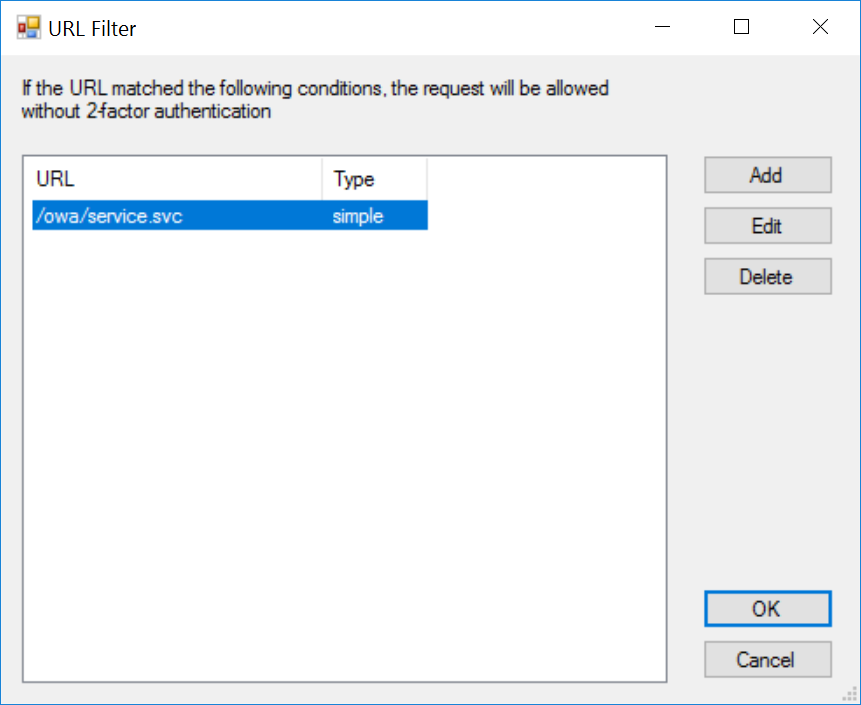
Apply the change.
| Children Display |
|---|