...
Attempting to delete a domain on the Administration Console;
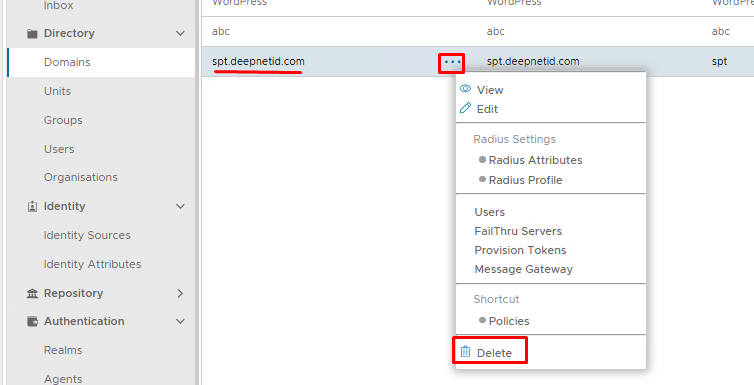
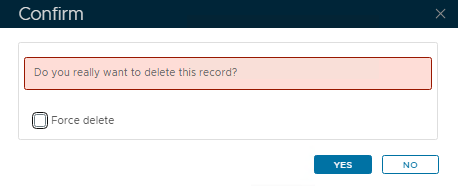
Leave Force Delete* unchecked. (*only available from v8.0.6)
Click Yes on the Confirm pop-up.
However However, the following error appears:
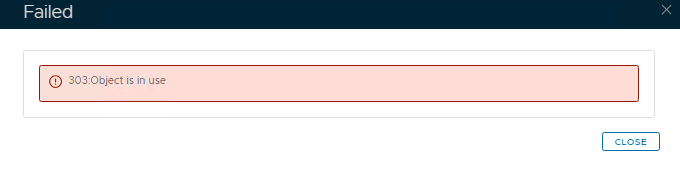
This usually means the domain is still tied to something else, for example, a realm, a policy, a role, etc
Search the Admin Console for Domain Bindings
...
If you see the domain you wish to delete listed in any of the above place places, then you will need to edit and remove those associations, then try deleting the domain again.
If however, you cannot find it in any of those locations, then it the domain will need to be manually removed using a series of SQL queriesremoved by the following methods:
Force delete (only available from version 8.0.6 upwards)
If you cannot find any domain binding, and you are 100% sure the domain is still not in use, then you can force delete. Attempt to delete the domain again.
Enable the option to force delete:
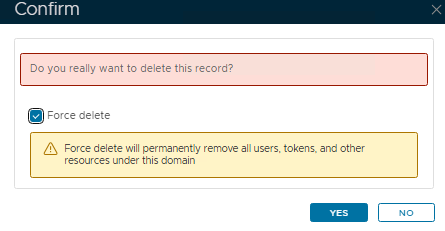
Take note of the yellow warning, and if you are happy, click Yes
The domain will be removed.
The rest of this wiki will no longer apply.
Remove using SQL Queries (older versions of DualShield)
Go to Platform>Database Servers then click on the blue SQL Console button on the top right.
...
Then you need to run a query that inks links all three tables together to find and delete the applications tied to the policies that belong to domain_id 5:
...
You need to follow the pattern above until the first query to delete the domain executes successfully.You can always copy and paste any errors into AI and ask it to generate a query to resolve the issue.