...
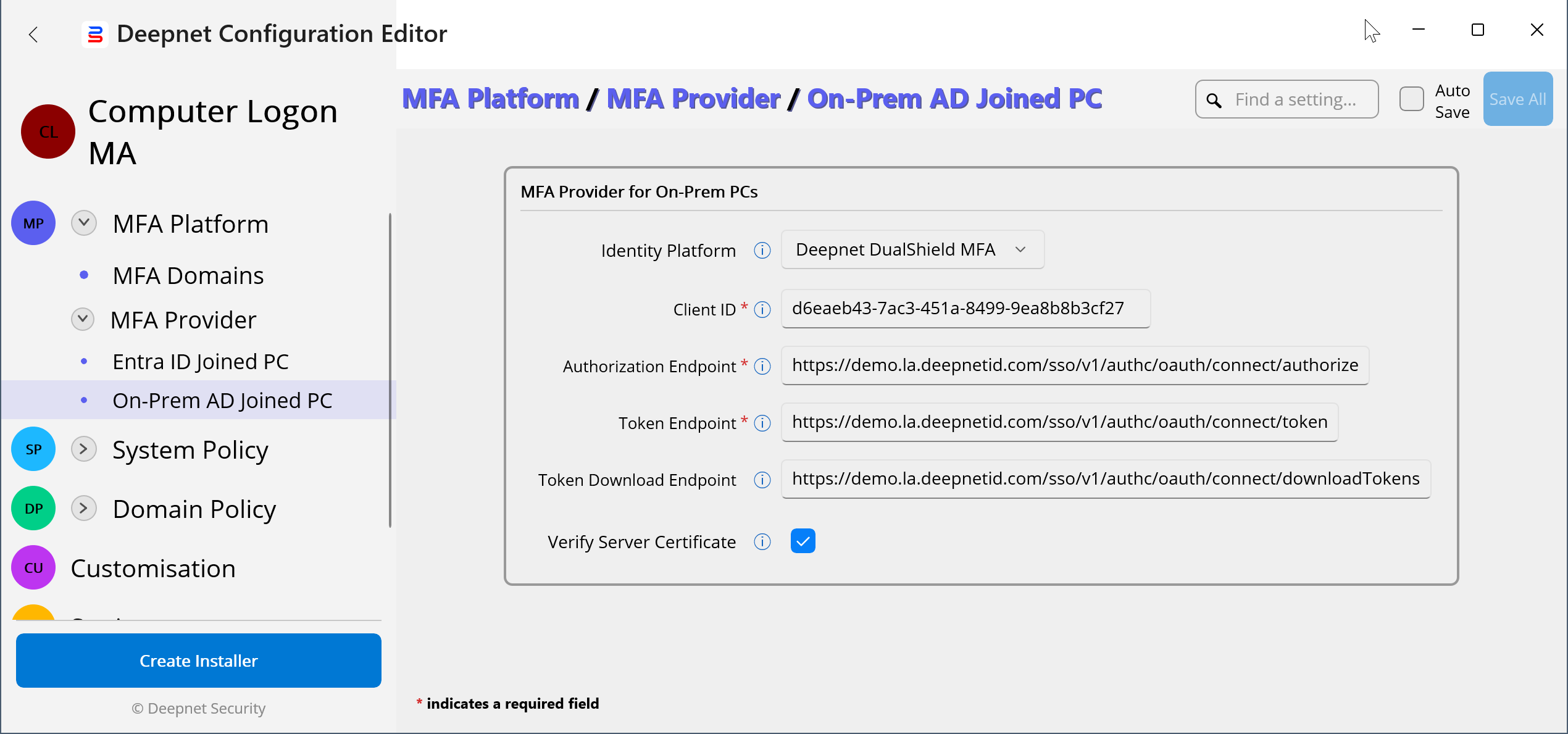
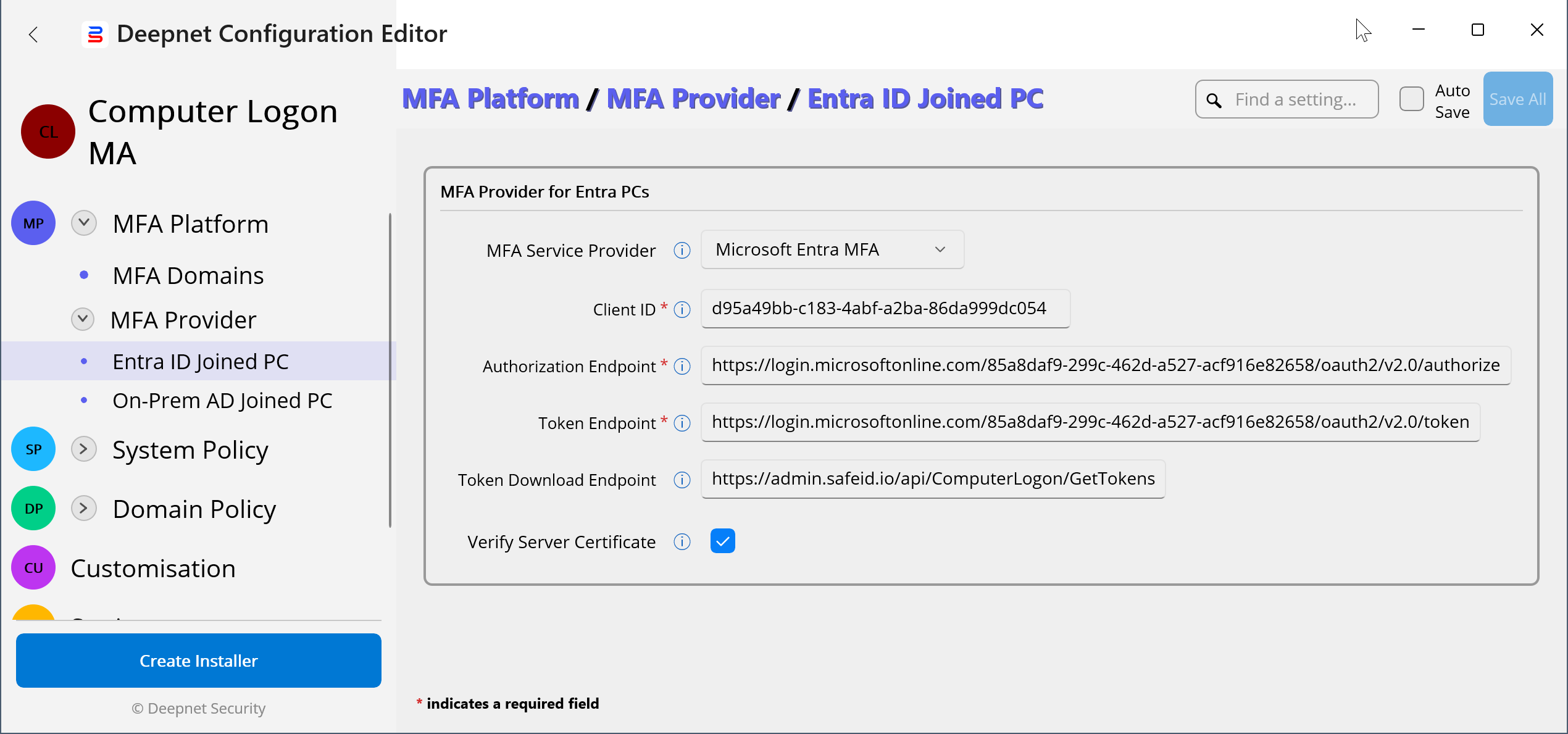
In the Deepnet Configuration Editor, navigate to "MFA Platform | MFA Provider"
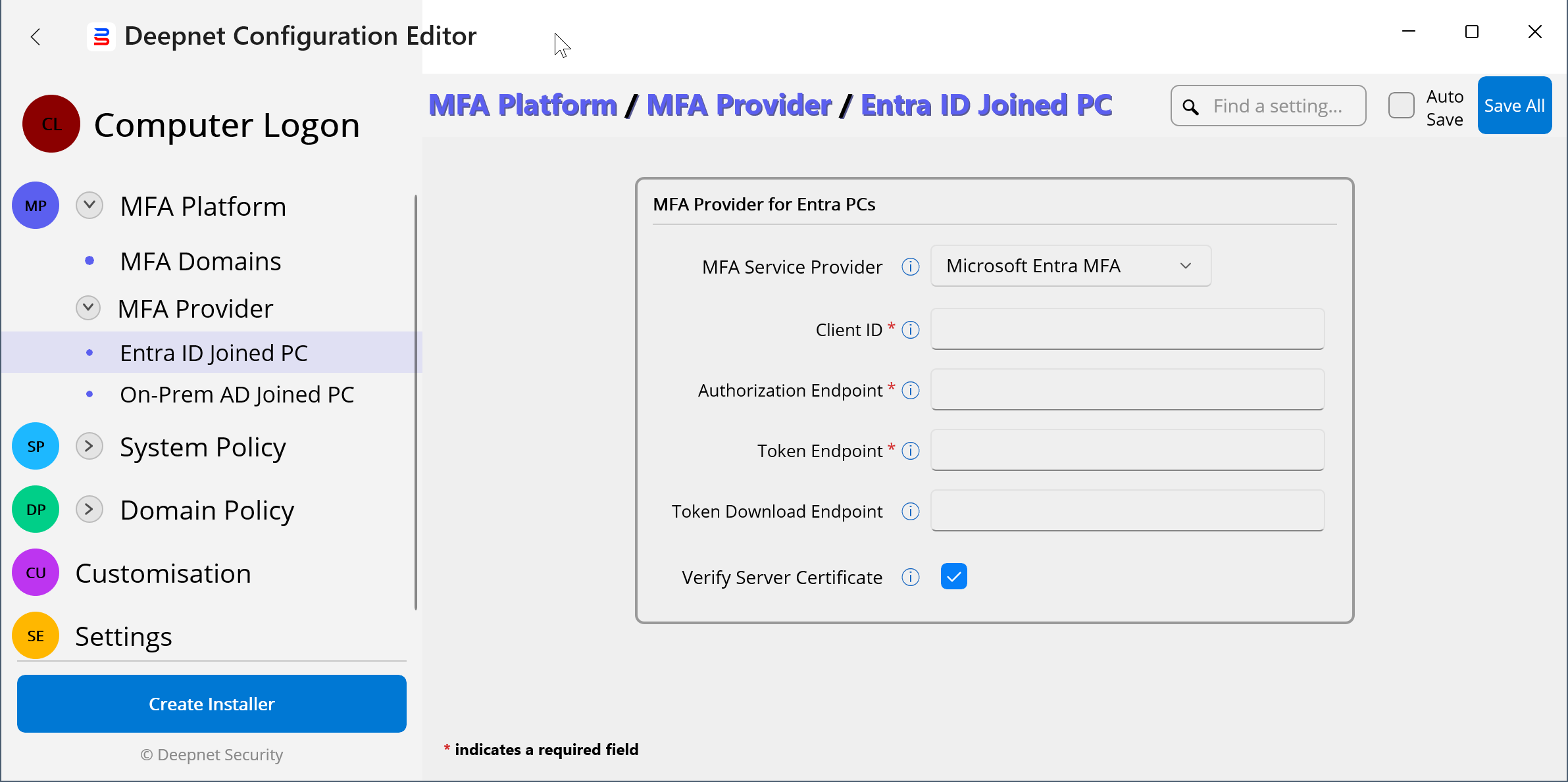
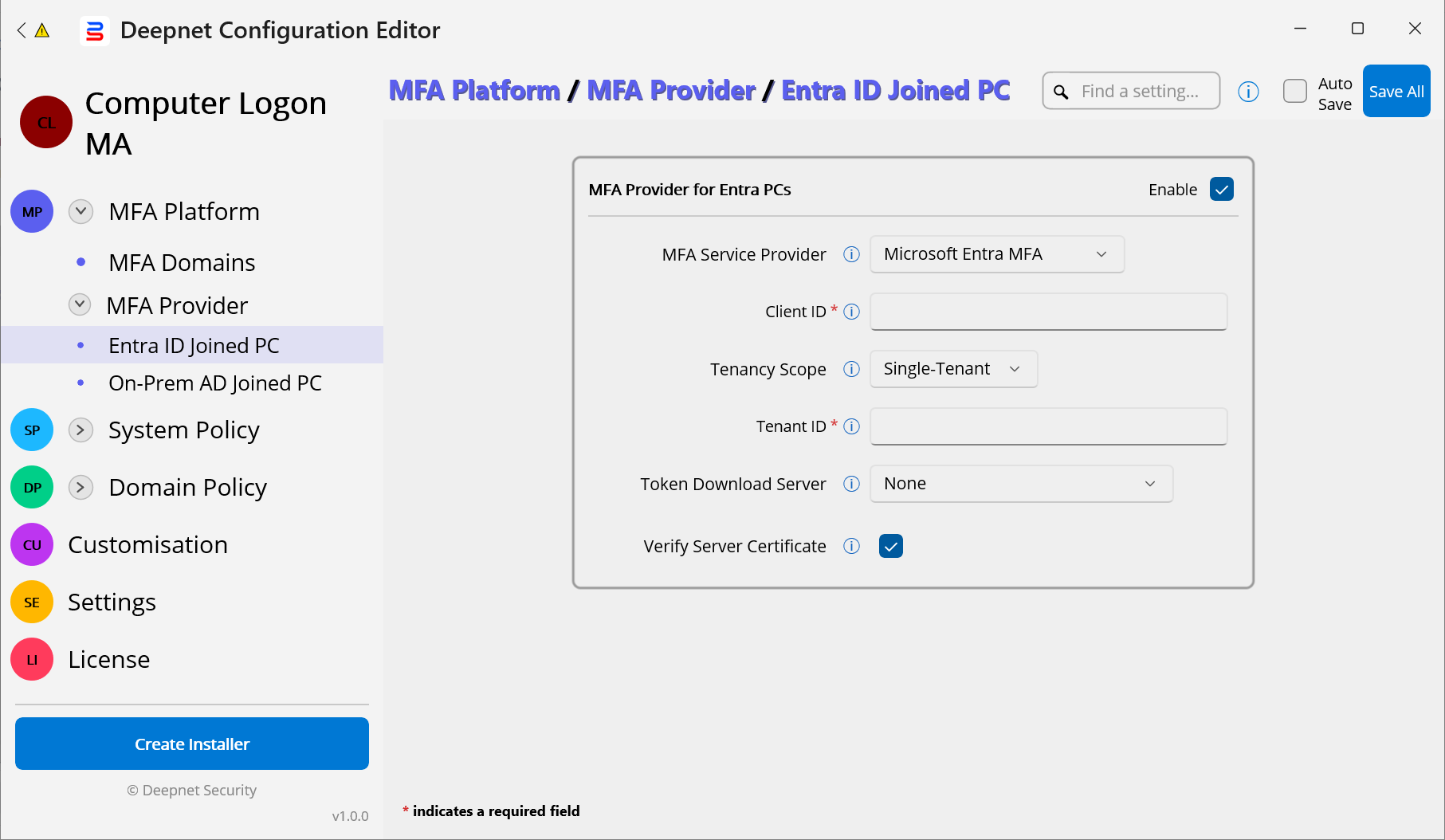
The Computer Logon MA solution supports both Entra ID joined PCs and On-Prem AD joined PCs.
...
* You need to enter the MFA Provider details for both Entra ID joined PCs and On-Prem AD joined PCs, even if you only have one of them in your environment.
Microsoft Entra MFA
...
...
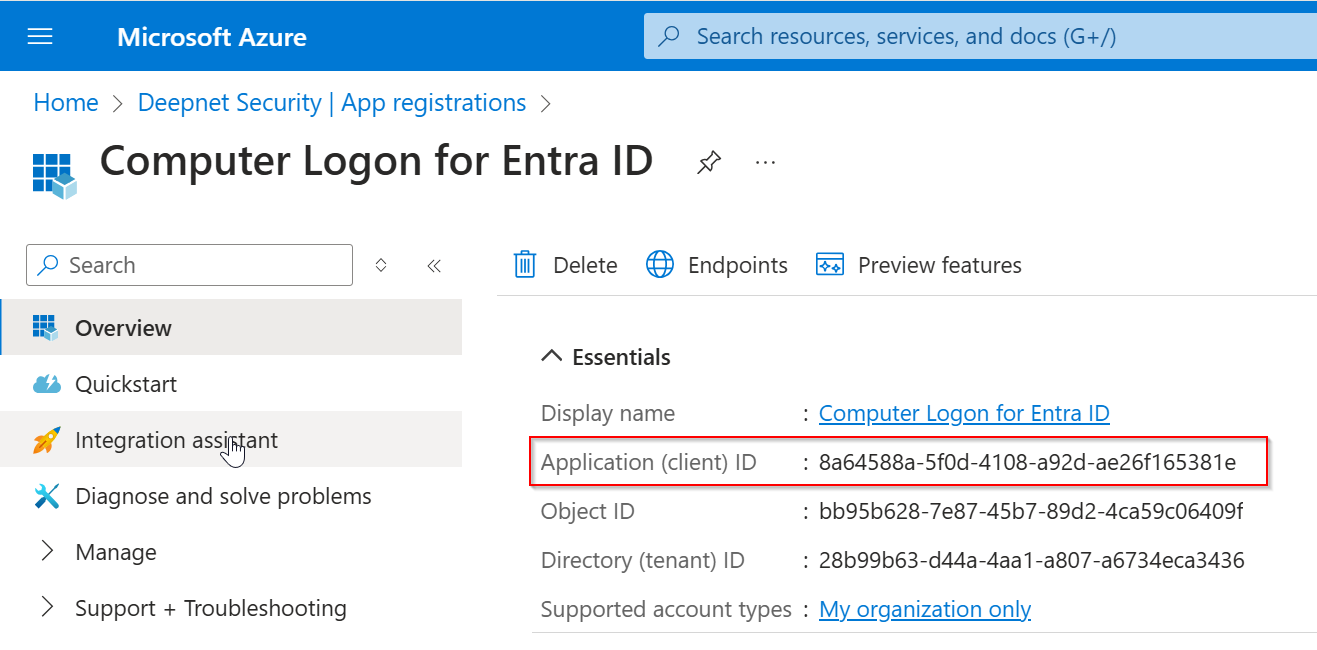
...
https://login.microsoftonline.com/TENANT-ID/oauth2/v2.0/authorize...
https://login.microsoftonline.com/TENANT-ID/oauth2/v2.0/token...
Token Download Endpoint
...
https://admin.safeid.io/api/ComputerLogon/GetTokensSafeID Token Service (On-Prem)
https://FQDN/api/ComputerLogon/GetTokensDeepnet DualShield
...
https://FQDN/sso/v1/authc/oauth/connect/authorize ...
Example:
...
MFA
...
...
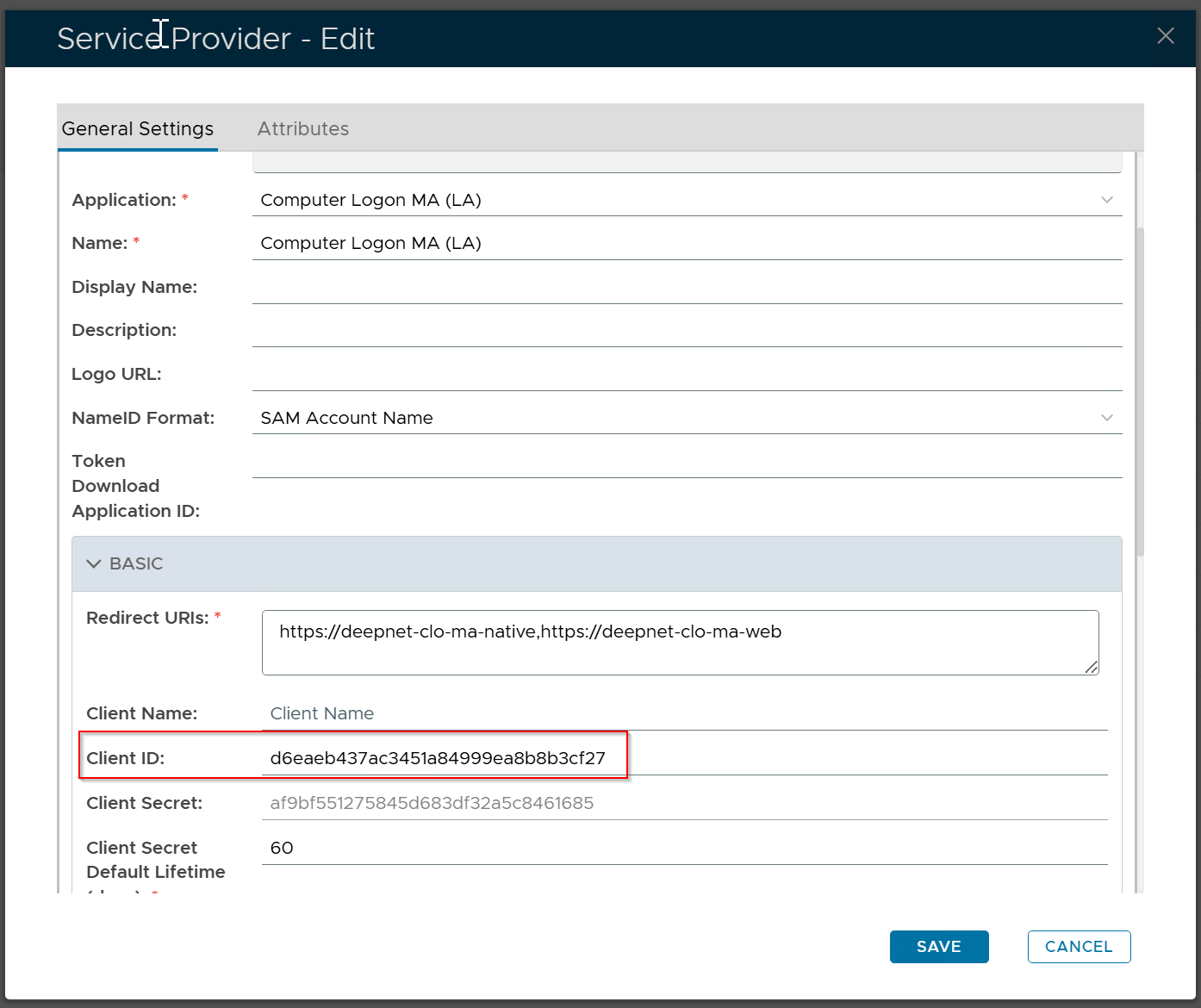
https://FQDN/sso/v1/authc/oauth/connect/authorize...
https://FQDN/sso/v1/authc/oauth/connect/token...
https://FQDN/sso/v1/authc/oauth/connect/downloadTokens...
Example: