To enable Grid-on-Screen logon Logon method, the system administrator System Administrator needs to add the necessary authentication method into in to the applicationApplication's logon procedure. For instanceLogon Procedure. Like follows:
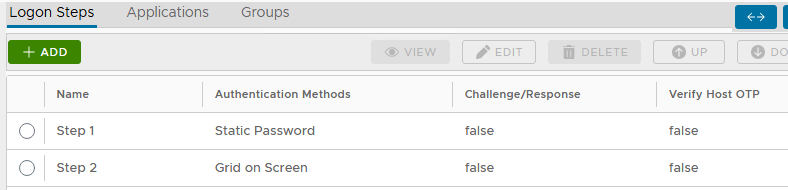
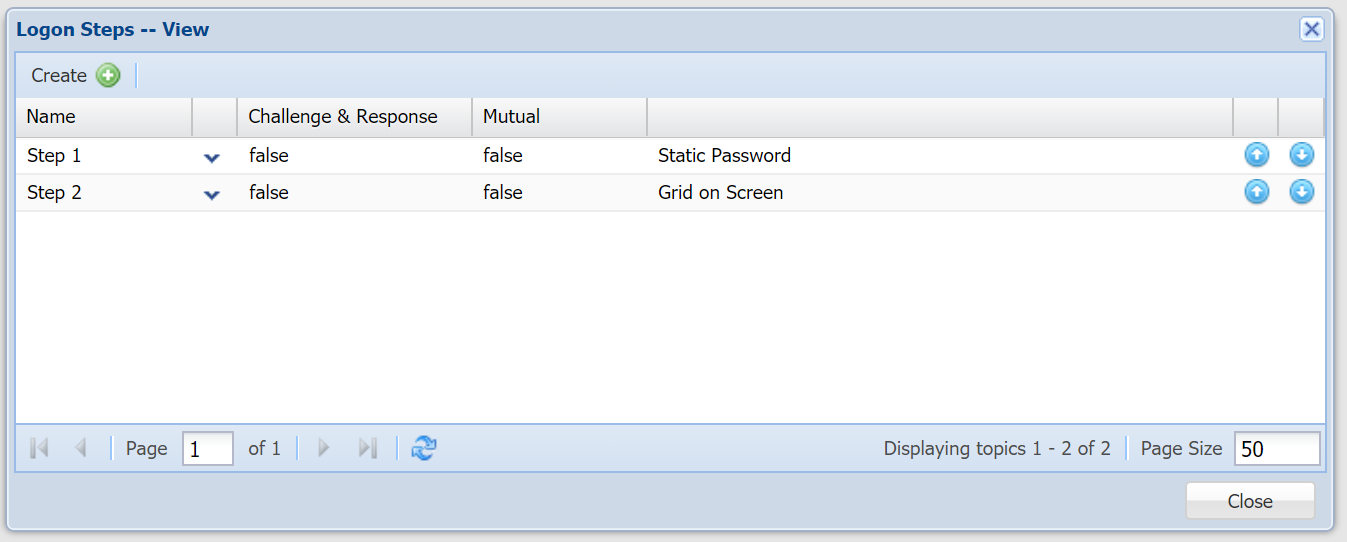
Also, the administrator might also need wish to refine the associated policy called named "GridGo":
Navigate to "Administration | Policies".
At the 'Category' drop-down, select "GridGo", then "SEARCH" button.
Select the context "..." menu on the displayed Policy, then "EDIT":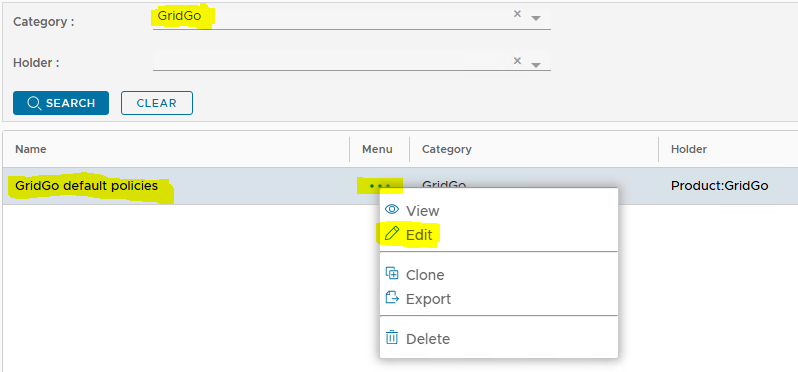
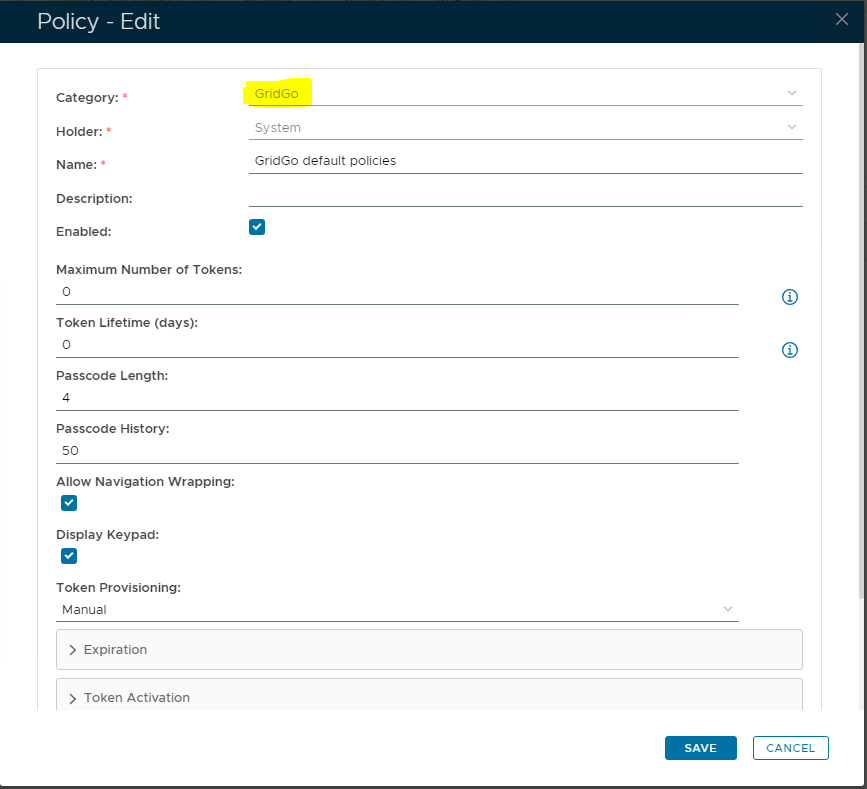
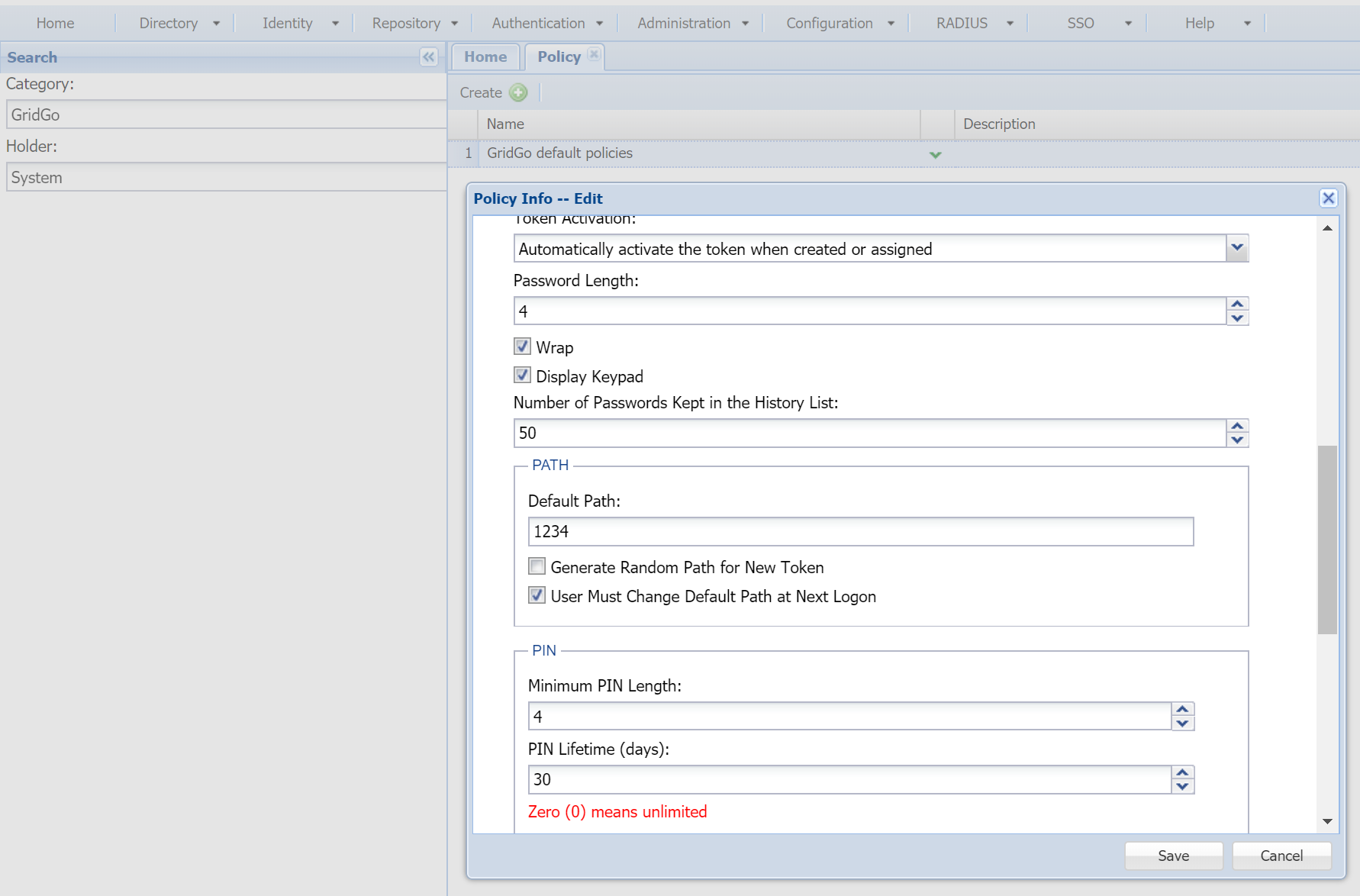
You might want wish to change the length of the passwordpasscode, default navigation path, PIN etc.
| Expand | ||||||
|---|---|---|---|---|---|---|
| ||||||
|