You If you are using a self-signed SSL certificate for your DualShield SSO, then you need to import the DualShield SSO's CA certificate into the local computer certificate store as a root trusted CA on your ADFS server, and you need to disable the certificate revocation check
Import Certificates
First, you need to import the DualShield SSO's CA certificate
| Expand | ||||
|---|---|---|---|---|
| ||||
|
...
|
| Expand | ||||||
|---|---|---|---|---|---|---|
| ||||||
|
Disable Revocation Check
Furthermore, you need to disable the revocation check on the self-signed claim provider certificate.
On the ADFS server, execute the following commands in
...
To export the CA certificate

ADFS Server:
To import the CA certificate
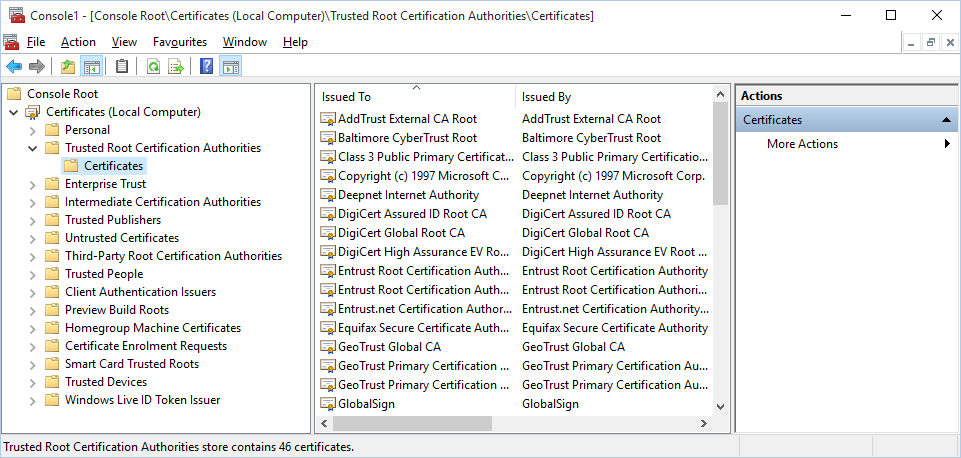
Furthermore, on the ADFS server, execute the following commands on the Windows Powershell console:
| Code Block | ||
|---|---|---|
| ||
Add-PSSnapin Microsoft.Adfs.Powershell |
...
Set-ADFSClaimsProviderTrust -TargetName "Claims_Provider_Name" -SigningCertificateRevocationCheck None |
...
Similarly, if you are using a self-signed certificate for your relying party application, then you have to import the self-signed CA certificate into certificate into the local computer certificate store as a root trusted CA on your ADFS server. Then, execute the execute the following commands on the Windows Powershell console to disable the revocation check on the self-signed relying party certificate :
| Code Block | ||
|---|---|---|
| ||
Add-PSSnapin Microsoft.Adfs.Powershell |
...
Set-ADFSRelyingPartyTrust -targetname "Relying_Party_Name" -EncryptionCertificateRevocationCheck None |
...