In the initial stage of deploying MFA across your entire domain and user base, you might not want to enfore enforce MFA on all user accounts on day one. Instead, you might consider to enforce enforcing MFA gradually across your user base, in stages. To do so, you need to create a special user group in AD and a couple of logon policies in DualShield. For the simplicty simplicity of this guide, let's call this AD group as DualShield MFA group.
...
The group policy is bound to the DualShield MFA user group, and multi-factor authentication is required on all users.
Below is an example.
 Image Added
Domain Logon Policy
| Section |
|---|
| Column |
|---|
| 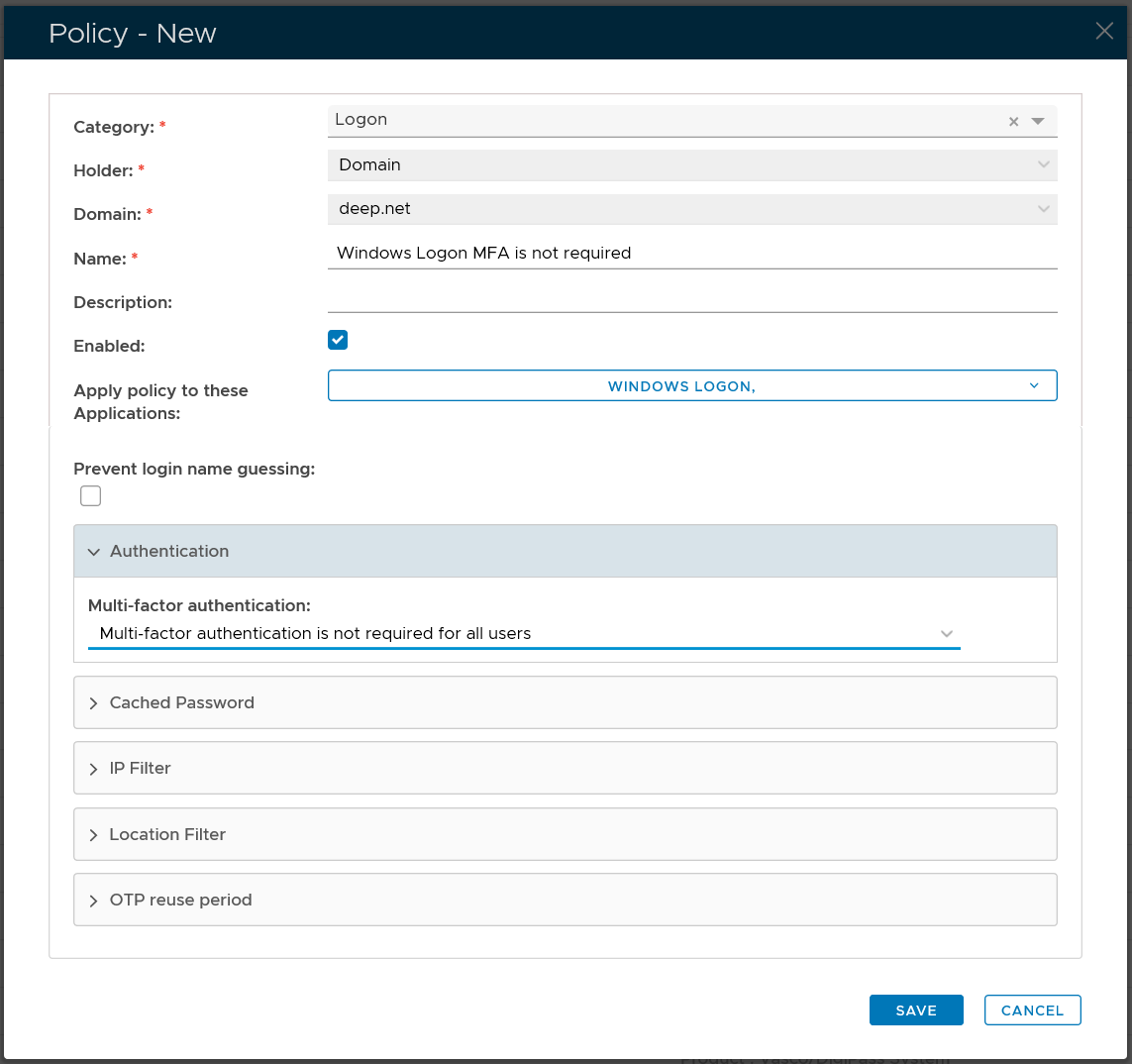 Image Added Image Added
|
| Column |
|---|
| Option | Value |
|---|
| Category: | Logon | | Holder: | Domain | | Domain: | Select your AD domain | | Name: | Describe the purpose of this policy | | Apply policy to these applications: | Select the application that this policy will be applied to | | Authentication: | Select "Multi-factor authentication is not required for all users" |
|
|
Group Logon Policy
| Section |
|---|
| Column |
|---|
| 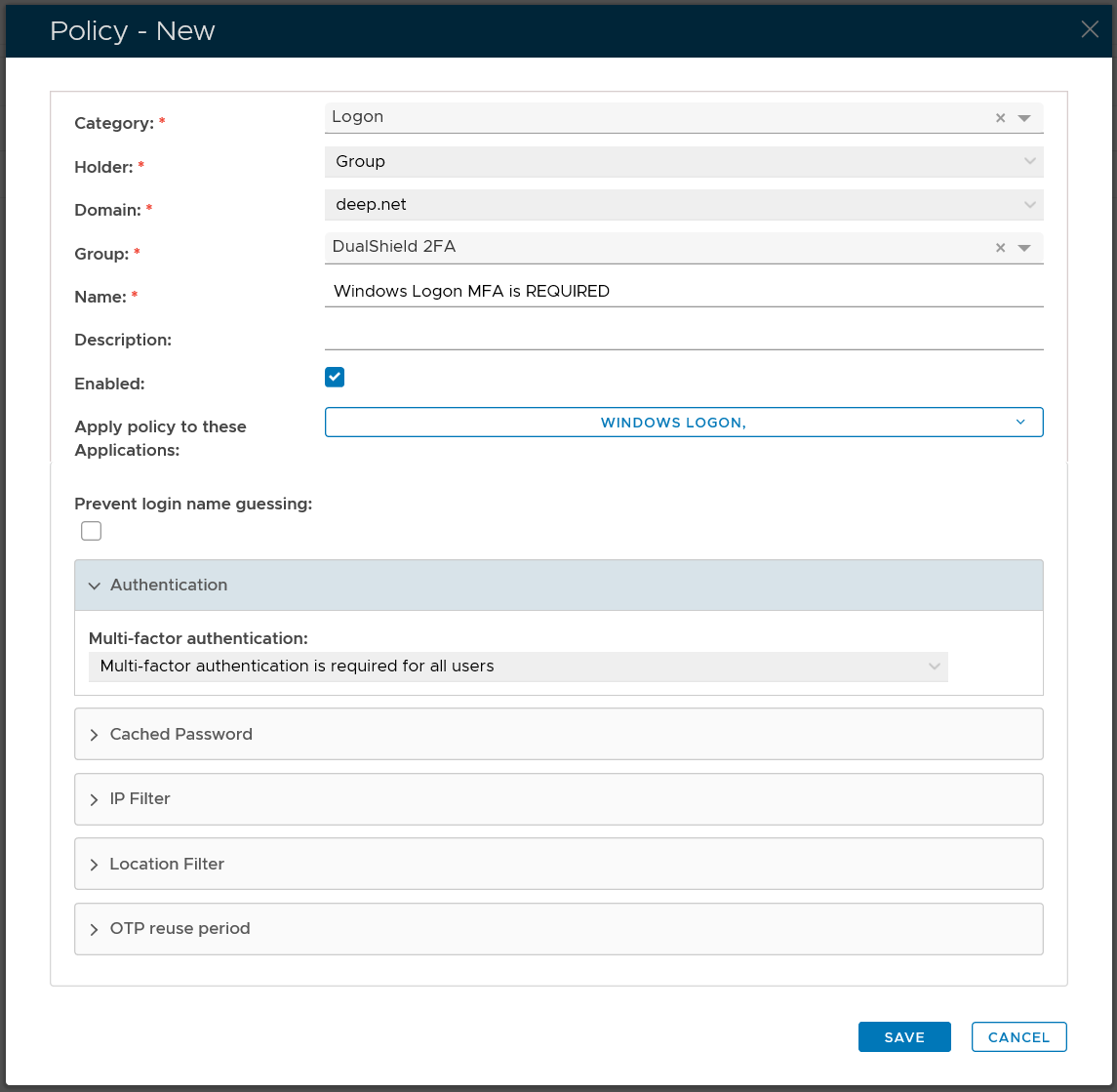 Image Added Image Added
|
| Column |
|---|
| Option | Value |
|---|
| Category: | Logon | | Holder: | Group | | Domain: | Select your AD domain | | Group | Select the DualShield MFA group | | Name: | Describe the purpose of this policy | | Apply policy to these applications: | Select the application that this policy will be applied to | | Authentication: | Select "Multi-factor authentication is required for all users" |
|
|