To DualShield Authentication Server, DualShield Radius Server is an authentication agent. For an authentication agent to be able to connect to the DualShield authentication server, the agent must be registered in your the DualShield authentication server.
For security purposepurposes, the agent registration function is disabled by default. You need to enable the Agent Auto Registration function in your DualShield authentication server.
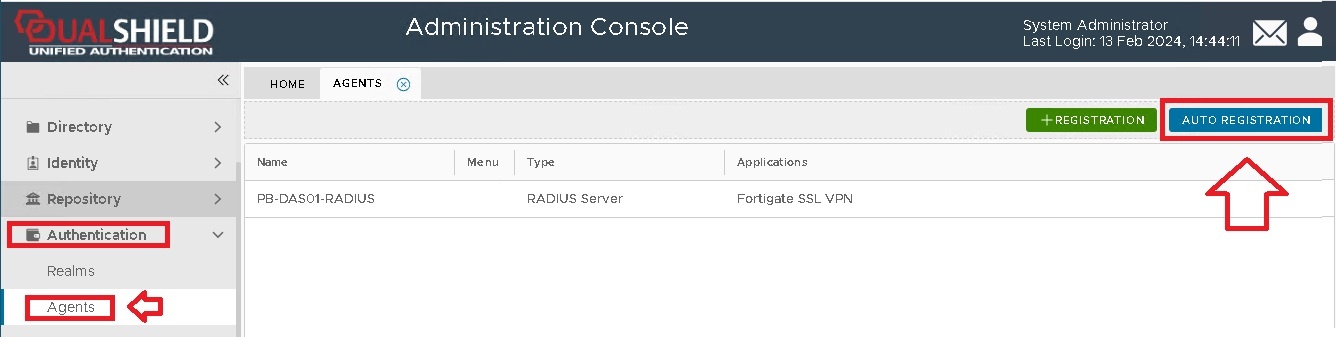
You need to enable the Agent Auto Registration function in your DualShield Server. In the DualShield Management Console, select “Authentication | Agents” and press the “Auto Registration” button on the toolbar:
From the management console, navigate to "Authentication | Agents", then click 
A new window will now open titled "Auto Registration", ensure the "Enabled" option is selected, then click ;
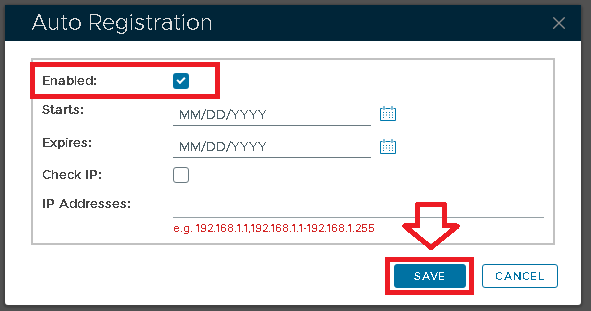
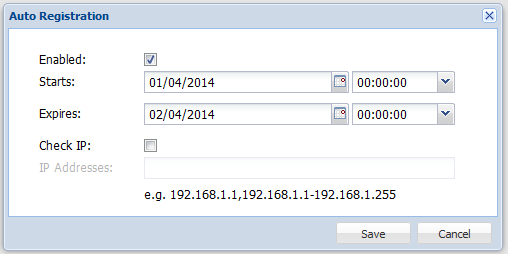
Tick the "Enabled" option first, then fill in the Starts and Expires date.
You may want to enable the "Check IP" option for extra security. If this option is enabled, then in the "IP AddressAddresses" field you must enter the IP address of the machine where the RADIUS server authentication agent is being installed.
Click on the  button, and Auto-Registration will now take place during the installation of the RADIUS server.