To renew an SSL server certificate, navigate to the Server Certificates repository at Repository /| Certificates /| Server Certificates
Find the certificate to be renewed and select "Renew" from its context menu:
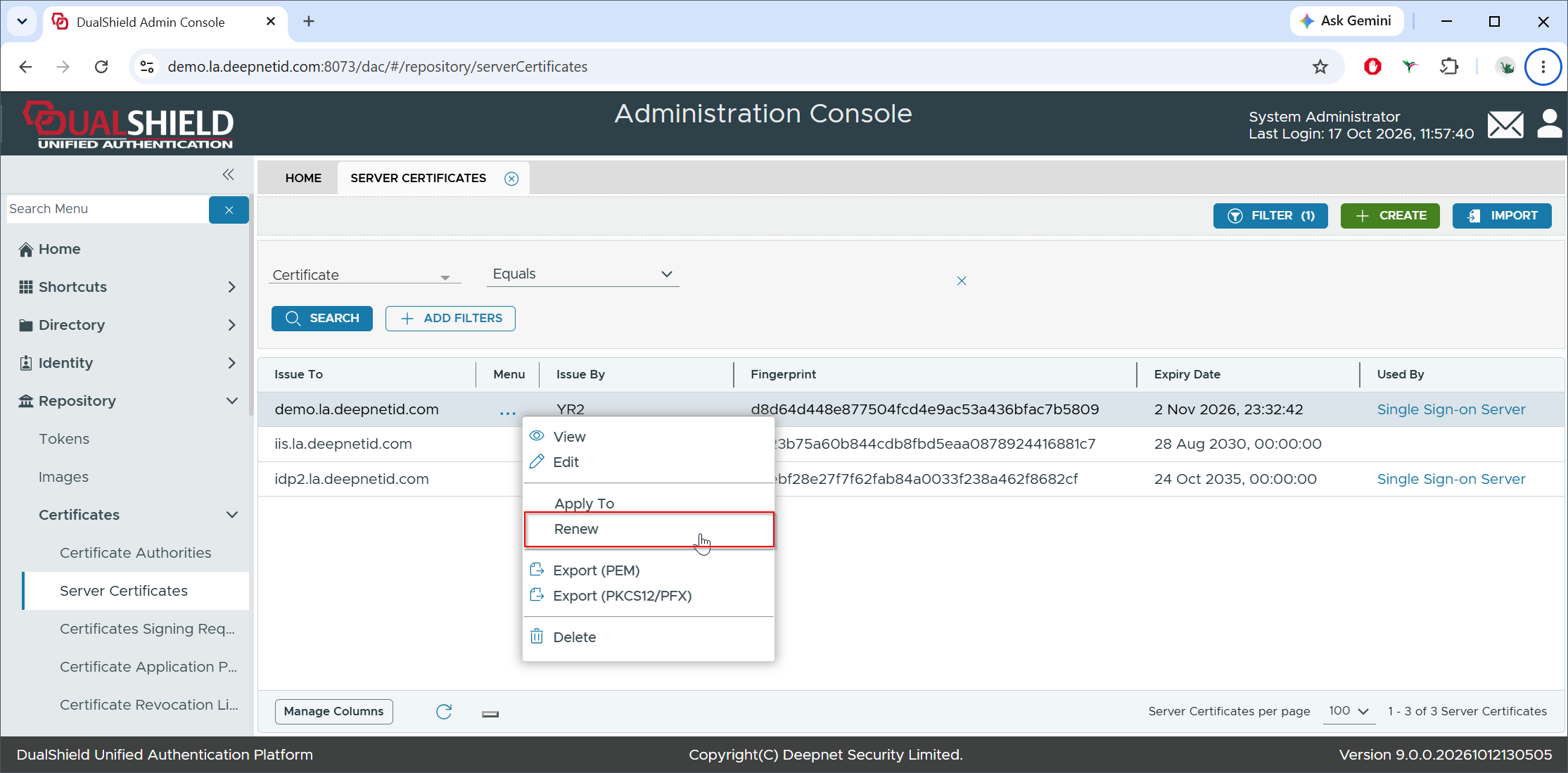
This will create a new Certificate Signing Request (CSR)
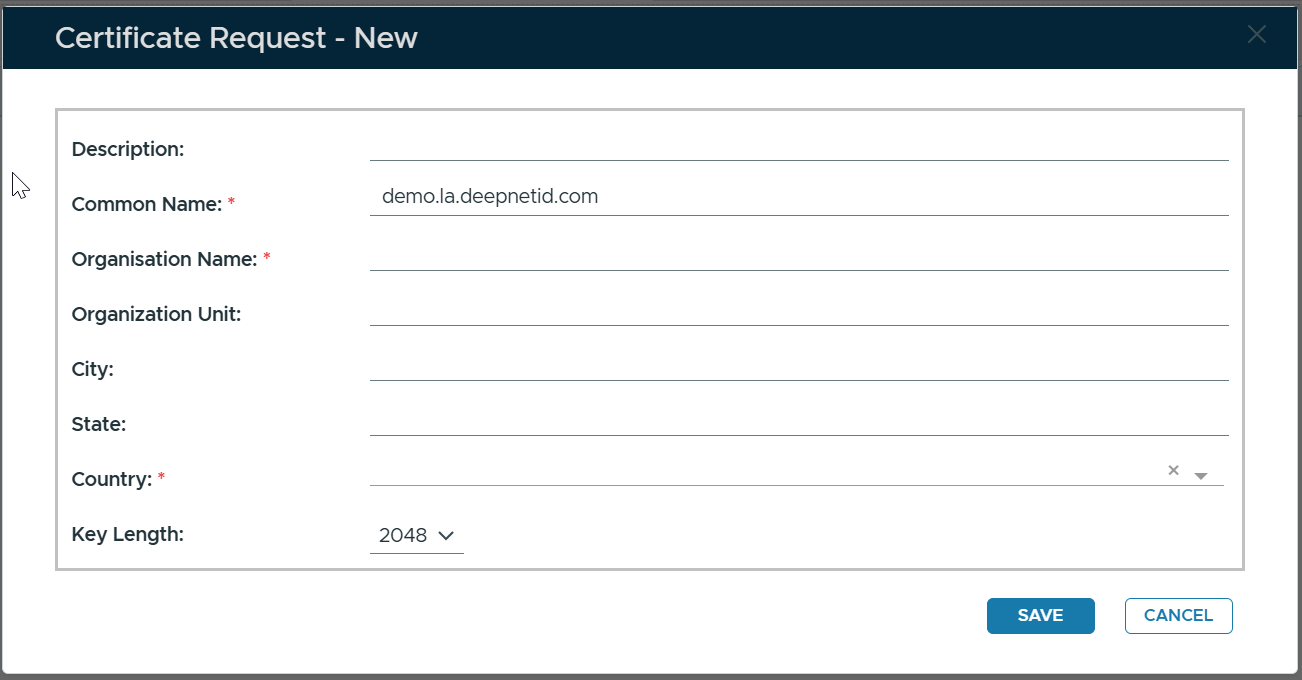 Image Added
Fill in the CSR Form
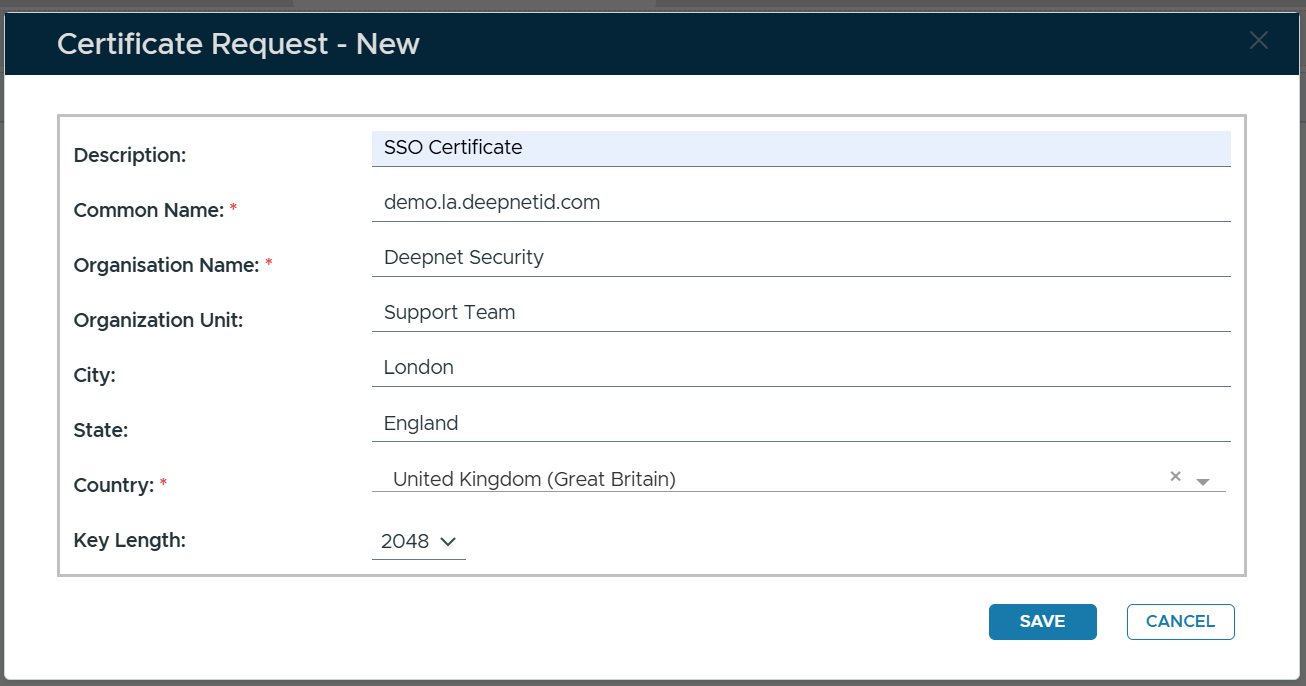 Image Added
Click SAVE
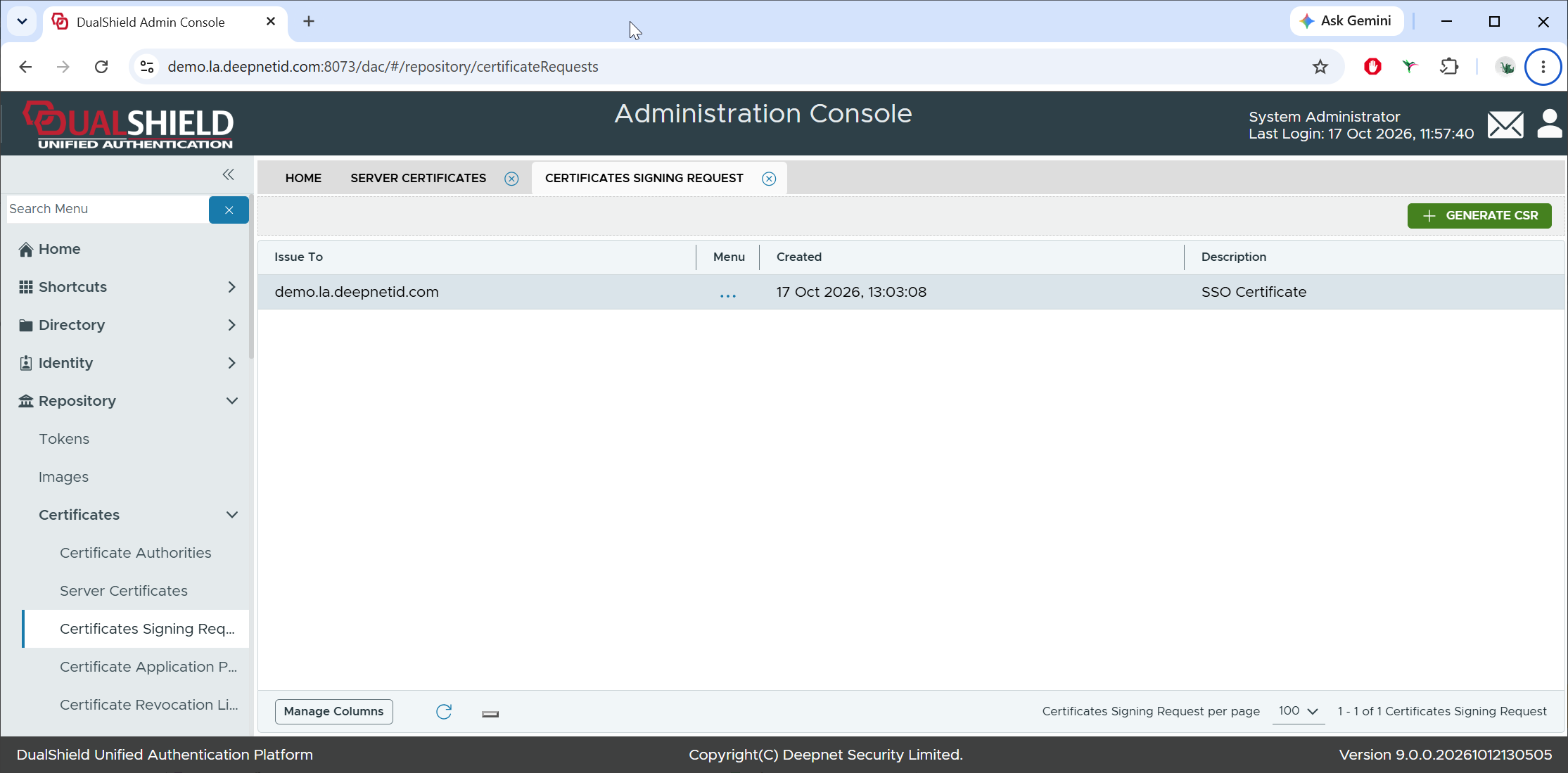 Image Added
A new CSR has been created.
Next, to get the new certificate, you need to follow the steps below to complete the CSR
| Expand |
|---|
| title | Submit the Certificate Signing Request ... |
|---|
|
| Include Page |
|---|
| Submit Certificate Signing Request - CSR |
|---|
| Submit Certificate Signing Request - CSR |
|---|
|
|
| Expand |
|---|
| title | Click here for an example... |
|---|
|
| Include Page |
|---|
| How to Renew Certificate with GoDaddy |
|---|
| How to Renew Certificate with GoDaddy |
|---|
|
|
| Expand |
|---|
| title | Download Certificate from Certificate Authority - CA... |
|---|
|
| Include Page |
|---|
| Download Certificate from Certificate Authority - CA |
|---|
| Download Certificate from Certificate Authority - CA |
|---|
|
|
| Expand |
|---|
| title | Complete Certificate Signing Request - CSR... |
|---|
|
| Include Page |
|---|
| Complete Certificate Signing Request - CSR |
|---|
| Complete Certificate Signing Request - CSR |
|---|
|
|