PORTAL GUIDE
Setting up sign-in tokens for your team
A token is a small security code your staff use, alongside their password, to prove it's really them when they sign in. This guide shows you how to create a token in Token Management, get it to a member of staff, and keep track of it afterward — no technical knowledge needed. About 5 minutes · Administrator access needed · Token Management
Before you start
✓ You're signed in to the admin portal.
✓ You know which member of staff needs a token.
✓ You have a hardware token in hand — or plan to create a software one instead.
From the Dashboard, click Token Management. You'll land on the Computer Logon Token Management page, with two tabs near the top: Soft Tokens and Hardware Tokens.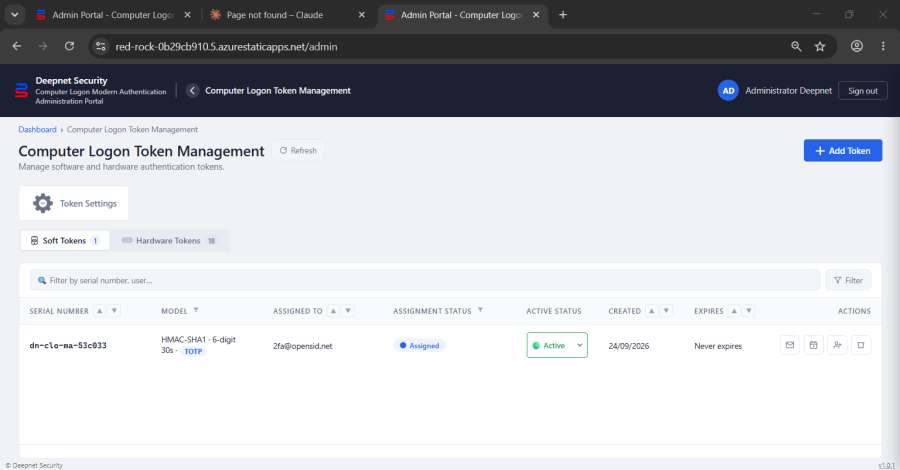
 A soft token is a code shown in an authenticator app on a phone — nothing to hand out. A hardware token is a small physical device.
Children Display depth 2