...
Required
This option means that all users will be enforced to login with 2FA/MFA.
Not Required
This option means that all users will be exempted from 2FA or MFA. This option is typically used to exempt a group of users from 2FA or MFA.
(Please note that users in the context of a policy include users in the scope of the policy only, i.e. the policy holder).
If IP addresses ranges are supplied to the The option "when users logon from the following IP addresses:", then the multi-factor authentication required/not required policy setting will only apply to the " allows you to restrict the previous "Multi-factor authentication" selection to apply to specified IP addresses.
(Single IP address or IP ranges, e.g. 192.168.0.1; 192.168.0.10-192.168.0.20. IP with proxy: 1.2.3.4[192.168.0.254], IP range with proxy: (1.2.3.0-1.2.3.255)[192.168.0.254], note: 192.168.0.254 is the proxy server).
"DualShield Server is offline" Section
...
Bypass Two-Factor Authentication
If this option is selected then the logon agent will bypass two-factor authentication if the connection with the DualShield server is lost.
Switch Clients to Offline Logon Mode
If this option is selected then a loss of connection will cause the client to switch to offline logon mode.
Decline All Logon Requests
If this option is selected then a loss of connection will cause all attempts to logon to be rejected whilst the agent is unable to connect to the DualShield server.
...
"Credential Provider Filter" Section
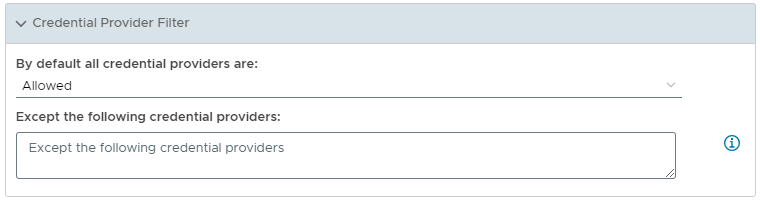
In this section you are provided with 3 options for providing the action that should be performed when the Agent is unable to contact the DualShield server.
...
Allowed
This option means that all users will be enforced to login with 2FA/MFA.
...
Not Allowed
The option "By default all credential providers are:" the following 2 authentication options:
Allowed
If this option is selected then, by default, all credential providers are allowed access.
Blocked
If this option is selected then, by default, all listed credential providers are blacked from access..
The option "Except the following credential providers:" allows you to provide a list of providers that will be excluded from the default credential provider setting
Enter each credential provider (one uuid, per line)
...