...
As well as the application as a whole, tasks are also subject to improvement, and occasionally there may be a requirement to replace an existing task with a more recent version, or simply to add a new task that is available for download.
Currently For instance, there is only one suite of tasks that are available for download, and the available download is titled "Export tokens & assignments".
Downloading and importing Task Definitions
The following procedure provides an example of downloading and importing a new or replacement task;
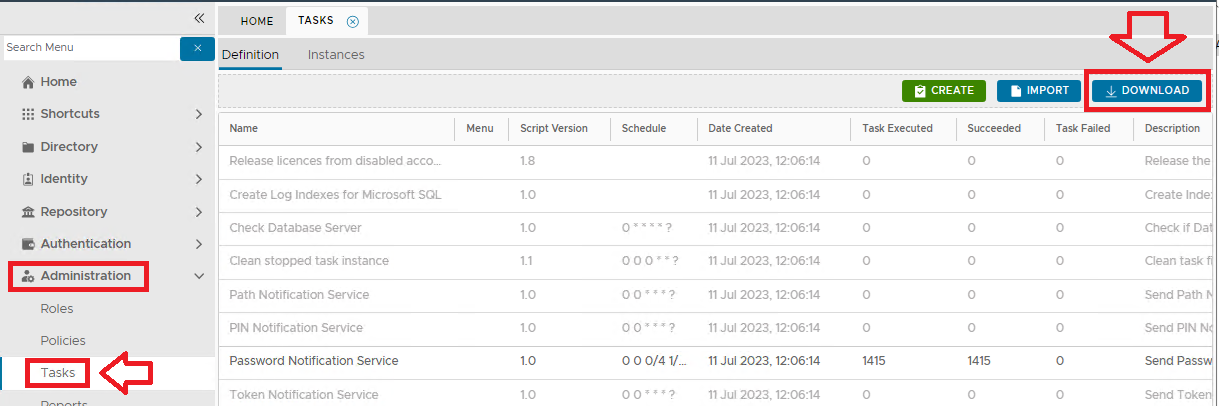
From the Management Console, navigate to "Administration | Tasks", then click on the  button;
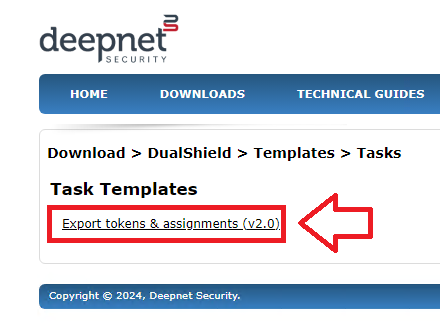
A new web page will open that will show a list of tasks that are available to download, (for this example we will be downloading the task "Export tokens & assignments").
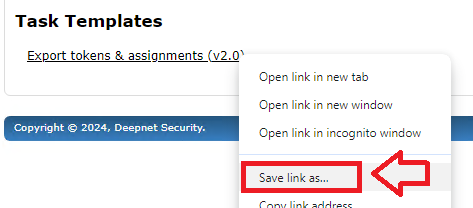
Right click on the link "Export & Purge old audit trail record (v2.0)"), then select "Save Link as...";
A new window will now open titled "Save As";
...
, currently available to be added in to a DualShield server.
To add a task in to a DualShield server, you need to take the following steps:
Table of Contents
Download Task
Include Page Download a Task Download a Task
Import Task
| Include Page | ||||
|---|---|---|---|---|
|
Select a location to save the downloaded file then click  .
.
Close the download window, then from the Management Console click on the  button;

A new window will now open titled "Import Task";
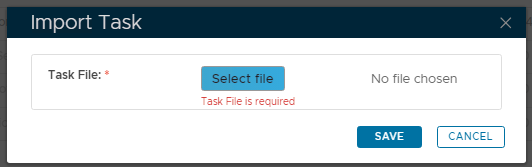
...
Select the "export_token_assignments" file,, then click  .
.
You will now return to the window titled "Import Tasks" with the field "Task File:" pointing to the required file;
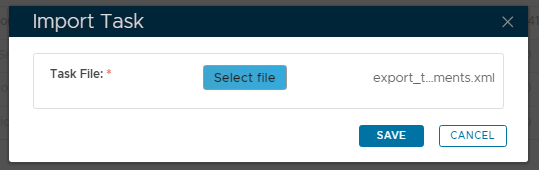
Click the button to import the task definition into the the "Definition" tab list of tasks.
New tasks will now added into the list of tasks in the "Definition" tab (the new tasks will be found at the end of the list of tasks);
...