...
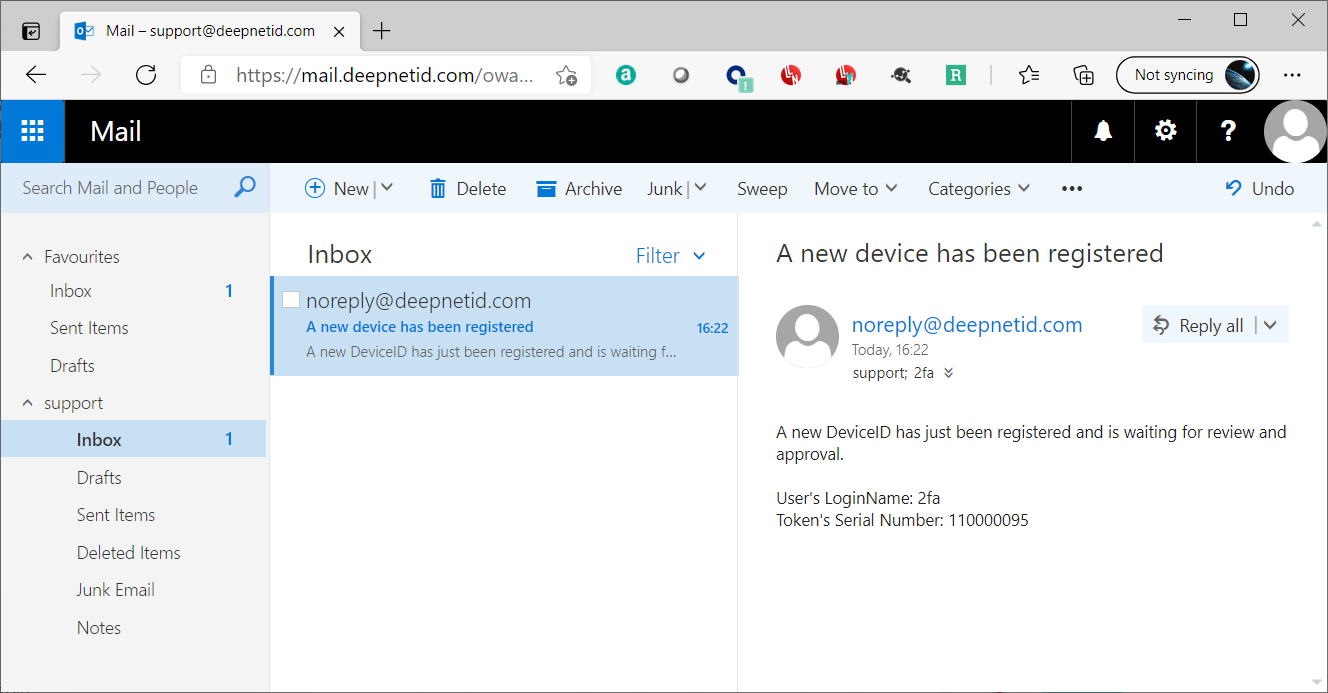
If you have set up the DeviceID registration alert, then you will receive an email or text message when a new device has been registered
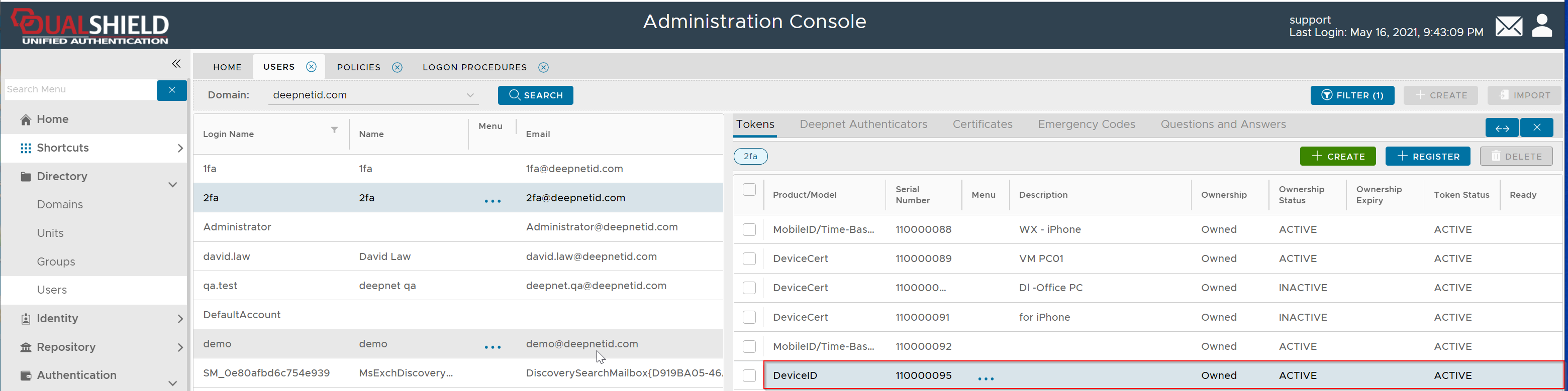
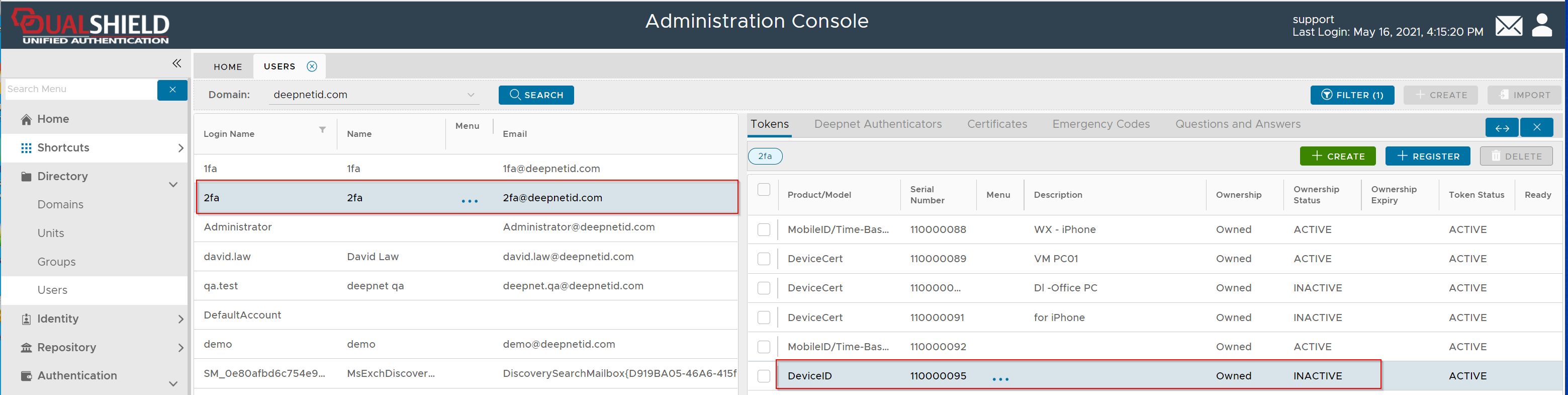
In the Admin Console, navigate to the user account and locate the newly registered device:
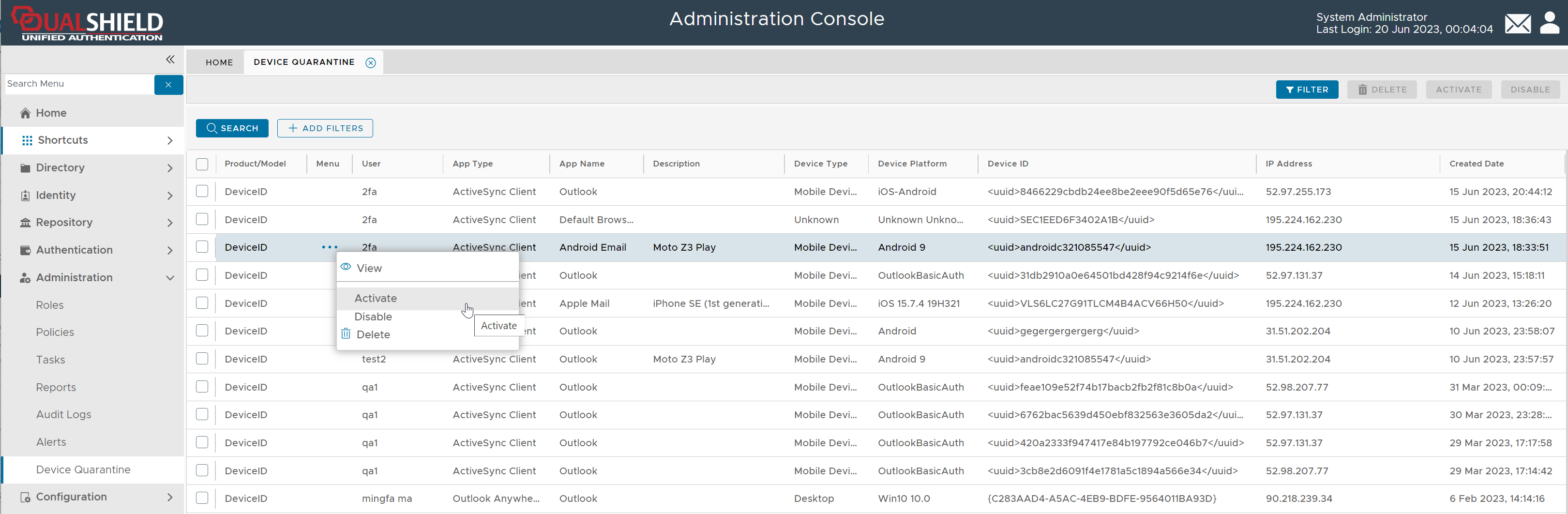
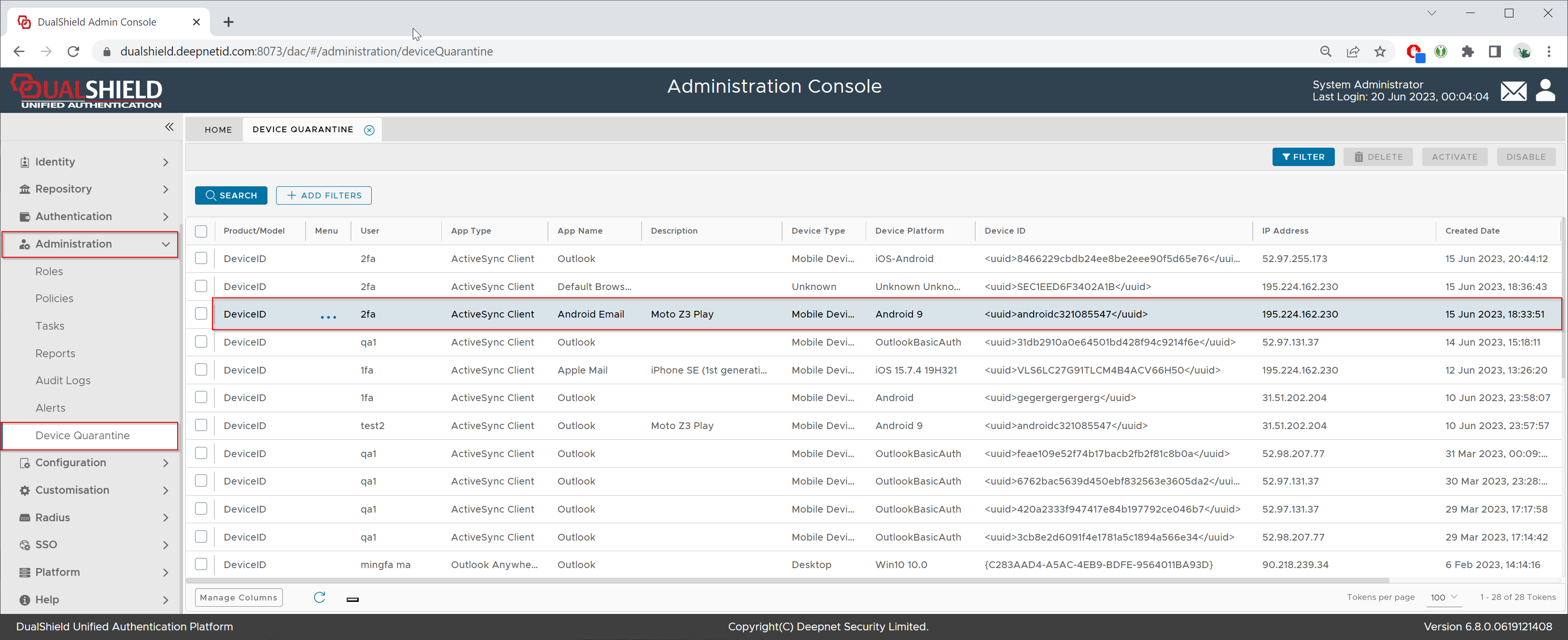
Administration \ Device Quarantine
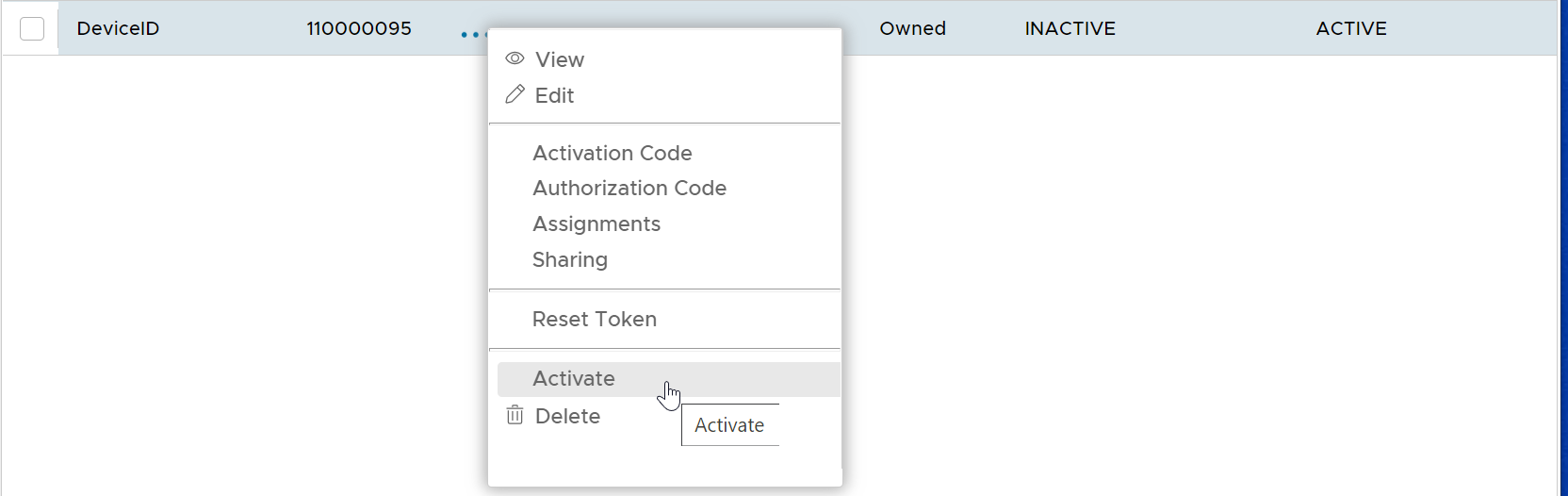
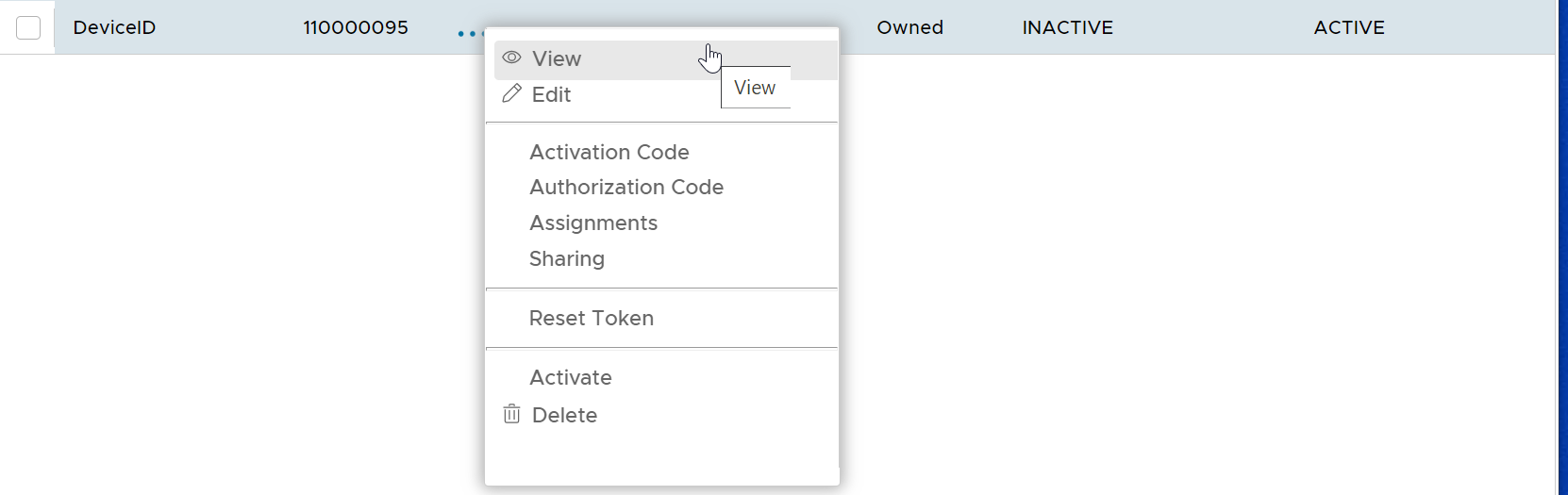
Click "..." to bring up the device's context menu

To You can view the device's properties
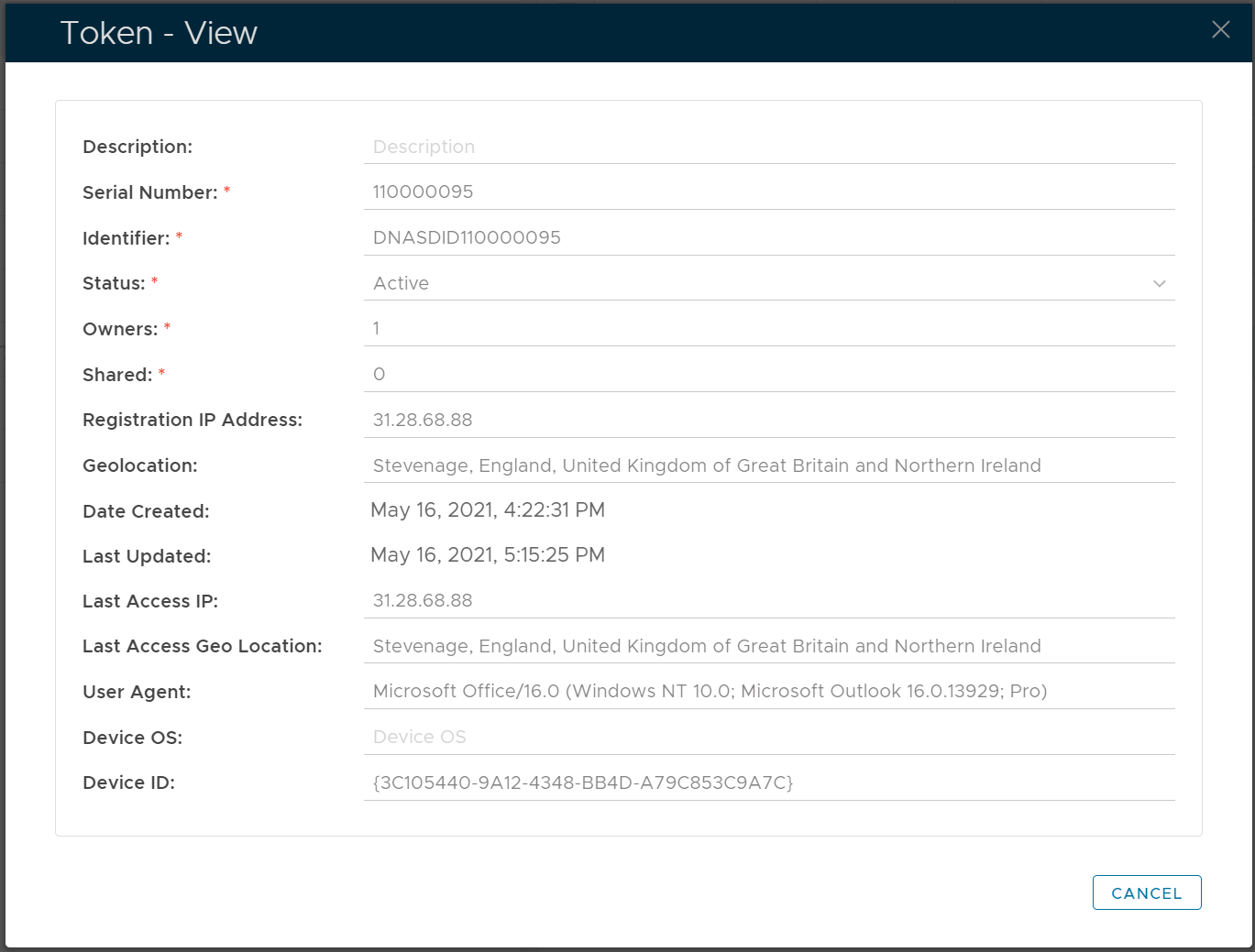
properties, select "View" from the context menu

To activate the device, select "Activate" from its the context menu:.