...
| Section |
|---|
|
| Column |
|---|
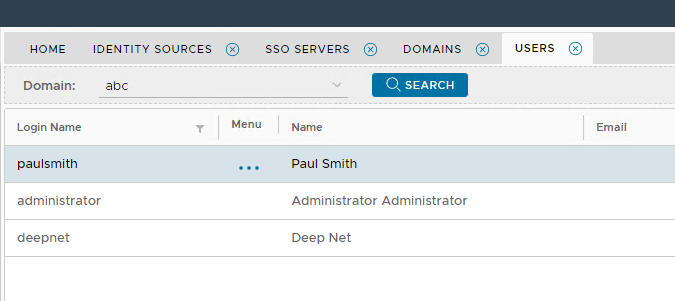
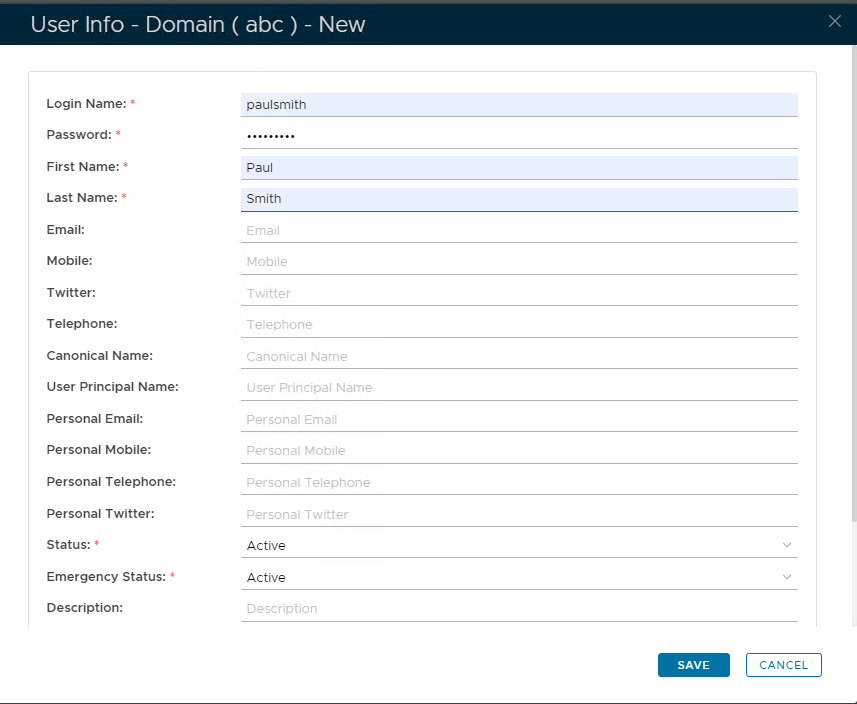
You will now need to create Virtual user accounts that match the local user accounts on the PC Click on  on the top right. on the top right. Make sure the account details match including the password. Click Save
|
| Column |
|---|
|
| Panel |
|---|
| borderColor | #9EBEE5 |
|---|
| bgColor | #f0f0f0 |
|---|
| borderWidth | 1px |
|---|
| 
|
|
|
Click on Image Removed on the top right.
| Section |
|---|
|
| Column |
|---|
In the new Application window, please enter the following information: | | Option | Value |
|---|
| Name: | Enter a friendly name | | Realm: | Select your Realm | | Logon Procedure: | Select the Logon Procedure you had created in the previous step | Click: SaveRepeat the process until the list of Virtual Users match the list of local users on the PC
|
Bind the Application to an SSO Server Agent
...