...
In the DualShield Admin Console, find the computer logon agent in Authentication | Agents

Click its context menu
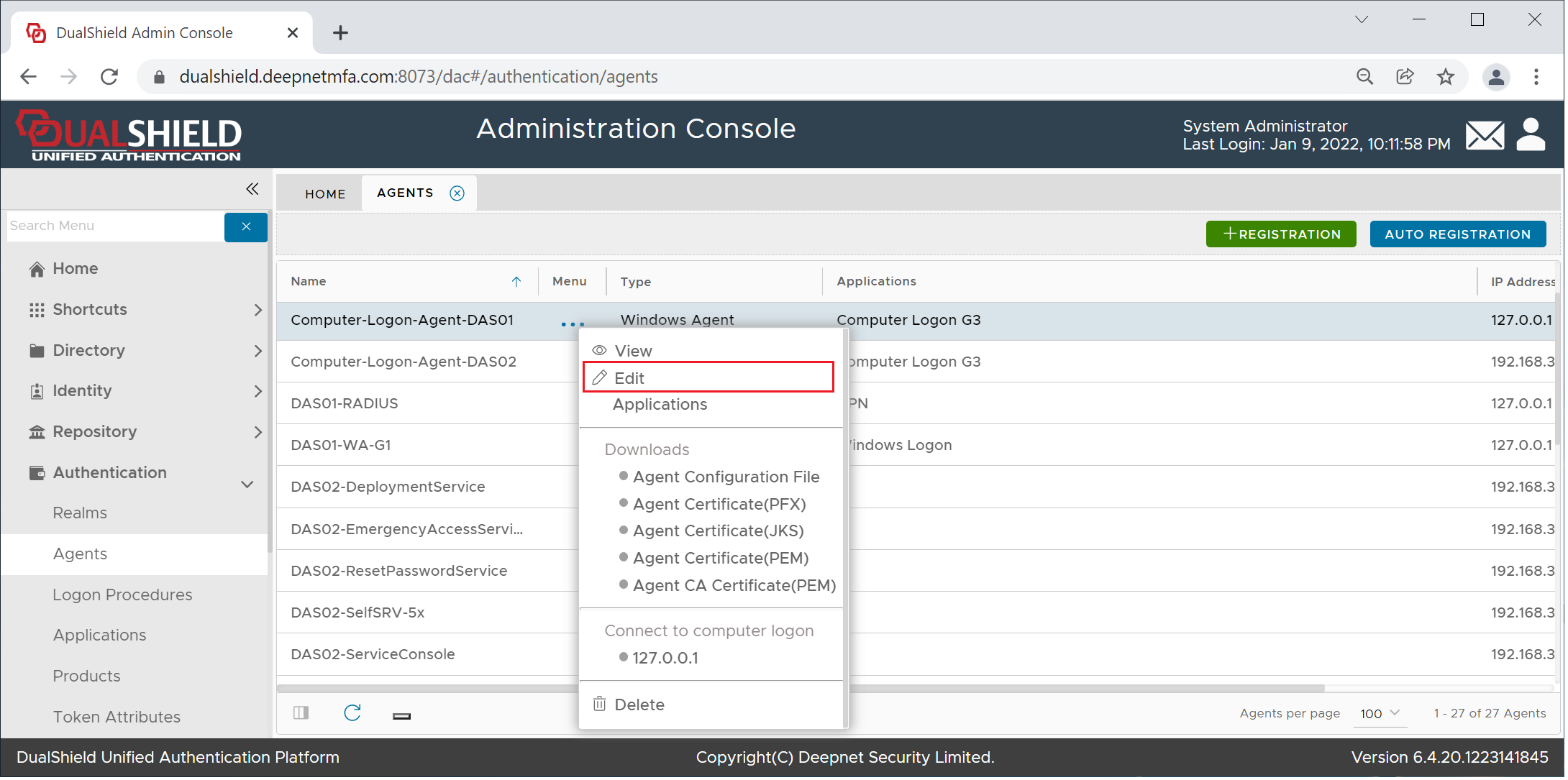
Select "Edit"
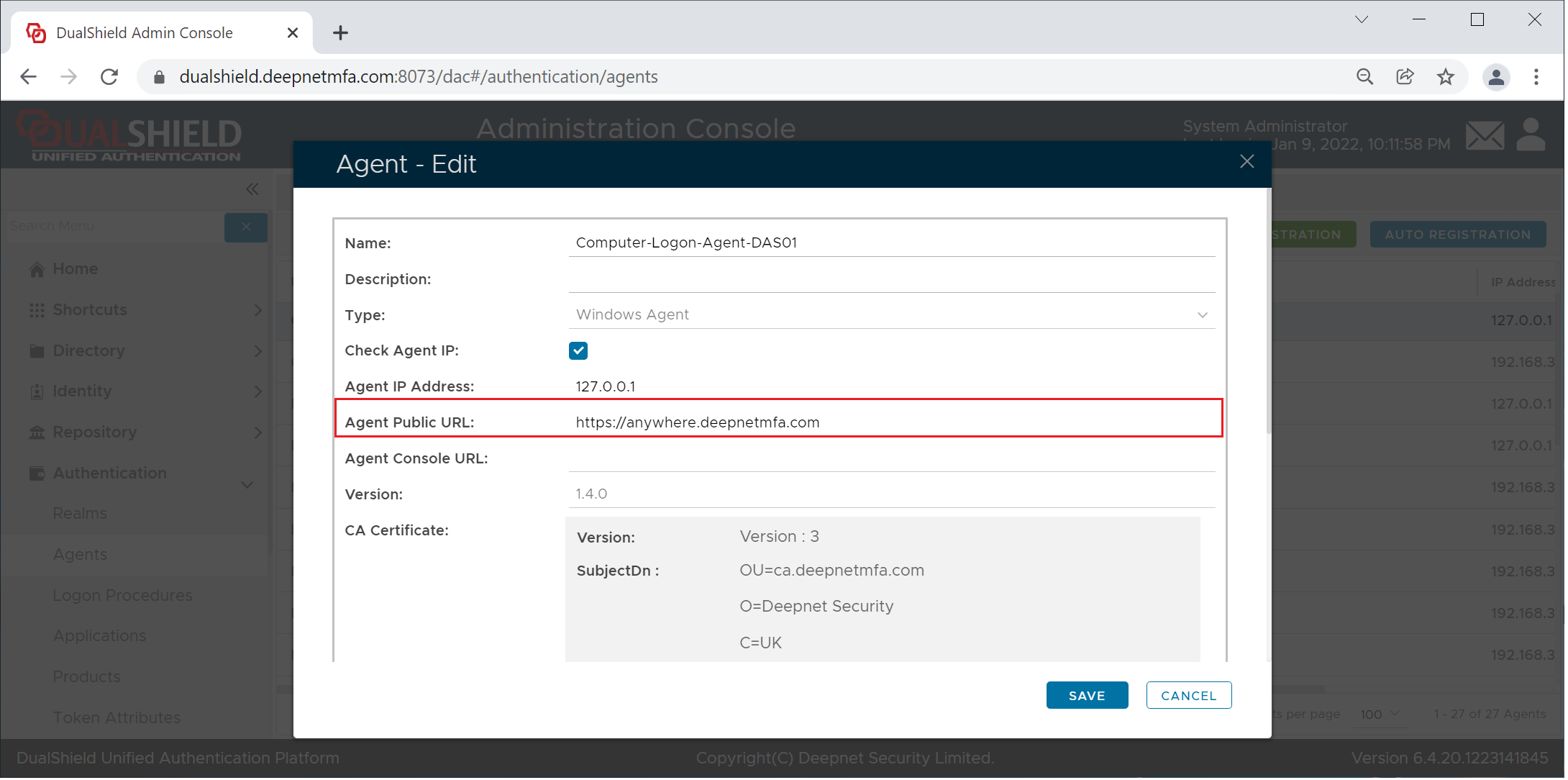
Enter the agentAgent's public URL and save itPublic URL in the format "https://fqdn:14294/xmlrpc", e.g. https://anywhere.deepnetmfa:.com14294/xmlrpc
Click Save.
Publish Agent Public URL
The Computer Logon Agent works on TCP port 12841. You need to configure your corporate firewall so that port 12841 is accessible from the Internet, and that the traffic from the Internet coming to this port is forwarded to the server machine where the Computer Logon Agent is running. Please note that the DualShield Computer Logon Agent is a TCP service, not an HTTP service, although the Agent Public Agent needs to be prefixed with "https://"
...