To configure SAML single sign-on:Configure SAML Role Permission
| Section |
|---|
|
| Column |
|---|
The “Administer Configuration SAML” role permission is required to use SAML to access Secret Server. To grant a user this permission from an administrator account: Go to Admin > Roles. The Roles page appears. Click the Create New button. The Role Edit page appears: Type the name, such as SAML, in the Role Name text box. Click to select the Enabled check box. Click Administer Configuration SAML in the right side Permissions Unassigned list box. Click the < button to move the permission to the other side. Click the Save button.
Select Settings in the navigation pane. Select SSO under USERS in the Control Panel page. Select SAMLv2 from the dropdown box in the Single Sign-On page
|
| Column |
|---|
|
| Panel |
|---|
| borderColor | #9EBEE5 |
|---|
| bgColor | #f0f0f0 |
|---|
| borderWidth | 1px |
|---|
| 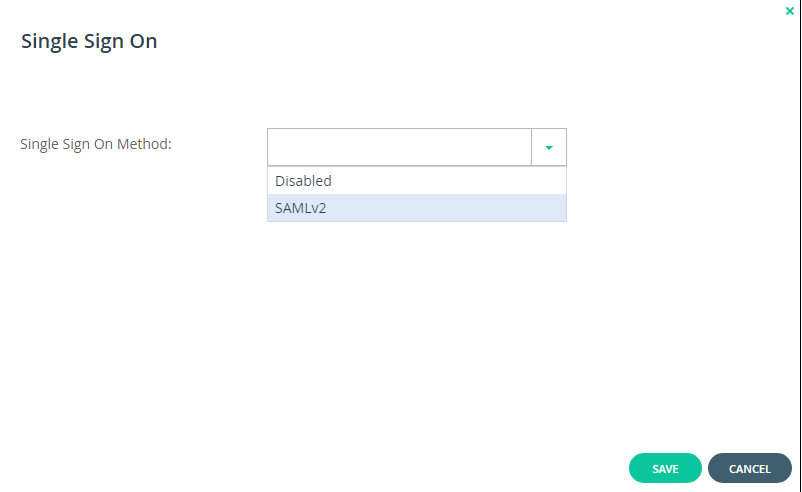 Image Removed Image Removed
|
|
|
Enter the details of the SAML identity provider:
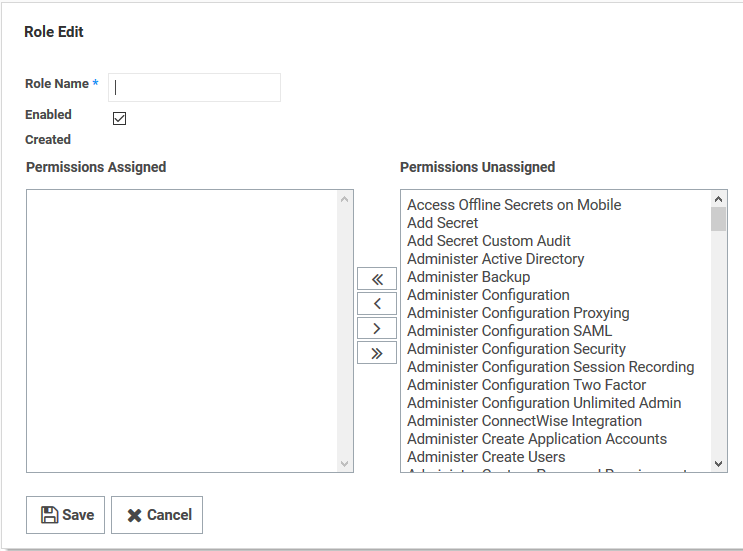 Image Added Image Added
|
|
|
| Section |
|---|
|
| Column |
|---|
Click the Assign Roles link of the newly created role. The View Role Assignment page appears Click the Role dropdown list to select the role you just created. The Entity ID/ Issuer ID will match the Entity ID you specified in the DualShield Service Provider. There are two parts for specifying the Sign-In and Log-Out Page URLs The first part is that you will use the SingleSignOnService and SingleLogoutService URLs you copied from the DualShield SSO Server Metadata (see previous section) respectively. The second part is that you will append these URLs with some extra information. e.g. Sign-in page URL | Code Block |
|---|
https://dualshield.yourdomain.com:8074/sso/Login/kvps/DASApplicationName/Ctera |
Log-out page URL | Code Block |
|---|
https://dualshield.yourdomain.com/sso/logout?DASApplicationName=Ctera |
| Column |
|---|
|
| Panel |
|---|
| borderColor | #9EBEE5 |
|---|
| bgColor | #f0f0f0 |
|---|
| borderWidth | 1px |
|---|
| 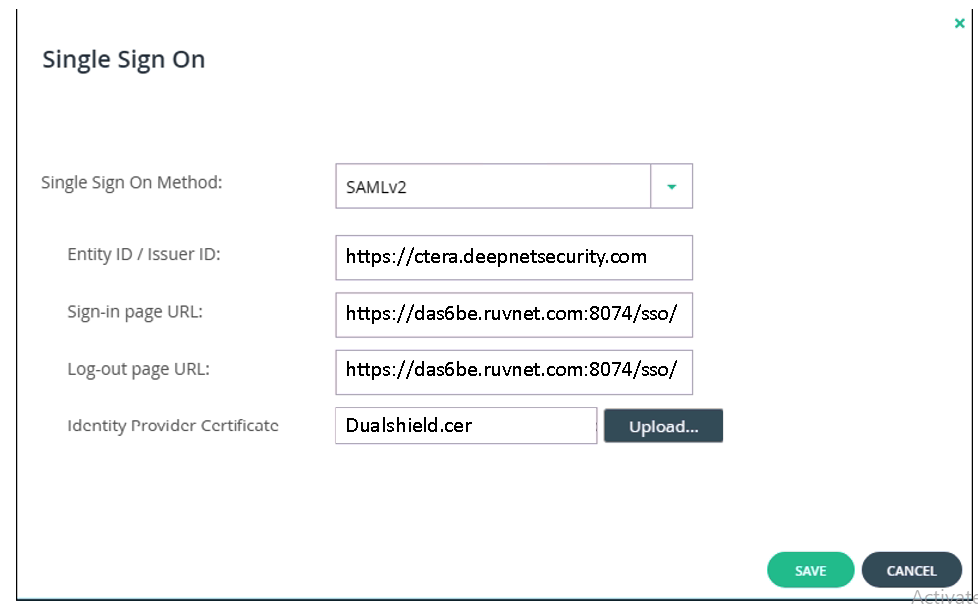 Image Removed Image Removed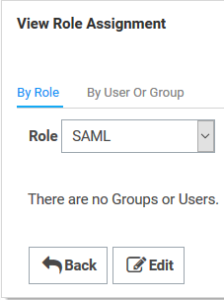 Image Added Image Added
|
|
|
Upload the Idp Certificate file
...