changes.mady.by.user Paul Ruvin
Saved on Apr 25, 2022
...
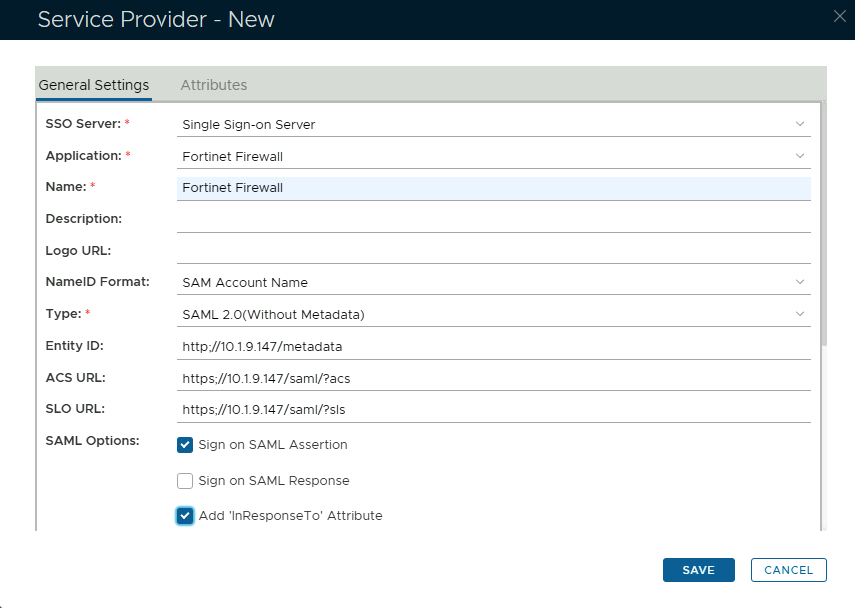
Copy and Paste the Entity ID, ACS and Logout URL from the SP details on the Fortinet UI (see above)
The completed Service Provider dialogue box will look like this:
Click on Attributes at the top
Image Added
Click Create
Use the following Values:
Click Save
Image RemovedImage Added
Click on Attributes General Settings at the top
Set NameID Format to Map to the following Attribute
Select Username in the Attribute dropdown
Click Save again
Go to to SSO>SSO Servers
Select the drop-down menu corresponding to the SSO server you will be using and click on on View