| Include Page | ||||
|---|---|---|---|---|
|
Navigate to "SSO | SSO Servers", click the context menu of "Single Sign-On Server"
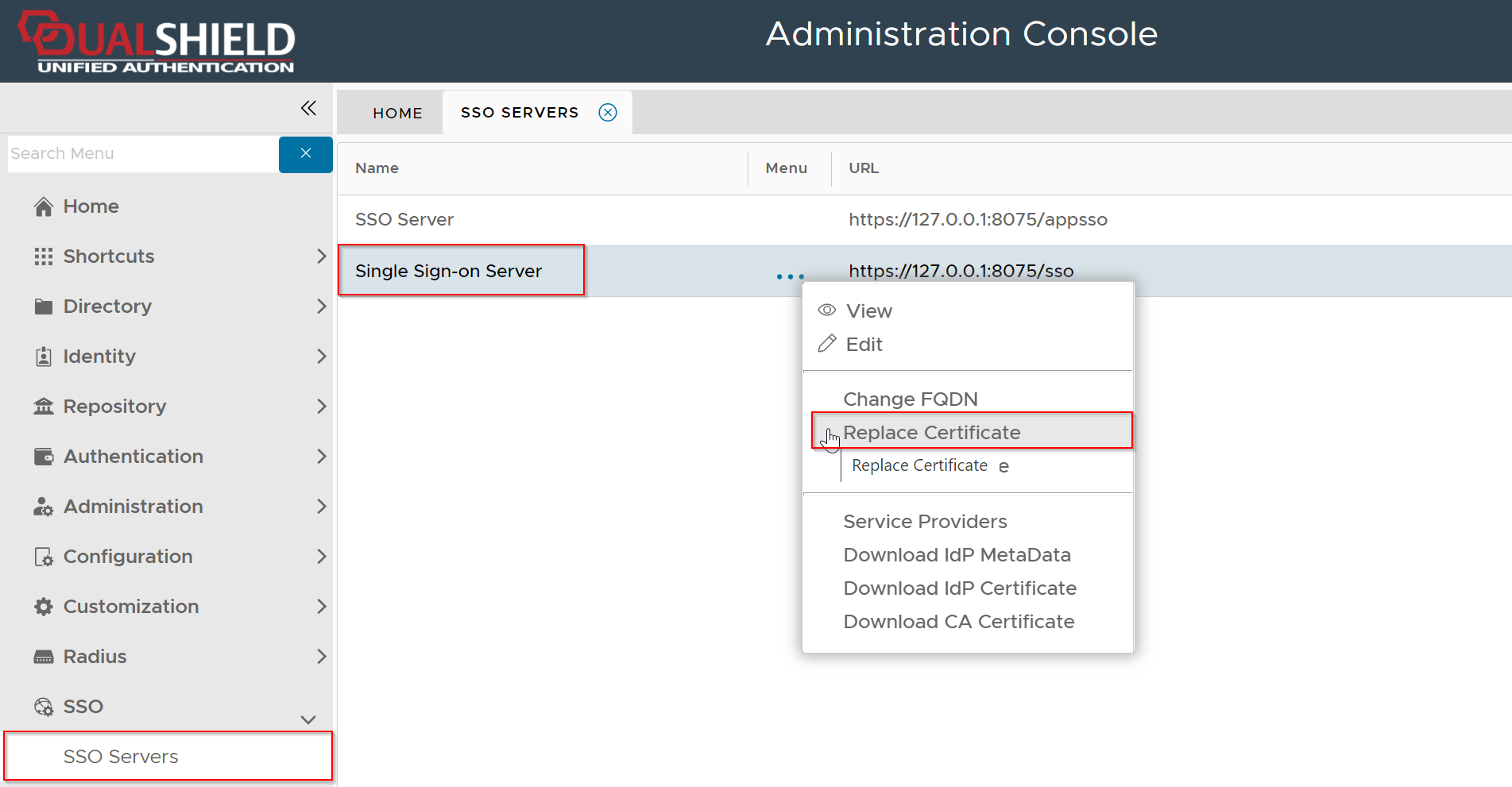
Select "Replace Certificate" from the context menu
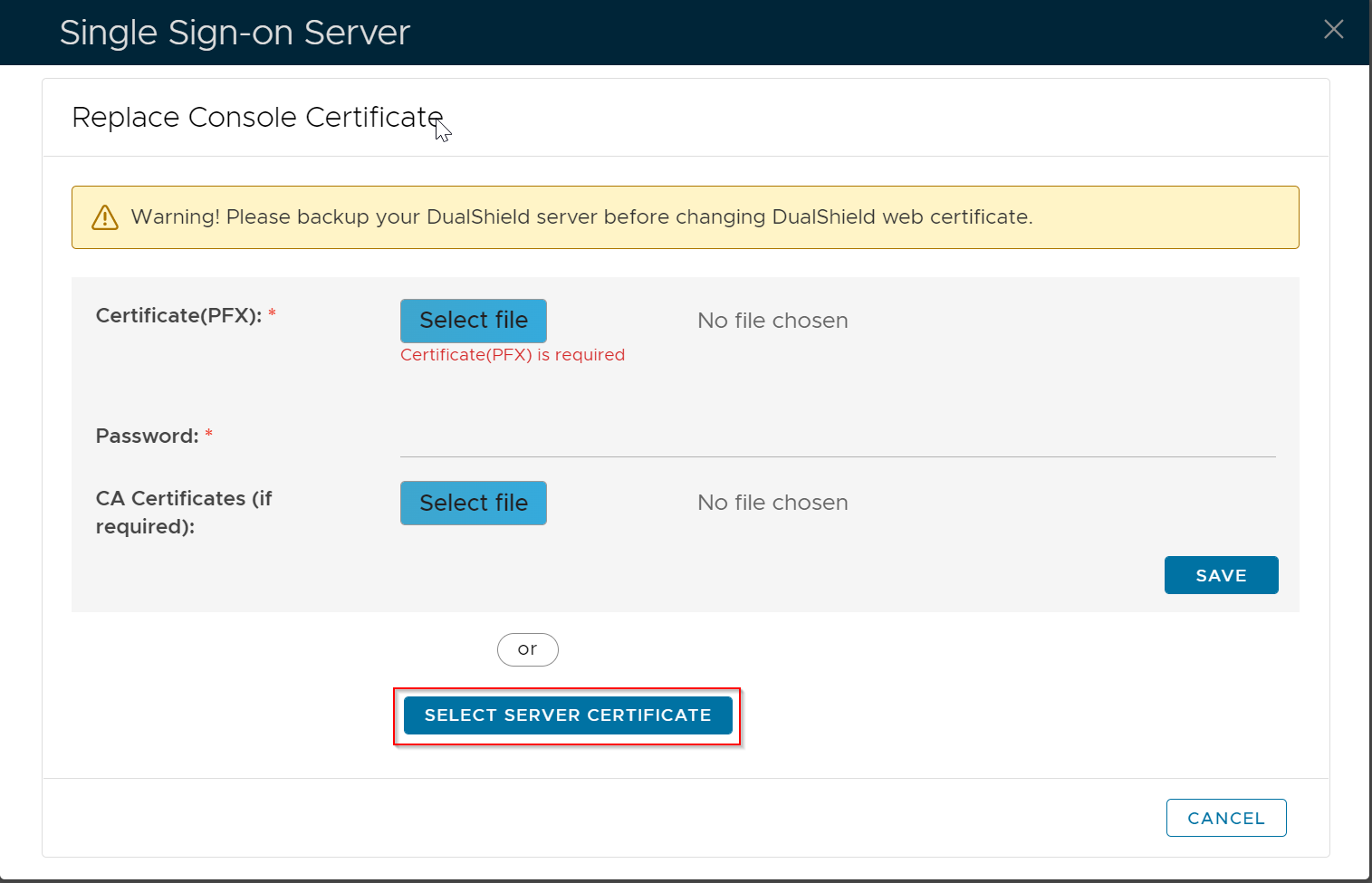
Click the "Select Server Certificate" button
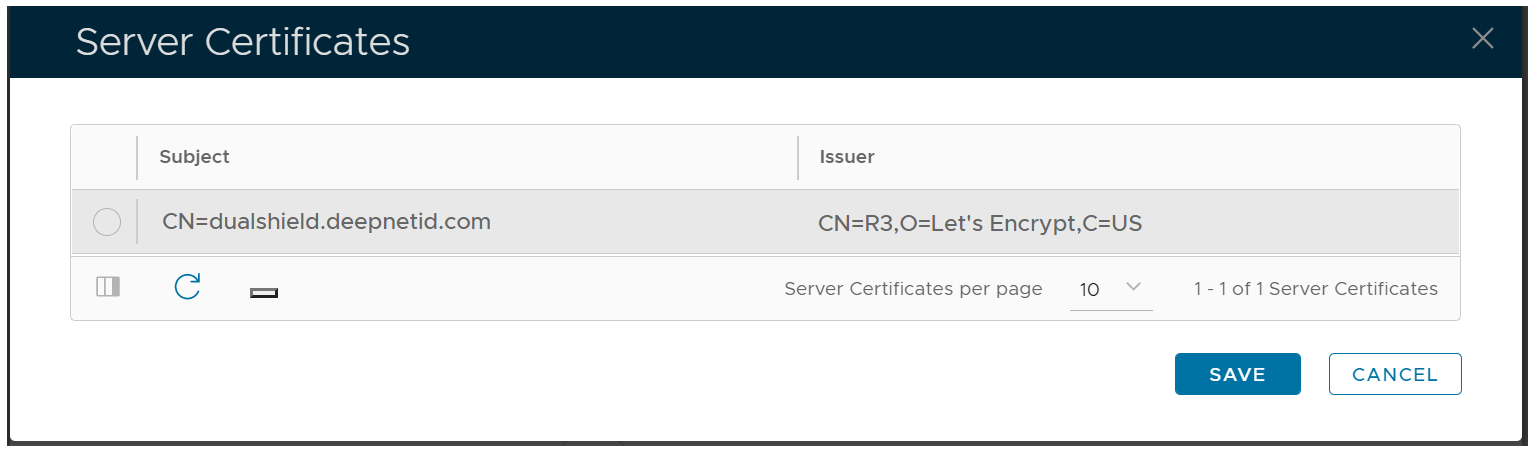
Select the Let's Encrypt certificate, click "SAVE"
| Include Page | ||||
|---|---|---|---|---|
|
Navigate to "SSO | SSO Servers", click the context menu of "Single Sign-On Server"
Select "Replace Certificate" from the context menu
Click the "Select Server Certificate" button
Select the Let's Encrypt certificate, click "SAVE"