...
You will now be prompted for the logon steps as specified in your Logon Procedure (see Build a Logon Procedure and Application for NetMotion MFA via RADIUS)
| Section |
|---|
|
| Column |
|---|
In this example, the first step is to enter your AD account credentials Click OK |
| Column |
|---|
|
| Panel |
|---|
| borderColor | #9EBEE5 |
|---|
| bgColor | #FFFFFF |
|---|
| borderWidth | 1px |
|---|
| 
|
|
|
...
| Section |
|---|
|
| Column |
|---|
The device hostname and authenticated user account name will appear in the connected devices list |
| Column |
|---|
|
| Panel |
|---|
| borderColor | #9EBEE5 |
|---|
| bgColor | #FFFFFF |
|---|
| borderWidth | 1px |
|---|
| 
|
|
|
| Section |
|---|
|
| Column |
|---|
Tick the box of the Radius Server you will be using and click Save below. |
| Column |
|---|
| | Panel |
|---|
| borderColor | #9EBEE5 |
|---|
| bgColor | #FFFFFF |
|---|
| borderWidth | 1px |
|---|
| 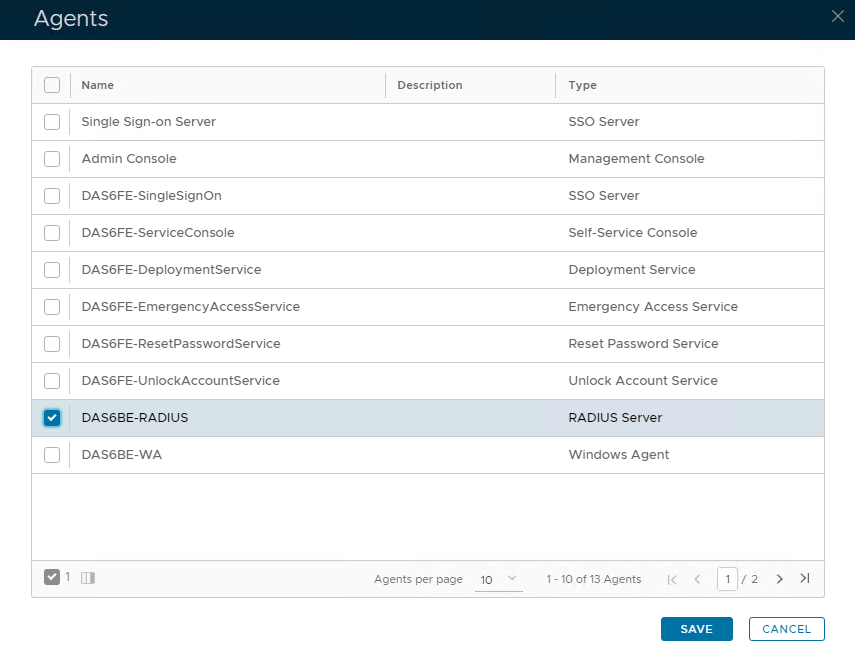 Image Removed Image Removed
|
|
|