| Section |
|---|
|
| Column |
|---|
Launch Mobility Client on the end-user device, and click Connect. |
| Column |
|---|
|
| Panel |
|---|
| borderColor | #9EBEE5 |
|---|
| bgColor | #FFFFFF |
|---|
| borderWidth | 1px |
|---|
| Mobilty Client Graphic |
|
|
| Section |
|---|
|
| Column |
|---|
You may get a prompt regarding Device Certificate Logon. This is covered on another page For User Authentication click I do not have a valid certificate
|
| Column |
|---|
|
| Panel |
|---|
| borderColor | #9EBEE5 |
|---|
| bgColor | #FFFFFF |
|---|
| borderWidth | 1px |
|---|
| Certificate Logon Graphic |
|
|
Add Logon Steps
| Section |
|---|
|
| Column |
|---|
Select the drop down menu corresponding to the Logon Procedure you will be using and click on Logon Steps. |
| Column |
|---|
|
| Panel |
|---|
| borderColor | #9EBEE5 |
|---|
| bgColor | #FFFFFF |
|---|
| borderWidth | 1px |
|---|
| 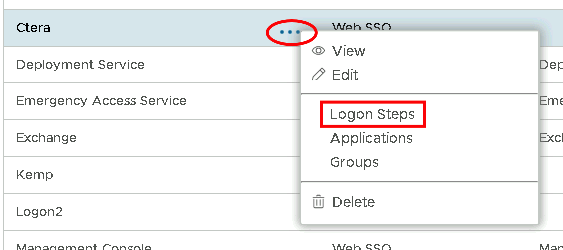 Image Added Image Added
|
|
|
In the Logon Steps Dialogue box, click the  Image Added button.
| Section |
|---|
|
| Column |
|---|
Tick the desired authentication method, e.g. Static Password |
| Column |
|---|
|
| Panel |
|---|
| borderColor | #9EBEE5 |
|---|
| bgColor | #FFFFFF |
|---|
| borderWidth | 1px |
|---|
| 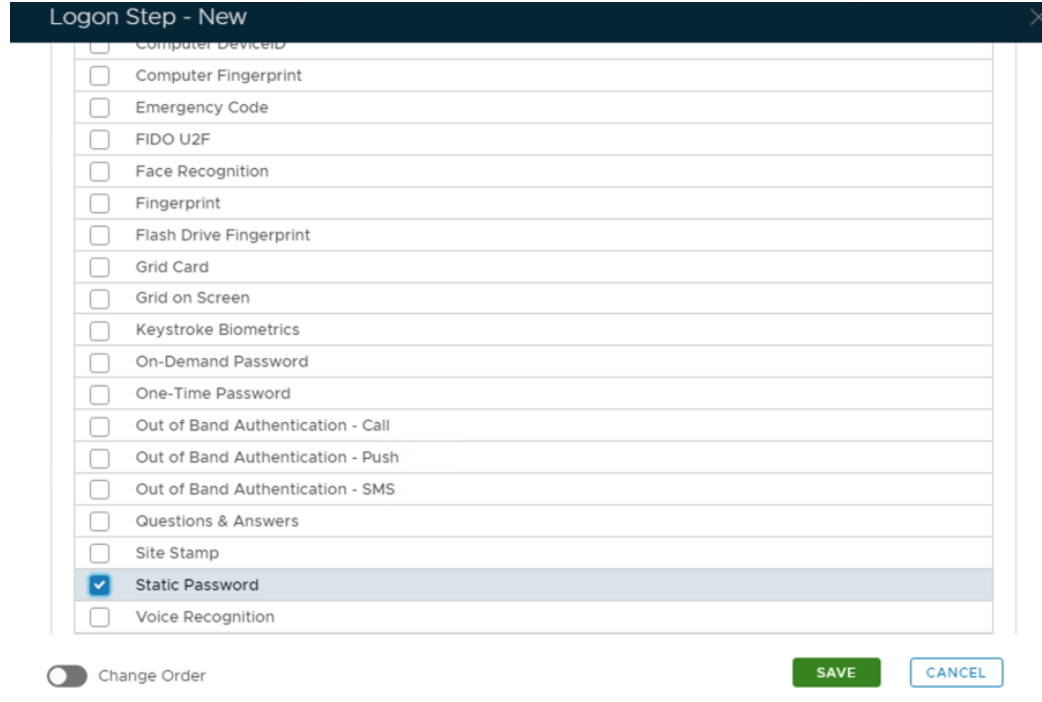 Image Added Image Added
|
|
|
Click Save.
Repeat to add extra steps.
| Section |
|---|
|
| Column |
|---|
| I have added two steps; Static Password and One-Time Password |
| Column |
|---|
|
| Panel |
|---|
| borderColor | #9EBEE5 |
|---|
| bgColor | #FFFFFF |
|---|
| borderWidth | 1px |
|---|
| 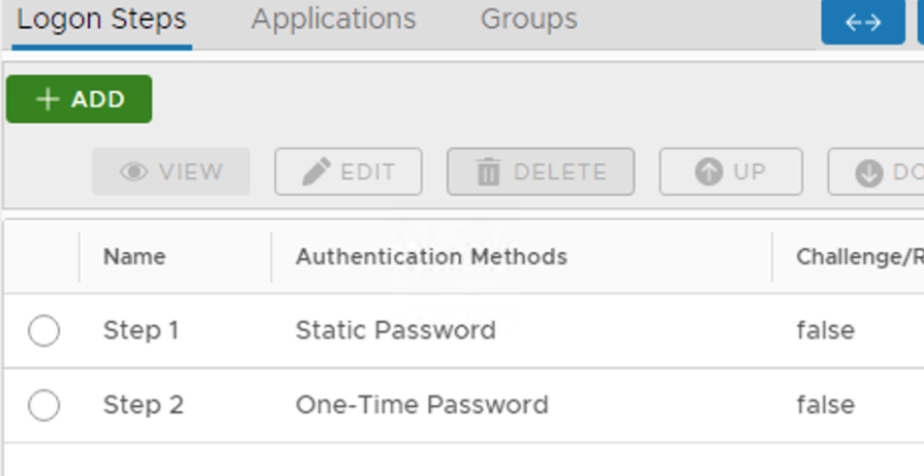 Image Added Image Added |
|
|
Create an Application:
| Section |
|---|
|
| Column |
|---|
Authentication> Applications |
| Column |
|---|
|
| Panel |
|---|
| borderColor | #9EBEE5 |
|---|
| bgColor | #FFFFFF |
|---|
| borderWidth | 1px |
|---|
| 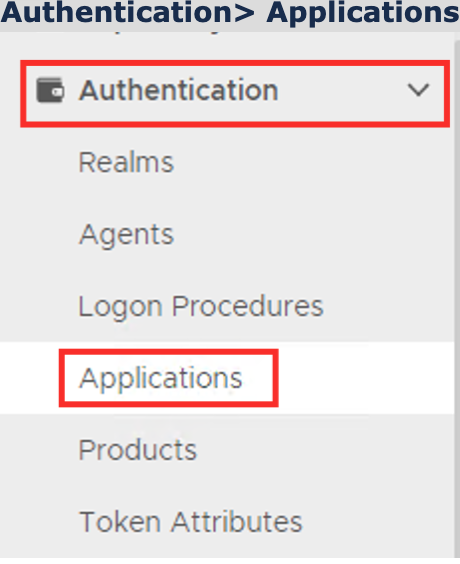 Image Added Image Added
|
|
|
Click on  Image Added on the top right.
| Section |
|---|
|
| Column |
|---|
In the new Application window, please enter the following information: | Option | Value |
|---|
| Name: | Enter a friendly name | | Realm: | Select your Realm | | Logon Procedure: | Select the Logon Procedure you had created in the previous step |
Click: Save |
| Column |
|---|
|
| Panel |
|---|
| borderColor | #9EBEE5 |
|---|
| bgColor | #FFFFFF |
|---|
| borderWidth | 1px |
|---|
| 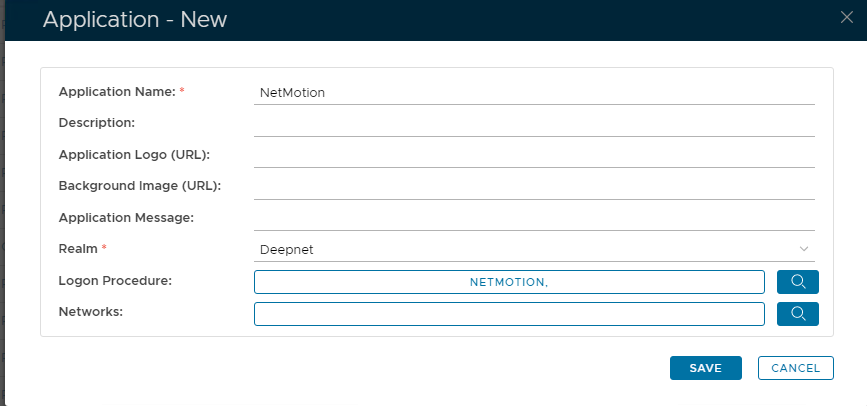 Image Added Image Added
|
|
|
Bind the Application to a RADIUS Server Agent
| Section |
|---|
|
| Column |
|---|
Select the drop-down menu corresponding to the Application you will be using and click on Agents. |
| Column |
|---|
|
| Panel |
|---|
| borderColor | #9EBEE5 |
|---|
| bgColor | #FFFFFF |
|---|
| borderWidth | 1px |
|---|
| 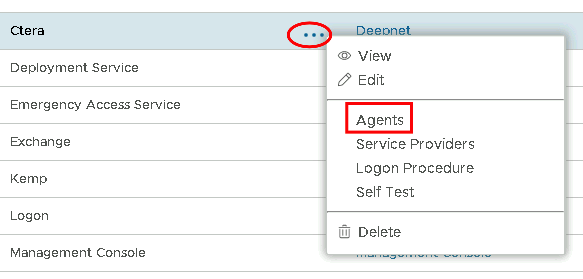 Image Added Image Added
|
|
|
| Section |
|---|
|
| Column |
|---|
Tick the box of the Radius Server you will be using and click Save below. |
| Column |
|---|
|
| Panel |
|---|
| borderColor | #9EBEE5 |
|---|
| bgColor | #FFFFFF |
|---|
| borderWidth | 1px |
|---|
| 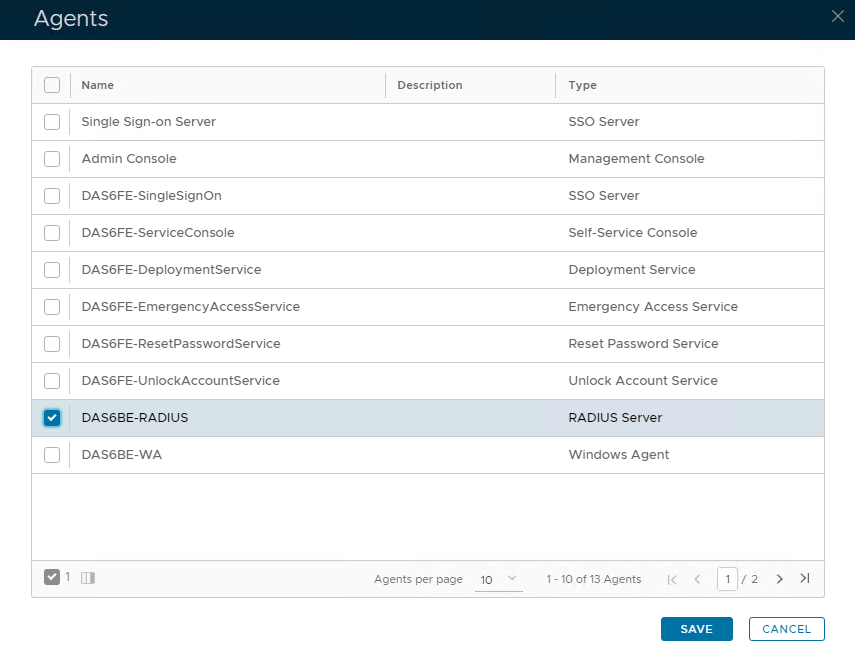 Image Added Image Added
|
|
|
...