To protect against any hacking attempts, you may only wish to allow access to PCs that are on the internal range if of IP addresses. Anybody trying to log on from a PC that is on an external IP will be denied access.
...
| Section |
|---|
|
| Column |
|---|
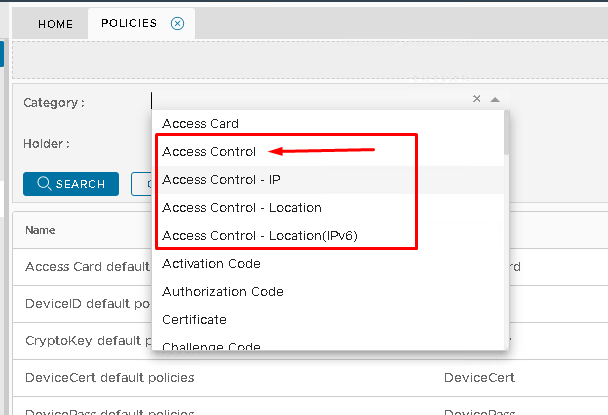
In the Category dropdown, you will see four Access Control policies. Select Access Control - IP.
Click Search
|
|
| Section |
|---|
|
| Column |
|---|
A list of Access Control policies will appear underneath, If you have not yet created one then only the default system policy will display. The default policy allows system-wide access to all applications at any time, by all users.
Do Not Delete or Edit the default system policy. Making any changes to this policy could result in you not being able to access the Administration Console even using the System Admin account.
It is best practice to create two new policies. One to allow access, One to deny access.
Click the Create button on the top right.
|
| Column |
|---|
|
| Panel |
|---|
| 
|
|
|
...