In the ADFS Management Console, select "Relying Party Trusts" on the navigation panel
Right click on the new relying party trust, e.g. "GoToMeeting"
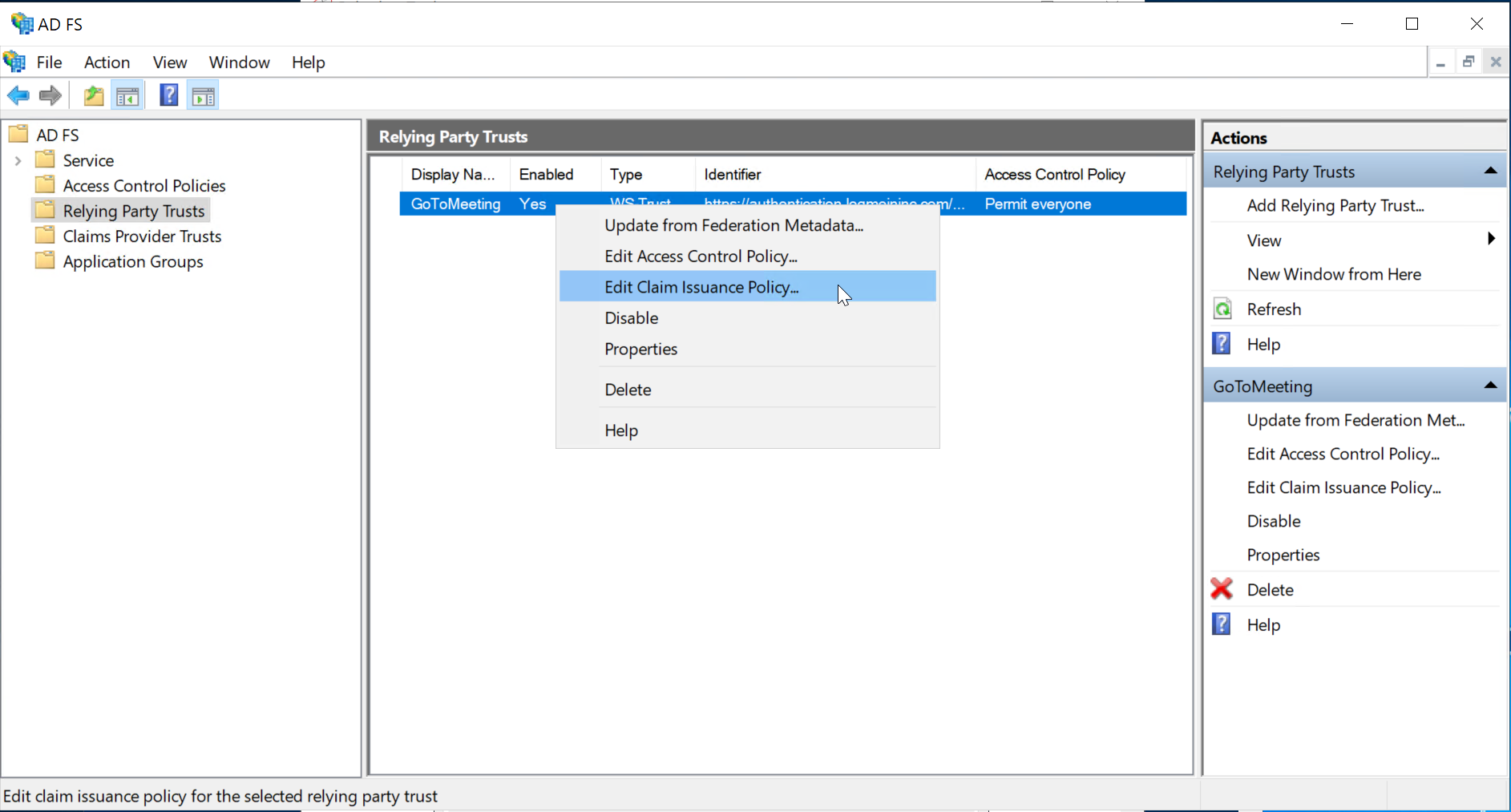
select "Edit Claim Issurance Policy..."
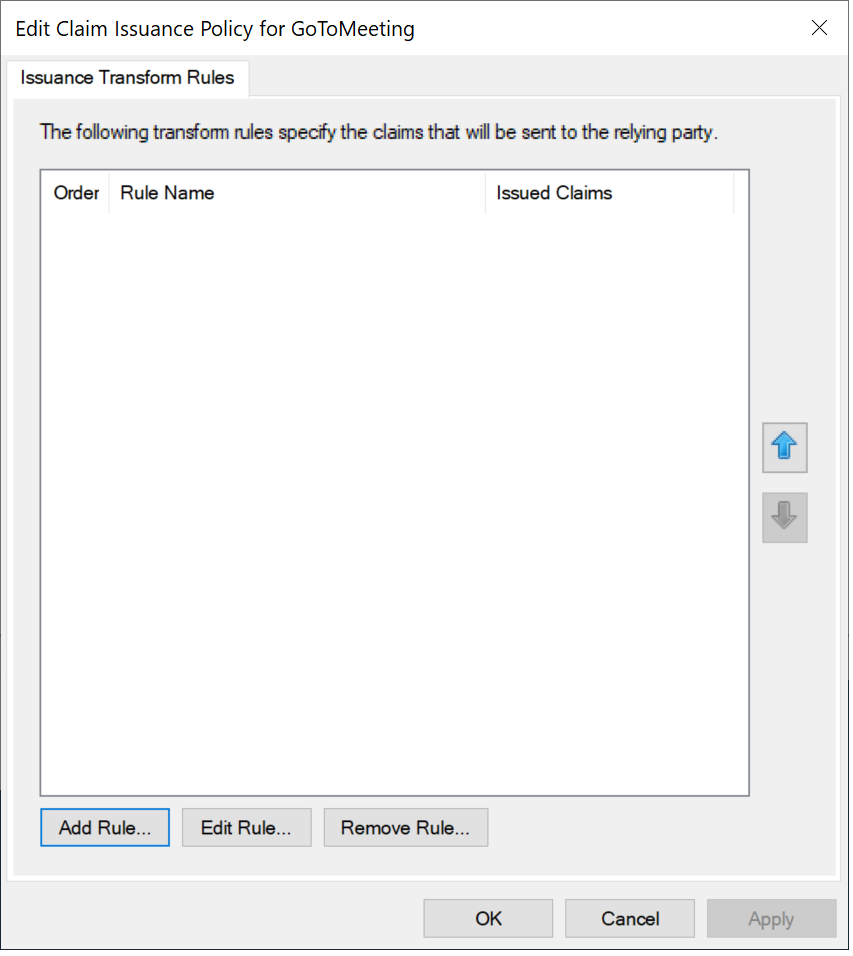
click the "Add Rule..." button
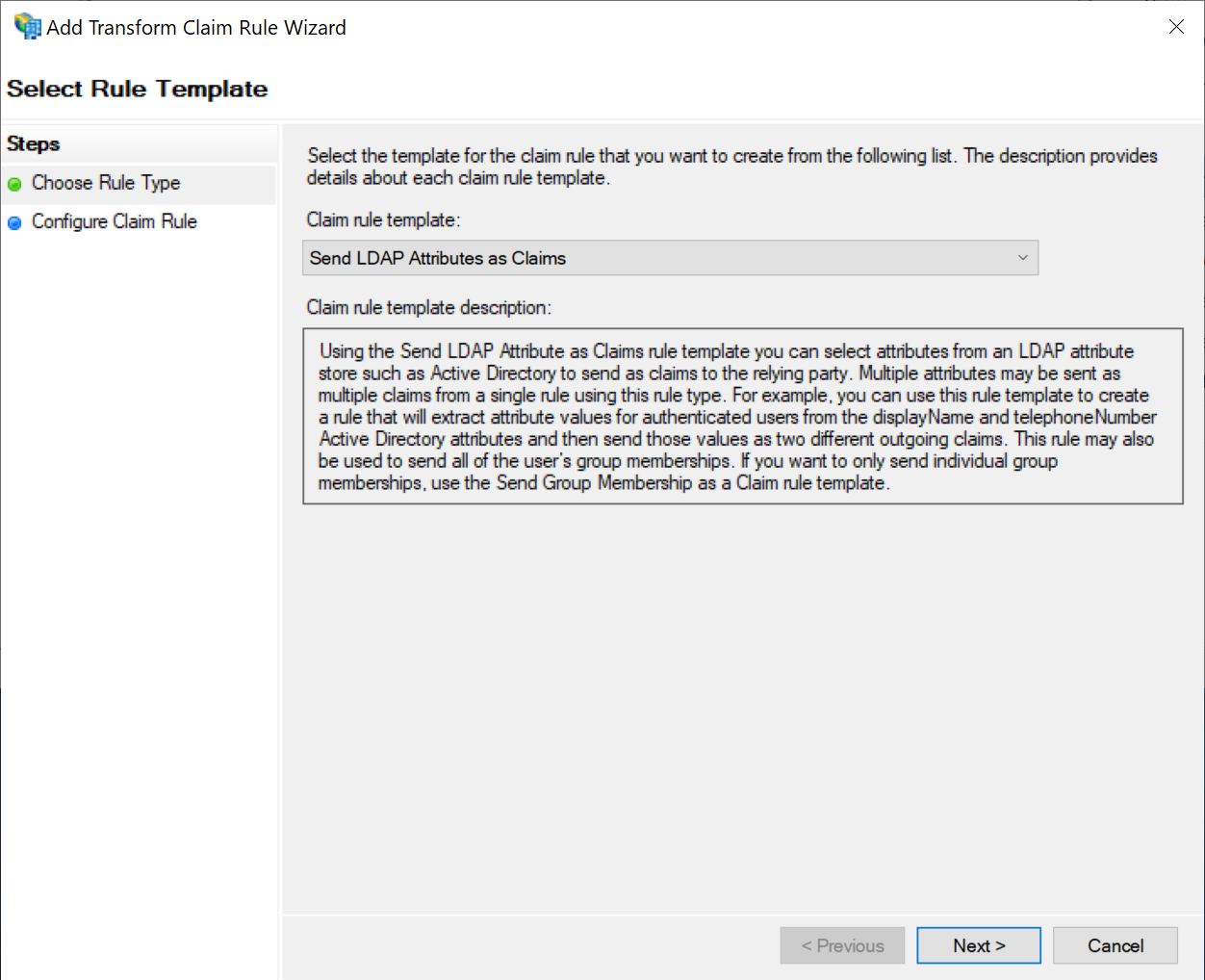
select Send LDAP Attributes as Claims as the Claim rule template
click Next.
Use the following settings:
| Option | Value |
|---|---|
| Claim rule name | AD Email |
| Attribute store | Active Directory |
| LDAP Attribute | E-mail-Addresses |
| Outgoing Claim Type | E-mail Address |
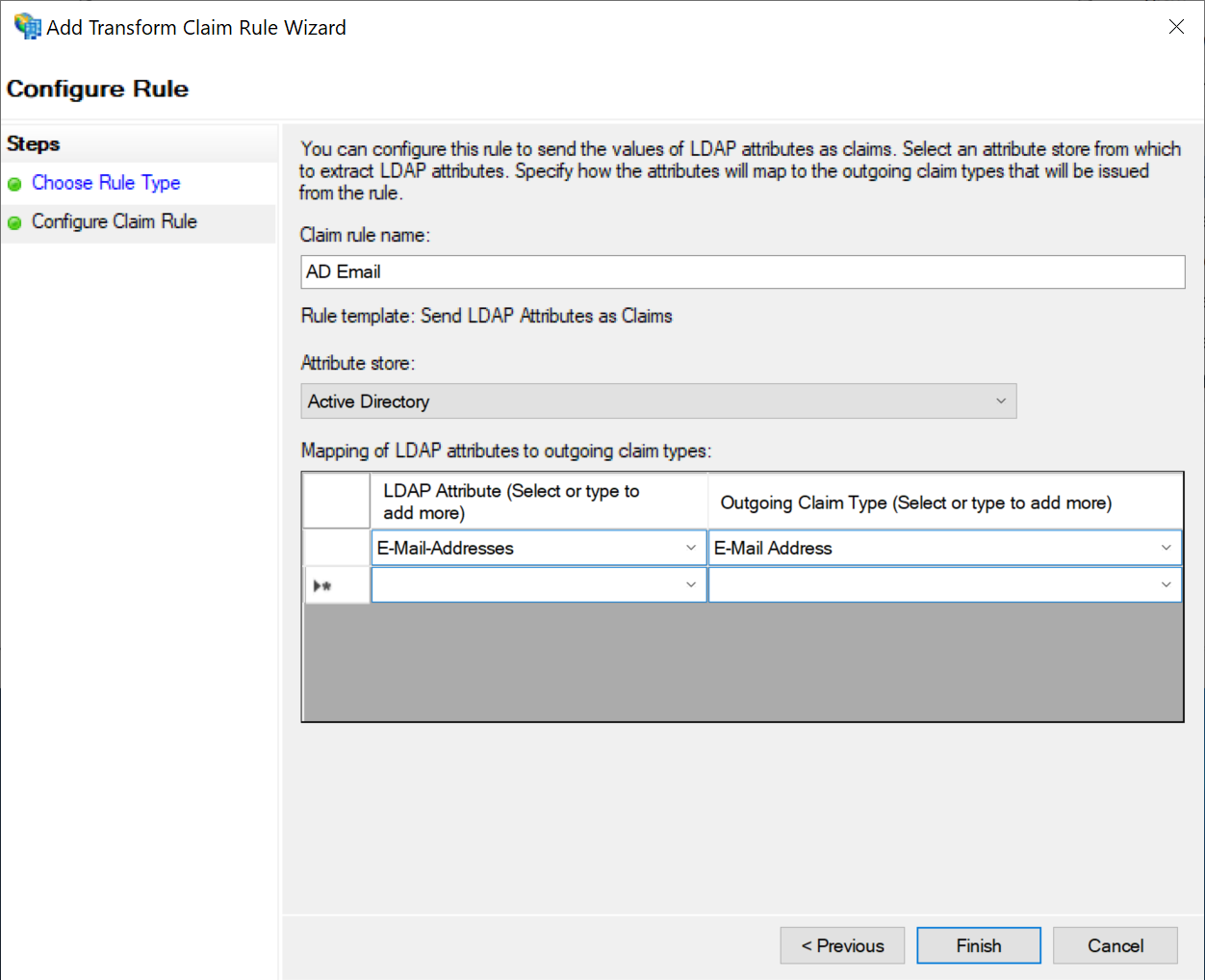
Click "Finish"
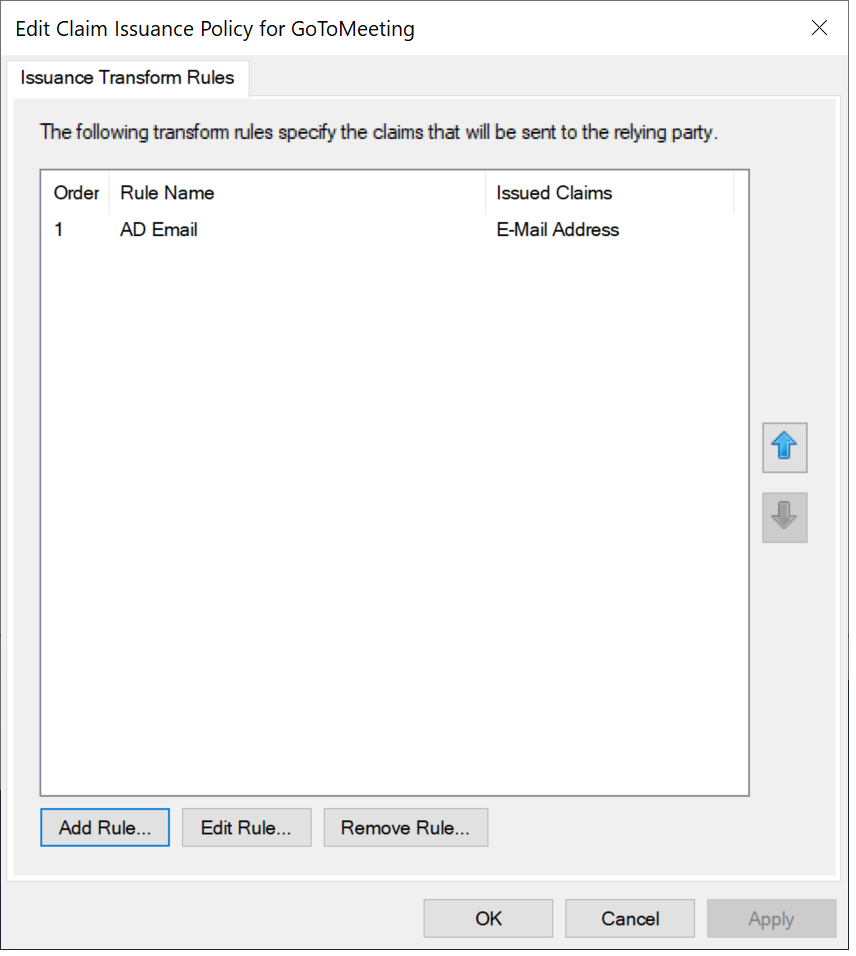
Click "Add Rule..." again