You need to add your ADFS server as a SAML Service Provider in your DualShield server.
In the DualShield Admin Console, select "SSO | Service Providers", then click "Create" on the toolbar.
Use the following settings:
| Field | Value |
|---|---|
| SSO Server | select the SSO server to which the ADFS will be connected, e.g."Single Sign-On Server" |
| Application | select the application that you created for ADFS integration in the previous step |
| Name | enter a descriptive text |
| Type | select "SAML 2.0" |
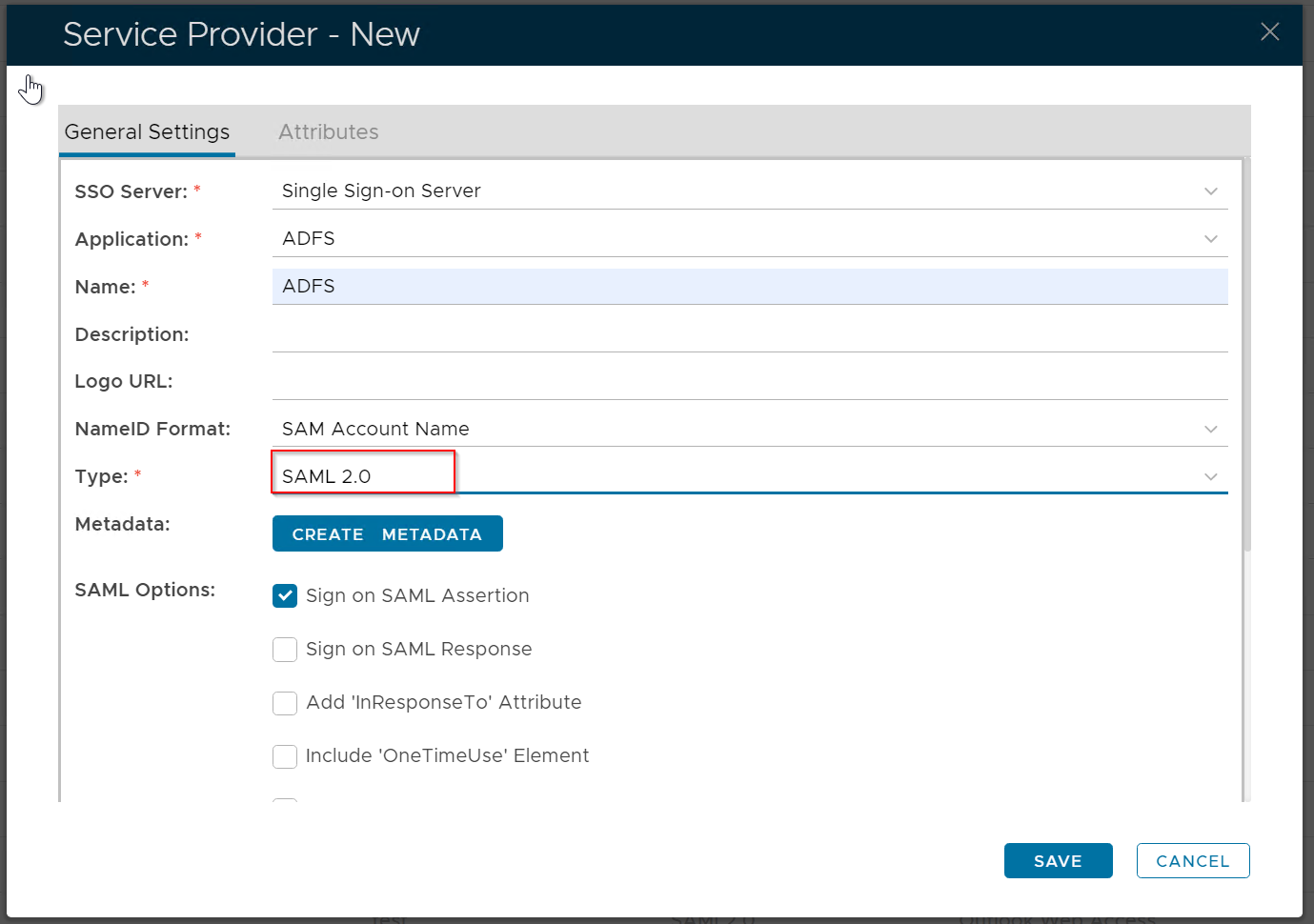
Click the "Create Metadata" button
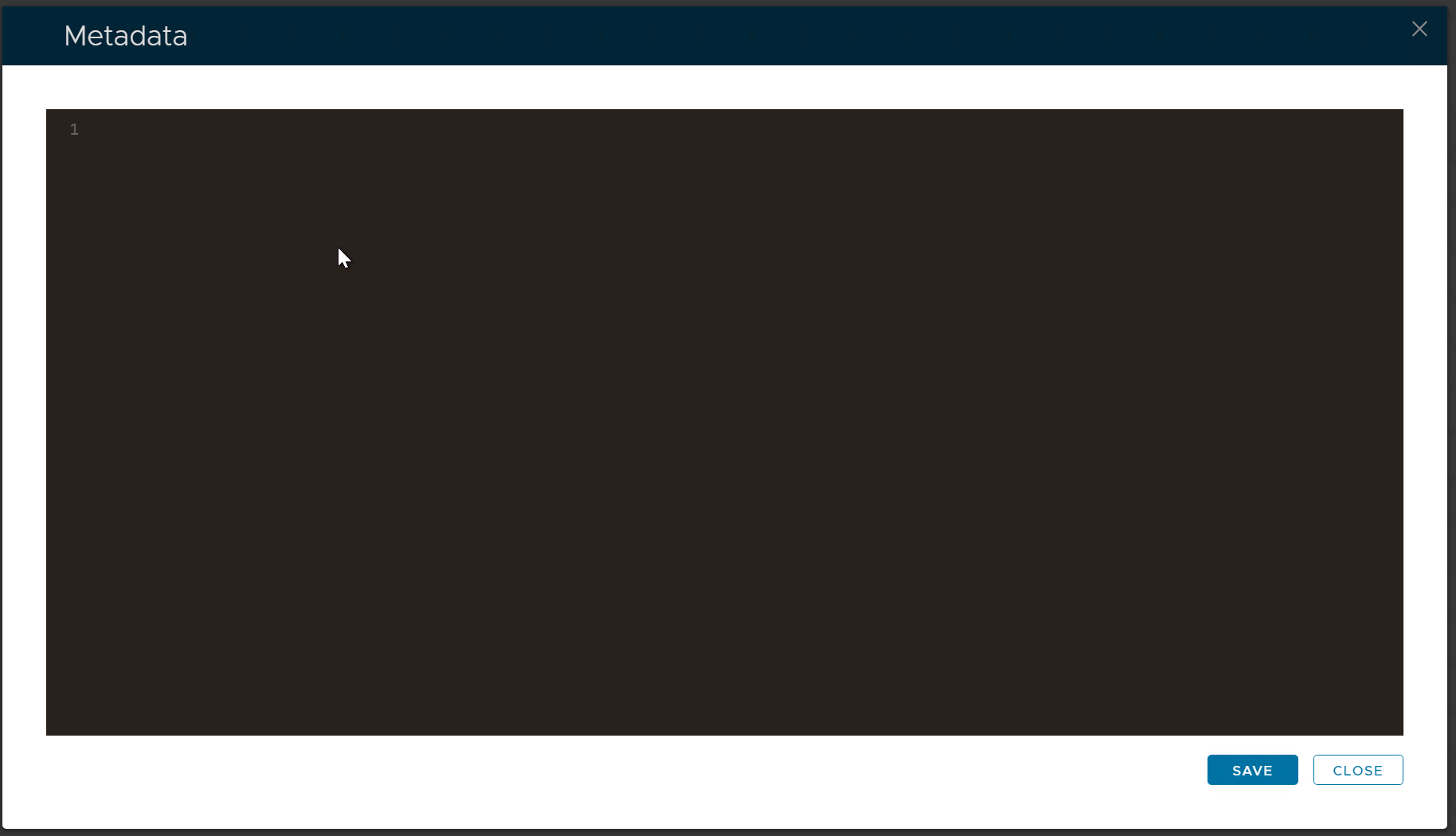
Copy the XML code block below and paste into a text editor. Replace "your-adfs-address" with the address of your ADFS server, e.g: adfs.deepnetid.comthe metadata box.
<EntityDescriptor entityID="https://your-adfs-address/adfs/services/trust" xmlns="urn:oasis:names:tc:SAML:2.0:metadata" xmlns:saml="urn:oasis:names:tc:SAML:2.0:assertion" xmlns:ds="http://www.w3.org/2000/09/xmldsig#"> <SingleLogoutService Binding="urn:oasis:names:tc:SAML:2.0:bindings:HTTP-POST" Location="https://your-adfs-address/adfs/ls/"/> |
|---|
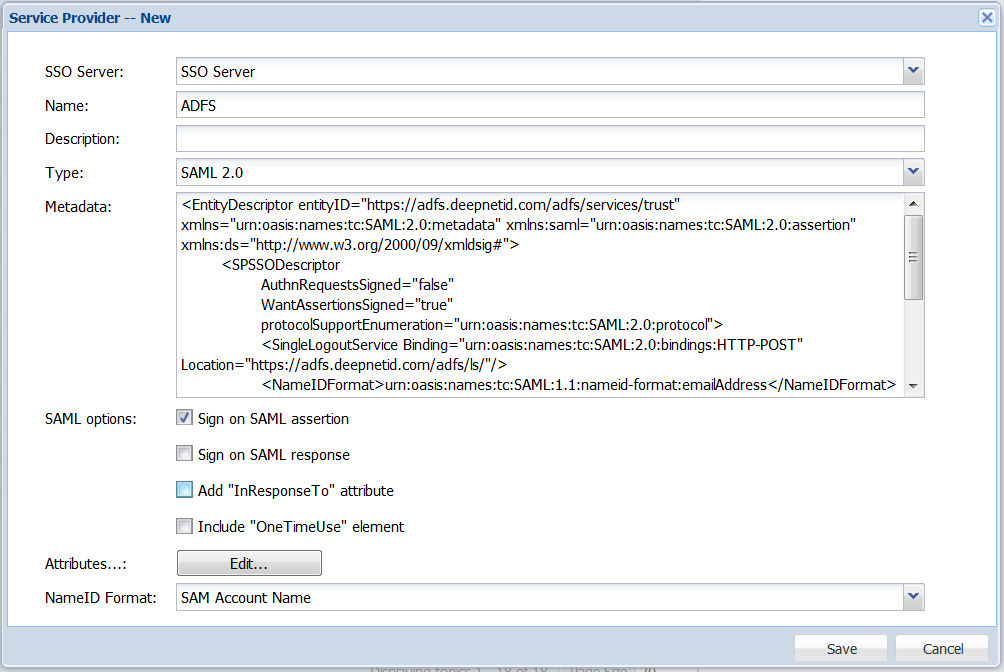
Now, in the DualShield management console, select "SSO | Service Providers", then click "Create" on the toolbar.
In the SSO Server list, select "SSO Server", and in the Type list select "SAML 2.0"
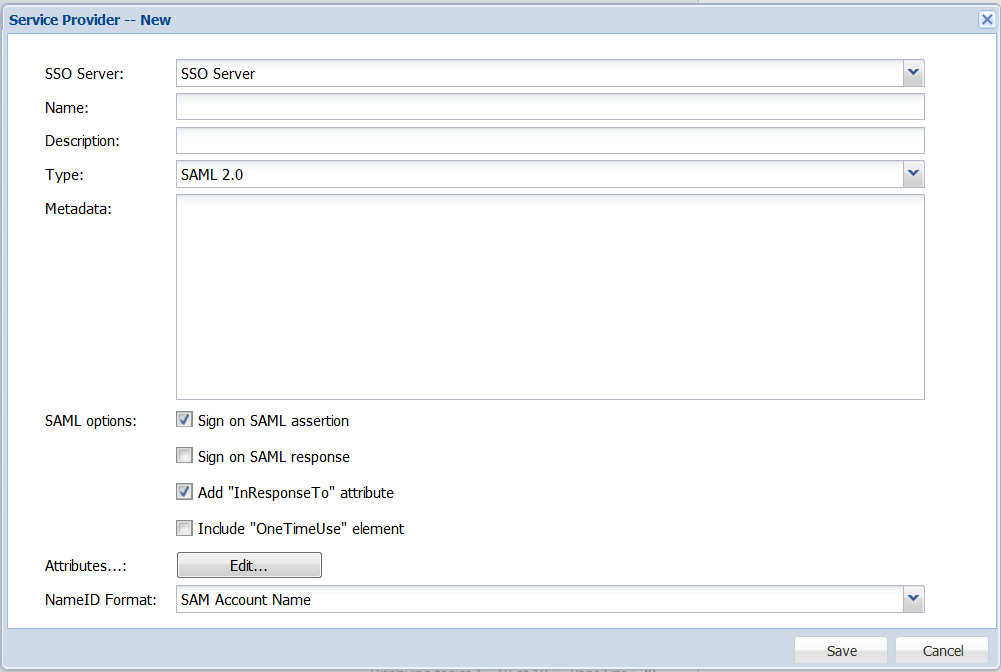
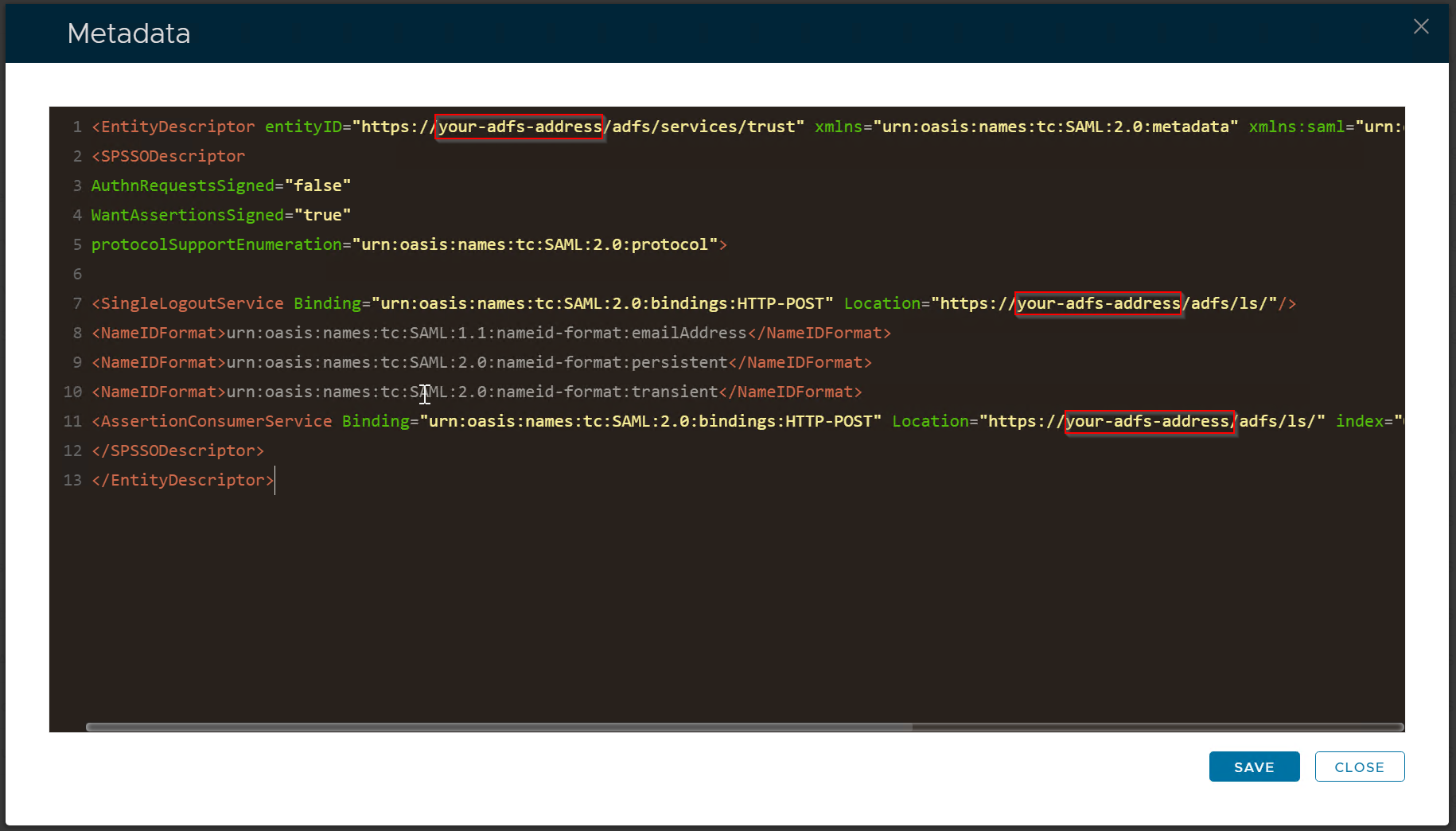
Replace "your-adfs-address" with the address of your ADFS serverEnter the Name, e.g. ADFS
In the Metadata text box, paste the modified XML code above.
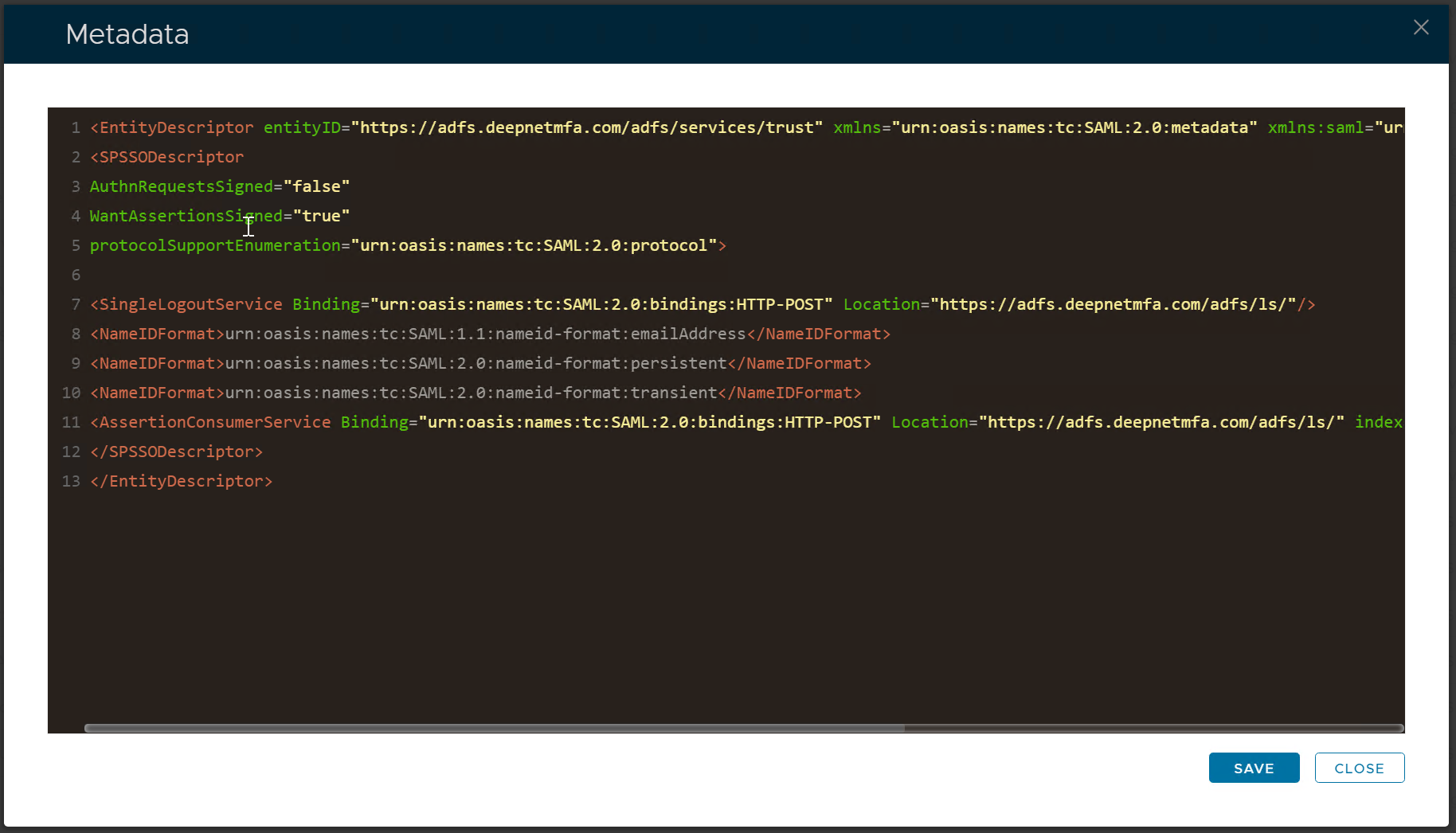
Click the "Save" button to save the metadata.
Click Press the "Save" button to save itagain to create the new Service Provider.