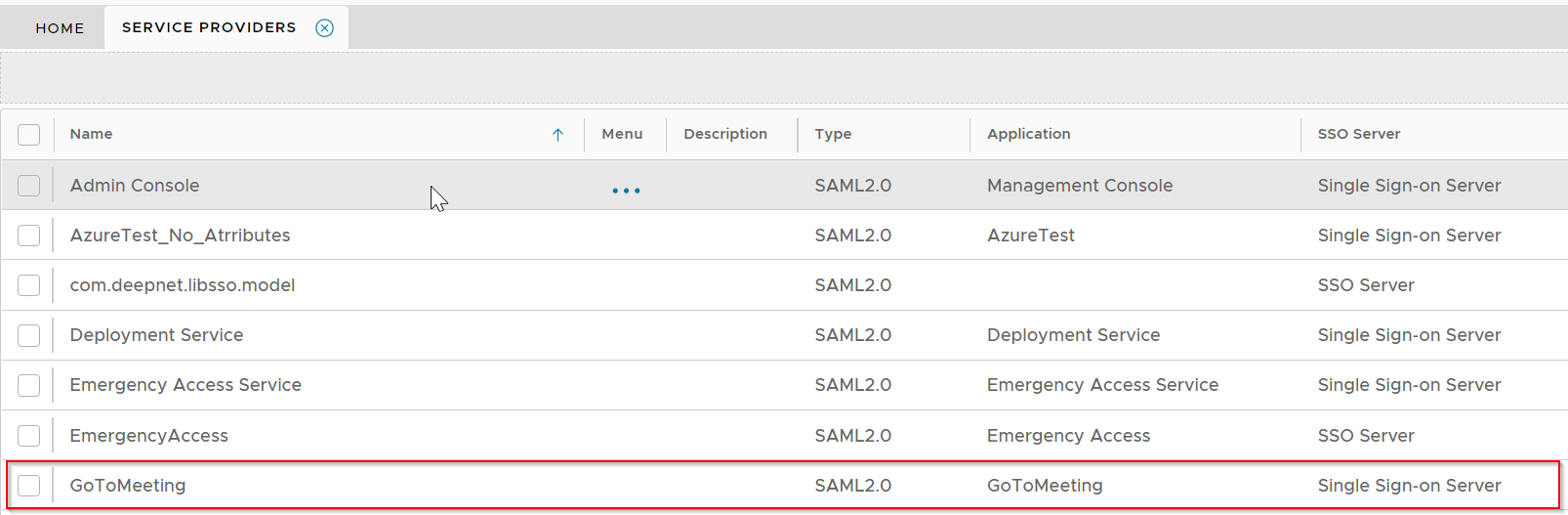
Build an Application for GoToMeeting
Build an application for GoToMeeting integration, e.g. "GoToMeeting"

If you are not familiar with the process of building an application for SAML integration, please refer to the tutorial below:
| Expand | ||||||
|---|---|---|---|---|---|---|
| ||||||
|
Set up Policies for GotoMeeting
You might want to create some customised policies for GoToMeeting integration. Please refer to the tutorial below:
| Expand | ||||||
|---|---|---|---|---|---|---|
| ||||||
|
Register GoToMeeting as a SAML Service Provider
Create a new Service Provider
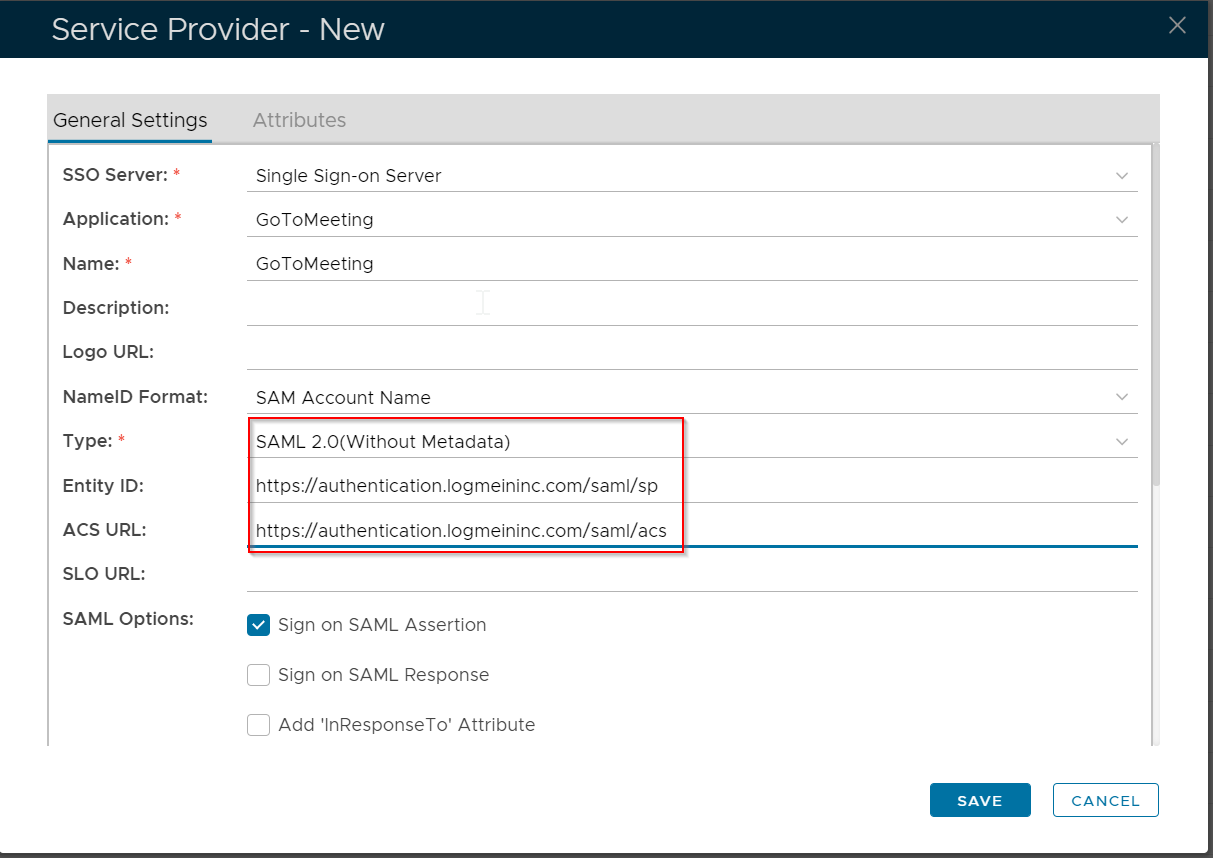
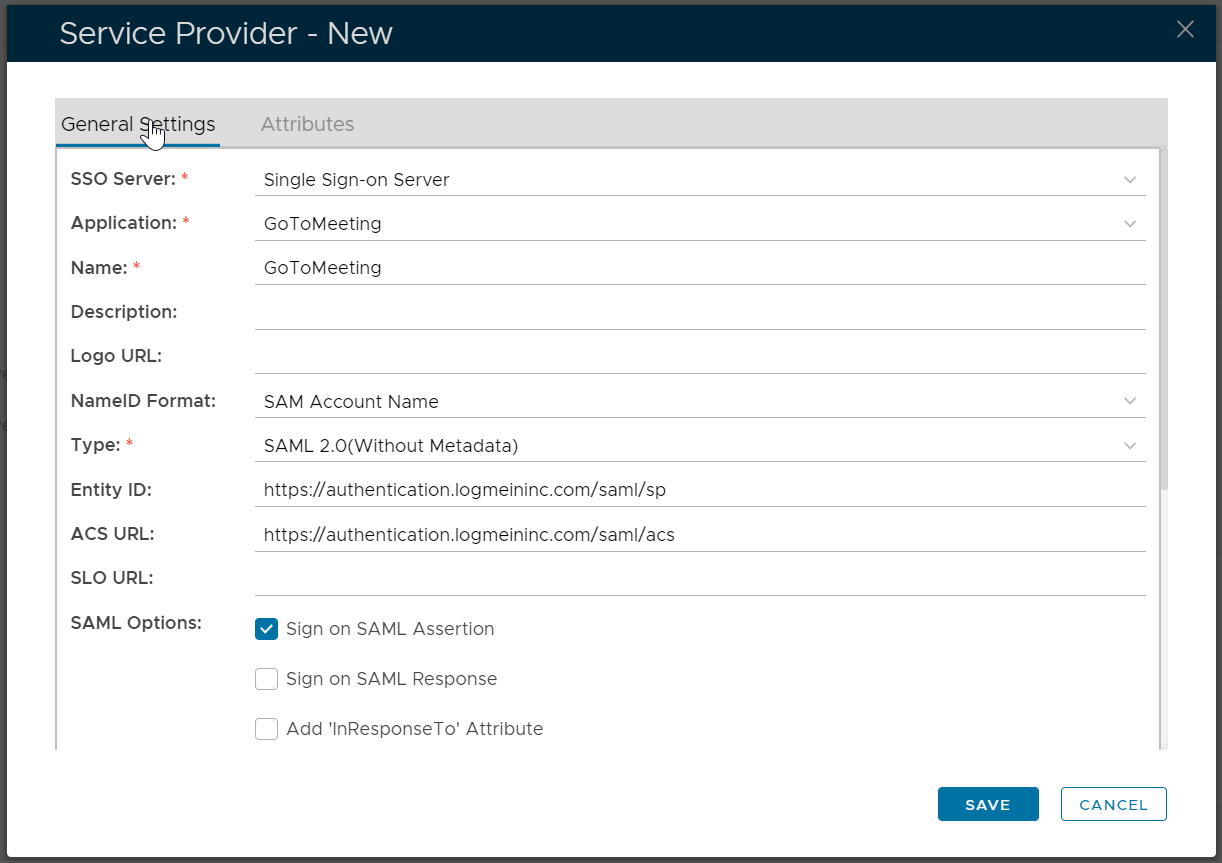
Fill in the following details:
| Entry | Value |
|---|---|
| Type | SAML 2.0(Without Metadada) |
| Entity ID | https://authentication.logmeininc.com/saml/sp |
| ACS URL | https://authentication.logmeininc.com/saml/acs |
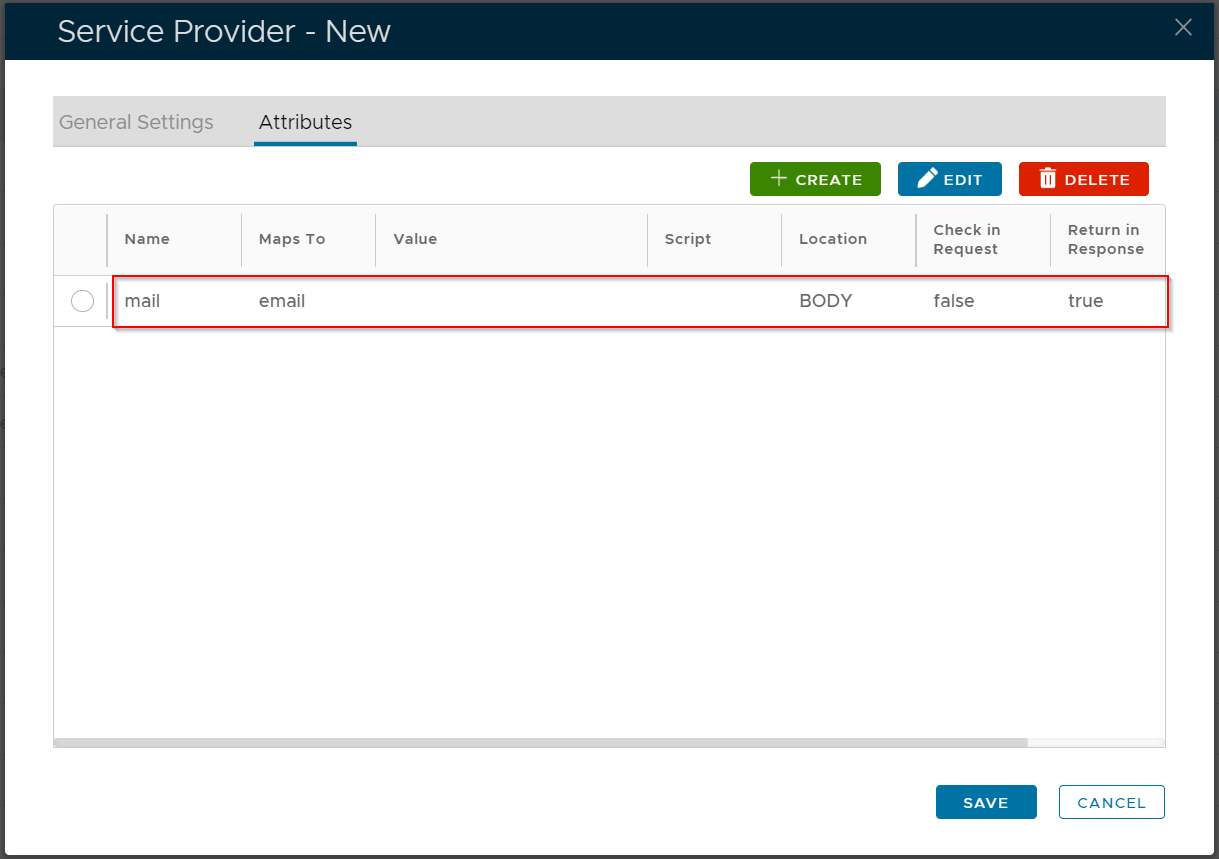
Click the "Attributes" tab
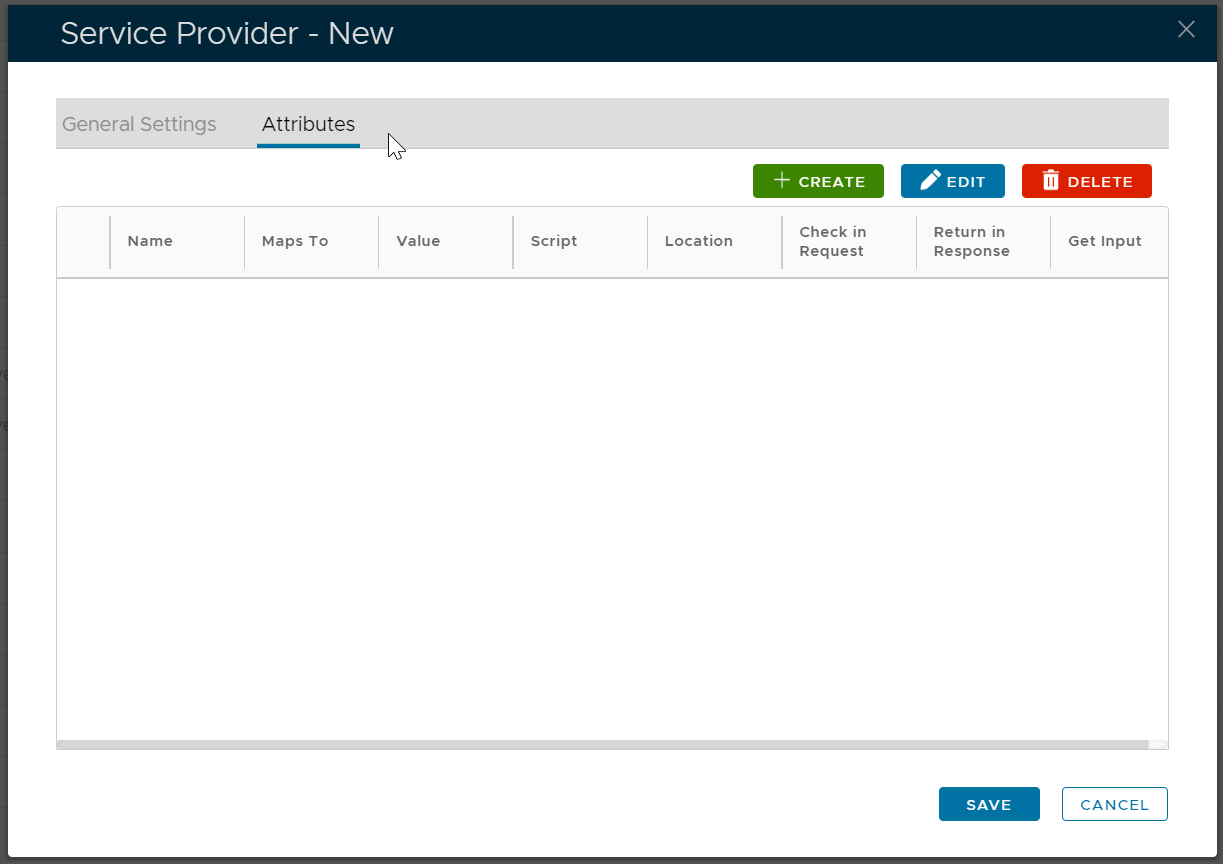
Click the "Create" button to create an attribute named "mail"
The "mail" attribute must be mapped to user's email
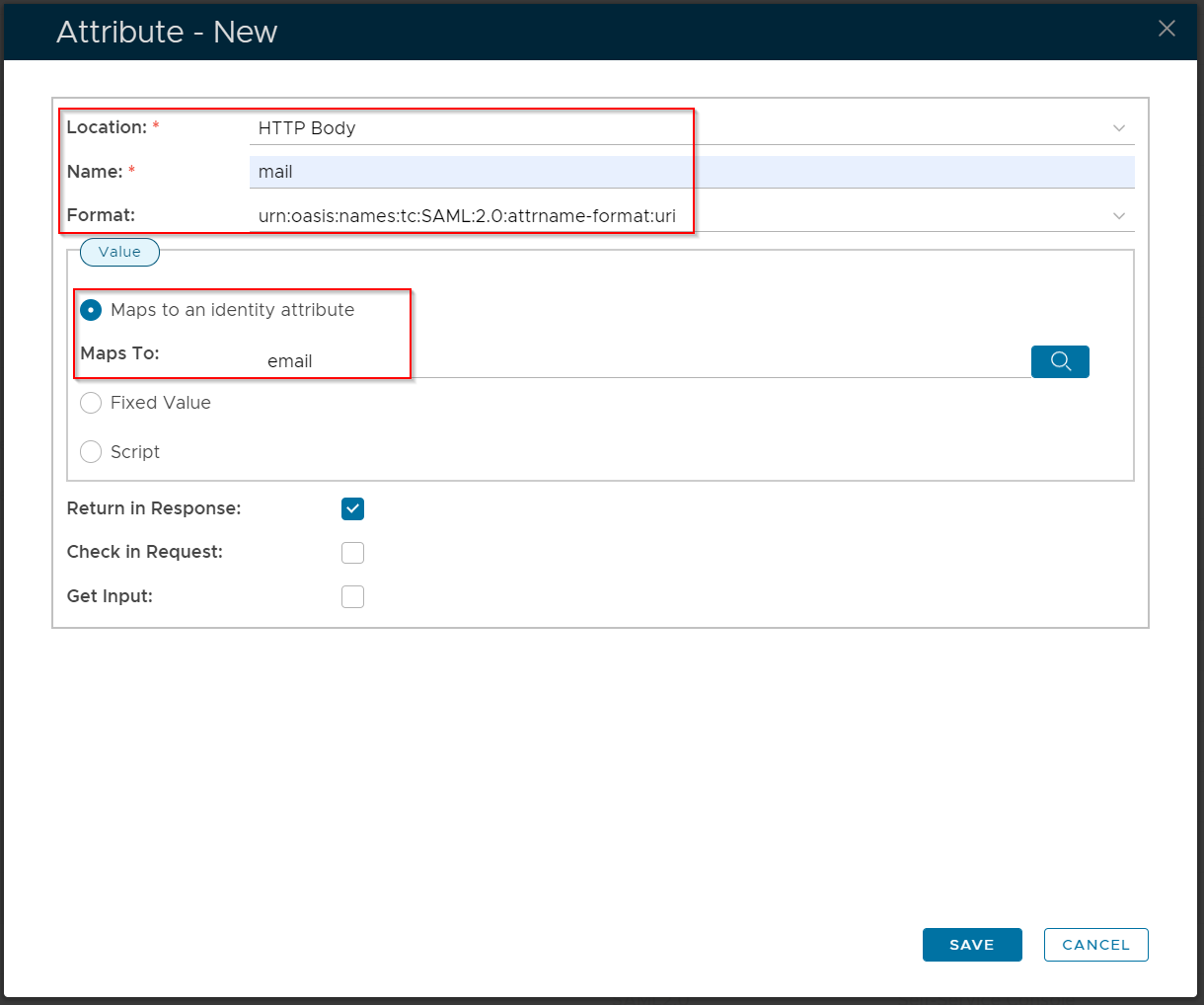
Click "Save"
Now, click the "General Settings" tab
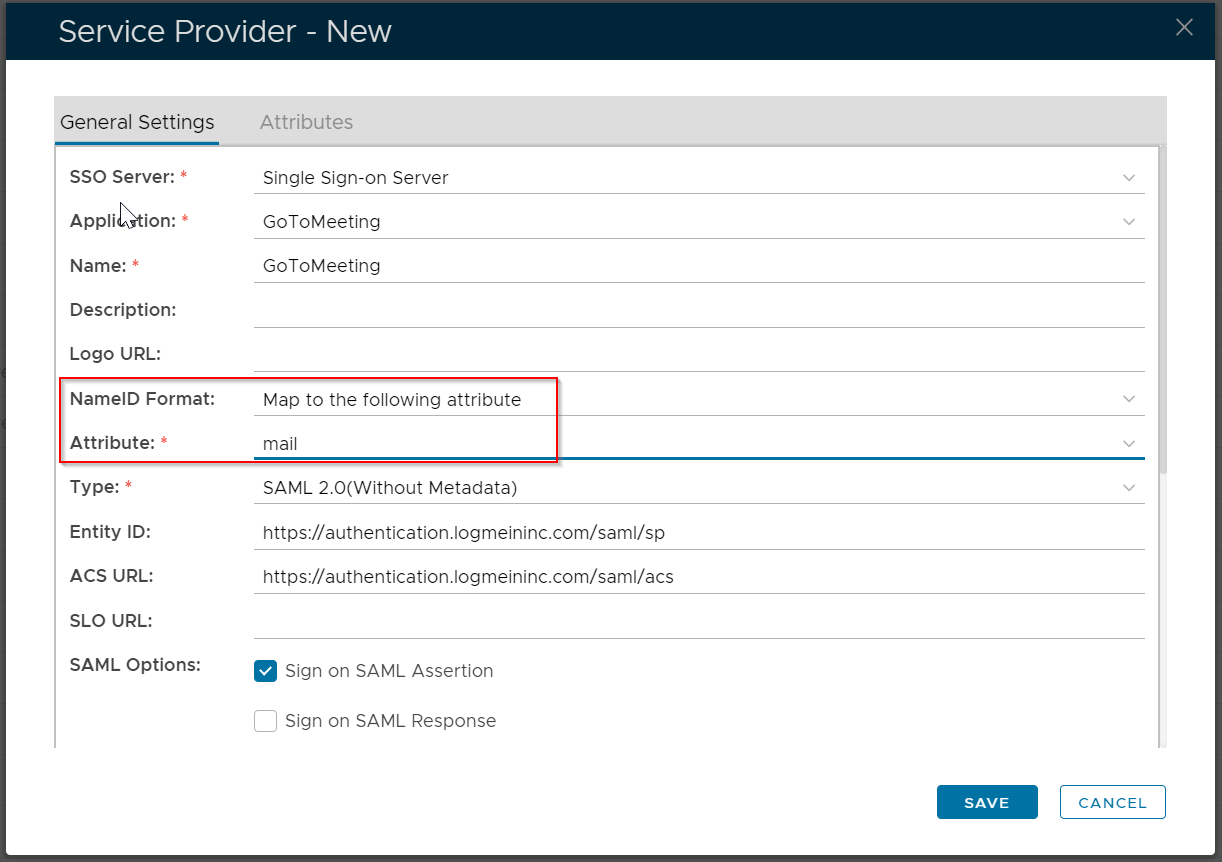
Set the "NameID Format" to "Map to the following attribute"
Set the "Attribute" to "mail"
Click "Save"