...
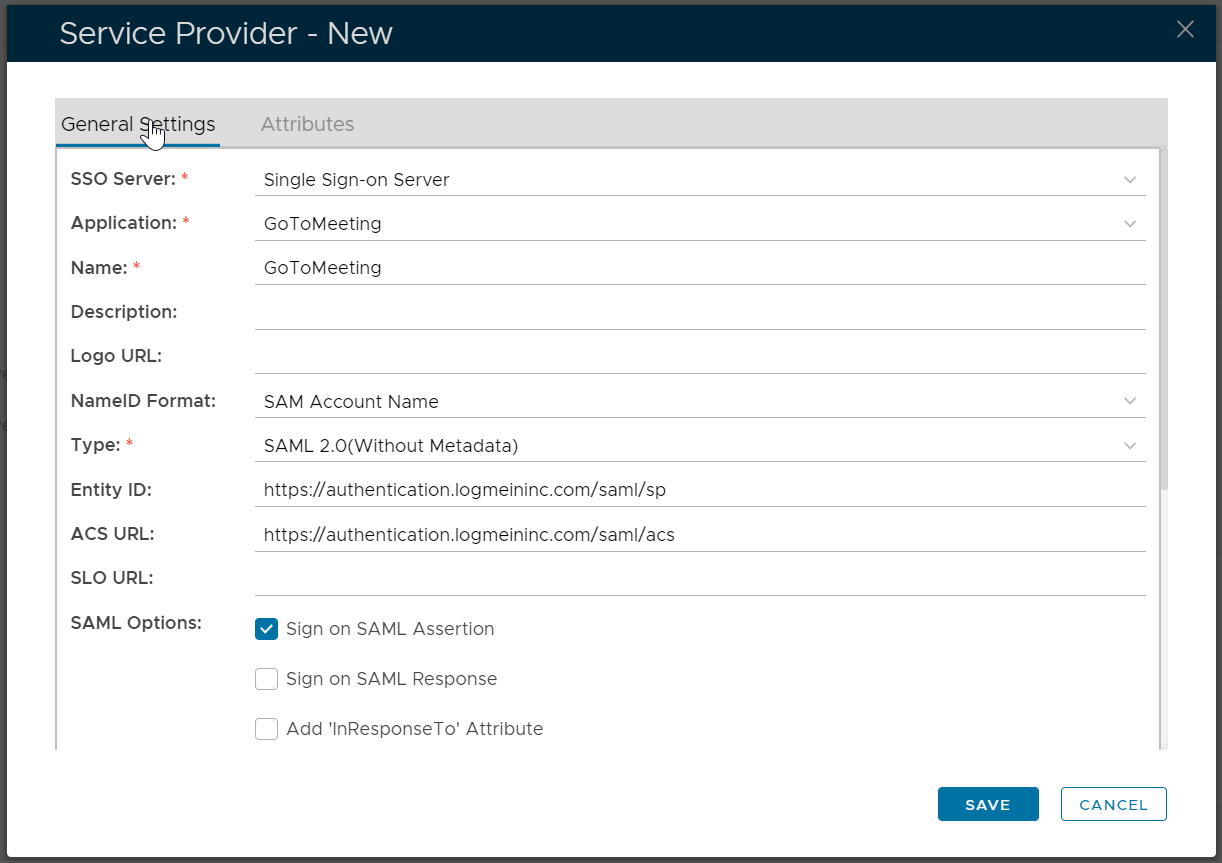
Create a new Service Provider
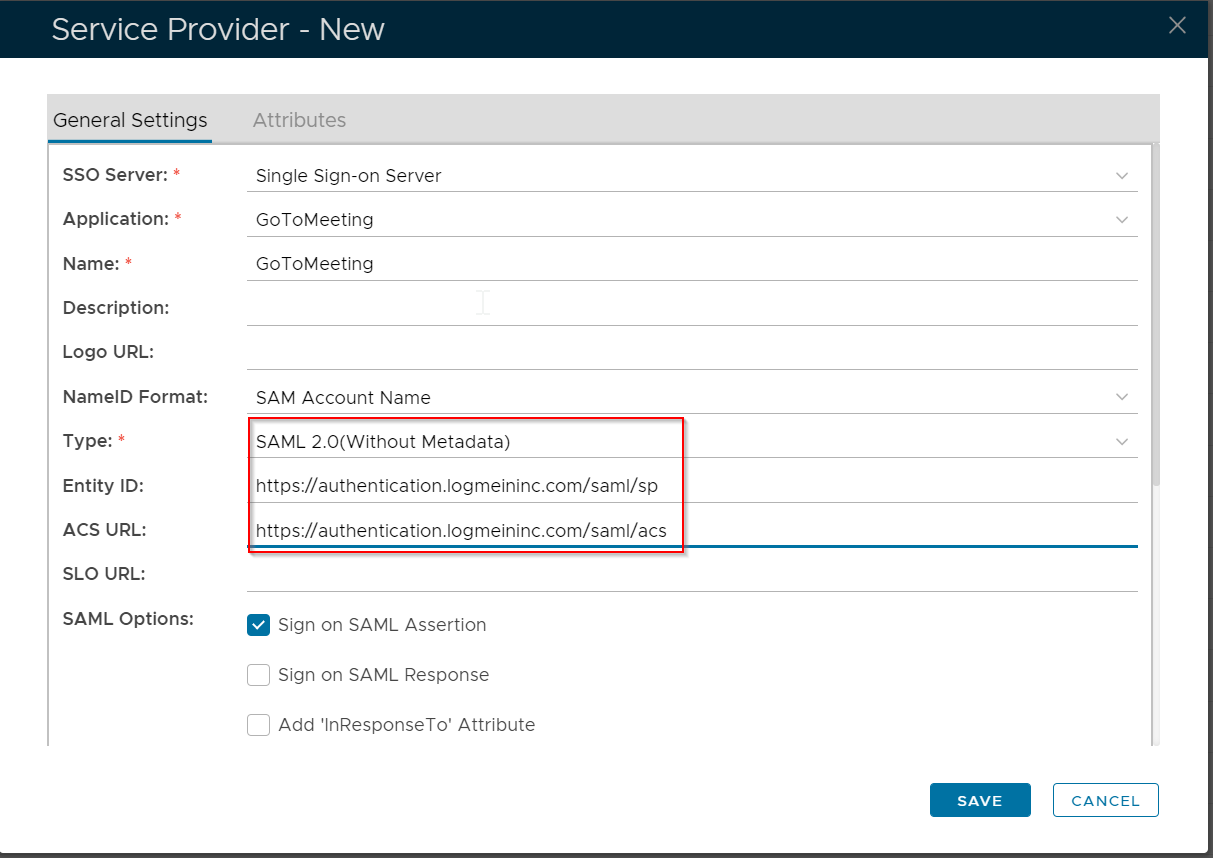
| Entry | Value |
|---|---|
| Type | SAML 2.0(Without Metadada) |
| Entity ID |
...
...
| ACS URL |
...
| https://authentication.logmeininc.com/saml/acs |
Request to enforce Enterprise Sign-In
If you have set up Enterprise Sign-In and are interested in enforcing it as the only login method available when your users access their LogMeIn product account, please contact Customer Care by scrolling to the bottom of this article and selecting a contact option. Don't worry – once Enterprise Sign-In has been enforced in your account, your users' active sessions remain unaffected – they will just be prompted to use their company credentials upon their next login.
Click the "Attributes" tab
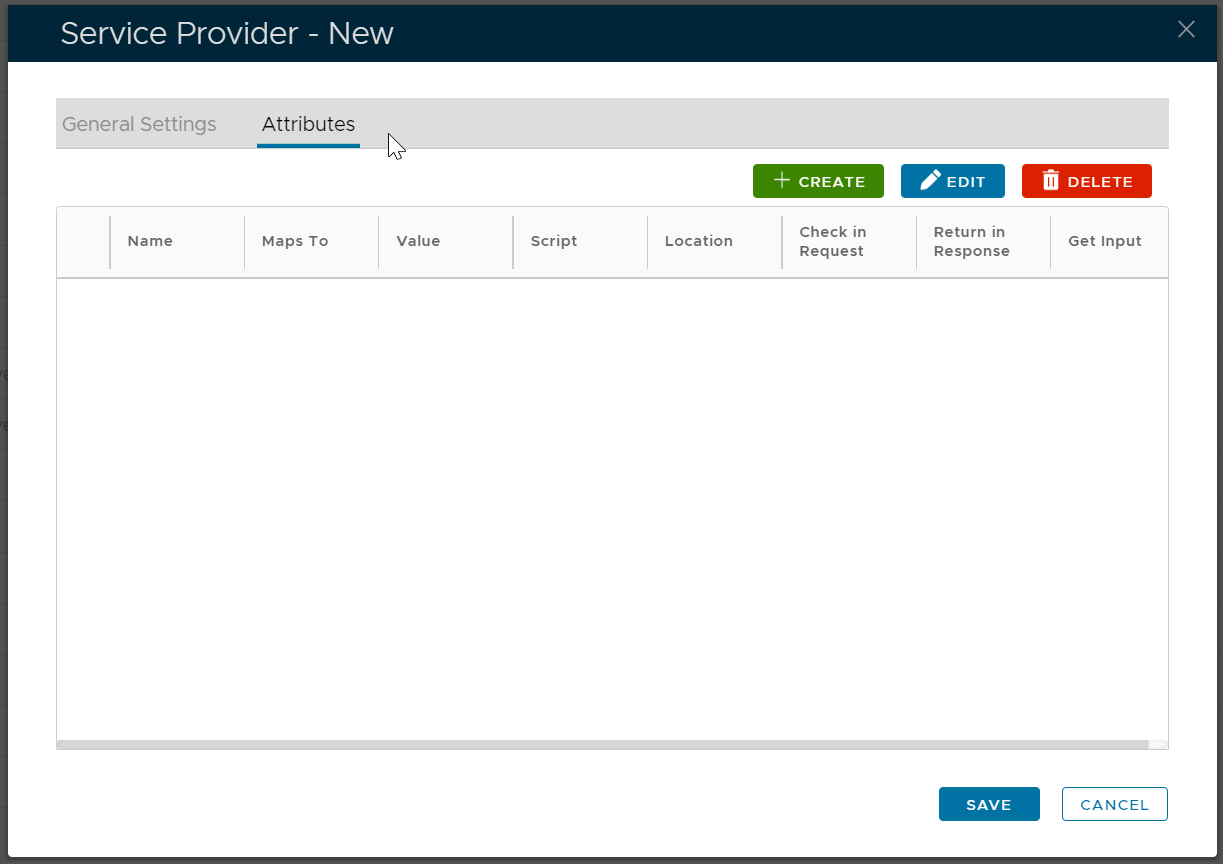
Click the "Create" button to create an attribute called "mail"
The "mail" attribute must be mapped to user's email
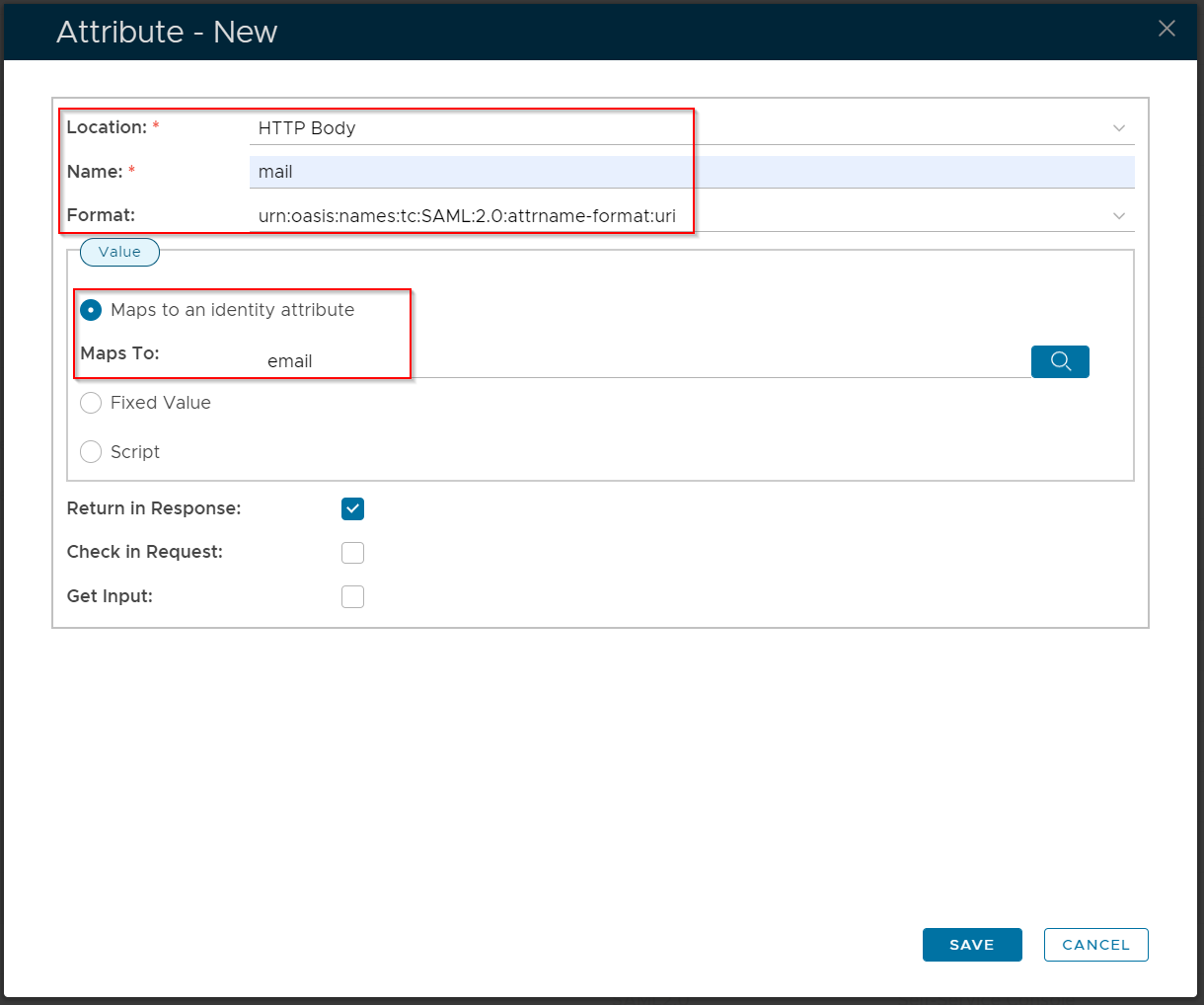
Click "Save"
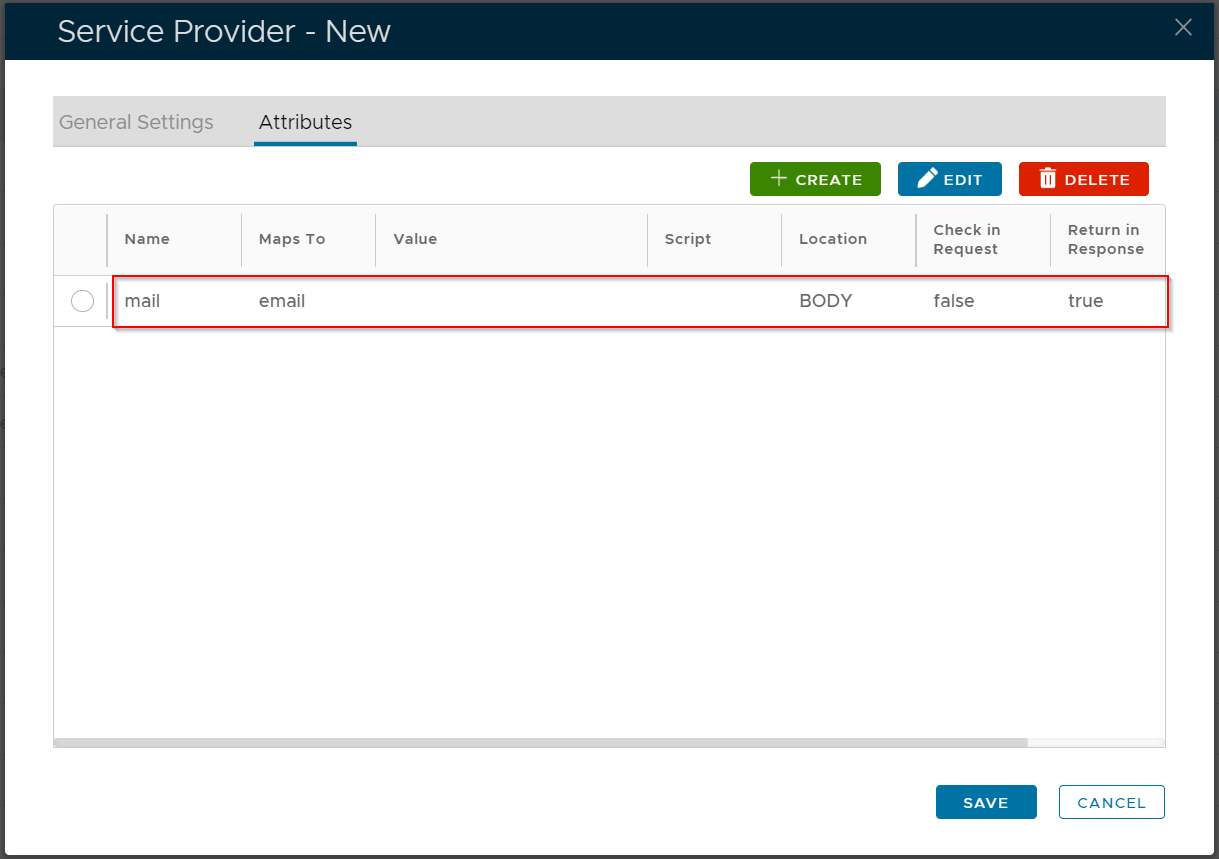
Now, click the "General Settings" tab
Set the "NameID Format" to "Map to the following attribute"
Set the "Attribute" to "mail"
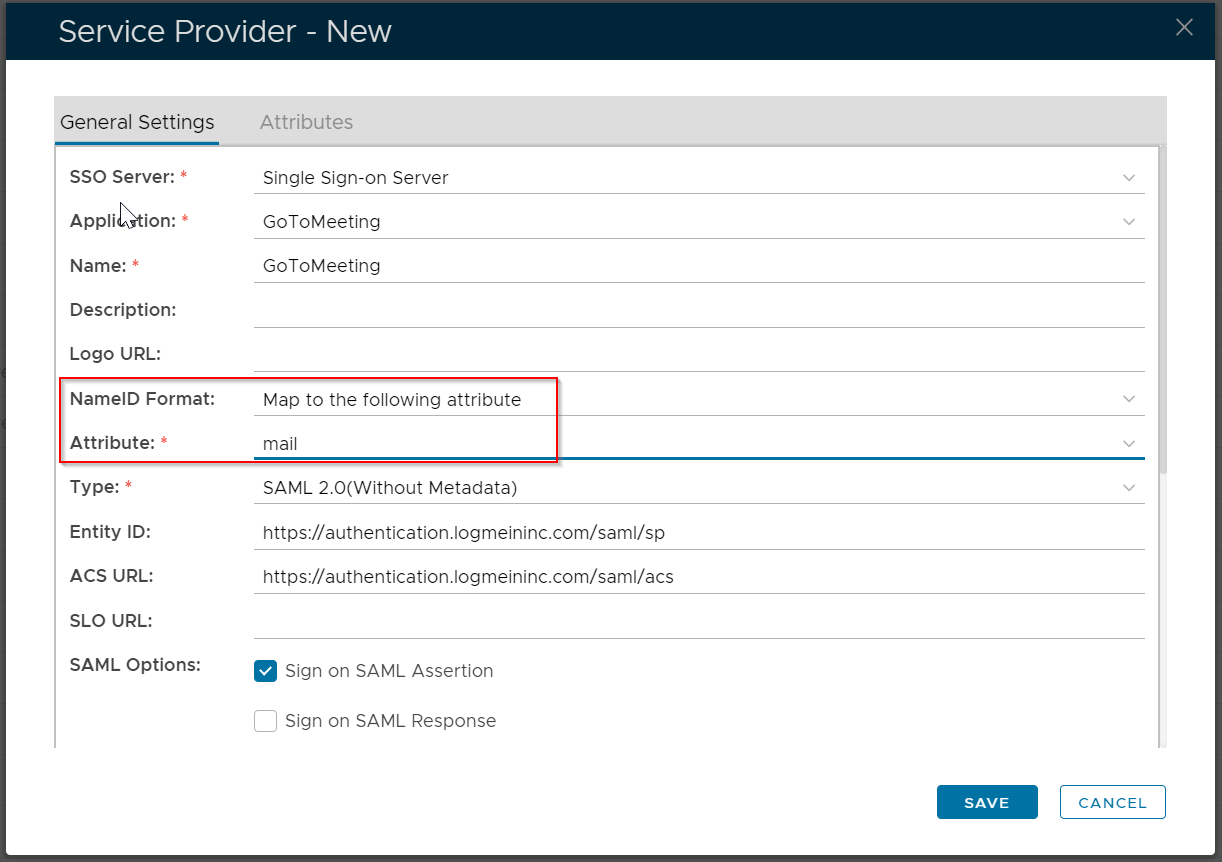
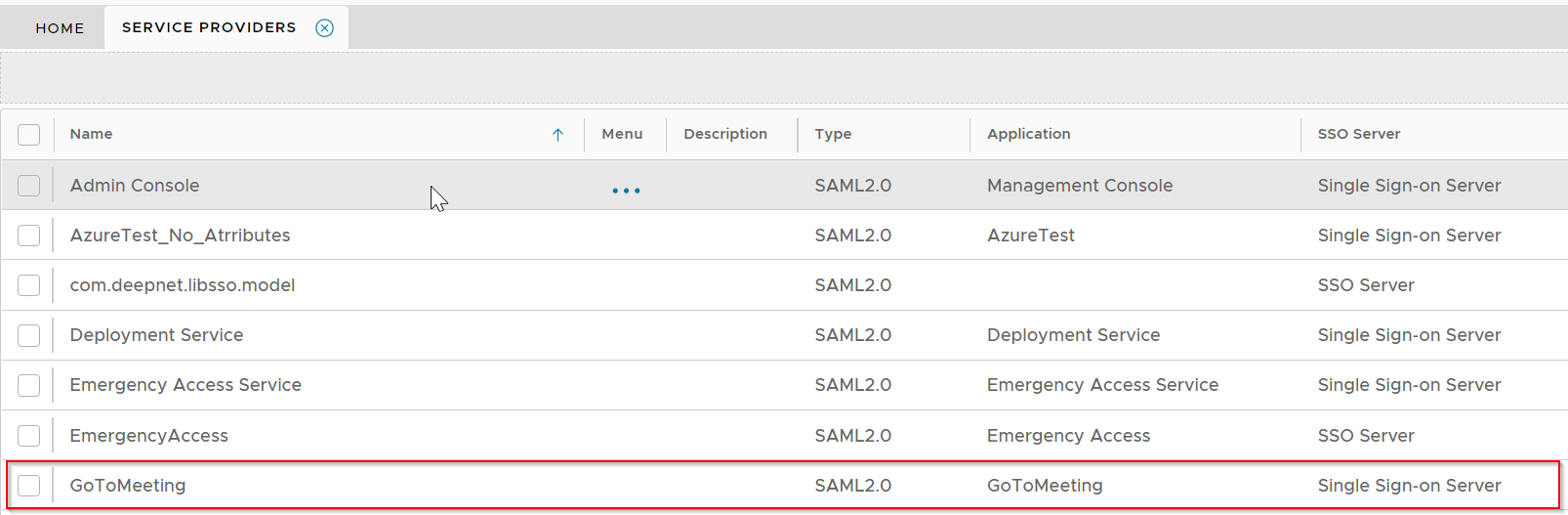
Click "Save"
 https://support.goto.com/meeting/help/enterprise-sign-in-g2m790099