...
Tick the "Enable" option
Fill in Name, Description, Sender, Recipient Users etc
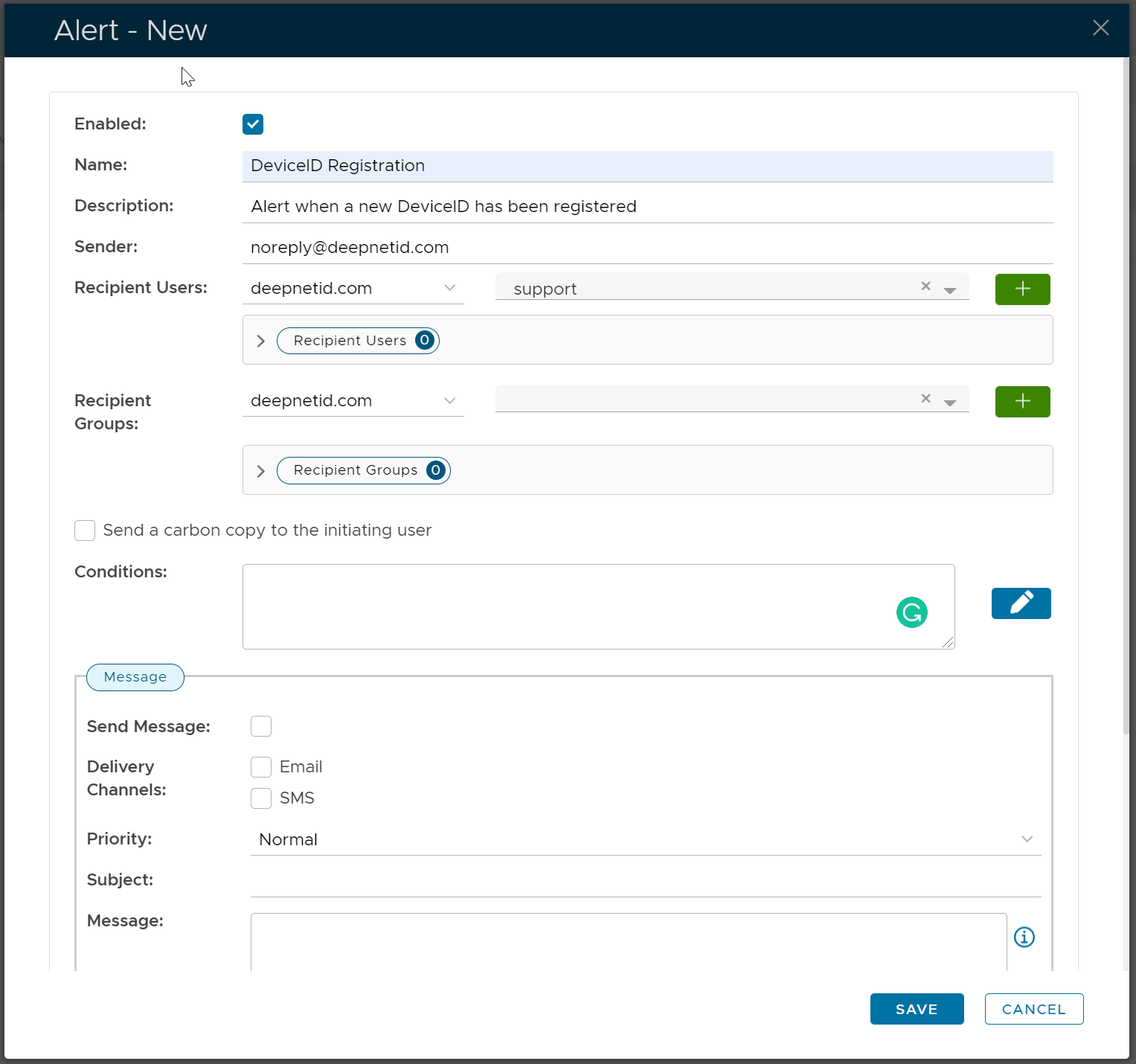
Click the Edit icon on the right of the Conditions box
...
Add the conditions below:
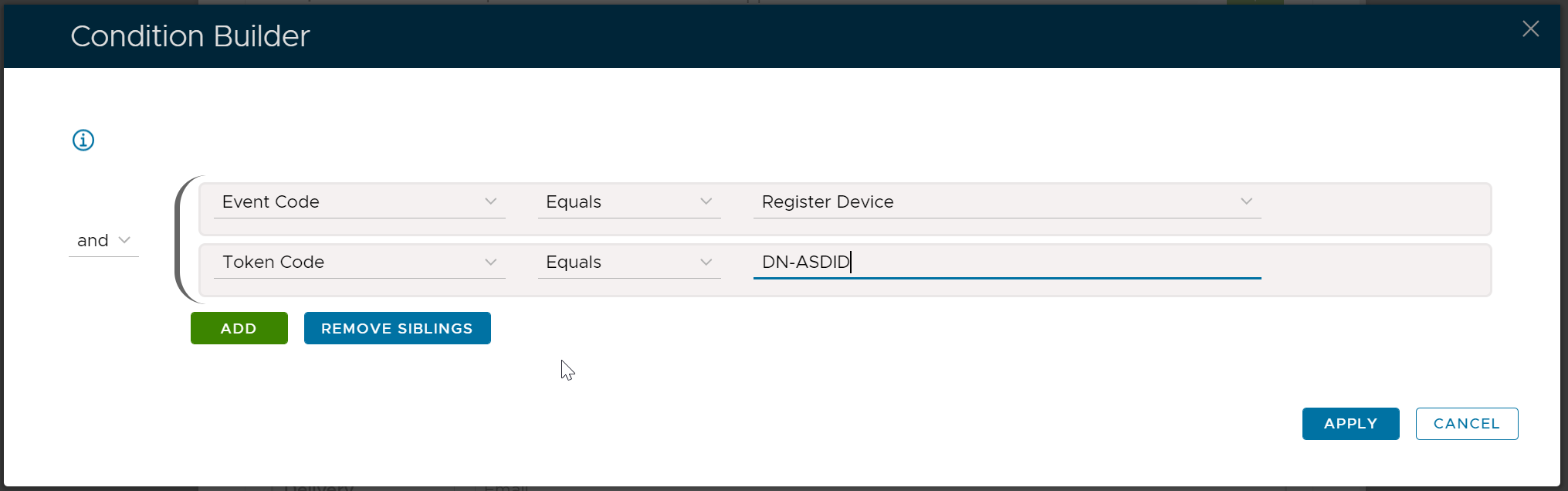
Click "Apply"
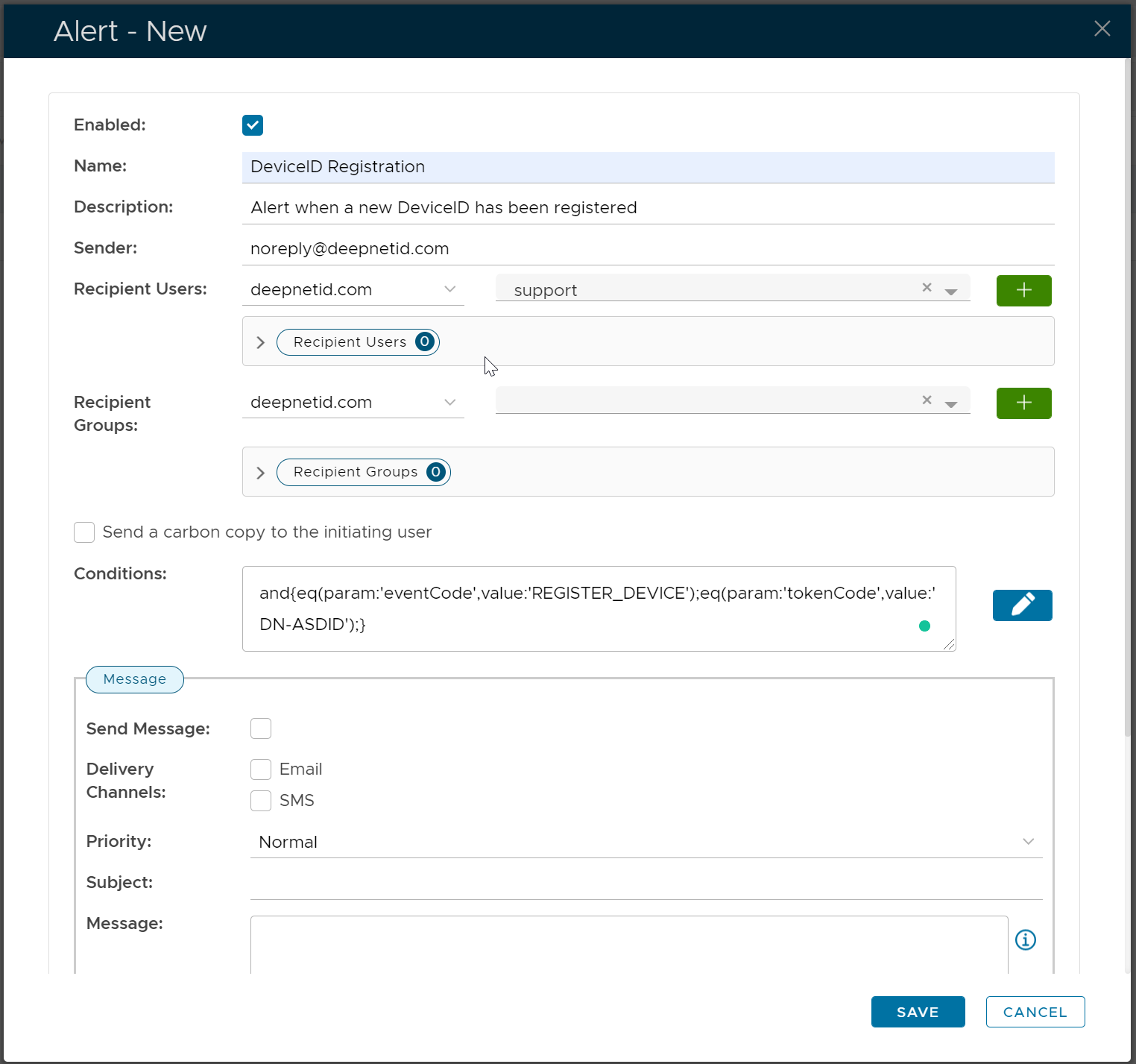
Now, enter the Message text. Below is an example:
| Code Block |
|---|
A new DeviceID has just been registered and is waiting for review and approval. User's LoginName: [[loginName]] Token's Serial Number: [[tokenSerial]] |
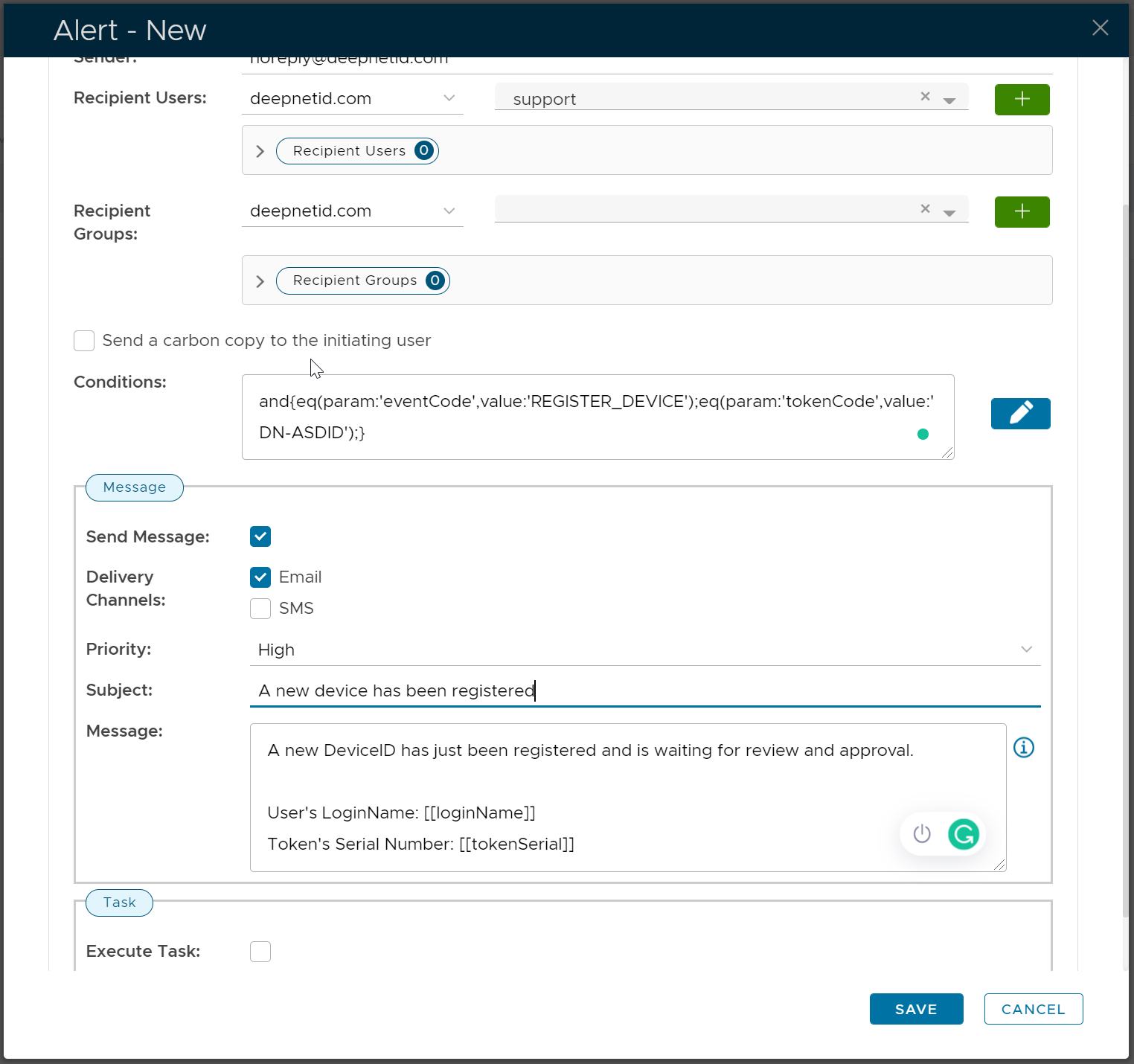
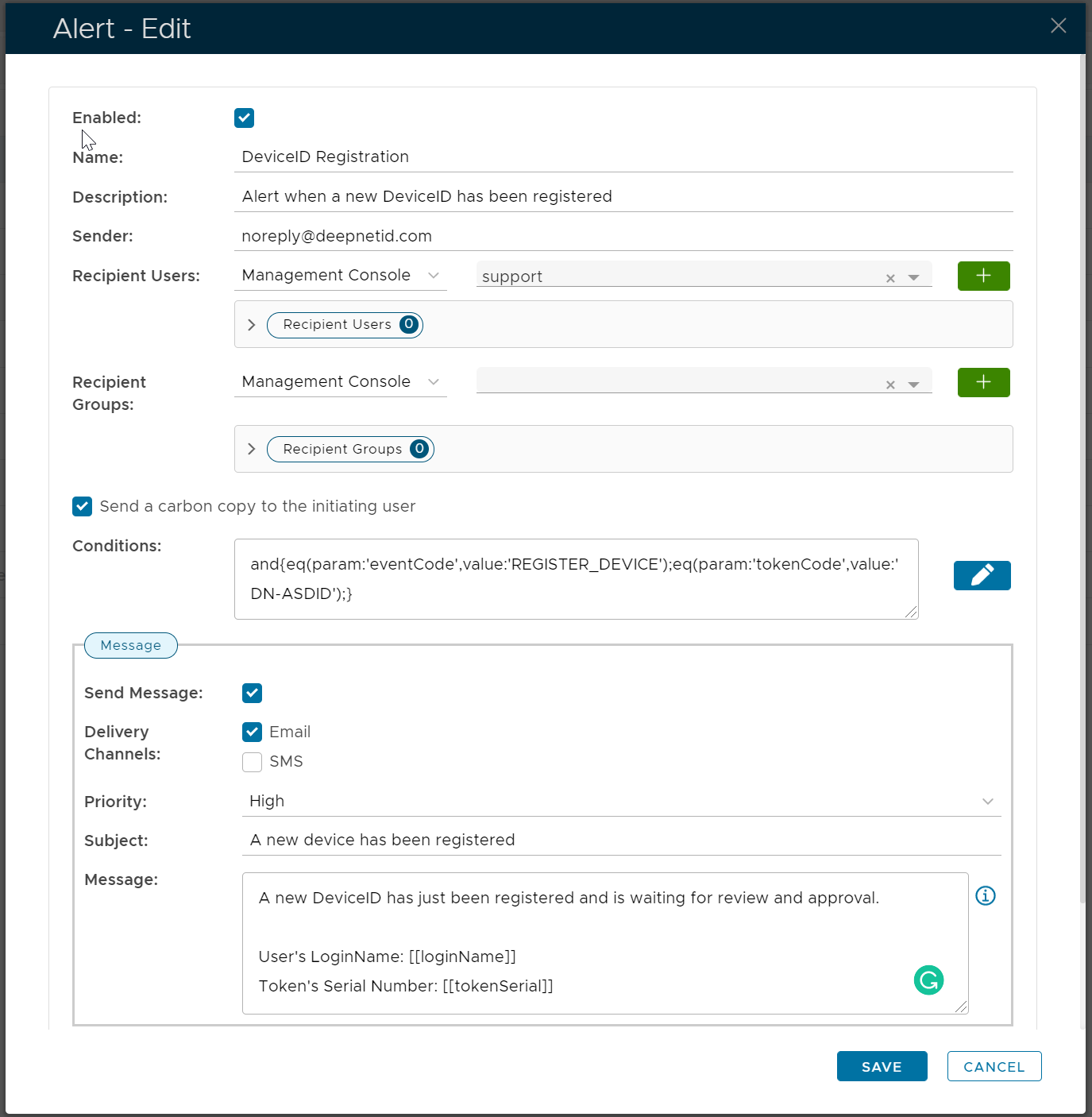
You might want to tick "Send a carbon copy to the initiating user" if you want the user to be notified as well.
Finally, click "Save" to save this new alertClick "Save"
