...
Bind the CA certificate to the Citrix Gateway Virtual Sever
- Click on Citrix Gateway and then Citrix Gateway Virtual Sever:
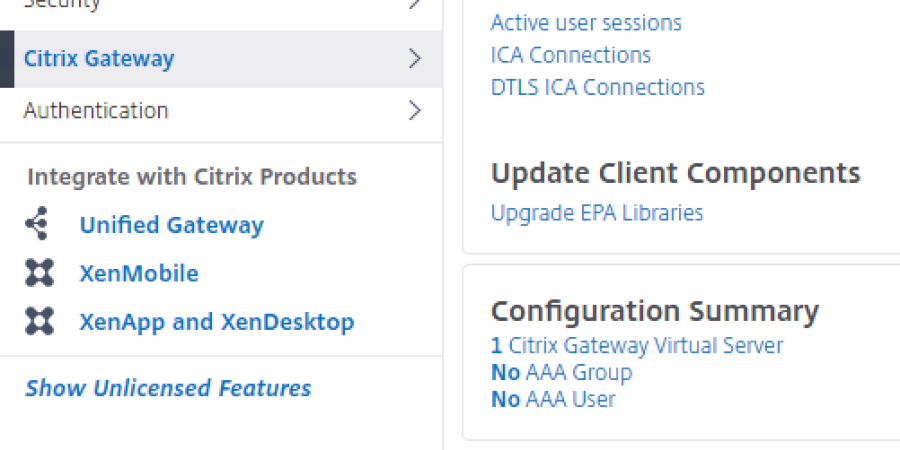
2. Click on the Virtual Server to edit:
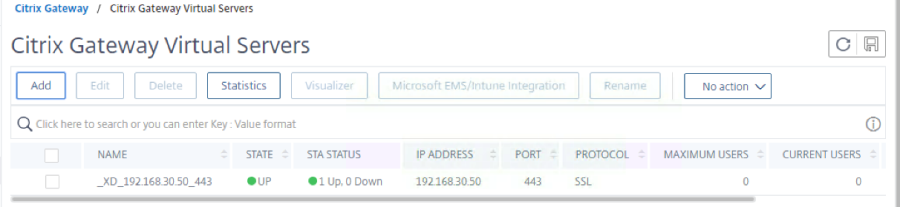
This will take you to the virtual server edit screen.
3. From here Locate Certificate

The server certificate is showing but not the CA
Click No CA Certificate.
Click on Add Binding:
4. Click to select CA Certificate:
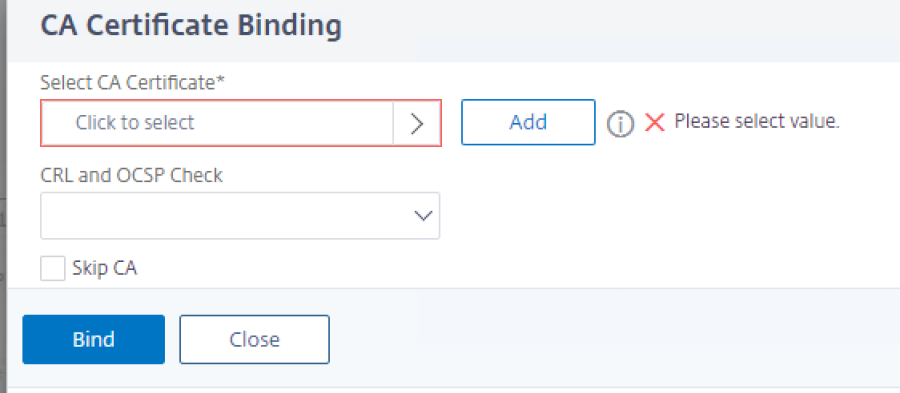
5. And choose the CA certificate that we installed earlier: (refer to previus wki guide)

6. And then Click on Bind:

7. With the CA cert now bound to the virtual server, click on Done at the bottom of the edit page.
Pre DualShield Test
Before adding DualShield authentication, methods, lets makesure you are able to access your Xenapps via Citrix Gateway access alone.
Simply launch a browser and type in the FQDN address of the Citrix Gateway server. 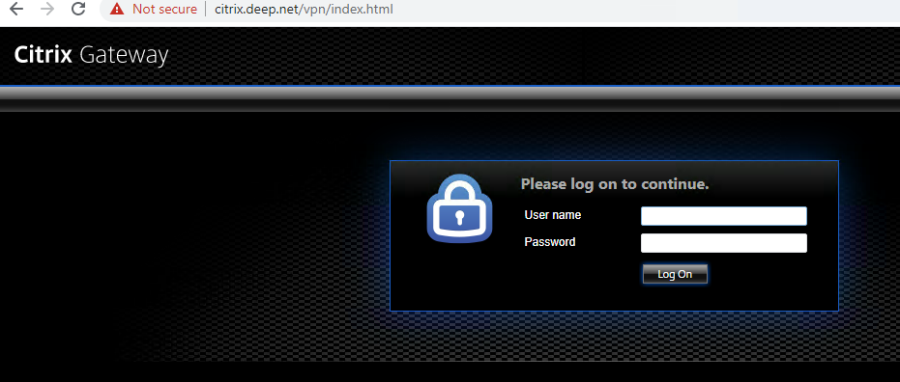
Logon using your usual windows username and password.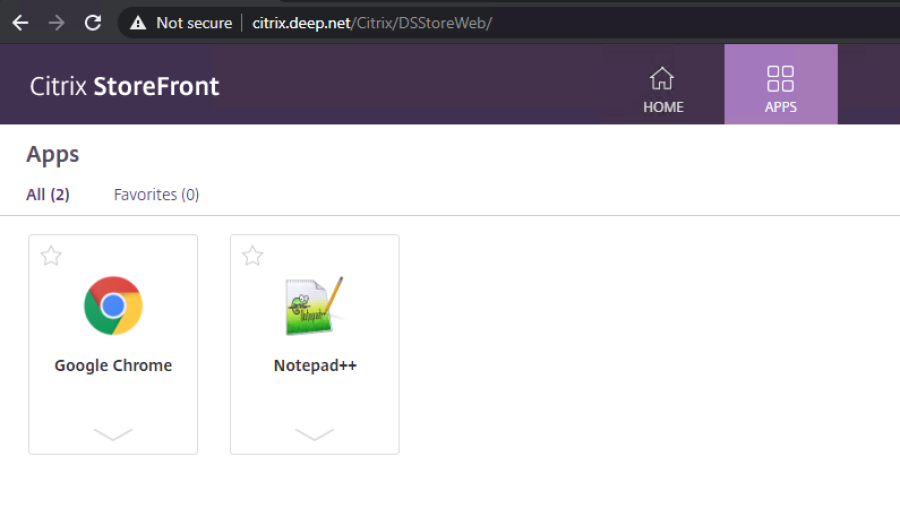
And there we have it. You can see the Citrix Gateway URL in the address bar, followed by the receiver for web path.