...
If however, you cannot find it in any of those locations, then it will need to be manually removed using a series of SQL queries.
Force delete (only available from version 8.0.6 upwards)
When you attempt to delete a domain, you will see a dialogue box asking to confirm.
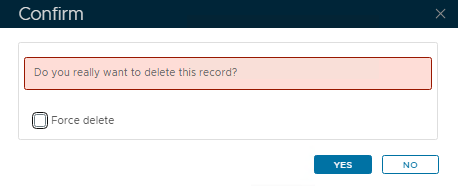
Notice by default the Force delete option is disabled. If you click Yes at this stage and you get the 303:Object in use error please try and look for the domain bindings as mentioned above.
If you really cannot find them, or you still get the error even after removing the ones that you can see, then attempt to delete the domain again.
Enable the option to force delete:
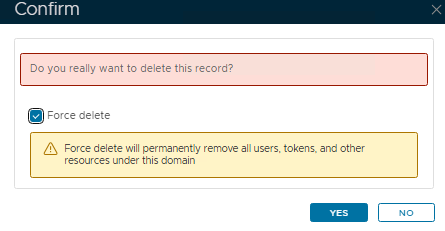
Take note of the yellow warning, and if you are happy, click Yes
Remove using SQL Queries (older versions of DualShield)
Go to Platform>Database Servers then click on the blue SQL Console button on the top right.
...