...
Attempting to delete a domain on the Administration Console;
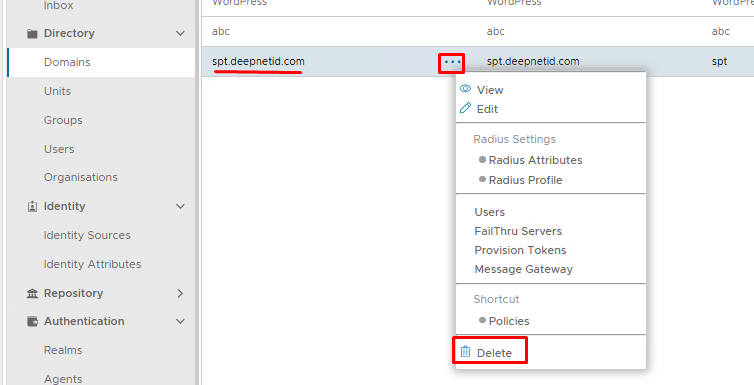
However, the following error appears:
...
If you see the domain you wish to delete listed in any of the above place then you will need to edit and remove those associations, then try deleting the domain again.
If however, you cannot find it in any of those locations, then it will need to be manually removed using a series of SQL queries.
Remove using SQL Queries
Go to Platform>Database Servers then click on the blue SQL Console button on the top right.
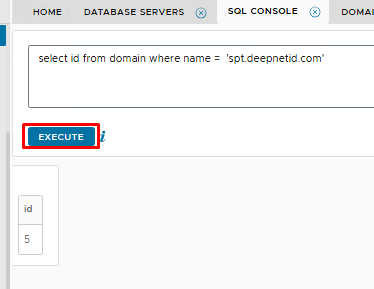
Obtain the ID of the domain you wish to delete:
| Code Block | ||||
|---|---|---|---|---|
| ||||
select id from domain where name = 'spt.deepnetid.com' |
In the example above the domain is called spt.deepnetid.com. Please replace this with the name of your own domain.
Execute the query