...
- Login to the DualShield Administration Console
- In the main menu, select Authentication > Logon Procedure
- Click the Create button on the toolbar
- Enter a name and select RADIUS as the type
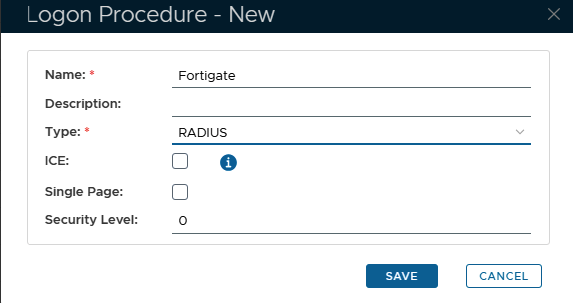
- Click “Save”
- Click the Context Menu icon of the newly created logon procedure, select Logon Steps and and a new section will be added to the page;
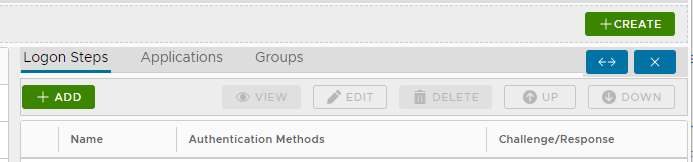
- To add a logon step, click on the the
 button on the top left
 - Choose Static Password
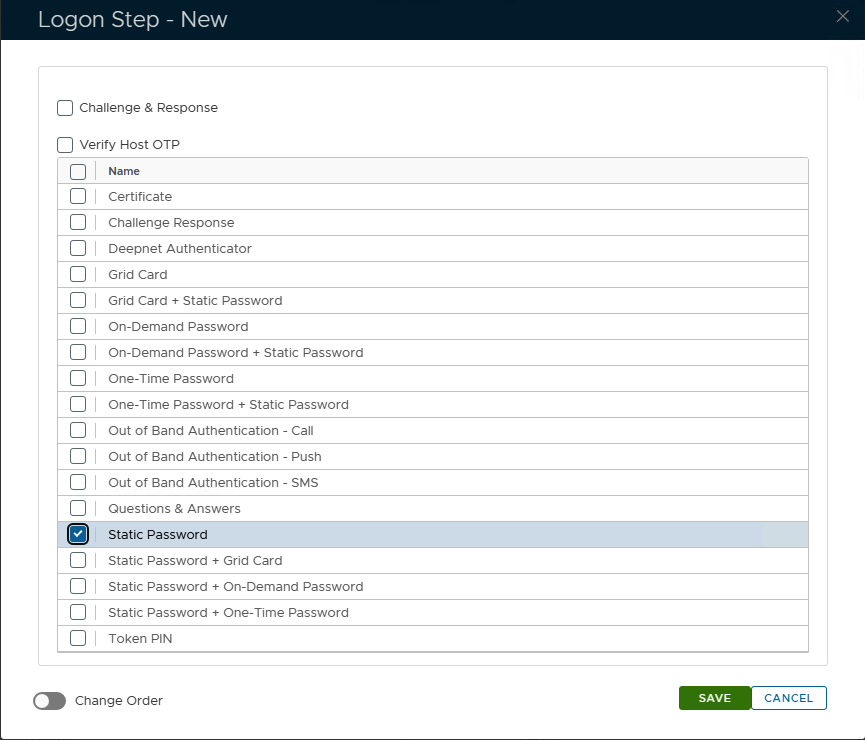
- Click Save
- Click Add again to add a second Logon Procedure
- Select OOBA Push as the second step
...
- In the main menu, select Authentication > Applications
- Click the Create button on the toolbar
- Enter a name and select a realm
- Select the newly created logon procedure
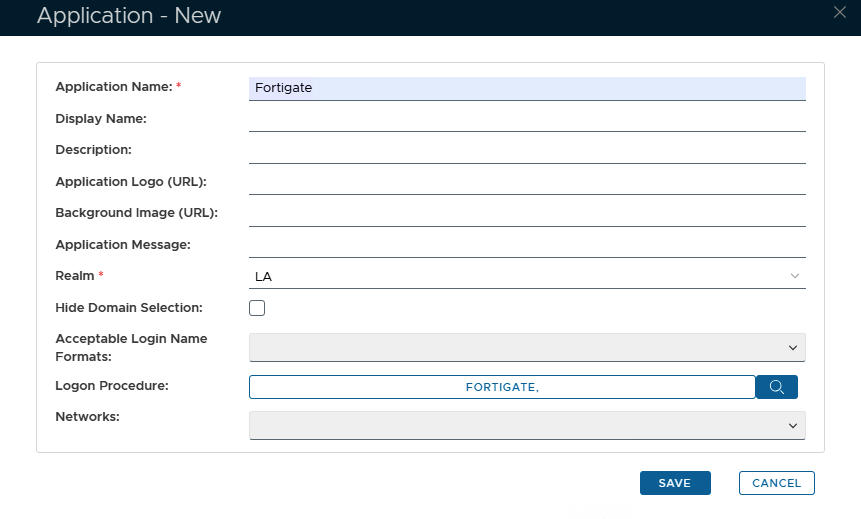
- Click Save
- Click the Context menu of the newly created application, select Agent and then select the Radius agent.
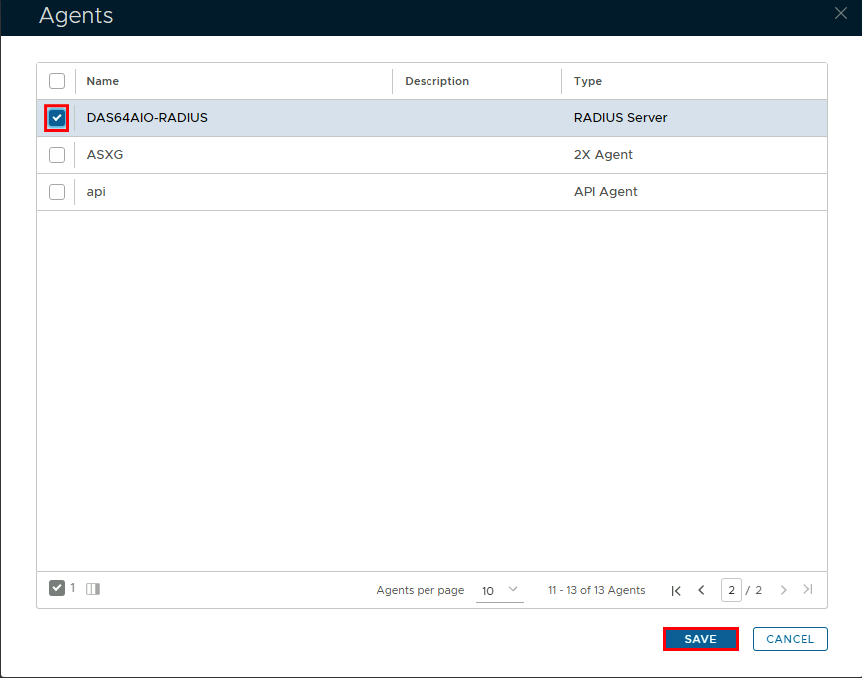
- Click Save
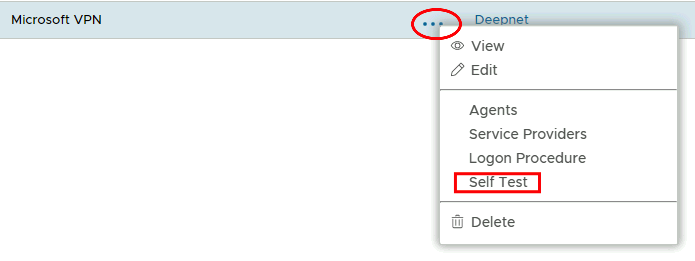
- Click on the corresponding Elipses ellipses and choose choose Self Test from the menu.
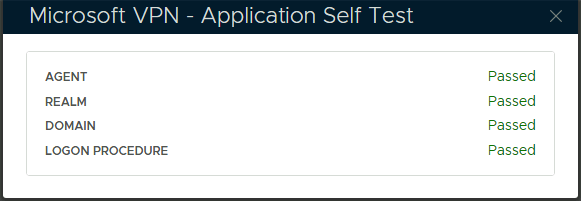
...