...
- In the main menu, select RADIUS > Client
- Click the "Create" button on the top right.
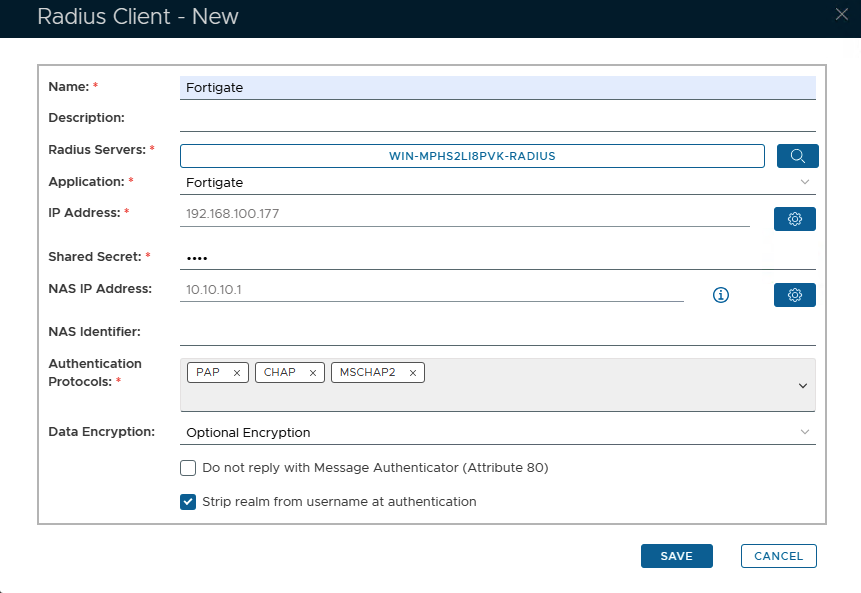
- Enter a friendly name
- Click on the magnifying glass and select the Radius Server
- Select the Application from the drop-down list.
- Click on the Cogwheel to the right to enter the IP address of the Network Policy Server Fortigate server and click "Add" then "Save"
- Enter the Shared Secret, which will be used in FortiGate's Radius Server configuration.
- Enter the NAS IP, which in this case will be the connection address used by FortiClient
- Select PAP, Chap & MSCHAP2 as the Authentication Protocols
- Click Save
...