ISSUE
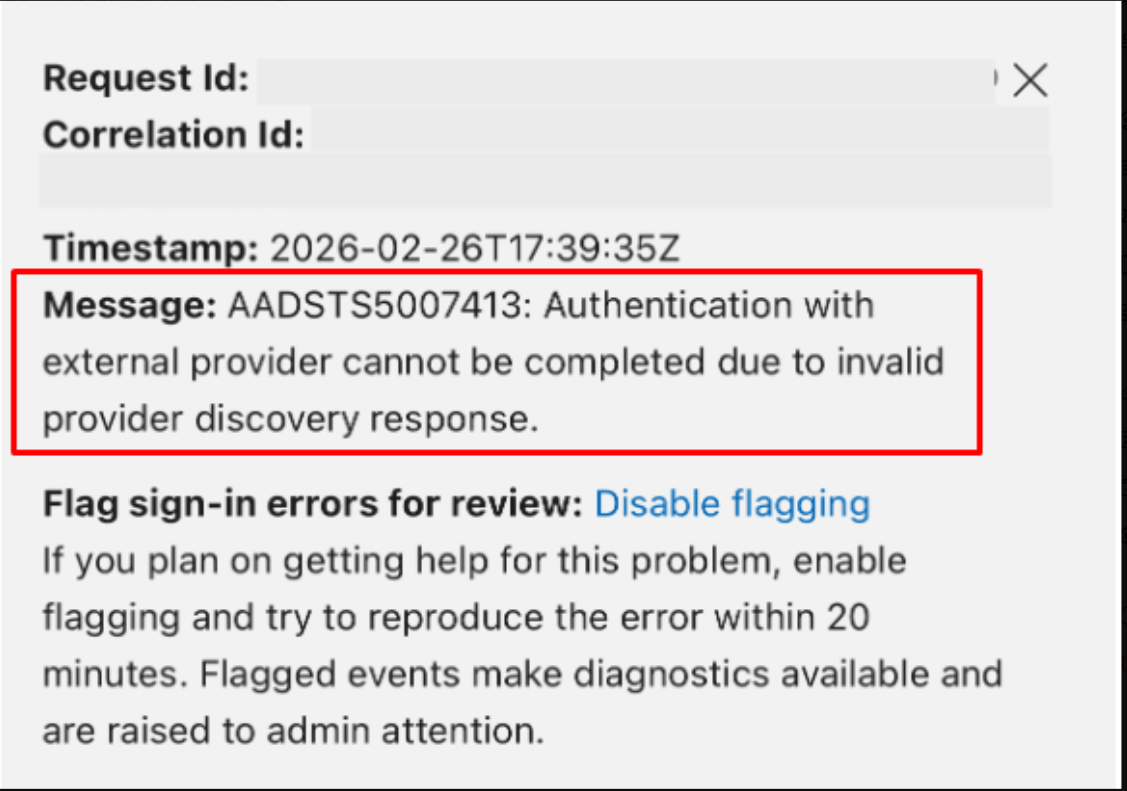
"Authentication with external provider cannot be completed due to invalid provider discovery response"
CAUSE
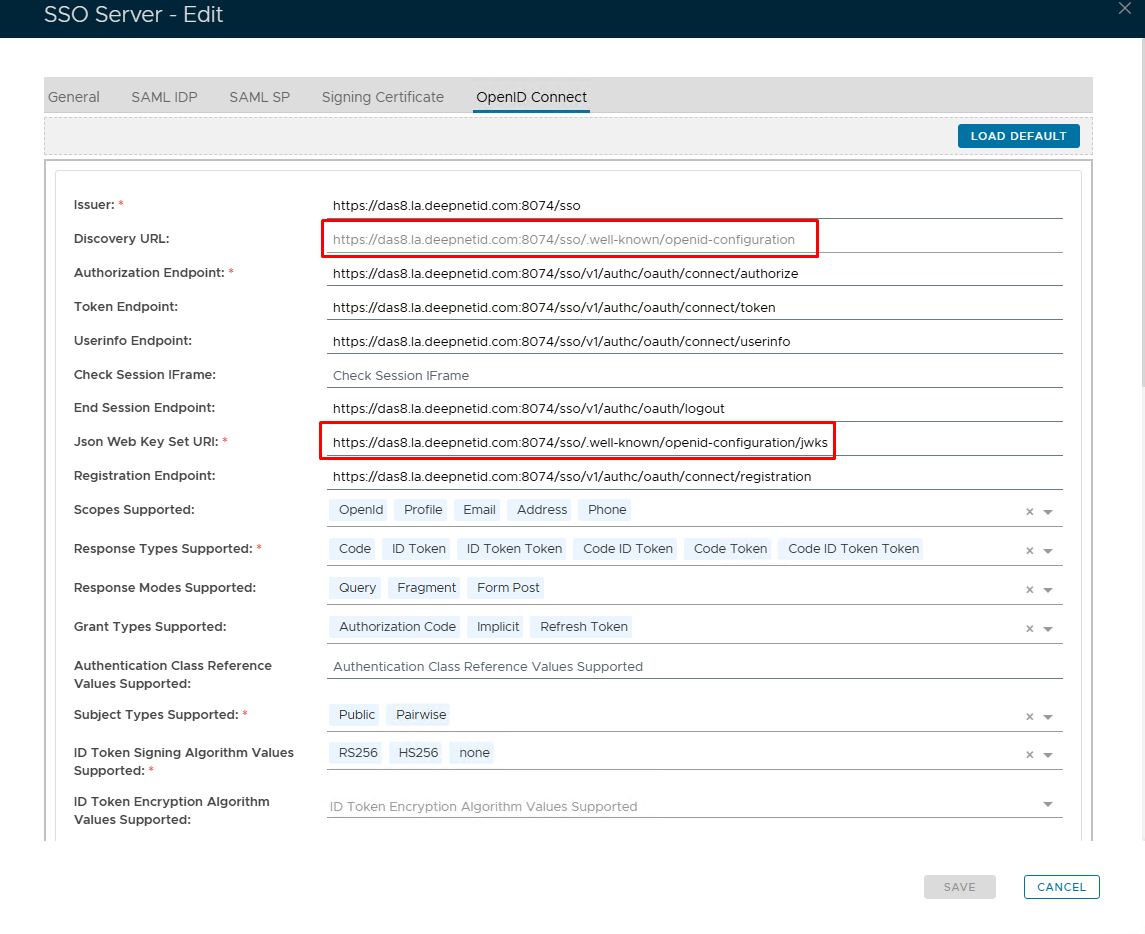
From Februrary 2026 Microsoft made a change so that they would strictly only accept the Discovery URL and the JWKS URI in the following format:
https://yourdualshieldFQDN.com:8074/sso/.well-known/openid-configuration
https://yourdualshieldFQDN.com:8074/sso/.well-known/openid-configuration/jwks
If integration before this time, you will see that the path included '/v1/authc/oauth/'. This is no longer valid and may cause the above issue when trying to sign in.
RESOLUTION
You will not be able to edit the Discovery URL field. Therefore, you will need to upgrade to the latest version of DualShield.
Once the upgrade is complete and DualShield has fully started, go to SSO>SSO Servers and edit the Single Sign-On Server. Selec the OpenID Connect tab at the top.
You should see the values have automatically been updated. If not, click on the Load Default button at the top